
plplaaoo XR-149 (plplaaoodtug6o3b8x-12)
plplaaoo 80mm 4-Blade Propeller User Manual
Model: XR-149 (plplaaoodtug6o3b8x-12)
Brand: plplaaoo
Introduction
This manual provides essential information for the plplaaoo 80mm 4-Blade Propeller, Model XR-149. These propellers are designed as versatile accessories for various DIY toy projects, including remote control cars and electric boat models. Crafted from durable ABS plastic, they offer reliable performance and ease of integration into your creations.

Figure 1: A set of 10 yellow 80mm 4-blade propellers.
Product Specifications
| Feature | Detail |
|---|---|
| Item Type | 4 Blades Propeller |
| Model | XR-149 |
| Material | ABS Plastic |
| Outer Diameter | Approx. 80mm / 3.1in |
| Inner Hole Diameter | Approx. 2mm / 0.08in |
| Blade Quantity | 4 blades |
| Package Quantity | 10 pieces per set |
| Item Weight | 1.48 ounces (total for package) |
| Recommended Age | 4 years and up |
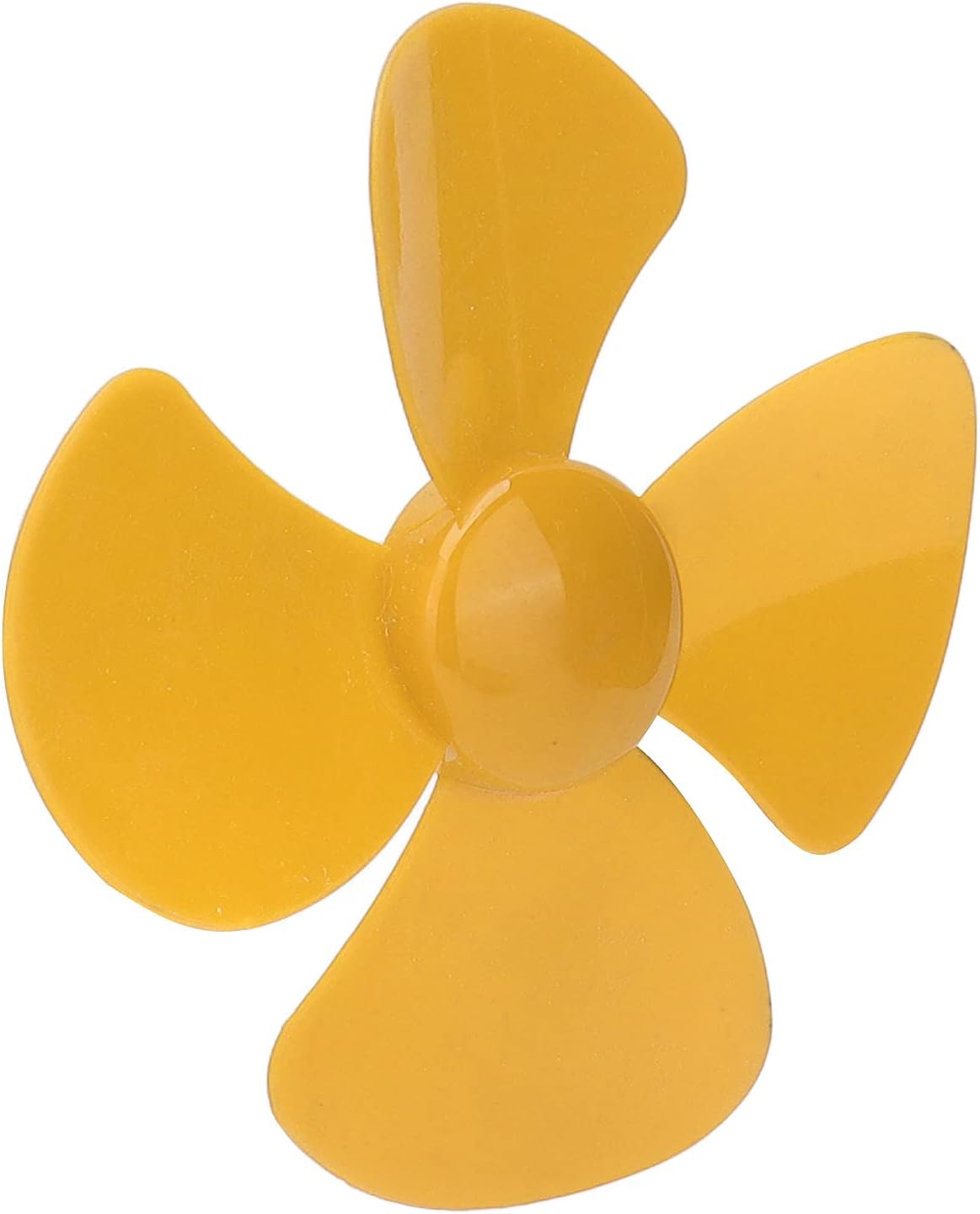
Figure 2: Detailed view of a single propeller, highlighting the 2mm inner hole.
Setup and Installation
These propellers are designed for easy integration into DIY projects. Follow these general guidelines for setup:
- Identify Compatible Motor/Shaft: Ensure your motor or drive shaft has a 2mm diameter to fit the propeller's inner hole.
- Secure Attachment: Carefully slide the propeller onto the motor shaft. Depending on your application, you may need a small amount of adhesive (e.g., super glue, epoxy) to secure the propeller firmly to prevent slippage during operation. Ensure the adhesive does not impede the propeller's rotation or balance.
- Orientation: For propulsion applications (like boats or fans), ensure the propeller is oriented correctly to generate thrust in the desired direction. The curved side of the blades typically faces the direction of thrust.
- Test Rotation: Before full operation, manually rotate the propeller to ensure it spins freely without obstruction and is balanced.

Figure 3: Example application of the propellers on a remote control boat.
Operating Guidelines
Once installed, the propellers operate as part of your DIY project's propulsion system. Consider the following:
- Power Source: Ensure your motor is connected to an appropriate power source (e.g., battery pack) that provides the correct voltage and current for optimal performance without overheating.
- Speed Control: If using with a variable speed motor, gradually increase power to observe propeller performance and avoid sudden stress on the blades or motor.
- Environmental Factors: For outdoor applications, be mindful of debris (e.g., leaves, small sticks) that could interfere with propeller rotation or cause damage.
Maintenance
To ensure the longevity and optimal performance of your plplaaoo propellers, follow these maintenance tips:
- Regular Inspection: Periodically inspect the propellers for any signs of damage, such as cracks, chips, or bending. Damaged propellers can cause imbalance and reduce efficiency.
- Cleaning: If used in dusty or wet environments, clean the propellers with a soft, damp cloth to remove dirt or residue. Avoid harsh chemicals that could degrade the plastic.
- Storage: Store unused or spare propellers in a cool, dry place away from direct sunlight and extreme temperatures to prevent material degradation.
- Replacement: If a propeller shows significant wear or damage, replace it immediately to maintain performance and prevent potential issues with your DIY model.
Troubleshooting
Here are some common issues and their potential solutions:
| Problem | Possible Cause | Solution |
|---|---|---|
| Propeller not spinning freely or making unusual noise. | Obstruction, bent blade, loose attachment. | Check for debris, inspect blades for damage, re-secure to shaft. |
| Reduced thrust or efficiency. | Damaged propeller, incorrect orientation, insufficient motor power. | Replace damaged propeller, verify orientation, check motor and power supply. |
| Propeller detaches from shaft during operation. | Insecure attachment, shaft too small. | Ensure proper adhesive is used for secure fit, verify shaft diameter is 2mm. |
Contact and Support
For further assistance or inquiries regarding your plplaaoo 80mm 4-Blade Propellers, please refer to the seller or manufacturer's contact information provided at the point of purchase. While specific warranty details are not provided in this manual, standard consumer rights apply.
Manufacturer: plplaaoo
Model Number: plplaaoodtug6o3b8x-12
Ask a question about this manual
Ask about setup, troubleshooting, compatibility, parts, safety, or missing instructions. Manuals+ will review the question and use this page’s manual context to help answer it.