
Product Overview
The Moen Idris One-Handle Bathroom Faucet is designed for modern and transitional bathroom styles. It features a single-handle operation for easy water flow and temperature adjustment. The included push-down drain provides a clean aesthetic and simplifies installation. This faucet offers flexible mounting options, suitable for both single-hole and 3-hole sinks with the provided deckplate. Constructed from durable metal, it is built for longevity and backed by Moen’s Limited Lifetime Warranty.
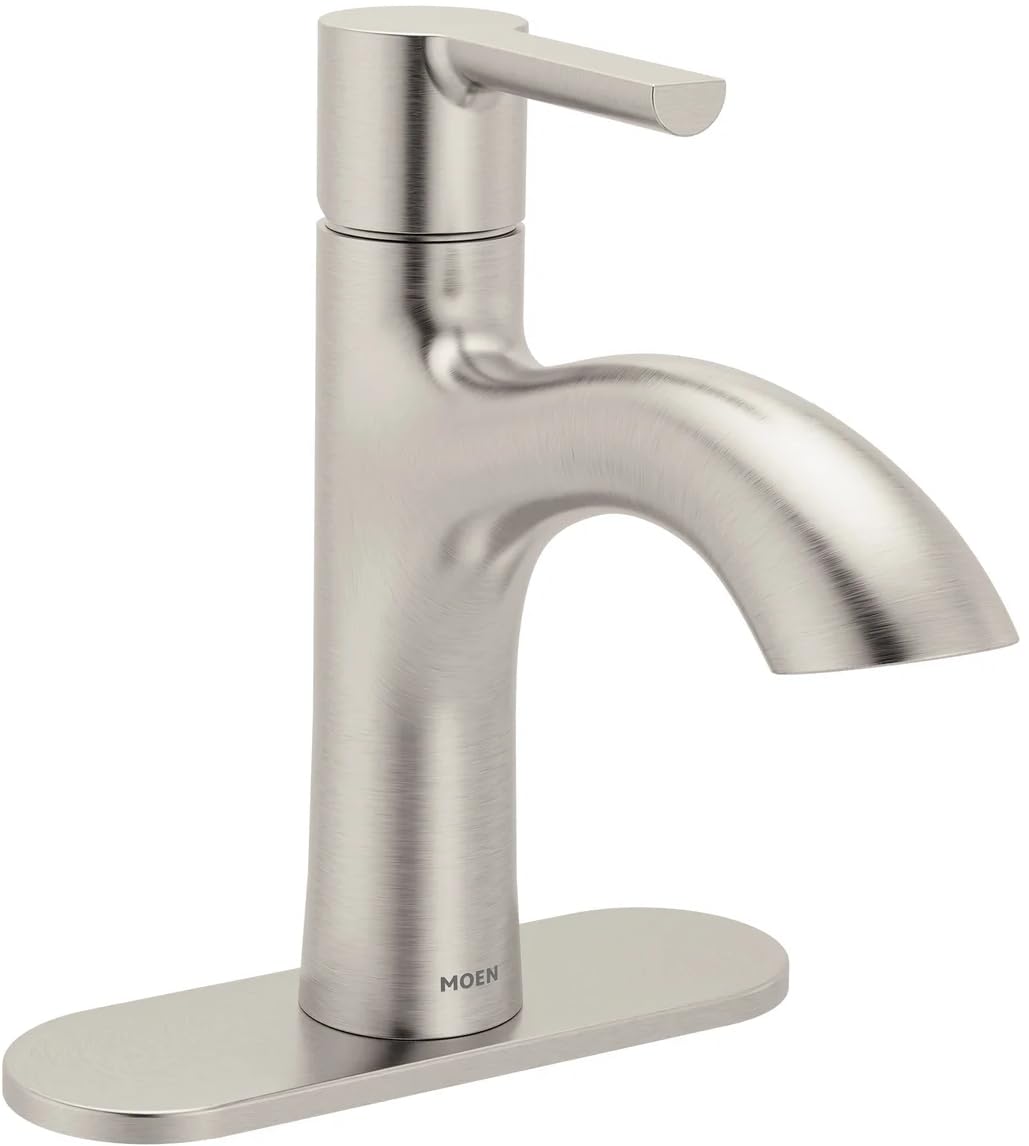
Image: Moen Idris One-Handle Bathroom Faucet in Brushed Nickel, showcasing its sleek design and single-handle lever.
Setup Instructions
What's Included
- Moen Idris One-Handle Bathroom Faucet
- Optional 3-Hole Deckplate
- Push-Down Spring-Loaded Drain Assembly
- Flexible Supply Lines with 3/8" Compression Fittings
Tools Required (Not Included)
- Adjustable Wrench
- Phillips Head Screwdriver
- Plumber's Putty or Silicone Sealant
- Flashlight (optional)
- Safety Glasses
Installation Steps
- Prepare the Sink: Ensure the sink surface is clean and dry. If installing on a 3-hole sink, place the optional deckplate over the outer holes.
- Install the Faucet: Insert the faucet body through the center hole of the sink (and deckplate, if used). Secure it from underneath the sink using the provided mounting hardware. Ensure the faucet is properly aligned.
- Connect Water Supply Lines: Attach the flexible supply lines to the hot and cold water valves. Hand-tighten first, then use an adjustable wrench for a quarter turn. Do not overtighten.
- Install the Drain Assembly: Apply plumber's putty or silicone sealant around the top edge of the drain opening in the sink. Insert the push-down drain body from the top. Secure the drain from underneath the sink according to the drain assembly instructions.
- Test for Leaks: Turn on the water supply slowly and check all connections for leaks. Operate the faucet to ensure proper water flow and temperature mixing.

Image: A Moen Idris faucet installed on a bathroom sink, demonstrating its position and connection points.
Operating Instructions
Water Flow and Temperature Control
The Moen Idris faucet features a single lever handle for effortless control of both water flow and temperature. To turn the water on, lift the handle upwards. To increase water flow, lift the handle further. To adjust the temperature, move the handle left for hot water and right for cold water. The aerated flow is optimized for daily bathroom tasks such as washing hands and brushing teeth.
Drain Operation
The faucet includes a convenient push-down spring-loaded drain. To close the drain and fill the sink, simply press down on the drain stopper. To open the drain and allow water to flow out, press down on the stopper again.
Maintenance and Care
Cleaning
To maintain the finish and performance of your Moen Idris faucet, clean it regularly with a soft, damp cloth. Avoid using abrasive cleaners, harsh chemicals, or scouring pads, as these can damage the finish. The brushed nickel finish is designed to be spot-resistant, making it easy to keep clean and looking new.
Aerator Maintenance
If water flow becomes restricted, the aerator may need cleaning. Unscrew the aerator from the end of the spout, rinse any debris, and reassemble. Refer to the detailed installation guide for specific instructions on aerator removal.
Troubleshooting
| Problem | Possible Cause | Solution |
|---|---|---|
| Low Water Flow | Clogged aerator or partially closed supply valves. | Clean the aerator. Ensure hot and cold water supply valves are fully open. |
| Leaking from Faucet Base | Loose mounting nuts or worn O-rings. | Tighten mounting nuts. If leaking persists, contact customer support for O-ring replacement. |
| Water Temperature Issues | Incorrectly adjusted temperature limit stop or issues with water heater. | Consult the full installation guide for temperature limit stop adjustment. Check water heater settings. |
| Drain Not Sealing Properly | Debris in drain or improper installation. | Clear any debris from the drain. Re-check drain assembly for correct installation. |
Product Specifications
| Feature | Detail |
|---|---|
| Brand | Moen |
| Model Name | Idris |
| Mounting Type | Deck Mount (Surface Mount) |
| Number of Handles | 1 |
| Finish Type | Brushed Nickel |
| Material | Stainless Steel / Metal |
| Special Feature | Spot Resistance |
| Product Dimensions | 5.25"D x 2"W x 7.1"H |
| Item Weight | 3.59 pounds (1.63 Kilograms) |
| Flow Rate | 1.2 GPM (Gallons Per Minute) |
| UPC | 026508388716 |
Warranty Information
This Moen Idris One-Handle Bathroom Faucet is covered by Moen's Limited Lifetime Warranty. This warranty ensures that your faucet will be free from defects in material and manufacturing workmanship for as long as the original consumer purchaser owns their home. For full details regarding warranty coverage, terms, and conditions, please refer to the official Moen website or contact Moen customer support.
Customer Support
For technical assistance, replacement parts, or warranty claims, please contact Moen Customer Support. You can typically find contact information, including phone numbers and online support resources, on the official Moen website. When contacting support, please have your product model number (Idris) and proof of purchase readily available.


