
Introduction
The EPOS Adapt E1 True Wireless Bluetooth Earbuds are designed for both professional and personal use, offering an exceptional audio experience. They feature Microsoft Teams and Made for iPhone certifications, multi-point connectivity, and up to 50 hours of battery life. EPOS IntelligentFit™ technology ensures comfort and acoustic performance. Hybrid active noise cancellation allows for effortless concentration, making them suitable for calls, meetings, music, and travel.
What's in the Box
- ADAPT E1 True Wireless Bluetooth Earbuds - Scandinavian Black
- 3 x Sizes Silicone Eartips
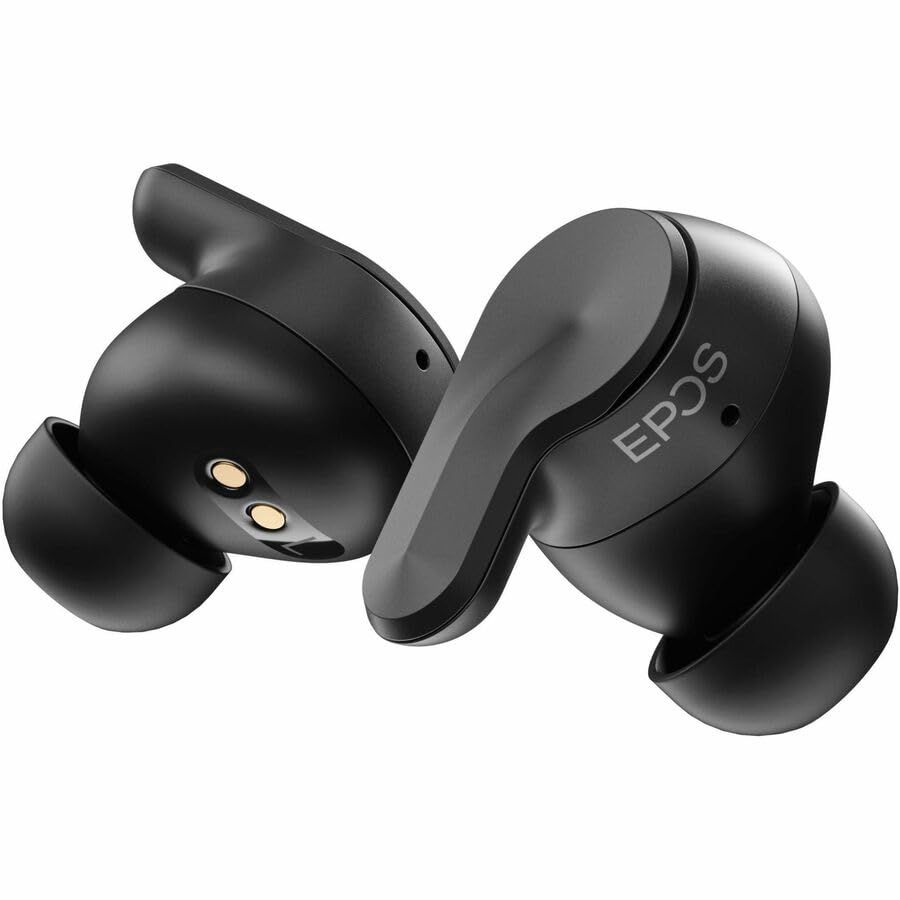
Image: EPOS Adapt E1 earbuds shown in their charging case with the USB-C charging cable connected.
Product Features
- EPOS' unique ear tip design provides unmatched comfort and outstanding acoustic performance.
- Certified for iPhone, ensuring an exceptional user experience.
- Free software for asset management, remote updates and adhering to company policy.
- Just 5 minutes of charging gives you 1 hour of battery.
- Solo mode allows you charge one earbud and stay on the call with the other.
- Removing one earbud pauses audio, reinserting it resumes music playback effortlessly.
- Select from preset sound profiles, available on both mobile and PC.
- Enjoy quick, easy pairing with Google Fast Pair.
- Durable earbuds that are water-resistant, sweatproof, rainproof, and splashproof.
- The slim case with magnetic lid ensures earbuds and USB-C dongle stay in place.

Image: An exploded view of the EPOS Adapt E1 earbud showing its internal components and the unique ear tip design.
Setup
1. Charging the Earbuds and Case
Before first use, fully charge your earbuds and the charging case. Connect the USB-C cable to the charging case and a power source. The LED indicators on the case will show charging status. A 5-minute quick charge provides 1 hour of battery life.
2. Selecting the Right Eartips
Choose the silicone eartips that provide the best seal and comfort for your ears. Experiment with the different sizes (S, M, L) included in the box to find the optimal fit for sound quality and active noise cancellation performance.

Image: EPOS Adapt E1 earbuds resting in their open charging case, ready for use.
3. Pairing with a Device
For PC: Insert the USB-C dongle into your computer's USB-C port. The earbuds will automatically pair with the dongle for a low-latency connection. Ensure the earbuds are in pairing mode (refer to quick start guide for specific steps).
For Mobile Devices (iPhone, Android): Open the charging case. The earbuds will automatically enter pairing mode. On your mobile device, go to Bluetooth settings and select 'EPOS Adapt E1' from the list of available devices. For Android, Google Fast Pair is supported for quick setup.
Operating Instructions
Basic Controls
- Play/Pause: Tap either earbud once.
- Volume Control: Swipe up or down on the earbud's touch surface.
- Answer/End Call: Tap either earbud once.
- Reject Call: Press and hold either earbud.
- Active Noise Cancellation (ANC)/Transparency Mode: Tap and hold either earbud to cycle through modes.
Special Features
- Solo Mode: Use one earbud while the other charges in the case.
- Auto Pause/Resume: Audio pauses when an earbud is removed and resumes when reinserted.
- Multi-Point Connectivity: Connect to two Bluetooth devices simultaneously (e.g., PC and smartphone).
Maintenance
Cleaning
Regularly clean the earbuds and charging case with a soft, dry, lint-free cloth. Do not use harsh chemicals or abrasive materials. Remove eartips and clean separately with water if necessary, ensuring they are completely dry before reattaching.
Storage
When not in use, store the earbuds in their charging case to protect them and ensure they remain charged. Store in a cool, dry place away from direct sunlight and extreme temperatures.
Troubleshooting
- No Sound/Poor Sound Quality: Ensure earbuds are charged, properly paired, and eartips provide a good seal. Check device volume.
- Connectivity Issues: Ensure Bluetooth is enabled on your device. Try unpairing and re-pairing the earbuds. Ensure the USB-C dongle is securely connected to the PC.
- Charging Problems: Check that the charging cable is securely connected to both the case and the power source. Ensure the charging contacts on the earbuds and case are clean.
- Earbuds Not Responding: Try resetting the earbuds (refer to the quick start guide for specific reset instructions).
Specifications
| Feature | Detail |
|---|---|
| Model Name | ADAPT E1 |
| Connectivity Technology | Wireless (Bluetooth 5.3) |
| Noise Control | Active Noise Cancellation |
| Charging Time | 5 minutes for 1 hour playback |
| Water Resistance Level | Water Resistant |
| Control Method | App / Touch |
| Compatible Devices | iPhone, Mobile Devices, Tablets, PC |
| Item Weight | 4.9 ounces (0.14 Kilograms) |
| Product Dimensions | 4.5 x 3.5 x 2 inches |
Warranty and Support
The EPOS Adapt E1 True Wireless Bluetooth Earbuds come with a standard manufacturer's warranty. For detailed warranty information, product support, or service requests, please visit the official EPOS website or contact their customer service. Protection plans are also available for extended coverage.


