
1. Introduction
Thank you for choosing the VIHELM Micro-300 Digital Battery Tester. This device is designed for accurate and efficient testing of 12V lead-acid starter batteries, including regular flooded, AGM flat plate, AGM spiral, and GEL batteries. It provides comprehensive analysis of battery health, cranking performance, and charging system functionality. This manual provides essential information for safe and effective operation of your Micro-300 tester.
2. What's in the Box
Carefully unpack your VIHELM Micro-300 and verify that all items are present:
- Micro-300 Digital Battery Tester Unit
- User Manual (this document)
- Protective Carrying Case

Image: The VIHELM Micro-300 Digital Battery Tester, along with its test leads and a roll of thermal paper, neatly organized within its custom-fitted protective carrying case. The case is open, showing the foam inserts that secure the components.
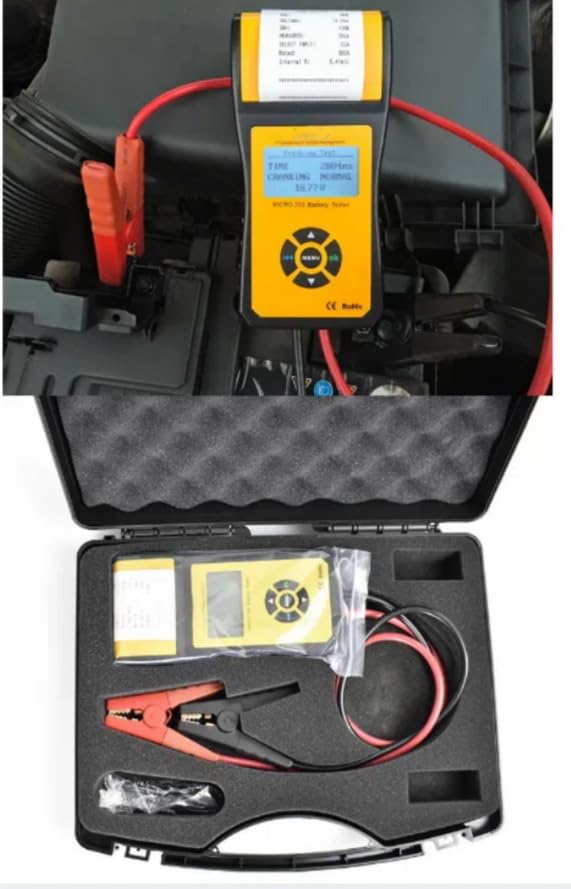
Image: A top-down view of the VIHELM Micro-300 battery tester kit, showing the main unit, red and black alligator clips with cables, and a roll of thermal paper, all nestled within the open protective carrying case.
3. Safety Information
Please read and understand all safety warnings and instructions before operating this device. Failure to do so may result in injury or damage to the tester or vehicle.
- Always wear eye protection when working near batteries.
- Ensure adequate ventilation when testing batteries.
- Do not smoke or allow sparks or flames near the battery or engine.
- Avoid contact with battery acid. If contact occurs, flush immediately with water and seek medical attention.
- Keep the tester dry and clean. Do not operate in wet conditions.
- Do not attempt to disassemble or modify the tester.
4. Product Overview
The Micro-300 features a clear LCD display, intuitive navigation buttons, and an integrated thermal printer for instant test result printouts.
4.1. Device Components
- LCD Display: Shows test results and menu options.
- Control Buttons: MENU, OK, Up/Down/Left/Right arrows for navigation.
- Test Leads: Red (+) and Black (-) alligator clamps for connecting to the battery.
- Integrated Printer: For printing test reports.
- USB Port: For data transfer (if applicable, refer to specific model features).
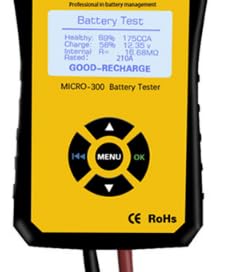
Image: A detailed view of the VIHELM Micro-300 battery tester's yellow and black casing, highlighting the LCD screen displaying 'Battery Test' results and the central circular control panel with 'MENU' and 'OK' buttons surrounded by directional arrows.

Image: An illustration showcasing the compact design of the VIHELM Micro-300 battery tester, with key dimensions (e.g., 180mm length, 48mm width) labeled, emphasizing its portability and ergonomic form factor.
5. Setup
Follow these steps to prepare your Micro-300 for testing:
- Ensure the battery terminals are clean and free of corrosion.
- Connect the red (+) clamp to the positive battery terminal.
- Connect the black (-) clamp to the negative battery terminal.
- The tester will power on automatically once connected.
Image: The VIHELM Micro-300 battery tester is shown connected to a car battery within an engine bay. The red and black alligator clips are securely attached to the corresponding battery terminals, indicating readiness for a diagnostic test.
6. Operating Instructions
The Micro-300 offers various testing functions to assess your battery and charging system.
6.1. Main Menu Navigation
Use the directional arrows to navigate through menu options and the 'OK' button to confirm selections. The 'MENU' button typically returns to the previous screen or the main menu.
6.2. Battery Test
This function assesses the overall health and capacity of the battery.
- From the main menu, select 'Battery Test'.
- Select the battery type (e.g., Regular Flooded, AGM, GEL).
- Enter the battery's Cold Cranking Amps (CCA) rating as specified on the battery label.
- The tester will perform the test and display results such as voltage, measured CCA, internal resistance, and a health status (e.g., 'GOOD-RECHARGE', 'REPLACE').
6.3. Cranking Test
This test evaluates the battery's ability to provide sufficient current to start the engine.
- From the main menu, select 'Cranking Test'.
- Follow the on-screen prompts to start the engine.
- The tester will record the minimum cranking voltage and cranking time, providing a 'GOOD' or 'REPLACE' recommendation.
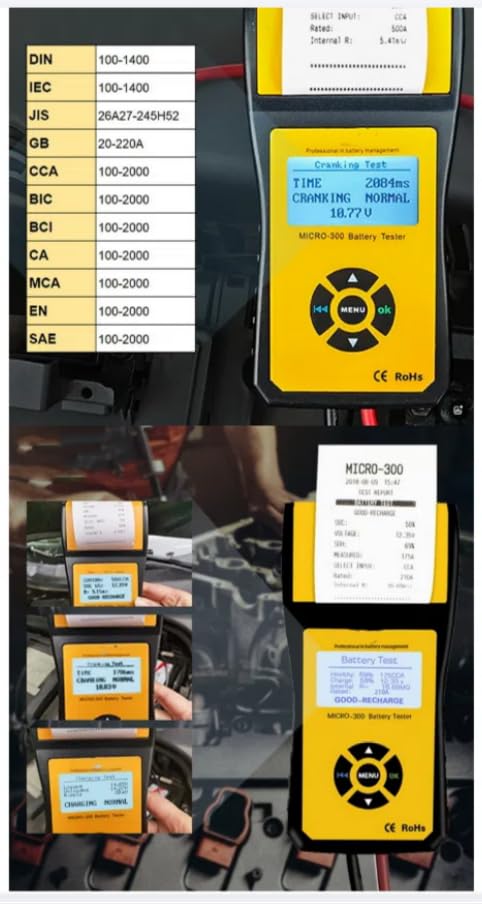
Image: The VIHELM Micro-300 battery tester's screen shows 'Cranking Test' results, including cranking time and voltage. Adjacent to it is a list of supported battery standards (DIN, IEC, JIS, GB, CCA, BCI, CA, MCA, EN, SAE) with their respective testing ranges.
6.4. Charging System Test
This test checks the vehicle's charging system (alternator, regulator, diodes).
- From the main menu, select 'Charging System Test'.
- Follow the on-screen instructions, which typically involve starting the engine and revving it to a specified RPM.
- The tester will analyze the charging voltage and ripple, indicating if the charging system is functioning correctly.
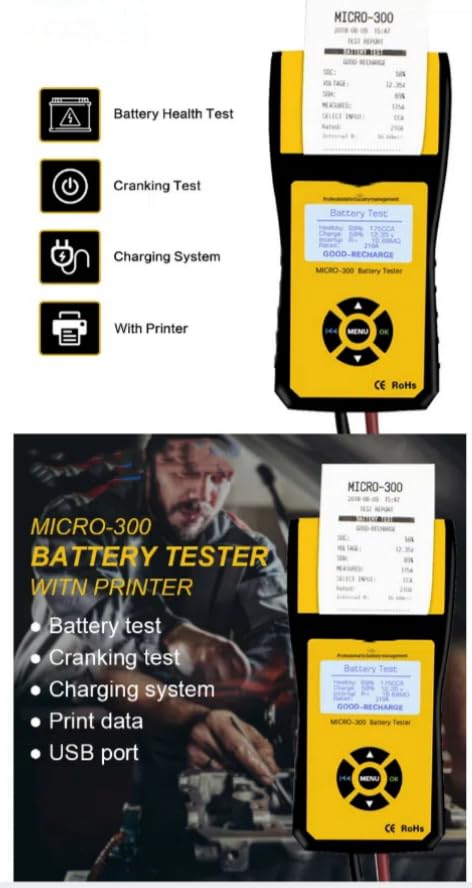
Image: A visual representation of the VIHELM Micro-300's core functionalities: Battery Health Test, Cranking Test, Charging System Test, and the ability to print results, each depicted with a clear icon.
6.5. Printing Results
After any test, you can print the results directly from the device using the integrated thermal printer. Look for a 'Print' option on the results screen or a dedicated print button.
6.6. Language Selection
The Micro-300 supports multiple languages for user convenience.
- Navigate to the 'Settings' or 'Language' option in the main menu.
- Select your preferred language from the available options.

Image: The VIHELM Micro-300 battery tester's screen shows a 'Battery Test' result, while the surrounding graphic illustrates support for multiple languages, represented by flags including English, German, Spanish, French, Italian, Dutch, Polish, Portuguese, Korean, Russian, Chinese, Norwegian, Finnish, Danish, and Japanese.
7. Specifications
| Feature | Detail |
|---|---|
| Product Name | Micro-300 |
| Material | ABS Plastic |
| Function | Battery Tester with printer |
| Working Environment Temp | -20°C~50°C |
| Measure Range | 30-2000AH, 100-2000CCA |
| Application | 12V battery test and 12V system test |
| Special test clip | Double conductor Kelvin clamp |
| Brand | VIHELM |
| Power Source | Battery Powered (from vehicle battery) |
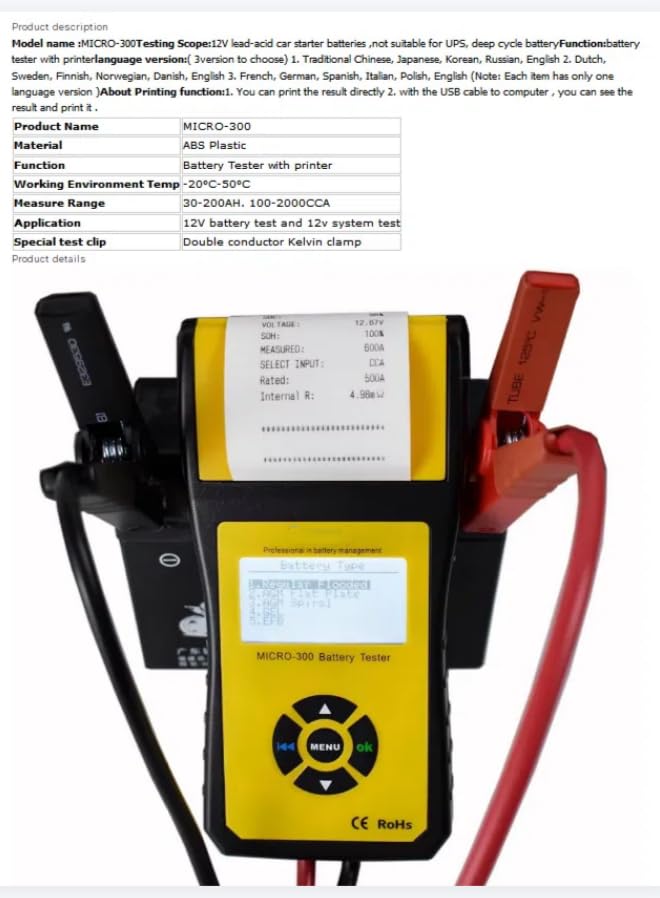
Image: The VIHELM Micro-300 battery tester is shown with a printout emerging from its top, displaying detailed product information and specifications, including product name, material, function, working environment temperature, measure range, application, and special test clip type.
8. Maintenance
Proper maintenance ensures the longevity and accuracy of your Micro-300 tester.
- Cleaning: Wipe the device with a soft, dry cloth. Do not use abrasive cleaners or solvents.
- Storage: Store the tester in its protective carrying case in a cool, dry place when not in use.
- Test Leads: Inspect the test leads and clamps regularly for damage. Replace if frayed or broken.
- Printer Paper: Ensure you have spare thermal paper rolls for the integrated printer.
9. Troubleshooting
If you encounter issues with your Micro-300, refer to the following common problems and solutions:
- Tester does not power on: Ensure the clamps are securely connected to the battery terminals. Check battery voltage; the tester requires a minimum voltage to operate.
- Inaccurate readings: Ensure battery terminals are clean. Verify that the correct battery type and CCA rating are entered.
- Printer not working: Check if thermal paper is loaded correctly and if there is enough paper. Ensure the printer cover is closed properly.
- Error message on screen: Refer to the specific error code (if any) and consult the manufacturer's support resources.
10. Warranty and Support
For warranty information, technical support, or service inquiries, please contact VIHELM customer service through the retailer where the product was purchased or refer to the official VIHELM website. Please have your product model and purchase date available when contacting support.