
Introduction
Thank you for purchasing the Silva Schneider CDP 99 BT Portable CD Player. This manual provides essential information for the safe and efficient operation of your device. Please read it thoroughly before use and keep it for future reference.
Package Contents
- Silva Schneider CDP 99 BT CD Player
- USB-C Charging Cable
- 3.5 mm Audio Cable
- Remote Control

Figure 1: Front view of the Silva Schneider CDP 99 BT CD Player, showing the control panel and display.
Setup
1. Charging the Device
Before first use, fully charge the internal 4000 mAh battery. Connect the supplied USB-C charging cable to the USB-C port on the device and the other end to a compatible USB power adapter (not included).

Figure 2: Rear view of the CD player, highlighting the USB-C charging port, headphone jack, and SD card slot.
2. Inserting a CD
- Gently open the transparent vertical CD compartment cover.
- Place the CD (CD/CD-R/RW) onto the spindle with the label side facing you.
- Close the CD compartment cover securely.
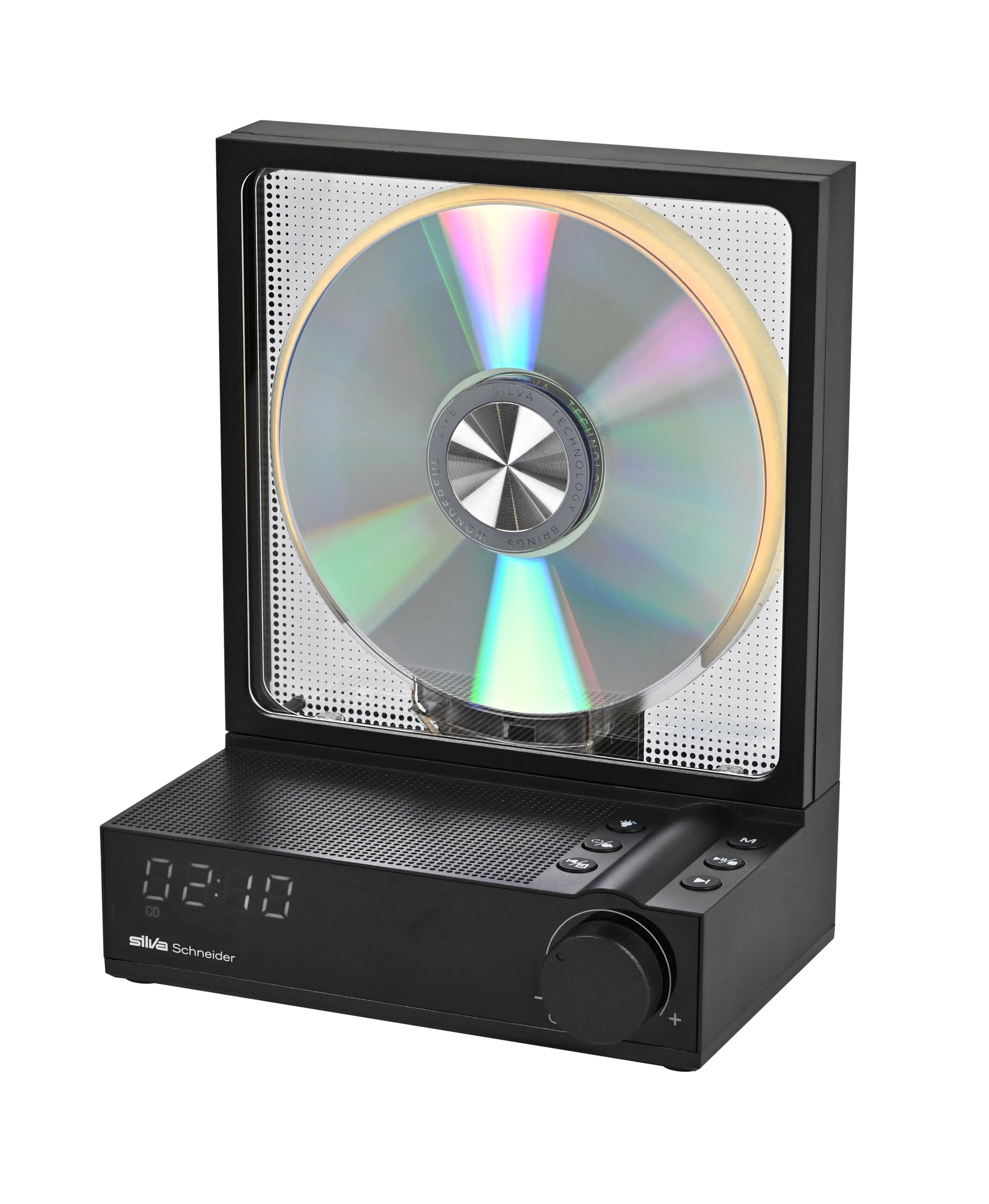
Figure 3: The CD player with its vertical transparent CD compartment open, showing a CD inserted.
3. Connecting Headphones or External Audio
- Headphones: Plug 3.5 mm headphones into the headphone jack on the back of the device.
- External Speakers: Use the supplied 3.5 mm audio cable to connect the device's headphone jack to the AUX input of an external speaker system.
Operating Instructions
1. Power On/Off
Press and hold the Power button (usually integrated with the volume knob) to turn the device on or off. The LED display will illuminate.
2. CD/MP3 Playback
- Play/Pause: Press the Play/Pause button to start or pause playback.
- Skip Tracks: Use the Skip (forward/backward) buttons to navigate between tracks.
- Repeat Function: Press the Repeat button to repeat the current track (Repeat 1) or all tracks (Repeat All).
- Random Play: Activate the Random Play function for shuffled playback.
- Anti-Shock Protection: The device features 60/120 seconds of anti-shock protection to prevent interruptions during movement.
3. Bluetooth 5.3 Functionality
The CDP 99 BT acts as both a Bluetooth transmitter and receiver.
- Bluetooth Receiver Mode: Pair your smartphone or other Bluetooth-enabled device with the CDP 99 BT to stream audio to its speakers.
- Bluetooth Transmitter Mode: Connect the CDP 99 BT to Bluetooth headphones or speakers to wirelessly transmit audio from CDs or MP3s.
Refer to the device's display and control buttons for mode selection and pairing instructions.
4. MP3 Playback from SD Card
Insert an SD card containing MP3 files into the SD card slot on the back of the device. The player will automatically detect and allow playback of MP3 files.
5. CD to MP3 Conversion
The device can convert audio CD tracks to MP3 format and save them to an inserted SD card. Consult the on-screen menu or specific button combinations for this function.
6. Sleep Timer
Set the sleep timer (30, 60, or 90 minutes) to automatically turn off the device after a specified period.
7. Remote Control
Use the included remote control for convenient operation of playback, volume, mode selection, and other functions from a distance.
Maintenance
Cleaning
- Disconnect the device from power before cleaning.
- Wipe the exterior with a soft, dry cloth. Do not use abrasive cleaners or solvents.
- Keep the CD compartment free of dust and debris.
Battery Care
- To prolong battery life, avoid fully discharging the battery frequently.
- If storing the device for an extended period, charge it to approximately 50% every few months.
Storage
Store the device in a cool, dry place away from direct sunlight and extreme temperatures.
Troubleshooting
| Problem | Possible Cause | Solution |
|---|---|---|
| Device does not power on. | Battery is depleted. | Connect the USB-C charging cable and charge the device. |
| CD does not play. | CD is dirty, scratched, or inserted incorrectly. | Clean the CD, check for scratches, and ensure it is correctly placed in the compartment. |
| No sound. | Volume is too low or muted; headphones/speakers not connected properly. | Increase volume. Check headphone/speaker connections. Ensure Bluetooth is correctly paired if using wireless audio. |
| Bluetooth pairing fails. | Device is too far from the Bluetooth accessory; accessory is not in pairing mode. | Ensure devices are within range. Put the Bluetooth accessory into pairing mode. Restart both devices. |
Specifications
- Model Number: 251005
- Brand: Silva Schneider
- Color: Black
- Connectivity Technology: Auxiliary, Bluetooth 5.3
- Special Features: Bluetooth Transmitter & Receiver, Rechargeable Battery, Anti-shock
- Supported Audio Format: MP3
- Number of Discs: 1
- Connector Type: 3.5 mm Jack, USB-C
- Number of Channels: 2
- Battery: 4000 mAh (up to 10 hours playback)
- Power Output: 50 W p.m.p.o.
- Dimensions (L x W x H): 14.4 x 9.6 x 18.5 cm
- Media Type: Audio CD, CD-R/RW, SD Card
- Compatible Devices: Headphones, Bluetooth Speakers
- Country of Origin: China
Warranty and Support
For warranty information and customer support, please refer to the documentation provided with your purchase or contact your retailer. Information regarding spare parts availability and software updates is not provided at this time.
Manufacturer: Silva Schneider
Address: Silva Schneider Handelsges.m.b.H., A-5020 Salzburg, Austria
Email: office@silva-schneider.at


