
1. Product Overview
The Lomiluskr AJ52 is an RGB wired gaming mouse designed for precision and comfort. It features 7 programmable buttons, adjustable DPI settings, and customizable RGB lighting, making it suitable for various computing tasks and gaming environments.
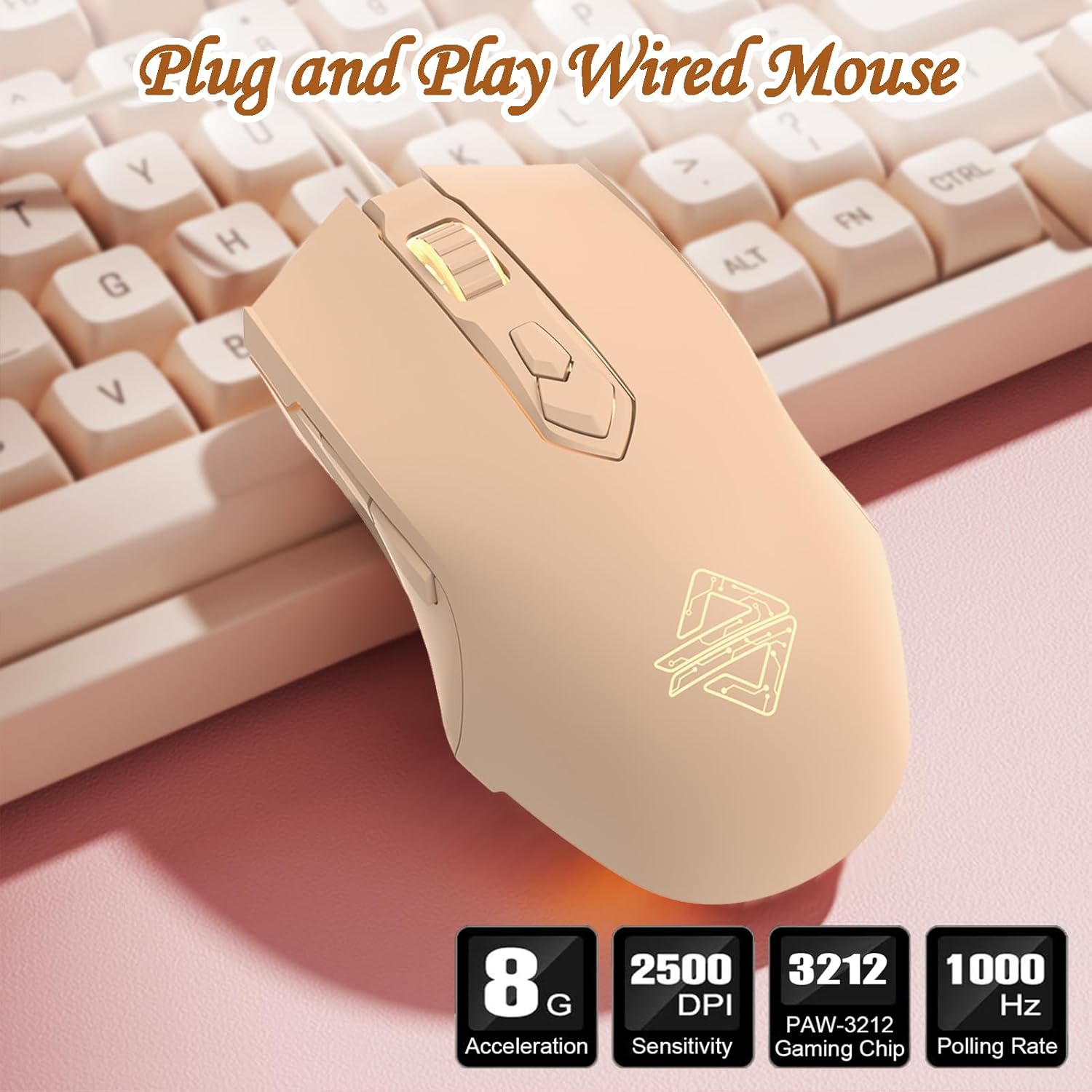
Image 1.1: The Lomiluskr AJ52 RGB Wired Gaming Mouse, highlighting its plug-and-play functionality.
This mouse is compatible with Windows, Mac OS, and Linux operating systems. Please note that driver software and side button functionality may be limited on Mac systems.
2. Setup Instructions
The Lomiluskr AJ52 mouse is designed for simple plug-and-play operation.
- Unpack the Mouse: Carefully remove the mouse from its packaging.
- Connect to Computer: Insert the USB 2.0 connector of the mouse into an available USB port on your computer.
- Automatic Installation: Your operating system should automatically detect and install the necessary drivers. No additional software installation is required for basic functionality.

Image 2.1: User interacting with the Lomiluskr AJ52 mouse, demonstrating its ergonomic design.
3. Operating Instructions
3.1 DPI Adjustment
The mouse features a DPI button located on the top, allowing for on-the-fly sensitivity adjustments. There are 7 default DPI levels, each corresponding to a different auto-breathing LED lighting mode. This visual feedback helps you identify the current DPI setting.
- Press the DPI button to cycle through the available DPI settings.
- The LED lighting color will change with each DPI level.
- Recommended DPI for daily use: 1000-1500.
Note: Changing the LED color through the DPI button will also change the DPI. For independent lighting customization, use the professional driver software (Windows only).
3.2 Programmable Buttons
The Lomiluskr AJ52 mouse is equipped with 7 programmable buttons. These buttons can be customized for specific functions, macros, or shortcuts using the dedicated driver software (available for Windows only). The side buttons are not available on Mac systems.
3.3 RGB Lighting Customization
The mouse features RGB lighting with 7 auto-breathing LED modes linked to DPI settings. For advanced customization, the professional driver software (Windows only) allows you to:
- Select specific lighting colors for each of the 7 DPI levels.
- Set various lighting effects, including constant light, single-color, breathing, multi-color breathing, and neon effects.

Image 3.1: Customizable RGB lighting options for the AJ52 mouse.
4. Software Installation and Use (Windows Only)
To unlock the full potential of your Lomiluskr AJ52 mouse, including programmable buttons and advanced RGB lighting customization, you can install the professional driver software. This software is only compatible with Windows operating systems.
- Obtain Software: Refer to the product packaging or the manufacturer's official website for instructions on where to download the driver software.
- Installation: Run the downloaded installer file.
- Troubleshooting Installation Error "Code 740": If you encounter a "Code 740" error during installation, right-click on the installation file and select "Run as Administrator" to proceed.
- Customization: Once installed, launch the software to customize DPI settings, polling rate, programmable buttons, and LED lighting modes.
Important: Driver software and side button customization are not available on Mac systems.
5. Maintenance
To ensure the longevity and optimal performance of your Lomiluskr AJ52 mouse, follow these simple maintenance guidelines:
- Cleaning: Use a soft, dry cloth to wipe the surface of the mouse. For stubborn dirt, slightly dampen the cloth with water or a mild cleaning solution. Avoid harsh chemicals or abrasive materials.
- Sensor Care: Keep the optical sensor on the underside of the mouse clean and free from dust or debris.
- Cable Management: Avoid sharp bends or excessive pulling on the USB cable to prevent damage.
- Storage: When not in use, store the mouse in a clean, dry environment away from extreme temperatures.
6. Troubleshooting
If you encounter issues with your Lomiluskr AJ52 mouse, please refer to the following common solutions:
- Mouse Not Responding:
- Ensure the USB cable is securely connected to your computer's USB port.
- Try connecting the mouse to a different USB port.
- Restart your computer.
- DPI/Lighting Not Changing:
- Ensure you are pressing the dedicated DPI button.
- If using the driver software, ensure it is correctly installed and running.
- Driver Installation Error "Code 740":
- Right-click on the driver installation file and select "Run as Administrator".
- Side Buttons Not Working (Mac OS):
- The driver software and side button functionality are not supported on Mac systems. This is expected behavior.
7. Specifications

Image 7.1: Labeled components of the Lomiluskr AJ52 mouse.
| Feature | Detail |
|---|---|
| Model Number | AJ52 |
| Connectivity | Wired USB 2.0 |
| Buttons | 7 (Programmable via software on Windows) |
| DPI Range | 200-4800 DPI (adjustable via button; 500-2500 DPI default, 200-4800 DPI via driver) |
| Lighting | RGB (7 auto-breathing modes, customizable via software on Windows) |
| Movement Detection | Optical |
| Acceleration | 10G |
| Polling Rate | 1000 Hz |
| Dimensions | 126 x 69 x 38 mm (4.96 x 2.72 x 1.5 inches) |
| Item Weight | 127g (4.5 ounces) |
| Durability | 5 million clicks |
| Compatibility | Windows, Mac OS, Linux (Driver software and side buttons not available on Mac systems) |

Image 7.2: Physical dimensions of the Lomiluskr AJ52 mouse.
8. Warranty and Support
Lomiluskr stands by the quality of its products. All products undergo inspection before shipping.
- Warranty: If any quality issues arise with the product within one year of purchase, we offer a refund or a free replacement.
- Customer Support: For any questions, concerns, or support needs, please feel free to contact us through the retailer's customer service channels or the official Lomiluskr support contact information provided with your purchase.