
1. Introduction
Thank you for choosing the SONA Air Purifying DC Fan SAPR 8020DC. This appliance combines the functionality of a powerful fan with advanced air purification technology to provide a comfortable and healthy indoor environment. This manual provides essential information for the safe and efficient operation, maintenance, and troubleshooting of your new appliance. Please read it thoroughly before use and retain it for future reference.
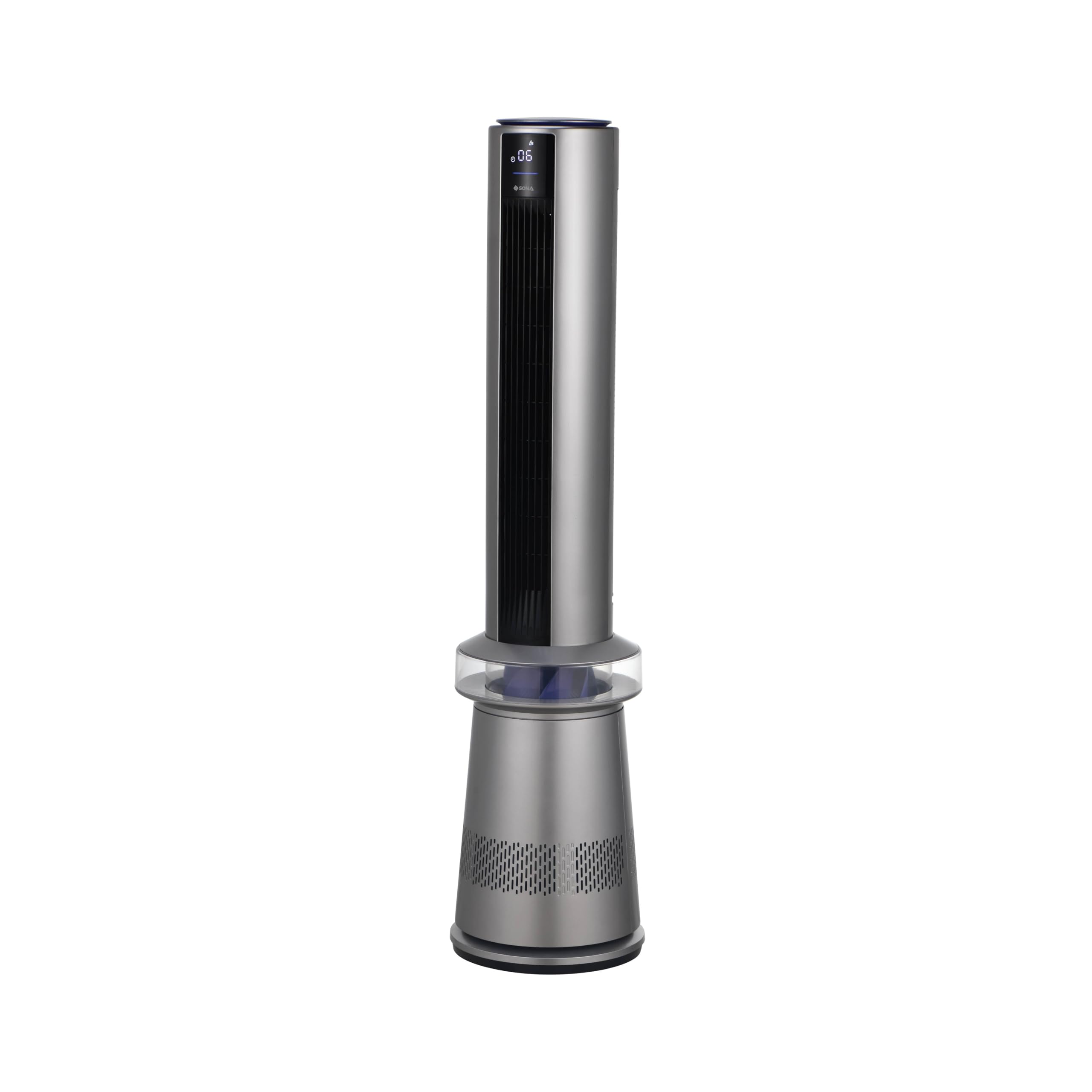
Image: The SONA Air Purifying DC Fan SAPR 8020DC, a sleek silver tower fan with an integrated air purification system.
2. Safety Instructions
To reduce the risk of fire, electric shock, or injury, always follow these basic safety precautions:
- Ensure the voltage indicated on the appliance corresponds to your local mains voltage before connecting.
- Do not operate the fan with a damaged cord or plug. If the cord is damaged, it must be replaced by the manufacturer, its service agent, or similarly qualified persons to avoid a hazard.
- Keep hands, hair, clothing, and other objects away from the fan blades during operation to prevent injury.
- Do not use the fan in wet or damp locations, such as bathrooms or laundries.
- Unplug the fan from the power outlet when not in use, before cleaning, or before performing any maintenance.
- This appliance is not intended for use by persons (including children) with reduced physical, sensory, or mental capabilities, or lack of experience and knowledge, unless they have been given supervision or instruction concerning use of the appliance by a person responsible for their safety.
- Children should be supervised to ensure that they do not play with the appliance.
- Do not block air openings or operate near curtains or other materials that could block airflow.
3. Product Overview and Components
The SAPR 8020DC features a brushless DC motor for efficient and quiet operation, an H13 HEPA filter for air purification, and a user-friendly control panel with remote access.
Key Features:
- Brushless DC Motor (55W)
- 12 Speed Selection
- 3 Operating Modes: Purifying Wind, Sleep Wind, Air Purification
- 15 Hours Timer and Pre-Set Timer Function
- Left-Right Oscillation Function
- Smart Memory Function
- Eco-Saving Auto-Off Function
- Medical Grade H13 HEPA Filter
- Air Quality Indicator
- Remote Control

Image: Close-up view of the brushless DC motor, highlighting its compact and efficient design.
4. Setup
Follow these steps to set up your SONA Air Purifying DC Fan:
- Unpacking: Carefully remove the fan and all accessories from the packaging. Retain packaging for future storage or transport.
- Placement: Place the fan on a firm, level surface. Ensure there is adequate space around the fan for proper airflow, at least 30 cm from walls or furniture.
- Power Connection: Insert the power plug into a suitable electrical outlet (220-240V~ 50Hz).
- Initial Check: Before first use, ensure the air filter is correctly installed. Refer to the 'Maintenance' section for filter installation details.
5. Operating Instructions
Your fan can be operated using the control panel located at the top of the unit or via the included remote control.
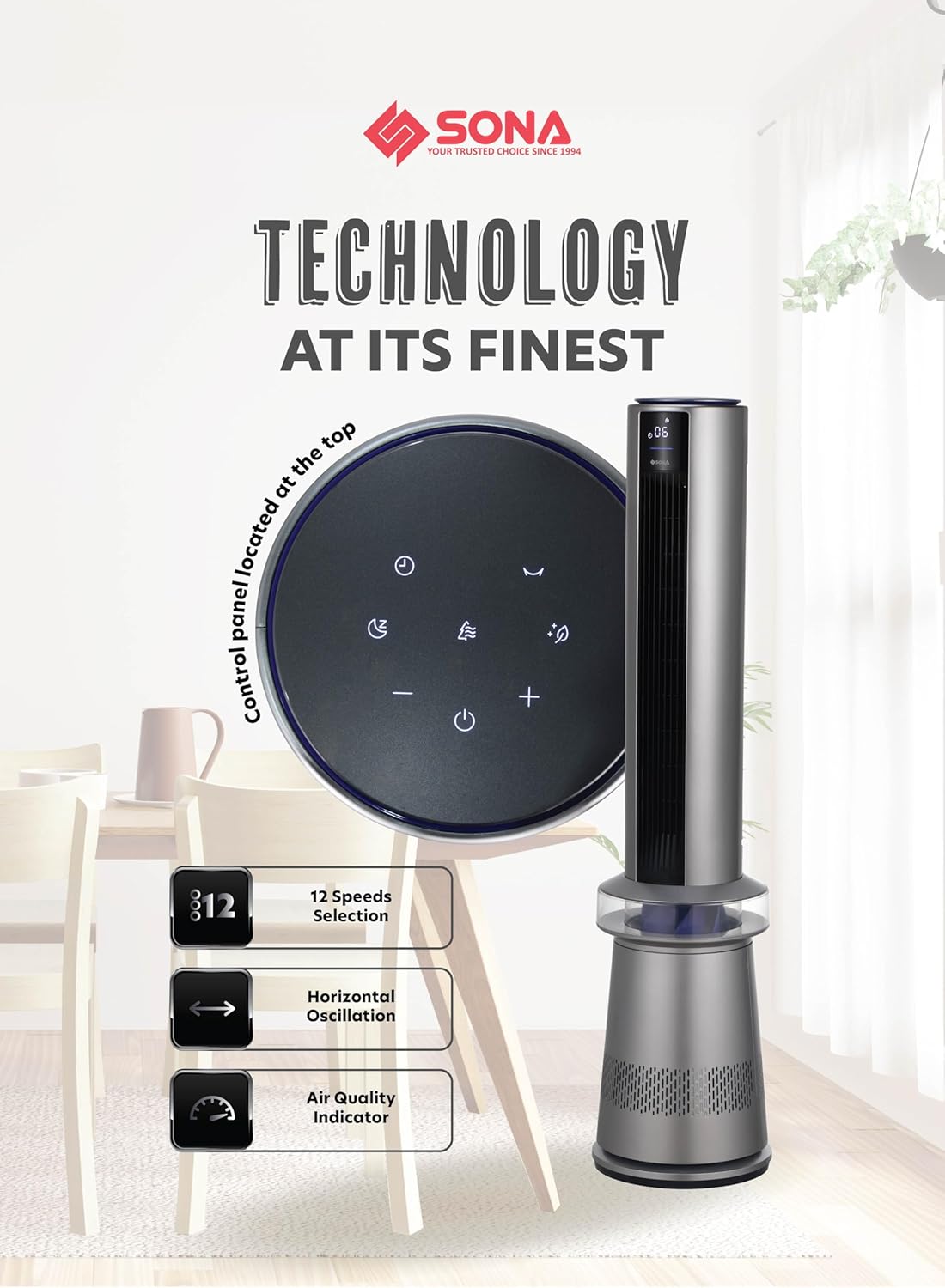
Image: Top-down view of the fan's control panel, showing touch-sensitive buttons for various functions.
5.1 Power On/Off
- Press the Power button () on the control panel or remote to turn the fan on or off.
5.2 Speed Selection
- Use the '+' and '-' buttons to adjust between 12 fan speeds. The current speed will be displayed on the LED screen.
5.3 Operating Modes
Press the Mode button () to cycle through the following modes:
- Purifying Wind: Combines fan operation with air purification.
- Sleep Wind: Operates at a lower, quieter speed for undisturbed sleep while purifying air.
- Air Purification: Fan operates at a minimal speed, focusing primarily on air purification.
5.4 Oscillation Function
- Press the Oscillation button () to activate or deactivate the left-right oscillation feature, distributing air more widely.
5.5 Timer Function
- Press the Timer button () to set the fan to turn off automatically after a set period (up to 15 hours). Each press increases the timer by one hour.
- The fan also features a Pre-Set Timer function, allowing you to schedule when the fan turns on. Consult the full manual for detailed instructions on setting the Pre-Set Timer.
5.6 Smart Memory Function
- The fan remembers your last used settings (speed, mode, oscillation) when turned off and resumes them upon restart.
5.7 Eco-Saving Auto-Off Function
- For energy efficiency, the fan will automatically turn off after 24 hours of continuous operation if no user input is detected.
5.8 Air Quality Indicator
- The LED display includes an air quality indicator, providing real-time feedback on the surrounding air quality.

Image: The SONA Air Purifying DC Fan positioned in a bedroom, illustrating its integration into a living space and its smart features.
6. Air Purification
The SAPR 8020DC is equipped with a Medical Grade H13 HEPA filter, designed to capture airborne particles as small as 0.1 microns with a purification rate of up to 99.97%.
Clean Air Delivery Rate (CADR):
The fan boasts a CADR of up to 527m³/h, suitable for effectively purifying air in large rooms.

Image: A detailed diagram illustrating the multi-layered structure of the H13 HEPA filter, showing how it captures fine particles.

Image: An illustration demonstrating the fan's air purification coverage across different rooms in a house, highlighting its effectiveness.
7. Maintenance
Regular maintenance ensures optimal performance and extends the lifespan of your fan.
7.1 Cleaning the Exterior
- Always unplug the fan before cleaning.
- Wipe the exterior surfaces with a soft, damp cloth. Do not use abrasive cleaners or solvents.
- Ensure no water enters the internal components.
7.2 HEPA Filter Replacement
The H13 HEPA filter has a limited lifespan and needs periodic replacement to maintain purification efficiency. The fan's display may indicate when a filter change is due.
- Power Off: Unplug the fan from the power outlet.
- Access Filter: Locate the filter compartment, usually at the base of the fan. Follow the instructions in the full manual to open it.
- Remove Old Filter: Carefully remove the used HEPA filter. Dispose of it according to local regulations.
- Install New Filter: Insert a new, genuine SONA H13 HEPA filter into the compartment, ensuring it is seated correctly.
- Close Compartment: Securely close the filter compartment.
- Reset Filter Indicator: After replacing the filter, you may need to reset the filter indicator by pressing and holding a specific button (refer to the full manual for exact instructions).
8. Troubleshooting
If you encounter issues with your fan, refer to the following common problems and solutions:
| Problem | Possible Cause | Solution |
|---|---|---|
| Fan does not turn on. | No power supply. Power button not pressed. | Check if the power cord is securely plugged in. Press the Power button on the unit or remote. |
| Weak airflow. | Air filter is clogged. Fan speed is too low. | Replace the HEPA filter. Increase the fan speed using the '+' button. |
| Unusual noise during operation. | Fan not on a level surface. Obstruction near fan blades. | Ensure the fan is on a stable, flat surface. Turn off and unplug the fan, then check for any obstructions. |
| Remote control not working. | Batteries are depleted. Obstruction between remote and fan. | Replace the batteries in the remote control. Ensure a clear line of sight between the remote and the fan's receiver. |
If the problem persists after trying these solutions, please contact customer support.
9. Specifications
| Feature | Specification |
|---|---|
| Model Name | SAPR 8020DC |
| Voltage | 220-240V~ |
| Frequency | 50Hz |
| Wattage | 55W |
| Motor Type | Brushless DC |
| Number of Speeds | 12 |
| Filter Type | Medical Grade H13 HEPA Filter |
| CADR | Up to 527m³/h |
| Timer | Up to 15 Hours |
| Dimensions (W x D x H) | 28 cm x 28 cm x 118 cm |
| Control Method | Remote, On-unit controls |
| Material | Metal |
10. Warranty and Support
10.1 Warranty Information
This SONA Air Purifying DC Fan SAPR 8020DC comes with a 3-year warranty on the motor from the date of purchase. Please retain your proof of purchase for warranty claims. The warranty covers manufacturing defects under normal use. It does not cover damage caused by misuse, accident, unauthorized modification, or normal wear and tear of consumable parts like the HEPA filter.
10.2 Customer Support
For technical assistance, warranty claims, or to purchase replacement parts (such as HEPA filters), please contact SONA customer support. Refer to the product packaging or the official SONA website for the most current contact information.