
Introduction
Thank you for purchasing the SONA 12-inch 2-in-1 Remote Portable DC Fan, Model SFS 9002TL. This manual provides important information regarding the safe operation, assembly, use, and maintenance of your fan. Please read this manual thoroughly before using the product and retain it for future reference.
Safety Instructions
Always follow basic safety precautions when using electrical appliances to reduce the risk of fire, electric shock, and injury.
- Ensure the power supply voltage matches the rating indicated on the fan.
- Do not operate the fan with a damaged cord or plug. If damaged, contact qualified service personnel.
- Keep fingers, pencils, or any other objects out of the fan guards when the fan is operating.
- Unplug the fan from the power outlet before cleaning or performing any maintenance.
- Do not use the fan in wet or damp locations such as bathrooms or laundry areas.
- Place the fan on a stable, level surface to prevent it from tipping over.
- This appliance is not intended for use by persons (including children) with reduced physical, sensory or mental capabilities, or lack of experience and knowledge, unless they have been given supervision or instruction concerning use of the appliance by a person responsible for their safety.
Product Overview
The SONA SFS 9002TL is a versatile 12-inch DC fan designed for both indoor and outdoor use, featuring a remote control and multiple operating modes.
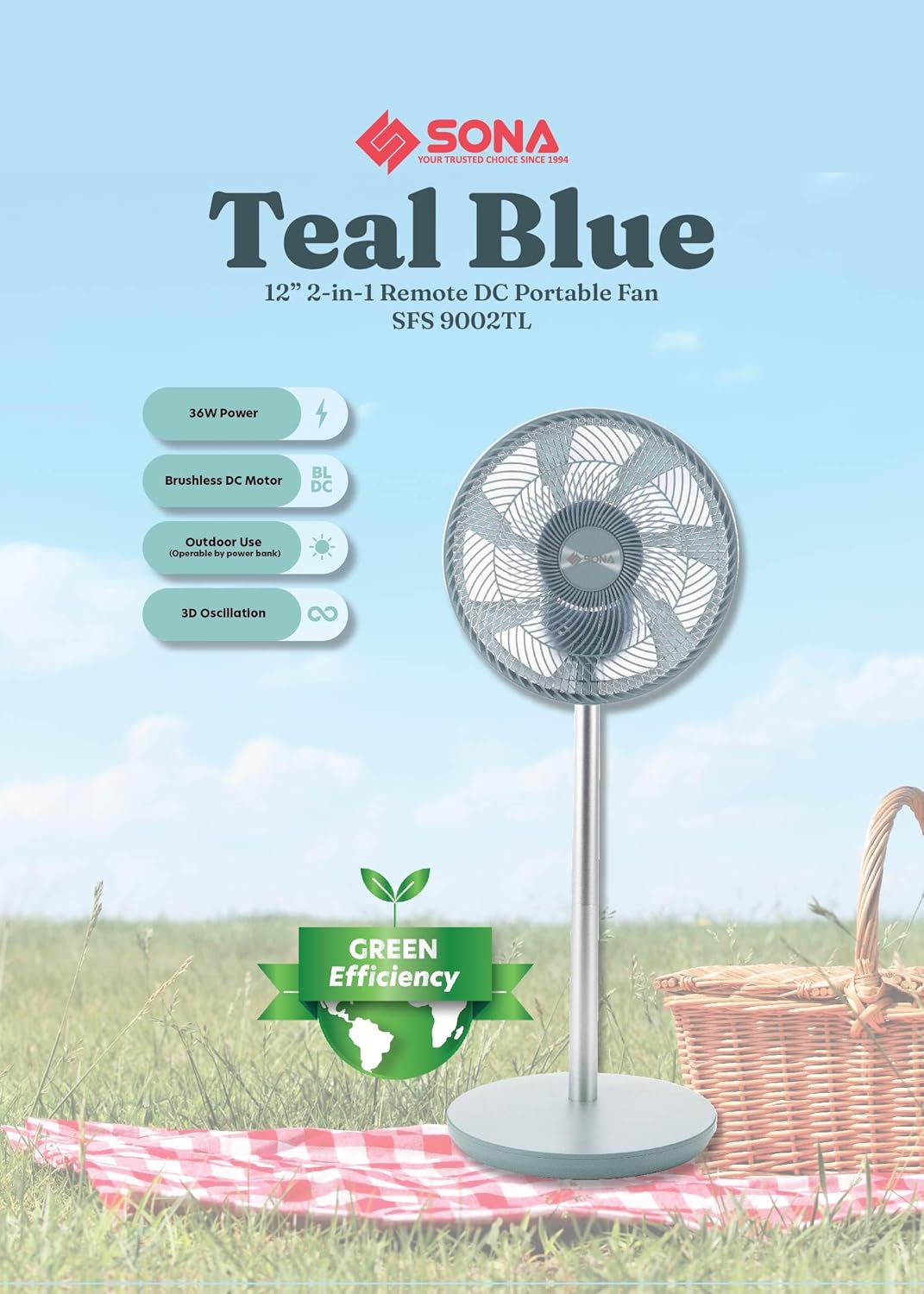
Image: The SONA SFS 9002TL fan in its upright configuration, showcasing its sleek design and remote control functionality.
Key Components:
- Front and Rear Fan Guards
- Fan Blade Assembly (7-bladed AS fan blade)
- Motor Housing (Brushless DC Motor)
- Adjustable Stand Pole
- Base
- Control Panel
- Remote Control
- Power Cord (USB Powered capability)
Setup and Assembly
The fan comes with parts to assemble. Follow these steps for proper setup:
- Carefully unpack all components from the packaging.
- Attach the stand pole to the base, ensuring it is securely fastened.
- Mount the motor housing onto the top of the stand pole.
- Install the fan blade onto the motor shaft, securing it with the provided cap/nut.
- Attach the rear fan guard, then the front fan guard, ensuring both are properly aligned and locked into place.
- For 2-in-1 functionality, the fan can be used in a standard floor stand configuration or a shorter 'tatami' configuration by adjusting the stand pole.

Image: The fan shown in both its full-height stand configuration and a shorter, compact 'tatami' configuration, highlighting its versatility and portability with a power bank.
Operating Instructions
Your SONA SFS 9002TL fan offers various settings for optimal comfort. It can be controlled via the integrated control panel or the included remote control.
Powering On/Off:
- Connect the fan to a 100-240V~ 50/60Hz power outlet or a compatible power bank using the USB power source.
- Press the Power button on the control panel or remote to turn the fan on or off.
Wind Speeds and Modes:
The fan features 6 wind speeds and 3 wind modes.

Image: Visual representation of the 6 wind speeds (Ventilation Air, Smooth Flow, Cooling Breeze, Mighty Wind, Blastful Gusts, Extreme Turbine) and 3 wind modes available on the fan.
- Wind Speed: Press the Speed button to cycle through 6 different wind speeds, from gentle ventilation to powerful gusts.
- Wind Modes: Press the Mode button to select from 3 distinct wind modes (e.g., Normal, Natural, Sleep). Refer to the fan's display for the active mode.
Oscillation Function:
Activate the 3D oscillation function for wider air distribution.

Image: The fan head demonstrating its 3D oscillation capability, showing horizontal and vertical movement for comprehensive air circulation.
- Press the Oscillation button to start or stop the fan head's movement. The 3D oscillation ensures air reaches all corners of the room.
Timer Function:
Set the fan to automatically turn off after a specified period.
- Press the Timer button to set the fan to operate for up to 7 hours. Each press typically increases the timer by one hour.
Memory Function:
- The fan is equipped with a memory function that recalls your last settings (speed, mode, oscillation) when powered on again.
Remote Control:
- The included remote control allows convenient operation of all fan functions from a distance. Ensure the remote has working batteries.
Outdoor Use with Power Bank:
- For outdoor use, connect the fan to a compatible power bank via its USB power input. This allows for portable operation without a direct wall outlet.
Maintenance
Regular cleaning and maintenance will ensure the longevity and efficient operation of your fan.

Image: A hand cleaning the anti-rusting plastic fan guard with a soft cloth, demonstrating easy maintenance.
- Cleaning: Always unplug the fan before cleaning. Use a soft, damp cloth to wipe the exterior surfaces. For the fan guards and blades, which are made of anti-rusting plastic, you may need to remove the front guard to access the blades for thorough cleaning. Do not use abrasive cleaners or solvents.
- Storage: If storing the fan for an extended period, clean it thoroughly, disassemble if desired, and store it in its original packaging or a dust-free environment.
Troubleshooting
If you encounter issues with your fan, refer to the following common problems and solutions:
| Problem | Possible Cause | Solution |
|---|---|---|
| Fan does not turn on. | No power supply; Power cord not properly connected; Remote control batteries depleted. | Check power outlet and connections; Ensure power bank is charged if used; Replace remote control batteries. |
| Weak airflow. | Fan speed set too low; Fan guards or blades are dirty. | Increase fan speed; Clean fan guards and blades. |
| Fan makes unusual noise. | Loose parts; Obstruction in fan blades. | Ensure all parts are securely assembled; Check for and remove any obstructions. |
| Oscillation not working. | Oscillation function not activated. | Press the Oscillation button on the control panel or remote. |
If the problem persists after attempting these solutions, please contact customer support.
Specifications
Detailed technical specifications for the SONA SFS 9002TL fan:
- Model Name: SFS 9002TL
- Power Input: 100-240V~ 50/60Hz
- Wattage: 36W
- Motor Type: Brushless DC Motor
- Fan Blade: 7-bladed AS Fan Blade
- Fan Size: 12 inches
- Wind Speeds: 6 levels
- Wind Modes: 3 modes
- Oscillation: 3D Oscillation Function
- Timer: Up to 7 hours
- Control Method: Remote Control, On-board Control Panel
- Portability: Connects to PowerBank for Outdoor use (USB Powered)
- Fan Guards: Anti-Rusting Plastic
- Product Dimensions (D x W x H): 33.2D x 34W x 89.5H centimetres
- Mounting Type: Floor Mount (2-in-1 adjustable height)
- Indoor/Outdoor Usage: Indoor, Outdoor
- Cordless: Yes (when powered by power bank)
- Standby Power Shutoff: Highly Efficient
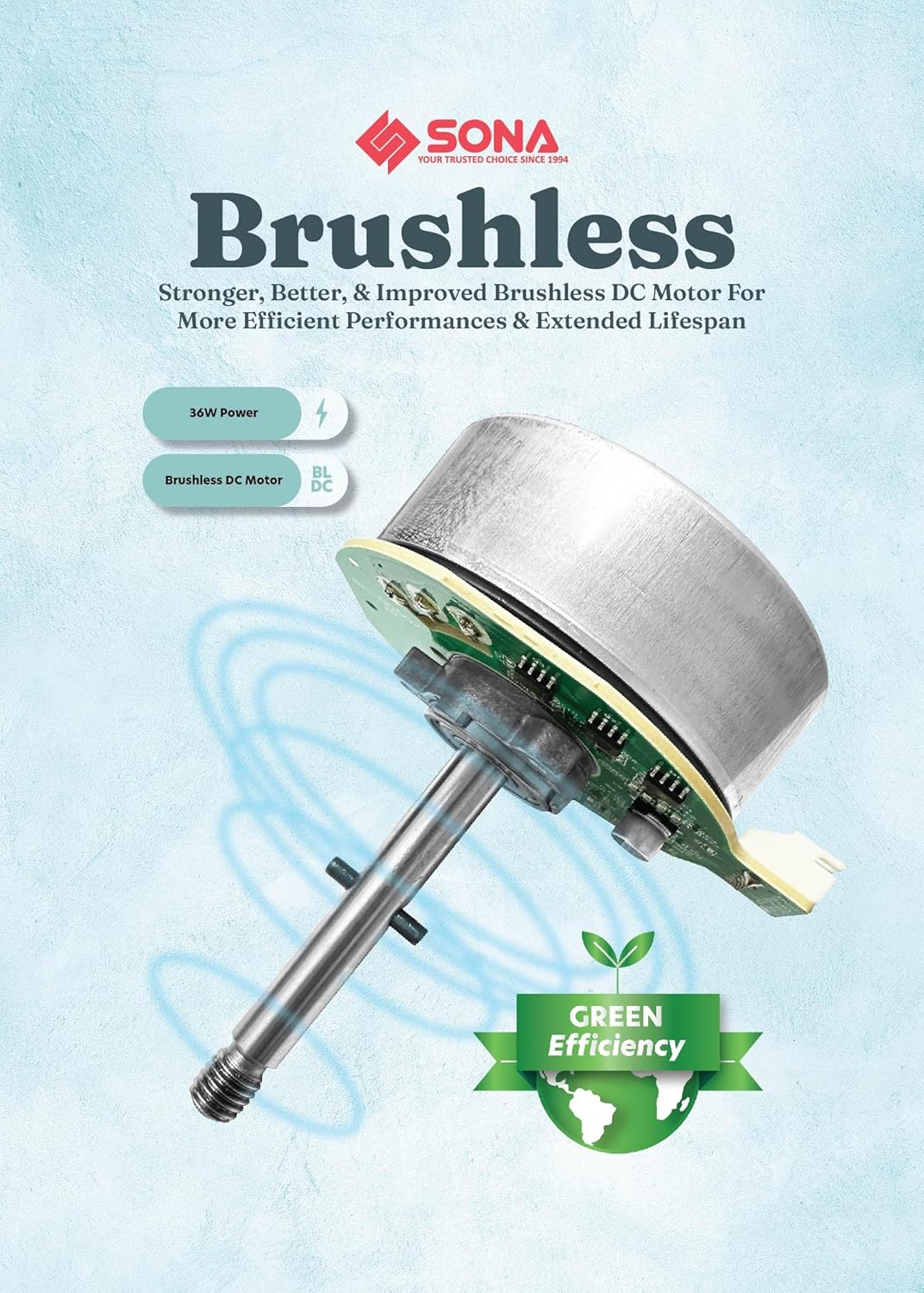
Image: A detailed view of the Brushless DC Motor, highlighting its advanced design for efficient performance and extended lifespan.
Warranty and Support
Your SONA SFS 9002TL fan comes with a comprehensive warranty and dedicated support.
- Motor Warranty: Enjoy a 2-year warranty on the fan's motor from the date of purchase.
- Customer Support: For any inquiries, technical assistance, or warranty claims, please contact SONA customer service through their official website or the contact information provided with your purchase.