
1. Introduction
Thank you for choosing the O General 1.5 Ton 3 Star Inverter Split AC, model ASGG18CPAB-B. This air conditioning unit is designed to provide efficient and comfortable cooling for your space. This manual provides essential information for the safe and effective installation, operation, and maintenance of your new AC system. Please read it thoroughly before using the appliance and retain it for future reference.
2. Safety Information
- Professional Installation: Installation, relocation, and maintenance of this unit must be performed by a qualified service technician. Improper installation can lead to electric shock, fire, or water leakage.
- Power Supply: Ensure the power supply matches the specifications of the unit. Do not use damaged power cords or plugs.
- Ventilation: Do not block the air intake or outlet of the indoor or outdoor units.
- Refrigerant: This unit uses R32 refrigerant. Handle with care and ensure proper ventilation during servicing.
- Children and Pets: Keep children and pets away from the unit during operation and maintenance.
- Cleaning: Always disconnect power before cleaning the unit. Use a soft, dry cloth for cleaning.
3. Product Overview
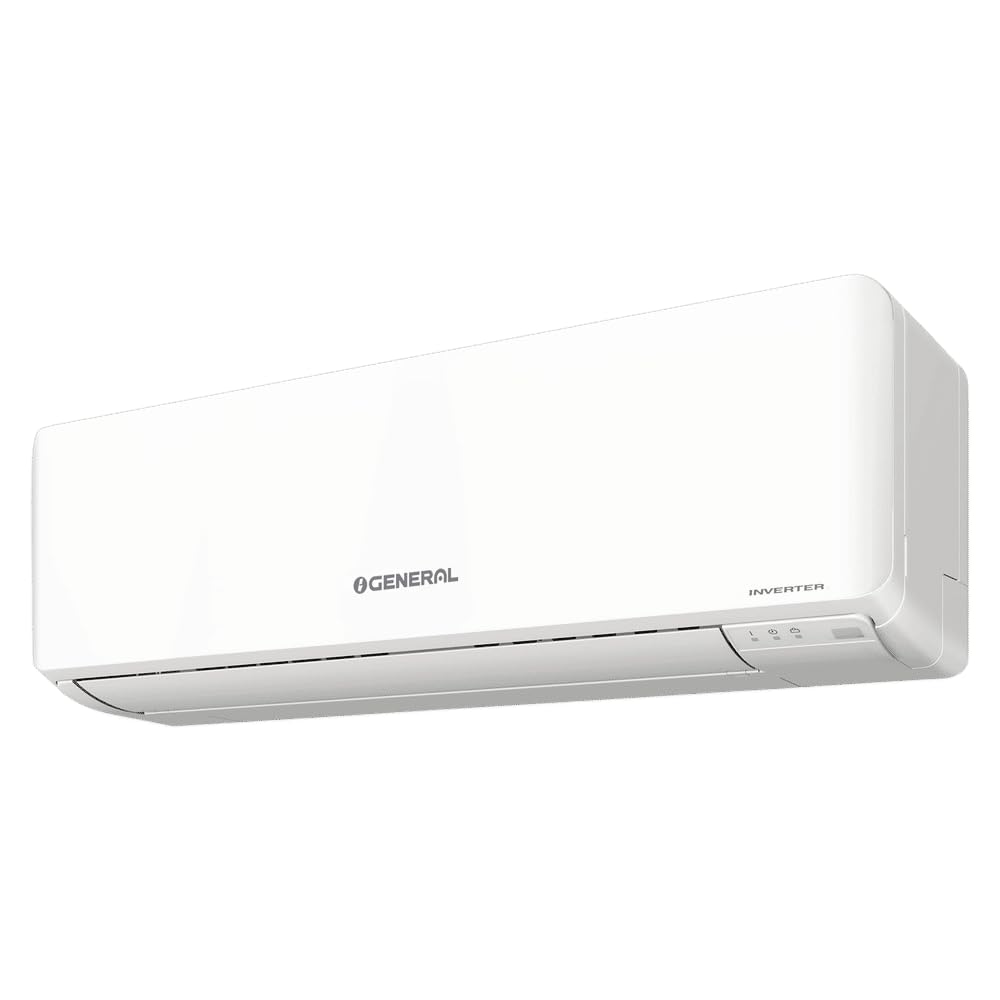
3.1. Indoor Unit
The indoor unit is responsible for circulating cooled air within your room. It features a sleek design and houses the evaporator coil, fan, and control electronics. The unit is designed for quiet operation and efficient air distribution.
3.2. Outdoor Unit
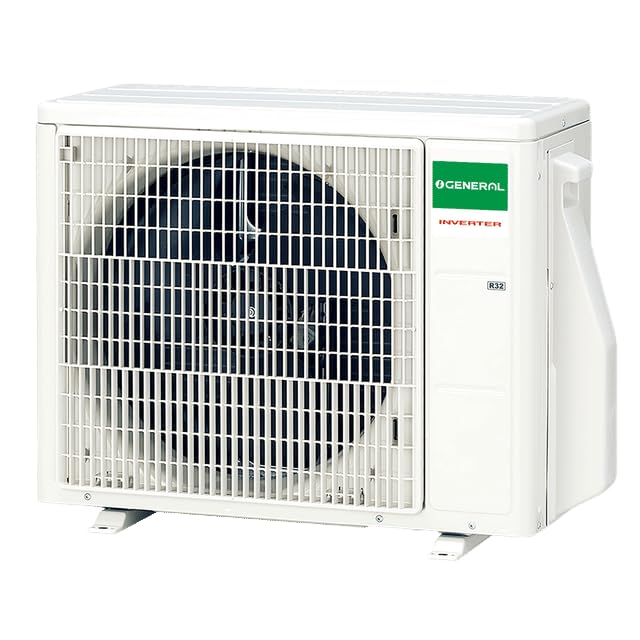
The outdoor unit contains the compressor, condenser coil, and expansion valve. It is designed to withstand various weather conditions and efficiently dissipate heat from your indoor space. The image above shows the robust construction of the outdoor unit.
3.3. Remote Controller
The remote controller allows you to conveniently operate all functions of your O General AC from a distance. The display shows current settings such as temperature, mode, and fan speed. The image above displays the layout of the remote controller with its various buttons for controlling the unit.
- ON/OFF Button: Powers the unit on or off.
- MODE Button: Cycles through operating modes (e.g., Cool, Dry, Fan).
- TEMP/SELECT Buttons (Up/Down Arrows): Adjusts temperature settings or navigates menu options.
- FAN SPEED Button: Adjusts the fan speed (Auto, Low, Medium, High).
- POWERFUL Button: Activates rapid cooling for a short period.
- SWING Button: Controls the vertical airflow direction (louvers).
- TIMER Button: Sets the on/off timer for scheduled operation.
- SLEEP Button: Activates sleep mode for comfortable night-time operation.
- ECONOMY Button: Engages energy-saving operation.
- SERVICE CHECK Button: Used for diagnostic purposes by service technicians.
- TEST RUN Button: Used for initial testing by service technicians.
- RESET Button: Resets certain settings or the remote controller.
4. Setup and Installation
The O General ASGG18CPAB-B is a split-system air conditioner requiring professional installation. Do not attempt to install the unit yourself. Contact a qualified and certified technician for proper installation to ensure safety and optimal performance.
4.1. Included Components
Upon delivery, ensure all the following components are present:
- 1 Indoor Unit
- 1 Outdoor Unit
- 1 Remote Controller
- 3 Meters Length Inter Connecting Copper Coil Pipe
- User Manual (this document)
- Connecting Cable
5. Operating Instructions
Use the remote controller to manage your AC unit. Point the remote controller towards the indoor unit when operating.
5.1. Basic Operation
- Press the ON/OFF button to start the unit.
- Press the MODE button repeatedly to select your desired operating mode (e.g., Cool).
- Use the TEMP/SELECT (Up/Down) buttons to set the desired temperature.
- Press the FAN SPEED button to adjust the fan intensity.
5.2. Special Features
- Inverter Compressor: This unit features an inverter compressor for precise temperature control and energy efficiency.
- Economy Mode: Press the ECONOMY button to activate energy-saving operation, which slightly adjusts the temperature setting to reduce power consumption while maintaining comfort.
- Coanda Airflow: This feature optimizes airflow distribution to ensure uniform cooling throughout the room, preventing direct drafts and enhancing comfort.
- Double Swing Automatic - 3D Airflow: The automatic double swing function moves the air louvers both horizontally and vertically, creating a three-dimensional airflow for wider and more consistent air distribution.
- Self Diagnosis: The unit is equipped with a self-diagnosis function that can detect operational abnormalities and display error codes, aiding in quicker troubleshooting.
6. Maintenance
Regular maintenance ensures optimal performance and longevity of your AC unit. Always disconnect the power supply before performing any maintenance.
6.1. Air Filter Cleaning
Clean the air filters every two weeks or more frequently if the unit is used in a dusty environment.
- Open the front panel of the indoor unit.
- Remove the air filters.
- Wash the filters with lukewarm water and a mild detergent. Rinse thoroughly.
- Allow the filters to dry completely in a shaded area before reinserting them.
- Close the front panel securely.
6.2. General Cleaning
Wipe the indoor and outdoor units with a soft, dry cloth. For stubborn dirt, use a damp cloth with a neutral detergent, then wipe dry. Do not use harsh chemicals, abrasive cleaners, or hot water.
6.3. Seasonal Checks
Before the cooling season, ensure the outdoor unit is free from obstructions (leaves, debris). Consider scheduling a professional service check annually.
7. Troubleshooting
If you encounter issues with your AC unit, refer to the table below for common problems and solutions. If the problem persists, contact a qualified service technician.
| Problem | Possible Cause | Solution |
|---|---|---|
| Unit does not start | No power supply; Remote control batteries low; Timer function active. | Check power connection; Replace batteries; Cancel timer setting. |
| Insufficient cooling | Dirty air filters; Blocked outdoor unit; Temperature setting too high; Doors/windows open. | Clean air filters; Clear obstructions; Lower temperature setting; Close doors/windows. |
| Unusual noise | Loose parts; Foreign object in fan; Unit not level. | Contact service technician; Check for obstructions; Ensure unit is level. |
| Water leakage from indoor unit | Clogged drain pipe; Improper installation. | Contact service technician for inspection and repair. |
8. Specifications
| Feature | Specification |
|---|---|
| Model Name | ASGG18CPAB-B |
| Capacity | 1.5 Tons |
| BEE Star Rating | 3 Star |
| Inverter Type | Has Inverter |
| Condenser Type | Copper Condenser |
| Refrigerant | R32 |
| Indoor Unit Dimensions (D x W x H) | 24D x 98W x 28H Centimeters |
| Outdoor Unit Dimensions (D x W x H) | 29D x 66.3W x 54.1H Centimeters |
| Special Features | Inverter Compressor, Silicon Coated PCB, Double Swing Automatic - 3D Airflow, Coanda Airflow, Economy Mode, Self Diagnosis, Corrosion Resistant |
| Control Method | Remote Control |
| Color | White |
| Start Year | 2025 |
9. Warranty and Support
Your O General ASGG18CPAB-B AC unit comes with a comprehensive warranty to ensure peace of mind:
- 1 Year Manufacturer Comprehensive Warranty on the entire unit.
- 5 Years Warranty on PCB (Printed Circuit Board).
- 10 Years Warranty on Compressor.
For warranty claims, technical support, or service requests, please contact your authorized O General service center. Ensure you have your purchase receipt and model details available when contacting support.


