
1. Product Overview
The iHave UV Toothbrush Sanitizer and Holder is a multifunctional bathroom accessory designed to promote oral hygiene and organize your dental care items. It features advanced UVC+UVA dual-band disinfection technology, integrated toothpaste dispenser, and storage for multiple toothbrushes and mouthwash cups. Its wall-mounted design helps save counter space and adds a modern aesthetic to your bathroom.

Figure 1: iHave UV Toothbrush Sanitizer and Holder in a bathroom setting.
2. Key Features
- Advanced UV Disinfection: Utilizes UVC+UVA dual-band technology for 99.99% disinfection rate, ensuring comprehensive sanitization of toothbrushes.
- Smart Cruise Disinfection: Automatically disinfects every 4 hours to prevent bacterial regrowth, providing continuous hygiene protection.
- Integrated Toothpaste Dispenser: Features a convenient, easy-to-clean toothpaste dispenser suitable for both adults and children.
- Multi-functional Storage: Accommodates up to 4 electric toothbrushes or 2 toothbrushes plus 1 razor, along with 2 stylish mouthwash cups.
- Easy Installation: Offers versatile mounting options including strong adhesive for smooth surfaces and nails for uneven walls or wallpaper.
- Intuitive Indicator Lights: Features a charming blue breathing light to indicate active disinfection, with red for charging and green for fully charged.
- Space-Saving Design: Wall-mounted unit helps declutter bathroom counters and enhances bathroom aesthetics.
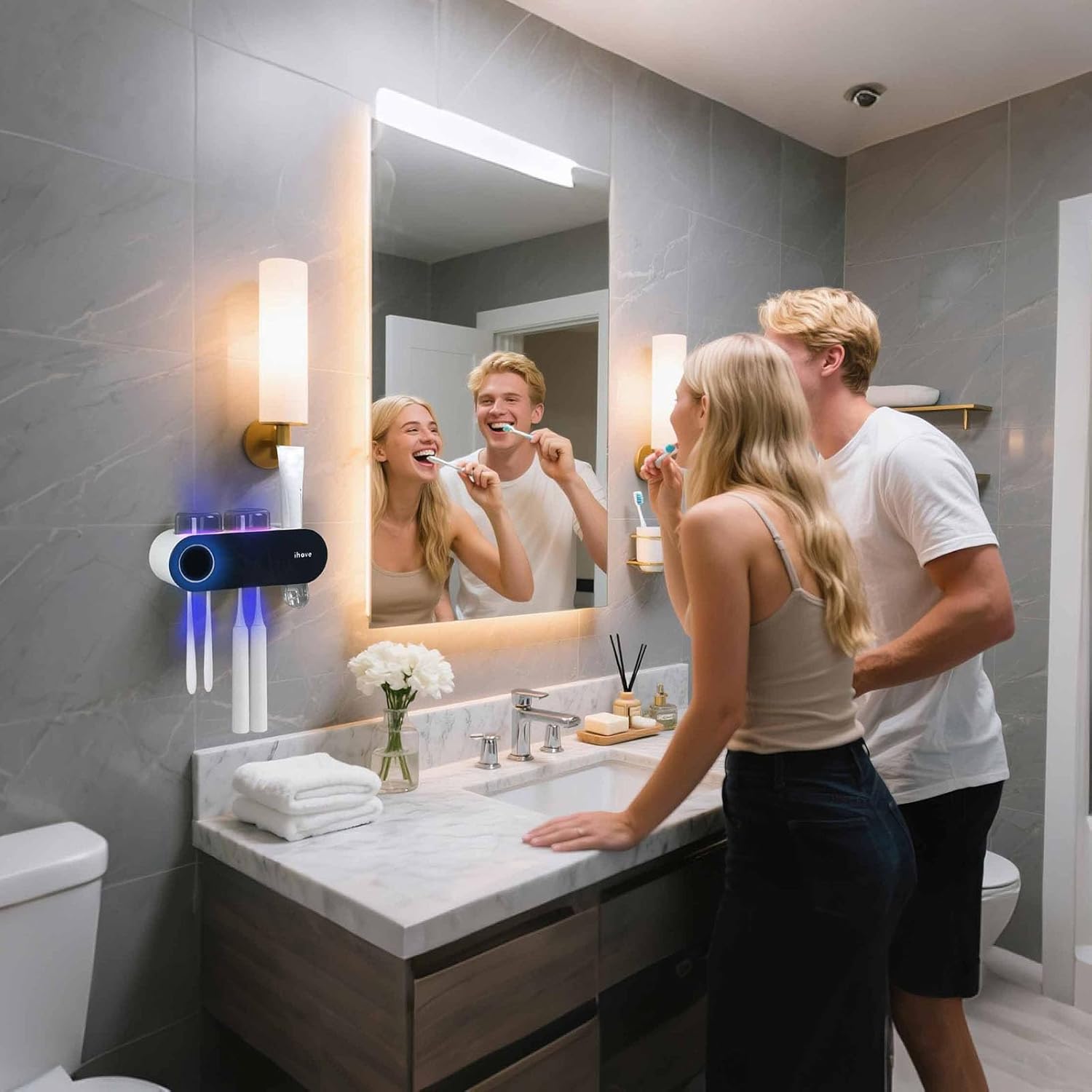
Figure 2: Multifunctional and stylish design of the toothbrush holder.
3. Package Contents
Please verify that all items are present and undamaged upon opening the package:
- 1 x iHave UV Toothbrush Sanitizer and Holder Unit
- 2 x Mouthwash Cups
- 1 x Adhesive Mounting Plate
- Mounting Nails (for alternative installation)
- User Manual (this document)
4. Setup & Installation
The iHave Toothbrush Holder offers two primary installation methods: adhesive mounting for smooth surfaces and nail reinforcement for uneven surfaces.
4.1 Surface Preparation
Before installation, ensure the chosen wall surface is clean and dry. Wipe away any dust, dirt, or moisture.
4.2 Adhesive Mounting (for smooth surfaces)
- Clean the desired wall area thoroughly.
- Peel off the protective film from the back of the adhesive mounting plate.
- Firmly press the adhesive plate onto the clean, dry wall surface. Ensure it is level.
- Allow the adhesive to set for at least 24 hours before hanging the main unit to ensure maximum adhesion strength.
- Slide the toothbrush holder unit onto the mounted adhesive plate until it clicks securely into place.
- Place toothbrushes and cups into their designated slots.
4.3 Nail Reinforcement (for uneven walls or wallpaper)
For surfaces like wallpaper, lime walls, or painted walls where adhesive may not hold effectively, use the provided nails for reinforcement.
- Follow steps 1-3 for adhesive mounting.
- Once the adhesive plate is in place, use the provided nails to secure the plate further through the pre-drilled holes.
- Proceed with steps 4-6 from the adhesive mounting instructions.

Figure 3: Installation methods: Direct Adhesion and Reinforcement with Nails.

Figure 4: Step-by-step installation process.
5. Operating Instructions
5.1 Initial Charging
Before first use, fully charge the device. Connect the charging cable to the charging port. The indicator light will show red during charging and turn green when fully charged.
5.2 UV Disinfection
The device features an intelligent cruise mode for continuous disinfection. After placing toothbrushes in their slots, the unit will automatically initiate a disinfection cycle every 4 hours. A blue breathing light indicates active disinfection.

Figure 5: Disinfection efficacy test results.
5.3 Toothpaste Dispenser Usage
To use the toothpaste dispenser, simply insert your toothpaste tube into the top opening. When ready to brush, gently push your toothbrush head against the lever inside the dispenser to release the desired amount of toothpaste.
5.4 Indicator Light Meanings
- Red Light: Device is currently charging.
- Green Light: Device is fully charged.
- Blue Breathing Light: UV disinfection is active.
- Rapid Flashing Red Light: Low battery, requires charging.

Figure 6: Indicator light guide.
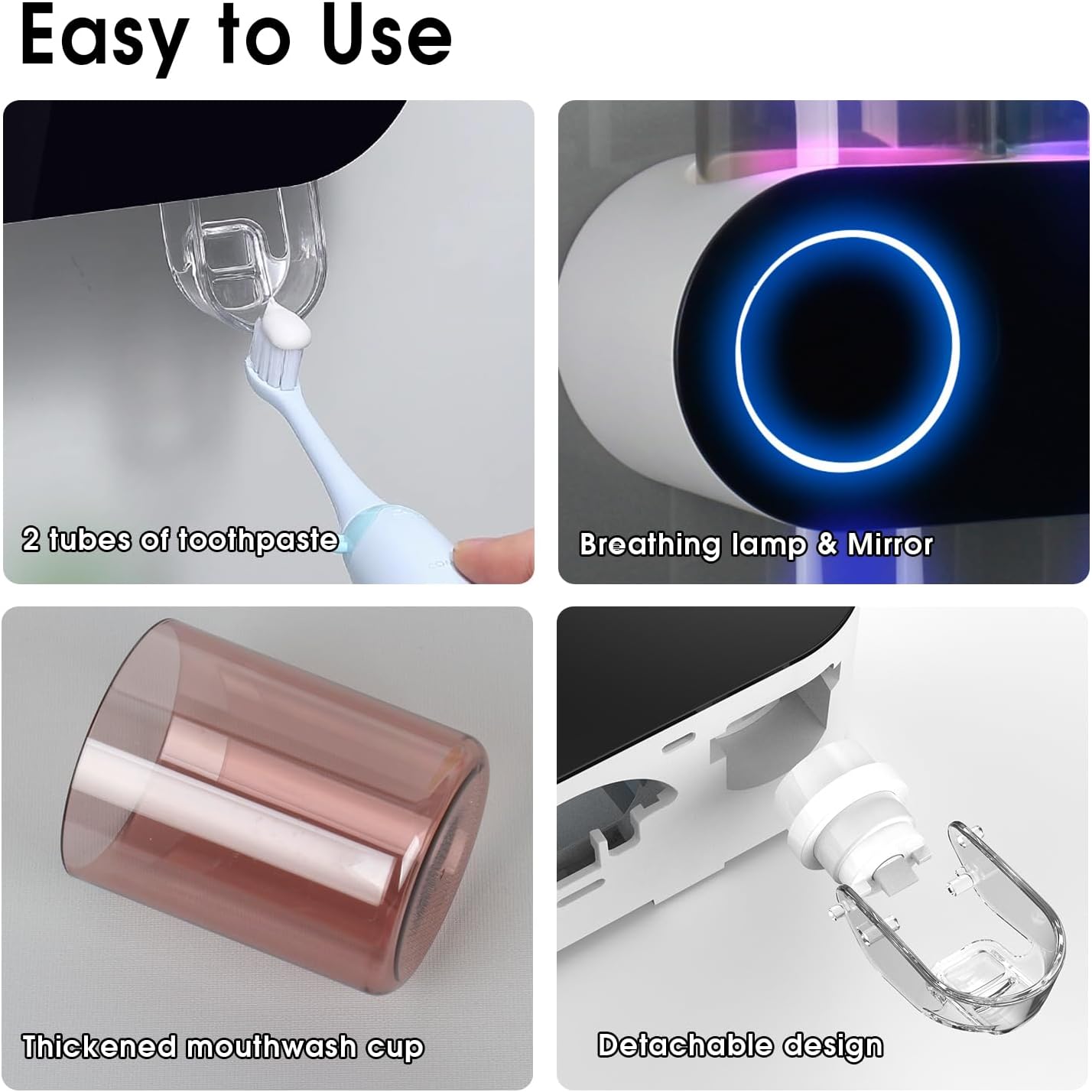
Figure 7: Features for easy use and maintenance.
6. Care and Maintenance
Regular cleaning of your iHave UV Toothbrush Sanitizer and Holder will ensure its longevity and optimal performance.
- Cleaning the Main Unit: Wipe the exterior of the unit with a soft, damp cloth. Do not submerge the unit in water. Avoid using abrasive cleaners or solvents.
- Cleaning the Toothpaste Dispenser: The toothpaste dispenser is designed to be easily detachable for cleaning. Gently pull it out, rinse under running water, and ensure all toothpaste residue is removed. Allow it to dry completely before reattaching.
- Cleaning the Cups: The mouthwash cups can be removed and washed with soap and water.
- UV Lamp Care: The UV lamps are designed for long-term use. If you notice any reduction in disinfection effectiveness, ensure the lamp area is free from dust or debris. Do not attempt to replace the UV lamps yourself.
7. Troubleshooting
If you encounter any issues with your iHave UV Toothbrush Sanitizer and Holder, please refer to the following common solutions:
- Device not turning on/charging: Ensure the charging cable is securely connected and the power source is active. Check if the indicator light shows red when plugged in. If the battery is completely depleted, it may take a few minutes for the indicator light to appear.
- UV light not activating: Confirm the device is charged. The blue breathing light indicates active disinfection. Ensure toothbrushes are properly placed in their slots. The disinfection cycle runs automatically every 4 hours.
- Toothpaste not dispensing: Ensure the toothpaste tube is correctly inserted into the dispenser. Check if the tube is empty or if the toothpaste is too thick. Clean the dispenser if there is any blockage.
- Unit falling off the wall: For adhesive mounting, ensure the wall surface was clean and dry before application, and allow 24 hours for the adhesive to cure. For uneven surfaces, use the provided nails for reinforcement. The adhesive is designed to withstand 5kg weight in 90% humidity on suitable surfaces.
If the problem persists after attempting these solutions, please contact customer support.
8. Product Specifications
| Attribute | Detail |
|---|---|
| Brand | iHave |
| Model | B0F74CG76T (Uv Black 2 Cups) |
| Material | Acrylonitrile Butadiene Styrene (ABS) |
| Product Dimensions (L x W x H) | 10.6" x 4.45" x 6.1" (26.9cm x 11.3cm x 15.5cm) |
| Mounting Type | Wall Mount |
| Finish Type | Polished |
| Special Feature | Quick Dry, UV Disinfection, Toothpaste Dispenser |
| Number of Compartments | 4 (for toothbrushes) |
| Item Weight | 1.56 pounds (0.71 kg) |
| Batteries Required | 1 Lithium Ion battery (included) |
| EPA EST NO | 102215-CHN-1 |
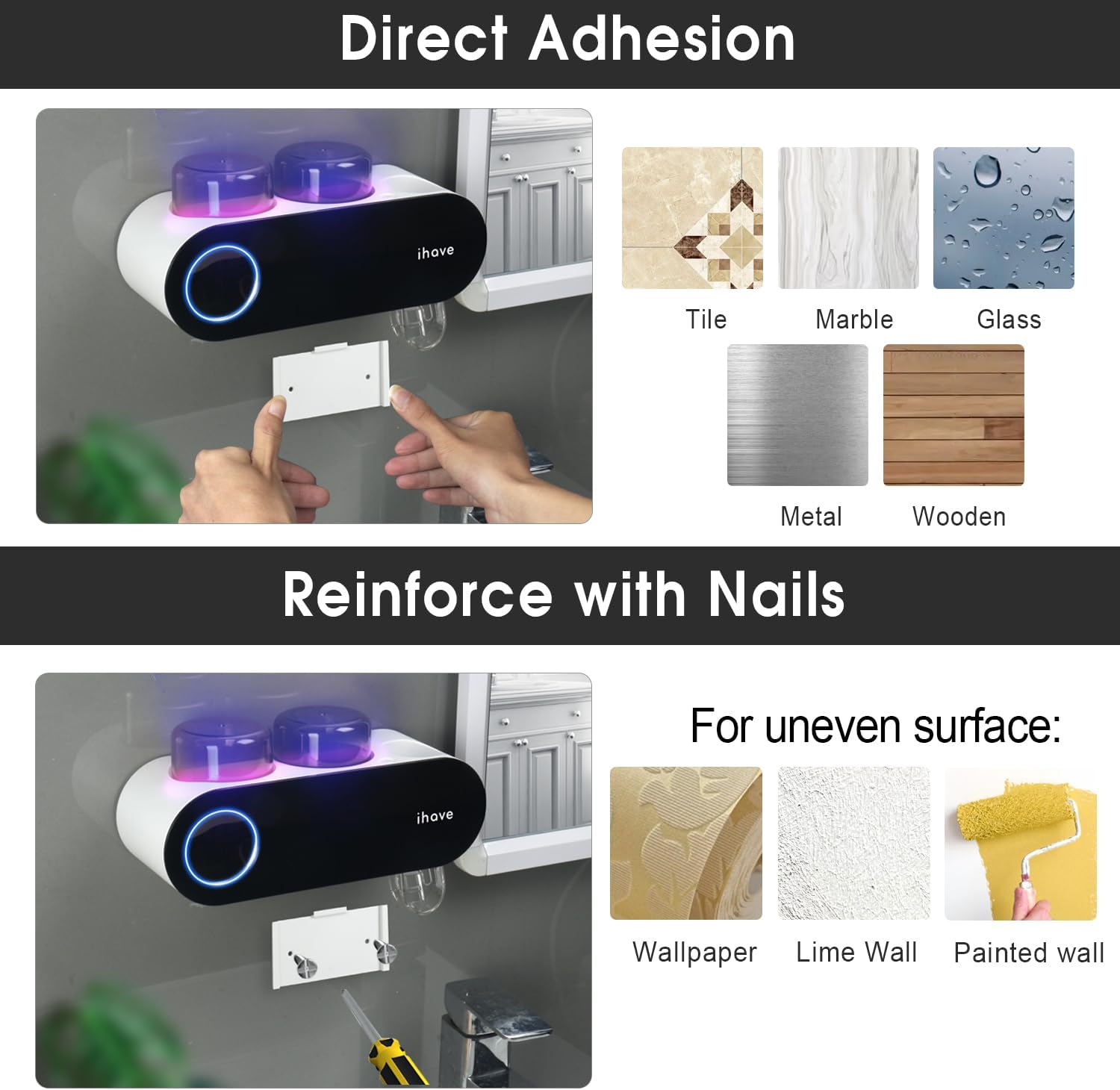
Figure 8: Product dimensions.
9. Warranty and Customer Support
iHave products are manufactured to high-quality standards. For any questions, concerns, or technical assistance regarding your UV Toothbrush Sanitizer and Holder, please contact iHave customer support through the retailer's platform or the official iHave website. Please have your model number (B0F74CG76T) and purchase information ready when contacting support.
For more information, visit the official iHave Store on Amazon.