
Introduction
The Portronics Mport 8 Plus is a versatile 8-in-1 multiport adapter designed to expand connectivity for laptops, tablets, and smartphones. This compact hub provides essential ports for enhanced functionality, including USB 3.0, USB 2.0, SD and microSD card readers, a 3.5mm AUX audio jack, a Type-C data port, and a Power Delivery (PD) charging port. Its unique dual input connectors, USB-A and Type-C, ensure broad compatibility with various devices. The Mport 8 Plus features a durable metal finish, is lightweight, and travel-friendly, making it suitable for professionals and home users.
Product Overview
The Portronics Mport 8 Plus offers a comprehensive set of ports to meet your connectivity needs. Below is an overview of its features and components:

Image: The Portronics Mport 8 Plus hub with various devices connected, illustrating its 8-in-1 functionality.
- Dual Input Connectors: Features both USB-A and Type-C plugs for universal compatibility with a wide range of devices.
- USB 3.0 Port: Provides high-speed data transfer up to 5 Gbps, ideal for external storage devices.
- USB 2.0 Ports: Supports standard peripherals such as keyboards, mice, and printers.
- SD & MicroSD Card Readers: Allows direct access to files from SD and microSD cards, useful for photographers and content creators.
- 3.5mm AUX Audio Jack: For connecting headphones, speakers, or microphones.
- Type-C Data Port: Enables high-speed data transfer between devices.
- Power Delivery (PD) Charging Port: Supports power input up to 100W to charge your host device while using the hub.
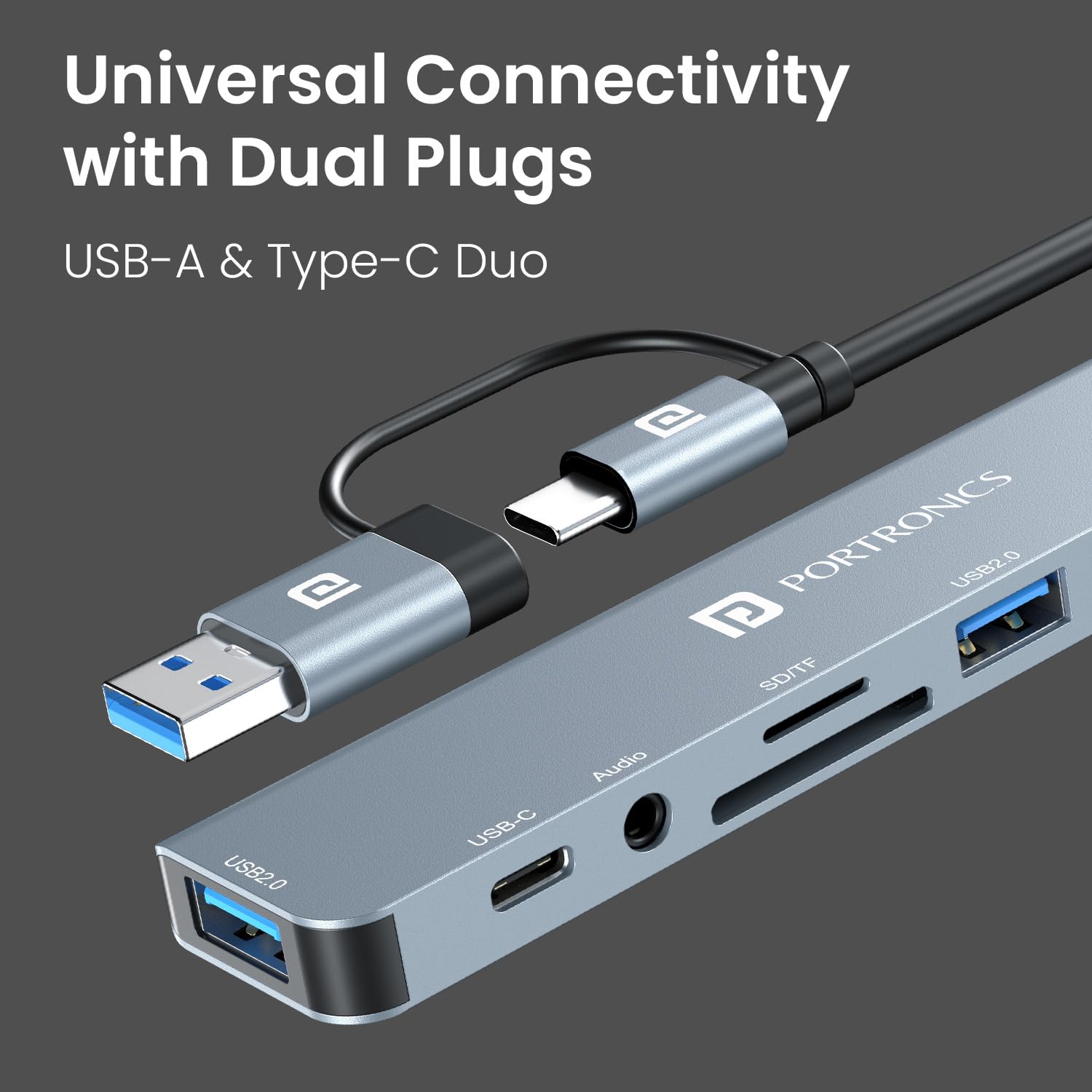
Image: The dual USB-A and Type-C input plugs, highlighting the hub's universal connectivity.
Setup Instructions
The Portronics Mport 8 Plus is designed for plug-and-play operation, requiring no driver installation for most operating systems.
- Identify Host Port: Determine if your laptop, tablet, or smartphone has a USB-A or a Type-C port available for connection.
- Connect the Hub: Plug the appropriate connector (USB-A or Type-C) from the Mport 8 Plus into your device's corresponding port. The hub's LED indicator will illuminate upon successful connection.
- Connect Peripherals: Once the hub is connected, you can begin connecting your desired peripherals (USB drives, memory cards, audio devices, etc.) to the available ports on the Mport 8 Plus.

Image: The hub demonstrating compatibility with various operating systems including macOS, Windows, Android, and iOS.
Operating Instructions
Utilize the various ports on your Mport 8 Plus for seamless connectivity and data management.
- USB 3.0 and USB 2.0 Ports: Connect USB flash drives, external hard drives, keyboards, mice, printers, and other USB-compatible devices. The USB 3.0 port supports data transfer speeds up to 5 Gbps.
- SD and MicroSD Card Readers: Insert your SD or microSD card into the corresponding slot. Your device will recognize the card as a removable storage drive, allowing you to access, transfer, or manage files.
- 3.5mm AUX Audio Jack: Plug in your headphones, speakers, or microphone for audio input/output. Ensure your device's audio settings are configured to use the hub's audio output if necessary.
- Type-C Data Port: Use this port to connect other Type-C devices for data transfer.
- Power Delivery (PD) Charging: If your host device supports PD charging via its Type-C port, connect a compatible Type-C power adapter to the hub's PD charging port. This allows you to charge your device while using the hub's other functions.
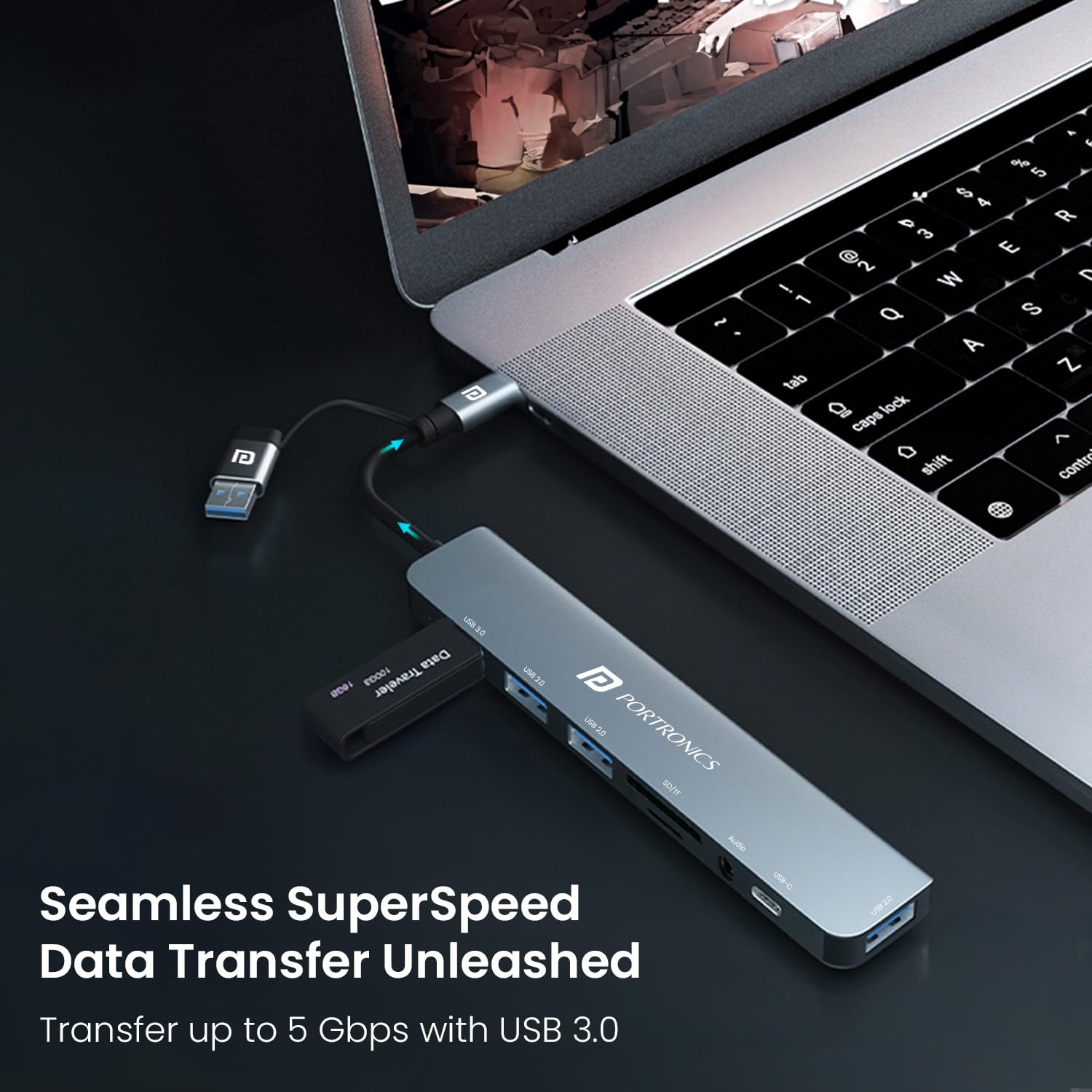
Image: A laptop connected to the hub, illustrating high-speed data transfer via the USB 3.0 port.

Image: The hub with SD and microSD cards inserted, indicating its use for creators.
Maintenance
To ensure the longevity and optimal performance of your Portronics Mport 8 Plus, follow these maintenance guidelines:
- Cleaning: Use a soft, dry cloth to clean the exterior of the hub. Avoid using liquid cleaners, solvents, or abrasive materials.
- Storage: Store the hub in a cool, dry place away from direct sunlight and extreme temperatures.
- Handling: Avoid dropping the device or subjecting it to strong impacts. Do not attempt to disassemble or modify the hub.
- Port Care: Ensure connectors are inserted gently and correctly into the ports to prevent damage.
Troubleshooting
If you encounter issues with your Mport 8 Plus, refer to the following common solutions:
- Device Not Recognized:
- Ensure the hub is securely connected to your host device's USB-A or Type-C port.
- Try connecting the hub to a different port on your device.
- Restart your host device.
- Slow Data Transfer:
- Ensure you are using the USB 3.0 port for high-speed devices.
- Verify that the connected device (e.g., USB drive) supports USB 3.0 speeds.
- Avoid connecting too many power-intensive devices simultaneously, which can affect performance.
- Audio Issues (AUX Port):
- Check your device's audio output settings to ensure the hub's audio jack is selected.
- Ensure your headphones/speakers are fully plugged into the AUX port.
- Charging Problems (PD Port):
- Confirm that your power adapter and Type-C cable are PD compatible and capable of delivering sufficient wattage (up to 100W).
- Some devices may not support charging through the hub if the power requirements are too high or if the device's firmware restricts it.
- Hub Feels Warm:
- It is normal for the hub to become slightly warm during continuous use, especially when multiple ports are active or when charging. If it becomes excessively hot, disconnect it and contact support.
- Loose Connection with Adapters:
- If using a Type-A to USB-C female adapter with the hub, ensure it is firmly seated. Some adapters may not provide a tight fit, potentially leading to intermittent disconnections. Using standard USB-C cables directly is recommended for Type-C connections.
Technical Specifications

Image: Detailed view of the hub with dimensions and port labels.
| Feature | Specification |
|---|---|
| Model Number | POR-3044 |
| Total USB Ports | 8 (including USB 3.0, USB 2.0, Type-C Data) |
| Data Transfer Rate (USB 3.0) | Up to 5 Gigabits Per Second |
| Input Connectors | USB-A, Type-C |
| Card Reader | MicroSD, SD Card |
| Audio Port | 3.5mm AUX |
| Power Delivery | Up to 100W (via Type-C PD port) |
| Compatible Devices | Desktops, Laptops, Tablets, Smartphones |
| Operating System Compatibility | macOS (10.15 Catalina or later), Windows (10 or later), Android, iOS |
| Enclosure Material | ABS Plastic |
| Item Dimensions (L x W x H) | 16.1L x 5.6W x 1H Centimeters |
| Item Weight | 65 Grams |
| Country of Origin | China |
Warranty and Support
Portronics provides comprehensive support for its products.
- Warranty: The Portronics Mport 8 Plus comes with a 1-year manufacturer warranty from the date of purchase.
- Customer Support: For any assistance, technical queries, or warranty claims, please contact Portronics customer support.
Contact Information:
- Email: help@portronics.com
- Phone: +91 9555-245-245 (10 am - 6 pm)
- Manufacturer: Portronics Digital Pvt Ltd
- Address: First Floor Property No D 8 Upper Basement Sector 8 Noida Uttar Pradesh 201301, India


