
Introduction
Thank you for choosing the Mellerware Glacier Air Cooler. This manual provides essential information for the safe and efficient operation, maintenance, and troubleshooting of your new appliance. Please read these instructions thoroughly before use and retain them for future reference.
Important Safety Instructions
Always follow basic safety precautions when using electrical appliances to reduce the risk of fire, electric shock, and personal injury.
- Ensure the power supply voltage matches the rating label on the appliance.
- Do not immerse the appliance, cord, or plug in water or other liquids.
- Unplug from the outlet when not in use, before assembling or disassembling parts, and before cleaning.
- Keep the appliance out of reach of children and pets. Close supervision is necessary when any appliance is used near children.
- Do not operate any appliance with a damaged cord or plug, or after the appliance malfunctions or has been damaged in any manner.
- Place the air cooler on a stable, level surface.
- Do not block air inlets or outlets. Maintain at least 20 cm clearance from walls and other objects.
- Only use clean water in the water tank. Do not add any chemicals or additives.
- Do not move the appliance when the water tank is full.
Product Overview
Familiarize yourself with the components of your Mellerware Glacier Air Cooler.
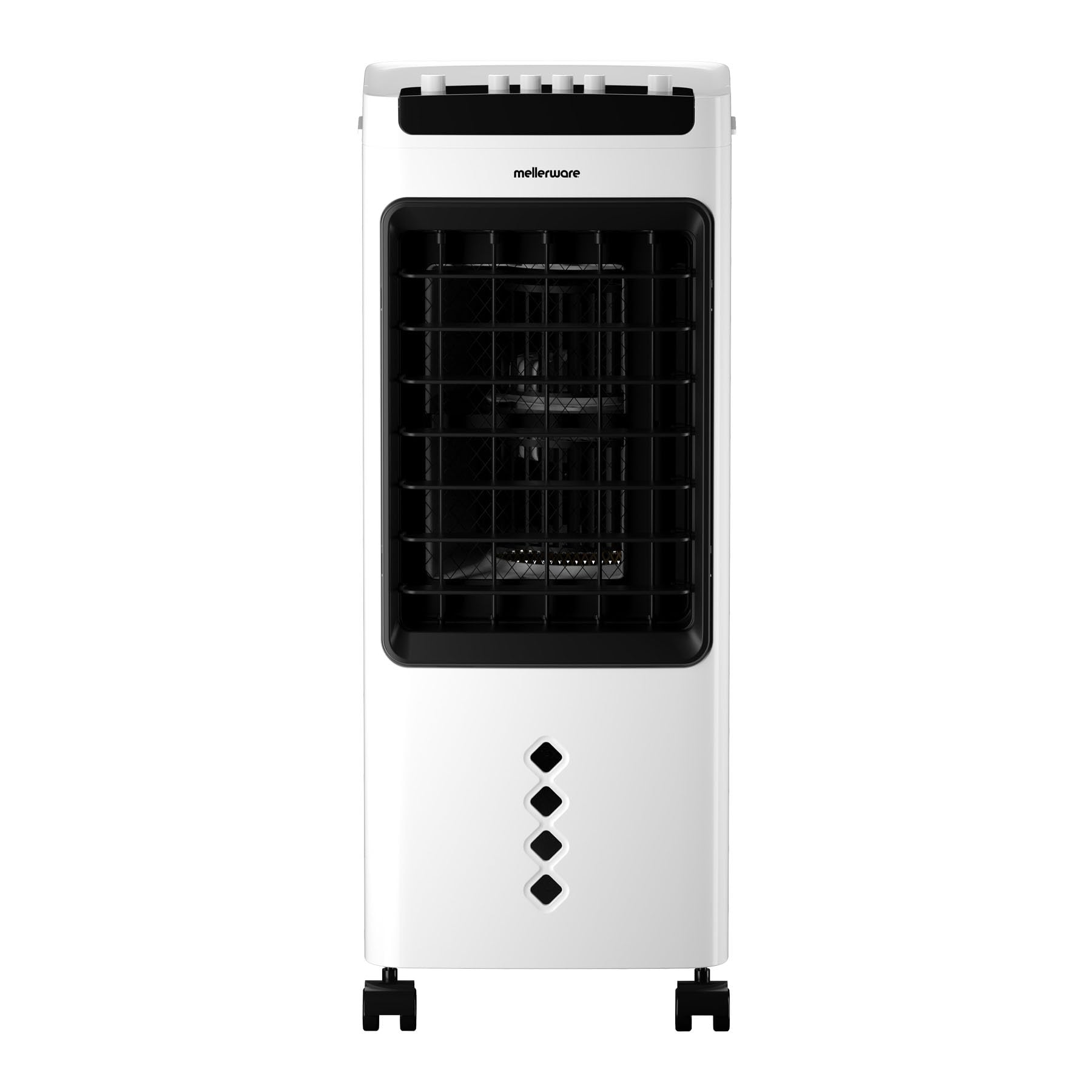
Figure 1: Front view of the Mellerware Glacier Air Cooler. This image displays the sleek, white tower design with the main air outlet grille.
Main Components:
- Control Panel: Located on top, with buttons for power, speed, and oscillation.
- Air Outlet: Front grille where cooled air is discharged.
- Water Tank: Detachable tank at the rear for water filling.
- Air Inlet/Filter: Rear section where air is drawn in and filtered.
- Wheels: Integrated at the base for easy mobility.

Figure 2: Close-up of the control panel, showing the manual rotary switches for various functions.

Figure 3: The transparent, detachable water tank located at the rear of the unit.
Setup
- Unpack: Carefully remove the air cooler from its packaging. Retain all packaging materials for future storage or transport.
- Placement: Position the air cooler on a firm, level surface. Ensure there is adequate space around the unit for proper airflow (at least 20 cm from walls or furniture). The integrated wheels allow for easy movement.
- Fill Water Tank: Pull out the water tank from the rear of the unit. Fill it with clean, cool water. Do not exceed the 'MAX' fill line. For enhanced cooling, you may add ice packs (not included) to the water tank. Carefully slide the water tank back into place until it is securely seated.
- Connect Power: Plug the power cord into a suitable electrical outlet.

Figure 4: The 5-liter capacity of the water tank, ensuring extended cooling without frequent refills.
Operating Instructions
Your Mellerware Glacier Air Cooler features manual controls for simple operation.
- Power On/Off: Turn the 'OFF' knob on the control panel to the 'ON' position to power on the unit. Turn it back to 'OFF' to power off.
- Adjust Fan Speed: Select your desired fan speed using the 'L' (Low), 'M' (Medium), or 'H' (High) knobs. The unit offers 3-position wind speed adjustment.
- Activate Oscillation: To enable automatic 90-degree horizontal oscillation, turn the 'SWING' knob to the 'ON' position. This distributes air across a wider area. The unit also features manual up and down oscillation for vertical airflow adjustment.
- Cooling Function: Ensure the water tank is filled. The air cooler will draw air through the wet cooling pad, providing evaporative cooling.

Figure 5: The Mellerware Glacier Air Cooler positioned in a living room, demonstrating its compact size and portability.
Maintenance
Regular cleaning and maintenance will ensure optimal performance and extend the lifespan of your air cooler.
- Before Cleaning: Always unplug the appliance from the power outlet before cleaning or performing any maintenance.
- Exterior Cleaning: Wipe the exterior surfaces with a soft, damp cloth. Do not use abrasive cleaners, solvents, or harsh chemicals.
- Water Tank Cleaning: Regularly remove and empty the water tank. Clean it with mild soap and water to prevent mold or mildew buildup. Rinse thoroughly and dry before reinserting.
- Cooling Pad/Filter Cleaning: The cooling pad (located behind the water tank) should be inspected periodically. If it appears dirty or clogged, gently rinse it under running water. Allow it to dry completely before placing it back into the unit.
- Storage: If storing the air cooler for an extended period, ensure the water tank is empty and dry, and the unit is clean. Store it in a cool, dry place, preferably in its original packaging.

Figure 6: View of the cooling pad area after removing the water tank, indicating where to access for cleaning.
Troubleshooting
If you encounter issues with your air cooler, refer to the following common problems and solutions:
| Problem | Possible Cause | Solution |
| Unit does not power on | No power supply; Power knob is OFF | Check if the plug is securely in the outlet; Ensure the power knob is set to ON. |
| Weak or no airflow | Air inlets/outlets blocked; Fan speed set too low | Clear any obstructions; Increase fan speed. |
| No cooling effect | Water tank empty; Cooling pad dry | Fill the water tank with clean water; Ensure the cooling pad is moist. |
| Unusual noise | Unit not on a level surface; Foreign object inside | Place on a stable, level surface; Unplug and check for obstructions (if safe to do so). |
If the problem persists after attempting these solutions, please contact customer support.
Specifications
| Model | Glacier |
| Brand | Mellerware |
| Power Consumption | 60W |
| Water Tank Capacity | 5 Liters |
| Dimensions (D x W x H) | 280 x 250 x 560 mm |
| Item Weight | 3.8 Kilograms |
| Speed Settings | 3 (Low, Medium, High) |
| Oscillation | 90-degree automatic horizontal, manual up & down vertical |
| Special Features | Manual Operation, Wheels, Lightweight |

Figure 7: Icon representing the 60-watt power rating of the air cooler.
Warranty and Support
Warranty Information:
This Mellerware Glacier Air Cooler comes with a 1 Year Retail Warranty. Additionally, an Extended Warranty of 1 year may be available upon online registration and opt-in for communication, totaling up to 2 years of coverage. Please refer to the manufacturer's website or your purchase documentation for specific terms and conditions regarding warranty registration and claims.
Customer Support:
For any questions, technical assistance, or warranty claims, please contact Mellerware customer support through their official website or the contact information provided with your purchase. Always have your model name (Glacier) and proof of purchase ready when contacting support.