
Introduction
This instruction manual provides essential information for the safe and proper use of your Jada Lightning McQueen RC Car, model 203084038. This 1:24 scale remote control vehicle is designed for children aged 4 years and older, offering a fun and interactive driving experience with its 2-channel remote control.
Safety Information
Adult supervision is recommended during play to ensure safe operation and prevent potential hazards. Keep small parts away from young children to avoid choking risks. Do not operate the vehicle near water or in wet conditions.
What's in the Box
- 1 x Lightning McQueen RC Car
- 1 x Remote Control
- 1 x USB Charging Cable
- 1 x 3.2V-320 Battery (for car)
- 2 x 1.5V - LR6 Batteries (for remote control)
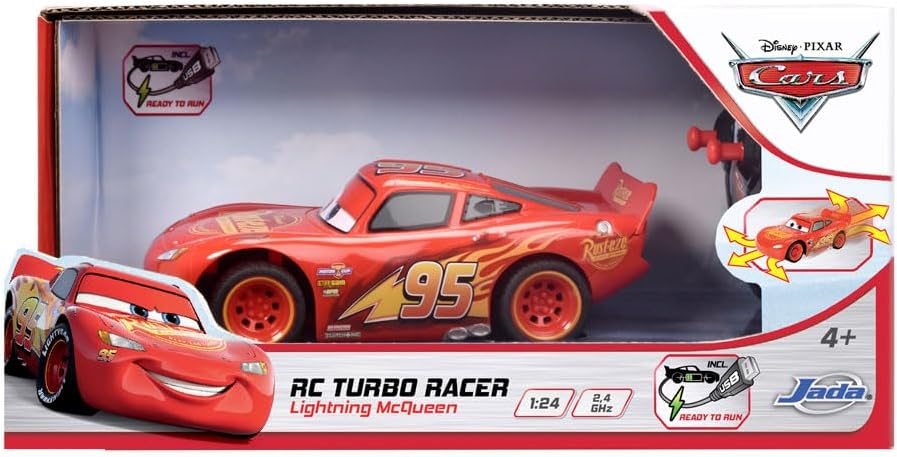
Image: The Jada Lightning McQueen RC Car and its remote control shown within its retail packaging.
Setup
1. Battery Installation
- For the RC Car: The car uses one 3.2V-320 battery, which is included. Connect the battery to the car's internal connector.
- For the Remote Control: The remote control requires two 1.5V - LR6 batteries, which are included. Open the battery compartment on the back of the remote control, insert the batteries according to the polarity markings (+/-), and close the compartment.
2. Charging the Car Battery
- Locate the USB charging port on the Lightning McQueen RC Car.
- Connect the included USB charging cable to the car's port and the other end to a standard USB power source (e.g., computer, USB wall adapter).
- The charging indicator light will illuminate during charging and turn off or change color when fully charged.
3. Pairing the Remote Control
- Turn on the RC car using its power switch.
- Turn on the remote control using its power switch.
- The car and remote should automatically pair. If not, turn both off and on again, ensuring they are close to each other.
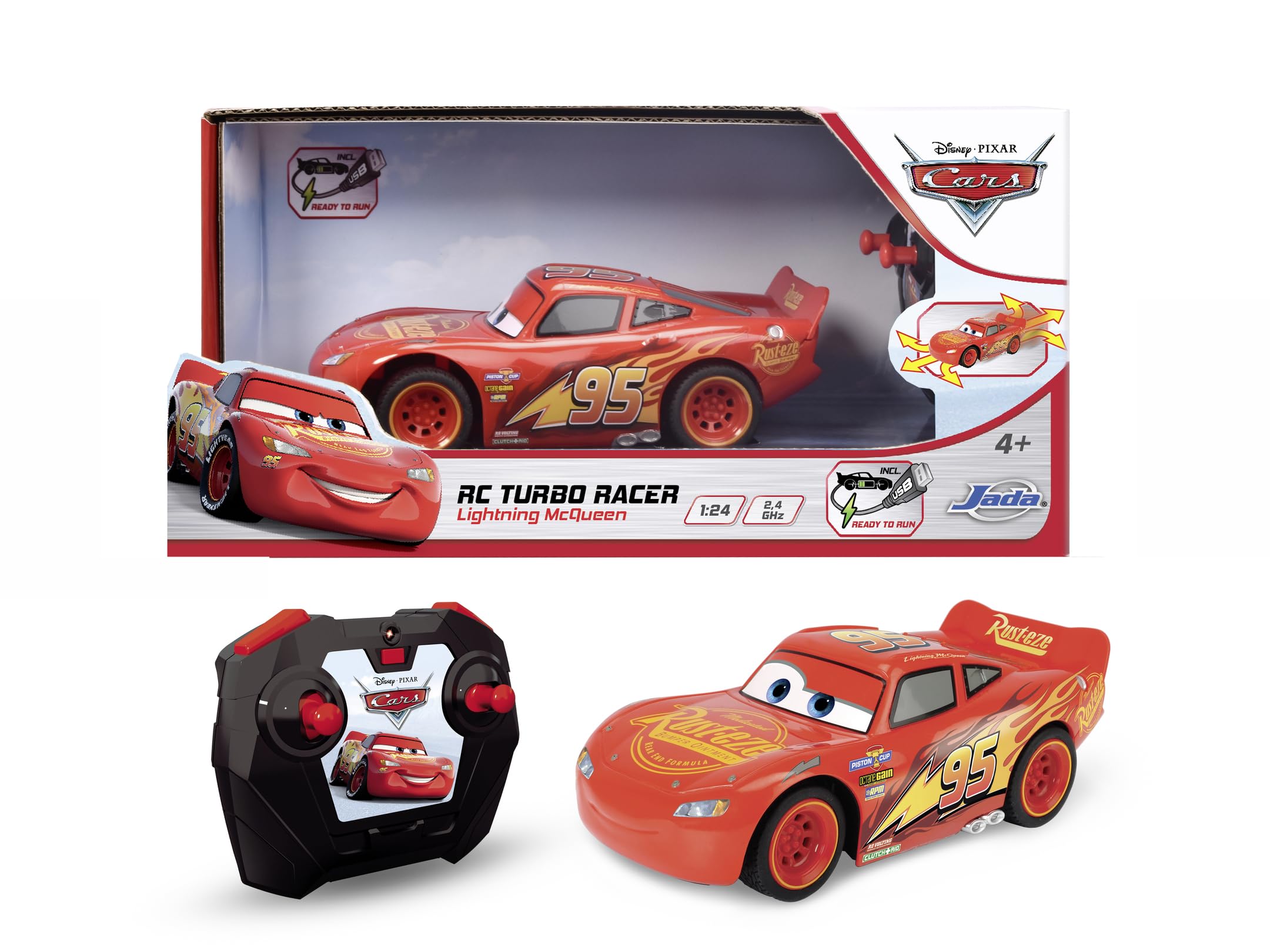
Image: The Jada Lightning McQueen RC Car alongside its remote control, ready for use.
Operating Instructions
The Jada Lightning McQueen RC Car features a 2-channel remote control for intuitive operation.
Basic Controls:
- Forward/Backward: Use the designated lever or button on the remote control to move the car forward or backward.
- Left/Right: Use the steering wheel or directional buttons on the remote control to turn the car left or right.
The car's eyes are designed to move when the car is rocked or moved, adding to its interactive features.
Maintenance
- Cleaning: Wipe the car and remote control with a soft, dry cloth. Do not use water or chemical cleaners.
- Storage: Store the car and remote control in a cool, dry place away from direct sunlight when not in use. Remove batteries from the remote control if storing for extended periods.
- Battery Care: Ensure the car's rechargeable battery is fully charged before each use for optimal performance.
Troubleshooting
- Car not responding: Ensure both the car and remote control are turned on and batteries are properly installed and charged. Re-pair the devices if necessary.
- Reduced range or erratic behavior: Check for interference from other electronic devices. Ensure batteries are fully charged.
- No power: Verify battery installation and charge status for both the car and remote control.
If issues persist, please refer to the support section for contact information.
Specifications
| Feature | Detail |
|---|---|
| Product Dimensions | 11.02 x 5.51 x 5.12 inches |
| Item Weight | 1.06 pounds |
| Model Number | 203084038 |
| Manufacturer Recommended Age | 4 - 10 years |
| Car Battery | 1 x 3.2V-320 (included) |
| Remote Control Batteries | 2 x AA (1.5V - LR6) (included) |
| Scale | 1:24 |
| Control Channels | 2-Channel |
| Manufacturer | Jada |
Warranty and Support
For warranty information or technical support, please contact Jada customer service. Refer to the product packaging or the official Jada website for the most current contact details.