
1. Important Safety Instructions
Please read and understand all safety instructions before operating the pecron F3000LFP Portable Power Station. Failure to follow these instructions may result in electric shock, fire, or serious injury.
- Do not disassemble, repair, or modify the unit.
- Do not place the unit near heat sources or in direct sunlight.
- Do not expose the unit to rain or moisture.
- Use only original or certified cables and accessories.
- Keep the unit away from children and pets.
- Ensure proper ventilation during use and charging.
- Do not insert foreign objects into the ports.
- In case of fire, use a dry powder fire extinguisher.
2. Product Overview
The pecron F3000LFP is a high-capacity portable power station designed to provide reliable power for various applications, from home backup to outdoor adventures. It features a durable LiFePO4 battery, multiple output ports, and fast charging capabilities.
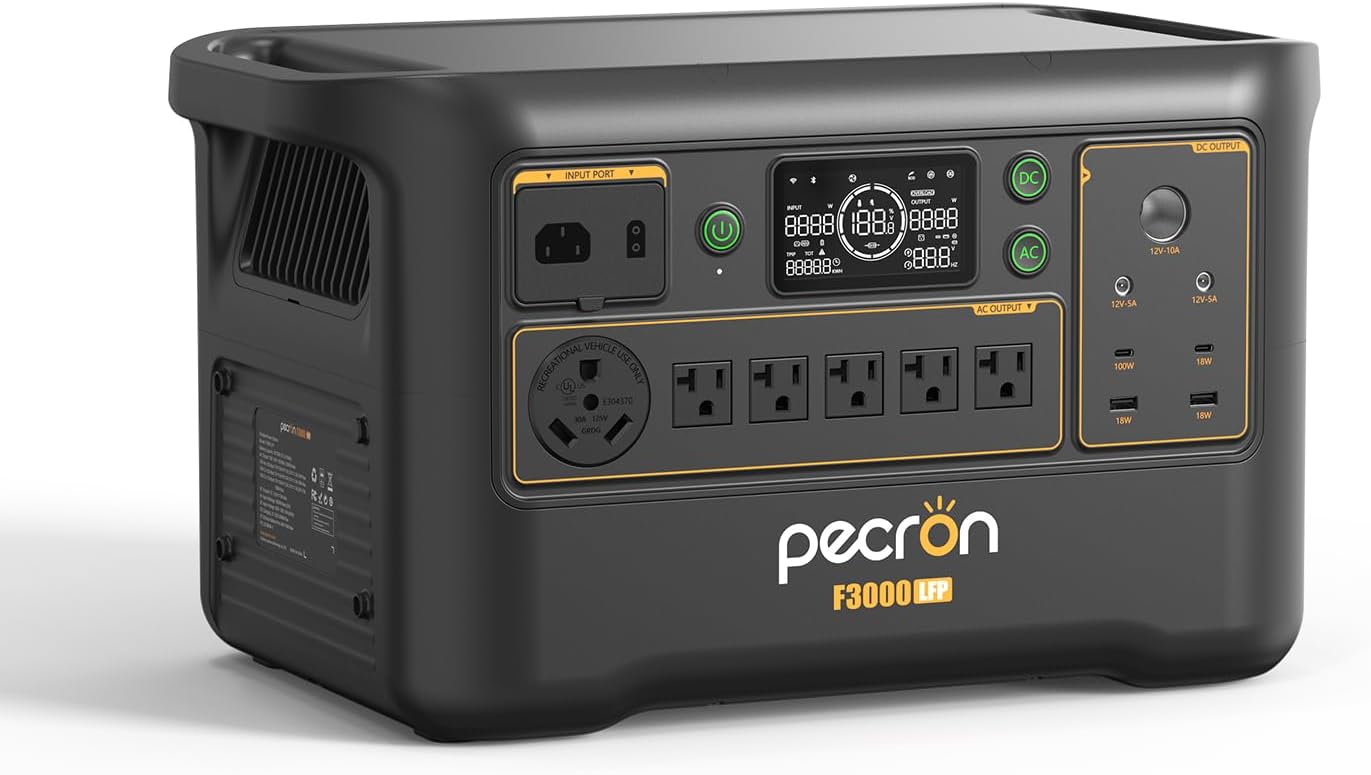
Figure 2.1: Front view of the pecron F3000LFP Portable Power Station, showcasing its input port, display screen, AC outlets, DC outputs, and USB ports.
Key Features:
- Capacity: 3072Wh LiFePO4 Battery
- AC Output: 3600W Pure Sine Wave (13 devices simultaneously)
- Fast Charging: 1800W AC input, 0-100% in 2 hours
- Solar Input: Max 1600W (25-120V)
- Output Ports: 6 AC outlets, 2 USB-C (100W PD), 2 USB-A (18W), 1 Carport, 2 DC 5525 outputs
- UPS Function: 8-20ms switchover time
- Control: Smart APP control (Wi-Fi, Bluetooth)
3. What's in the Box
Verify that all items are present upon unpacking:
- pecron F3000LFP Power Station (x1)
- AC Charging Cable (x1)
- Single port XT60 to MC4 Solar Charging Cable (x1)
- Accessory Bag (x1)
- User Manual (x1)
4. Setup
Initial Charging:
Before first use, fully charge the F3000LFP. Connect the provided AC charging cable to the input port on the power station and then to a standard wall outlet. The display will indicate charging status. A full charge from 0% to 100% typically takes approximately 2 hours.
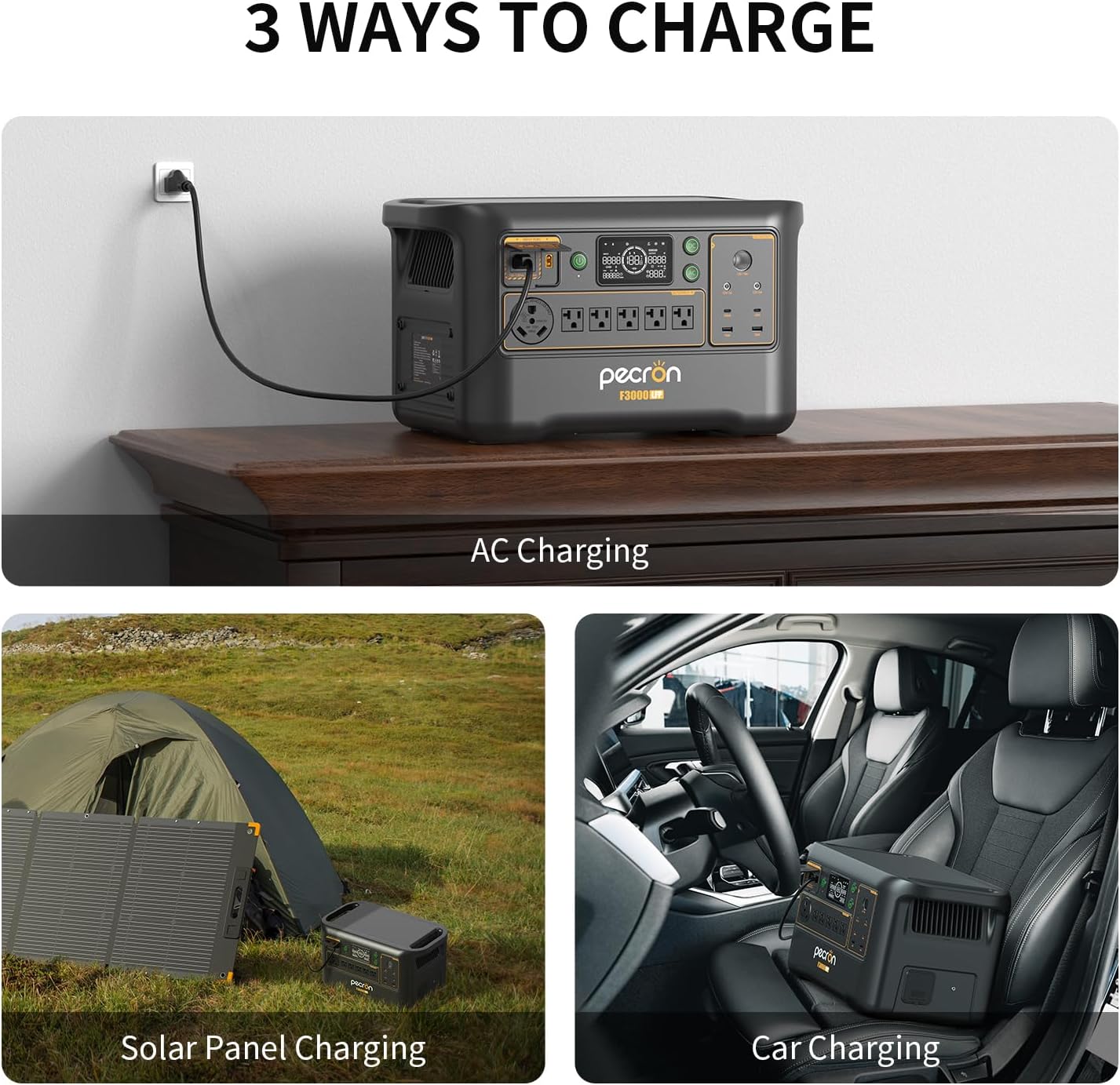
Figure 4.1: The pecron F3000LFP connected to a wall outlet for AC charging.
Connecting Accessories:
Connect the appropriate cables for solar panels or car charging to their respective input ports as needed. Ensure all connections are secure.
5. Operating Instructions
Turning On/Off:
- To turn on the unit, press and hold the main power button for 3 seconds. The display will illuminate.
- To turn off the unit, press and hold the main power button for 3 seconds.
Using AC Output:
Press the AC power button to activate the AC outlets. Connect your devices to the 6 available AC outlets. The F3000LFP provides a 3600W pure sine wave output, suitable for most household appliances.
Using DC Output:
Press the DC power button to activate the DC output ports. This includes 2 USB-C ports (100W Power Delivery), 2 USB-A ports (18W), 1 carport, and 2 DC 5525 outputs. Connect your compatible devices.

Figure 5.1: The pecron F3000LFP offers 13 distinct output options for various devices.
Charging the F3000LFP:
- AC Charging: Connect the AC charging cable to a wall outlet. The unit supports up to 1800W AC input for rapid charging.
- Solar Charging: Connect compatible solar panels (max 1600W, 25-120V input) using the XT60 to MC4 solar charging cable. Position panels for optimal sunlight exposure.
- Car Charging: Use a compatible car charger (not included) to charge the unit from your vehicle's 12V outlet.
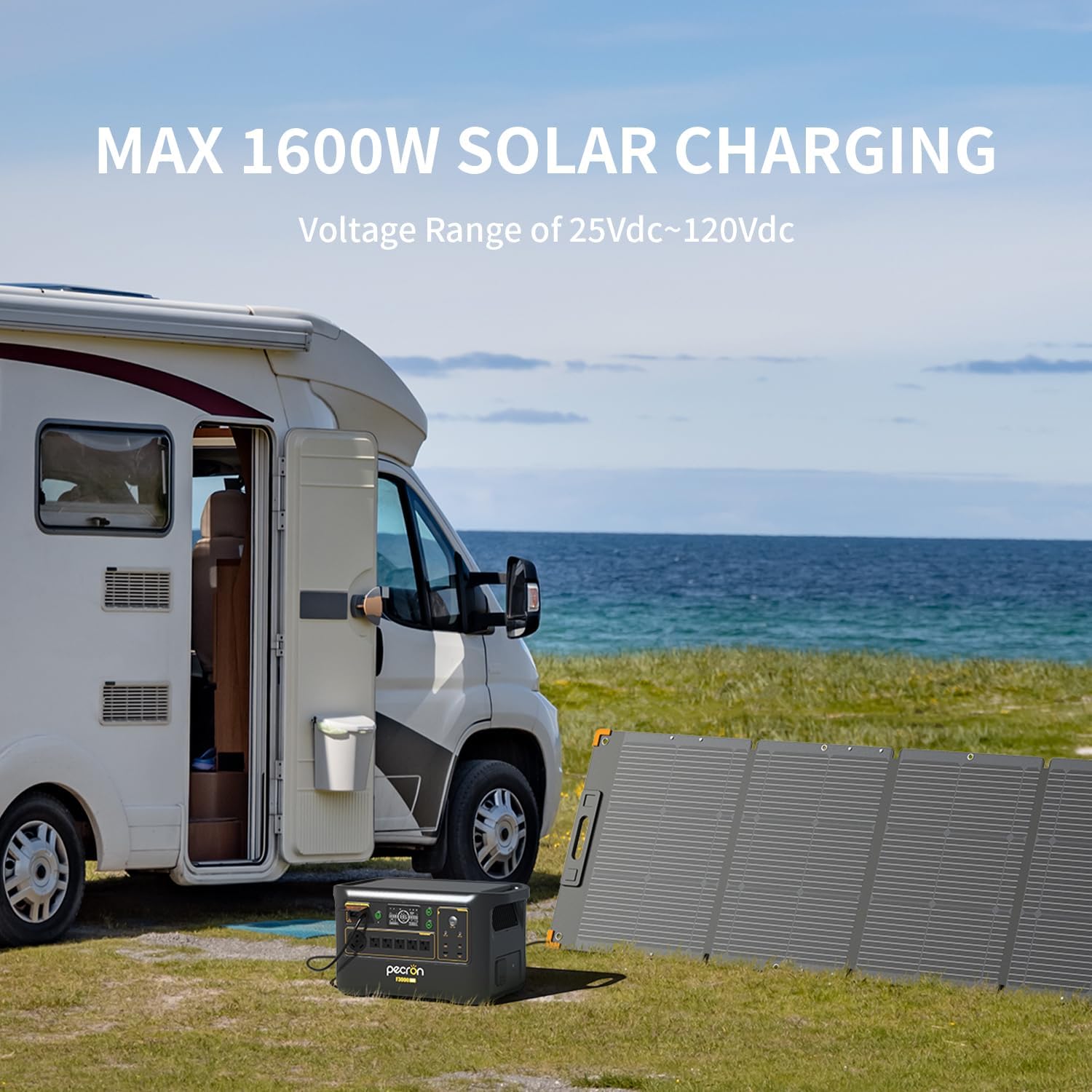
Figure 5.2: The pecron F3000LFP being charged by solar panels in an outdoor setting.
UPS Function:
The F3000LFP features an Uninterruptible Power Supply (UPS) mode. When connected to an AC wall outlet and simultaneously powering devices, it can switch to battery power within 8-20 milliseconds during a power outage, protecting sensitive electronics like computers and medical devices from data loss or interruption.
Smart APP Control:
Download the pecron app to monitor and control your F3000LFP via Wi-Fi or Bluetooth. The app allows you to view real-time power usage, customize charging power, and remotely switch DC/AC outputs.

Figure 5.3: Managing the pecron F3000LFP settings and monitoring status via the smartphone application.
6. Maintenance
Storage:
- Store the unit in a cool, dry place, away from direct sunlight and extreme temperatures.
- For long-term storage, charge the unit to approximately 50-80% every 3-6 months to preserve battery health.
Cleaning:
Wipe the exterior of the unit with a soft, dry cloth. Do not use abrasive cleaners or immerse the unit in water. Ensure ventilation vents are clear of dust and debris.
Battery Care:
The F3000LFP uses a LiFePO4 battery, known for its longevity. It is designed to retain 80% of its original capacity after 3500 complete charge cycles.

Figure 6.1: Internal view illustrating the LiFePO4 battery cells within the pecron F3000LFP.
7. Troubleshooting
If you encounter issues with your F3000LFP, refer to the following common problems and solutions:
| Problem | Possible Cause | Solution |
|---|---|---|
| Unit does not turn on | Battery is depleted; Power button not pressed correctly | Charge the unit; Press and hold the power button for 3 seconds. |
| No AC output | AC output not activated; Overload; Low battery | Press the AC power button; Reduce connected load; Recharge the unit. |
| Solar charging is intermittent or low | Insufficient sunlight; Panel shading; Incorrect voltage/current | Ensure panels are in direct sunlight and free from shade; Verify panel specifications match F3000LFP input requirements (25-120V). |
| USB/DC ports not working | DC output not activated; Device incompatibility | Press the DC power button; Check device compatibility and cable connections. |
If the problem persists, please contact customer support.
8. Specifications
| Feature | Specification |
|---|---|
| Brand | pecron |
| Model | F3000LFP |
| Battery Type | LiFePO4 |
| Capacity | 3072Wh |
| AC Output | 3600W (Pure Sine Wave), 120 Volts |
| AC Input | 1800W Max |
| Solar Input | 1600W Max (25-120V) |
| USB-C Output | 2 x 100W PD |
| USB-A Output | 2 x 18W |
| DC 5525 Output | 2 ports |
| Carport Output | 1 port |
| Dimensions (L x W x H) | 19.3" x 11.6" x 11.1" |
| Item Weight | 63.3 Pounds |
| Special Features | Portable, Fast Charging, Large Capacity, Long Lasting, Safety, Smart Control, UPS |
9. Warranty and Support
The pecron F3000LFP Portable Power Station comes with a 2+3 years worry-free warranty. This includes a standard 2-year warranty, with an additional 3 years upon product registration or specific conditions. For detailed warranty terms, please refer to the warranty card included with your product or contact pecron customer service.
For any technical assistance, troubleshooting, or warranty claims, please contact pecron customer service. Our support team is available 24 hours a day, 7 days a week to provide friendly and efficient service.
- Customer Service: Refer to your product packaging or the official pecron website for contact information.


