
PHYSEN Gas- und CO-Melder
PHYSEN WiFi Gas and Carbon Monoxide Detector User Manual
Model: Gas- und CO-Melder
1. Introduction
Thank you for choosing the PHYSEN WiFi Gas and Carbon Monoxide Detector. This device is designed to provide reliable detection of flammable gases (such as methane) and carbon monoxide (CO) in your home or commercial environment, ensuring your safety through real-time monitoring and alerts. Please read this manual carefully before installation and use to ensure proper operation and maximize the lifespan of your detector.

Figure 1: PHYSEN WiFi Gas and Carbon Monoxide Detector with LED display, showing 2-in-1 protection for CO and gas.
2. Safety Information
Your safety is paramount. This device is certified according to European standards EN 50291-1:2018 and EN 50194-1:2009, ensuring reliable performance. For certificate verification, please contact us.
- Important Note: This device cannot detect carbon dioxide (CO₂).
- In case of an alarm, immediately ventilate the area and address the source of the gas leak.
- Do not block the detector's air inlets.
- Do not paint the detector.

Figure 2: The PHYSEN detector is certified according to strict European standards EN 50291 and EN 50194.
3. Product Features
- Multifunctional Detection: Detects both flammable gas (methane) and carbon monoxide (CO).
- High Sensitivity: Alarms when flammable gas concentration reaches ≥8.0% LEL or CO reaches ≥50 ppm.
- Loud Alarm: Emits a continuous 85 dB alarm.
- Digital LED Display: Shows real-time gas and CO levels, and fault indicators.
- Wi-Fi Connectivity: Connects to Tuya or Smart Life app for real-time monitoring and notifications (2.4 GHz Wi-Fi only).
- Energy Efficient: Powered by 100–240 V AC, eliminating battery concerns.
- Durable Sensor: Equipped with a dual sensor designed for long-term reliability.
4. Package Contents
Upon opening the package, please ensure all items are present and in good condition:
- 1x PHYSEN WiFi Gas and Carbon Monoxide Detector
- 1x User Manual
- Mounting Screws and Wall Plugs
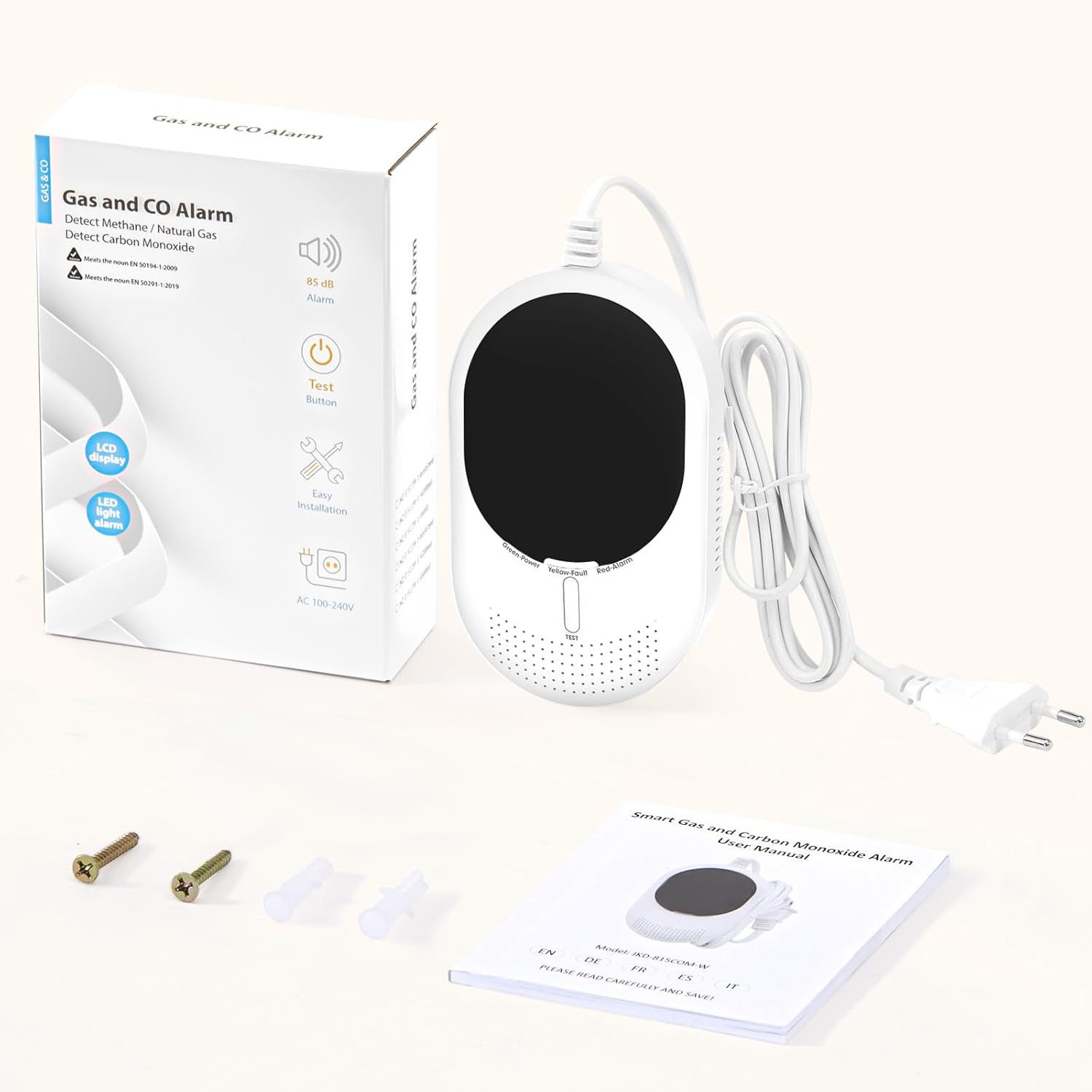
Figure 3: The package includes the detector, user manual, and mounting accessories.
5. Installation
Proper installation is crucial for the detector's effectiveness. Consider the type of gas you are primarily detecting:
- For heavier-than-air gases (e.g., LPG): Install the detector 0.3 to 1.0 meters (1 to 3.3 feet) above the floor.
- For lighter-than-air gases (e.g., methane, carbon monoxide): Install the detector 0.3 to 1.0 meters (1 to 3.3 feet) below the ceiling.
- General Placement: Ideally, install the device 1 to 3 meters (3.3 to 9.8 feet) away from the combustion source (e.g., stove, boiler) and in a horizontal position.
- Avoid installing near windows, doors, or ventilation openings where air currents might dilute gas concentrations.
- Avoid areas with high humidity or extreme temperatures.

Figure 4: Example installation of the detector in a living room, positioned appropriately for CO detection.
6. Setup (App and Wi-Fi Connection)
The PHYSEN detector connects to the Tuya or Smart Life app for smart features. Ensure your Wi-Fi network is 2.4 GHz.
- Power On: Plug the detector into a standard 100–240 V AC European socket. The device will begin a warm-up period of approximately 3 minutes. During this time, no gas tests can be performed.
- Enter Wi-Fi Configuration Mode: Press and hold the "TEST" button for more than 15 seconds. The green light will flash rapidly, and "E2" will appear on the screen, indicating the device is in Wi-Fi pairing mode.
- Open App: Open the Tuya Smart or Smart Life app on your smartphone.
- Add Device: Click "Add Device" or the "+" icon in the app. Ensure your phone's Bluetooth is active. The app should automatically detect the device. If not, select "Gas sensor" from the list of devices.
- Connect to Wi-Fi: Enter your 2.4 GHz Wi-Fi network name and password in the app, then click "Next".
- Completion: Wait for the device to connect successfully. Once added, click "Done".

Figure 5: Visual guide for connecting your detector to the Smart Life/Tuya app.
Video 1: This video demonstrates the WiFi connection process and shows the alarm activation when gas is detected, including app notifications.
7. Operating Instructions
7.1. LED Display Indicators
- Green Light (Normal/Standby): Indicates the detector is functioning correctly.
- Displaying Values: If flammable gas exceeds 4.0% LEL or CO exceeds 20 ppm, the display will show the detected values.
- Red Light Flashing & Alarm Sounding: Indicates that the alarm threshold has been reached.
- Yellow Light & "Err" on Display: Indicates a device fault. Please contact customer service.

Figure 6: The LED display shows current gas and CO levels, with color indicators for normal, alarm, and fault states.
7.2. Test Method
To test the methane detection function:
- Ensure the system has completed its 3-minute warm-up period.
- Press the button of a lighter near the air inlet of the detector and slowly release gas (ensure the lighter flame is off).
- When the concentration reaches the alarm threshold, the alarm will activate and continue until the gas concentration drops below the threshold.
8. Alarms and Notifications
The detector provides immediate alerts to ensure your safety:
- Audible Alarm: An 85 dB alarm sounds when gas or CO levels exceed safe thresholds.
- App Notifications: The Tuya/Smart Life app will send instant Wi-Fi notifications to your phone if an alarm is triggered. This allows you to monitor your home remotely.
- Muting Alarms: You can silence the alarm directly from the app.
- Sharing Device: Share access to the device with family members for enhanced security, allowing multiple users to receive notifications and manage alarms.

Figure 7: Real-time app notifications keep you informed of any gas or CO alarms, low battery, or device faults.

Figure 8: Share the device with your family for greater security, ensuring everyone receives alerts.
8.1. Paid SMS/Call Alerts (Optional)
If your phone is consistently connected to the internet (Wi-Fi or mobile data), you will receive free app alarm notifications, which are sufficient for daily use. A paid SMS or call alert service is available through the Smart Life/Tuya app for situations where your phone may frequently be offline. This service is offered and managed exclusively by the app provider, not by PHYSEN.
9. Maintenance
- Regular Cleaning: Gently wipe the detector's exterior with a soft, dry cloth. Do not use harsh chemicals or abrasive cleaners.
- Sensor Lifespan: The dual sensor is designed for a long operational life. We recommend replacing the device every 5 years to ensure maximum protection.
- Continuous Power: Since the detector is continuously powered via AC, there are no batteries to replace.
10. Troubleshooting
- "Err" on Display: If the yellow light is on and "Err" appears on the screen, it indicates a device fault. Please contact our customer service immediately for assistance.
- No Wi-Fi Connection: Ensure your Wi-Fi network is 2.4 GHz. Check your Wi-Fi password and ensure the detector is within range of your router.
- False Alarms: Ensure the detector is not installed too close to combustion sources, areas with strong air currents, or high humidity.
11. Specifications
| Feature | Specification |
|---|---|
| Manufacturer | PHYSEN |
| Product Model Number | Gas- und CO-Melder |
| Product Dimensions | 5.8 x 11.5 x 15.2 cm |
| Product Weight | 250 g |
| Power Source | Electric Cable (100–240 V AC) |
| Batteries Required | No |
| Flammable Gas Alarm Threshold | ≥8.0% LEL (stops below 4.0% LEL) |
| Carbon Monoxide Alarm Threshold | ≥50 ppm (stops below 30 ppm) |
| Alarm Sound Level | 85 dB |
| Wi-Fi Frequency | 2.4 GHz only |
| Certifications | EN 50291-1:2018, EN 50194-1:2009 |
12. Warranty and Support
PHYSEN is committed to product quality and customer satisfaction. We offer excellent after-sales service. If you encounter any issues with your device, especially if the "Err" message appears on the display, please do not hesitate to contact us. Our support team will be happy to assist you.
Related documentsGas- und CO-Melder

Ask a question about this manual
Ask about setup, troubleshooting, compatibility, parts, safety, or missing instructions. Manuals+ will review the question and use this page’s manual context to help answer it.