
vivo T4 5G
VIVO T4 5G Smartphone User Manual
Model: T4 5G
Introduction
Welcome to the VIVO T4 5G user manual. This guide provides essential information to help you set up, operate, and maintain your new smartphone. Please read this manual thoroughly to ensure optimal performance and longevity of your device.
1. Device Setup
1.1 Unboxing and Package Contents
Before you begin, ensure all items are present in the package:
- VIVO T4 5G Smartphone
- Charger
- USB Cable
- SIM Ejector Tool
- Quick Start Guide
- Warranty Card
1.2 Inserting the SIM Card
- Locate the SIM card tray on the side of your device.
- Insert the SIM ejector tool into the small hole next to the tray and press gently until the tray pops out.
- Place your Nano-SIM card(s) into the tray with the gold contacts facing down. The VIVO T4 5G supports Dual SIM.
- Carefully push the tray back into the slot until it is flush with the device.
1.3 Initial Power On and Setup
- Press and hold the power button until the VIVO logo appears.
- Follow the on-screen instructions to select your language, connect to Wi-Fi, set up your Google account, and configure security features like fingerprint recognition.
1.4 Charging the Device
Connect the USB cable to the charger and then to your phone's charging port. Plug the charger into a power outlet. It is recommended to fully charge the device before first use.
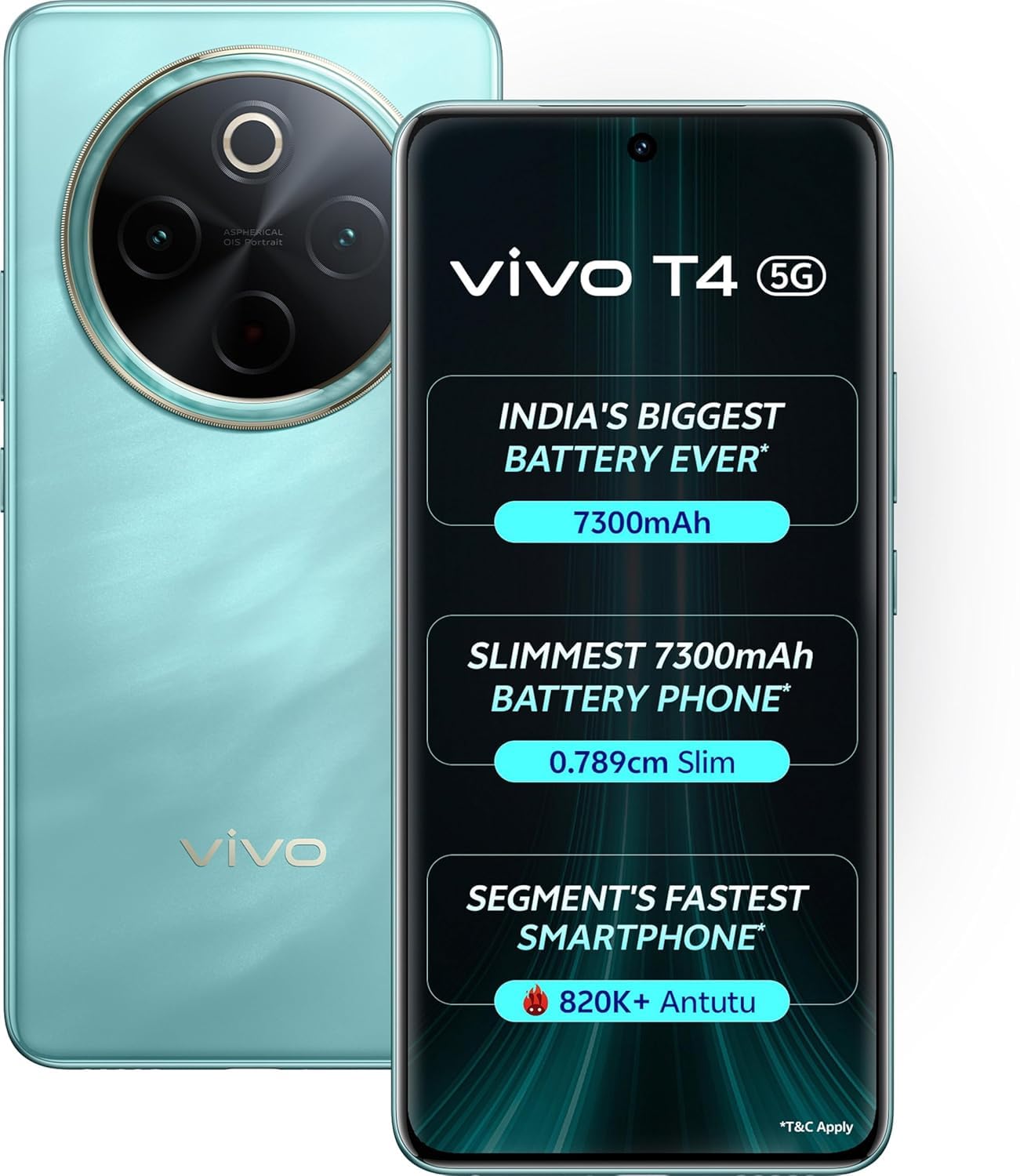
Image: The VIVO T4 5G smartphone, highlighting its sleek design and prominent camera system on the rear, along with the display on the front.
2. Operating Your VIVO T4 5G
2.1 Basic Navigation
The VIVO T4 5G operates on Android 14. Use touch gestures for navigation:
- Tap: Select an item or open an app.
- Swipe: Scroll through screens or lists.
- Pinch: Zoom in or out on images and web pages.
- Long Press: Access contextual menus or move icons.
2.2 Calls and Messaging
To make a call, open the Phone app and dial the number or select a contact. To send a message, open the Messages app, tap the new message icon, enter the recipient and your message.
2.3 Camera Usage
Your VIVO T4 5G features a 50 MP rear camera and a 32 MP front camera. Open the Camera app to capture photos and videos. Explore various modes like Portrait, Night, and Pro for enhanced photography. The device supports 4K video capture at 30 frames per second.
2.4 Battery Management
The device is equipped with a 6000 mAh battery. To optimize battery life:
- Adjust screen brightness.
- Close unused apps running in the background.
- Enable Battery Saver mode when needed.
- Avoid extreme temperatures.
2.5 Connectivity
The VIVO T4 5G supports 5G cellular technology, Wi-Fi, and Bluetooth for seamless connectivity. Access these settings via the Quick Settings panel or the main Settings app.
2.6 Security Features
Utilize the integrated fingerprint recognition for secure and quick unlocking of your device. You can also set up a PIN, pattern, or password for additional security.
3. Maintenance and Care
3.1 Cleaning Your Device
Use a soft, lint-free cloth to clean the screen and body of your phone. Avoid using harsh chemicals or abrasive materials. The device is water resistant, but avoid submerging it in water.
3.2 Software Updates
Regularly check for and install software updates to ensure your device has the latest features, security patches, and performance improvements. Go to Settings > System > System update.
3.3 Storage Management
Your VIVO T4 5G comes with 256 GB of internal storage. To manage storage, regularly clear cache, delete unnecessary files, and uninstall unused applications. Go to Settings > Storage to view usage and free up space.
4. Troubleshooting Common Issues
- Device not turning on: Ensure the battery is charged. Connect to a charger and wait a few minutes before attempting to power on again.
- Apps crashing or freezing: Close the app and reopen it. If the issue persists, clear the app's cache (Settings > Apps > [App Name] > Storage > Clear cache) or reinstall the app.
- Network connectivity issues: Check if Airplane Mode is off. Restart your device. Verify your SIM card is properly inserted.
- Fingerprint sensor not working: Ensure your finger is clean and dry. Re-register your fingerprint if necessary.
- Performing a Factory Reset: If severe issues persist, you may need to perform a factory reset. Warning: This will erase all data on your phone. Back up important data before proceeding. Go to Settings > System > Reset options > Erase all data (factory reset).
5. Product Specifications
| Brand | vivo |
| Model | T4 5G |
| Operating System | Android 14 |
| RAM | 8 GB |
| Storage Capacity | 256 GB |
| CPU Model | V25 (2.5 GHz) |
| Display Type | AMOLED |
| Screen Size | 6.77 Inches |
| Resolution | 2392 x 1080 (388 PPI) |
| Rear Camera | 50 MP |
| Front Camera | 32 MP |
| Video Capture Resolution | 4K at 30 FPS |
| Battery Capacity | 6000 Milliamp Hours |
| SIM Card Slot | Dual SIM (Nano) |
| Biometric Security | Fingerprint Recognition |
| Water Resistance | Water Resistant |
| Dimensions | 16.3 x 7.6 x 0.8 Centimeters |
| Weight | 199 Grams |
| Connectivity | 5G, Bluetooth, USB, Wi-Fi, GSM, Infrared, LTE |
6. Warranty and Support
Your VIVO T4 5G smartphone comes with a manufacturer's warranty. Please refer to the warranty card included in your package for detailed terms and conditions. For technical support, service, or further inquiries, please visit the official vivo support website or contact their customer service.
Official vivo Store: vivoMobileIndia Store
Related documentsT4 5G


Ask a question about this manual
Ask about setup, troubleshooting, compatibility, parts, safety, or missing instructions. Manuals+ will review the question and use this page’s manual context to help answer it.