
TONEMAY Q8
TONEMAY Q8 Open-Ear Clip-On Wireless Earbuds User Manual
Model: Q8
1. Introduction
This manual provides comprehensive instructions for the operation, maintenance, and troubleshooting of your TONEMAY Q8 Open-Ear Clip-On Wireless Earbuds. Please read this manual thoroughly before using the product to ensure proper function and longevity.
The TONEMAY Q8 earbuds are designed for comfort and situational awareness, featuring an open-ear clip-on design, Hi-Res LDAC audio, head-tracking spatial audio, AI-enhanced microphones for clear calls, and extended battery life.
2. What's in the Box
Verify that all components are present upon unboxing:
- TONEMAY Q8 Open-Ear Wireless Earbuds x 1 pair
- TONEMAY Q8 Earbuds Charging Case x 1
- USB-C Quick Charge Cable x 1
- User Guide x 1 (This document)

Image: Contents of the TONEMAY Q8 package, showing the earbuds, charging case, USB-C charging cable, and the user manual.
3. Setup and First Use
3.1 Charging the Earbuds and Case
Before first use, fully charge the earbuds and the charging case. Connect the provided USB-C cable to the charging port on the case and plug the other end into a USB power source (e.g., computer, wall adapter). The indicator light on the case will show charging status.
- Charging Time: Approximately 1.5 hours for the carrying case.
- Quick Charge: 10 minutes of charging provides approximately 70 minutes of playback.
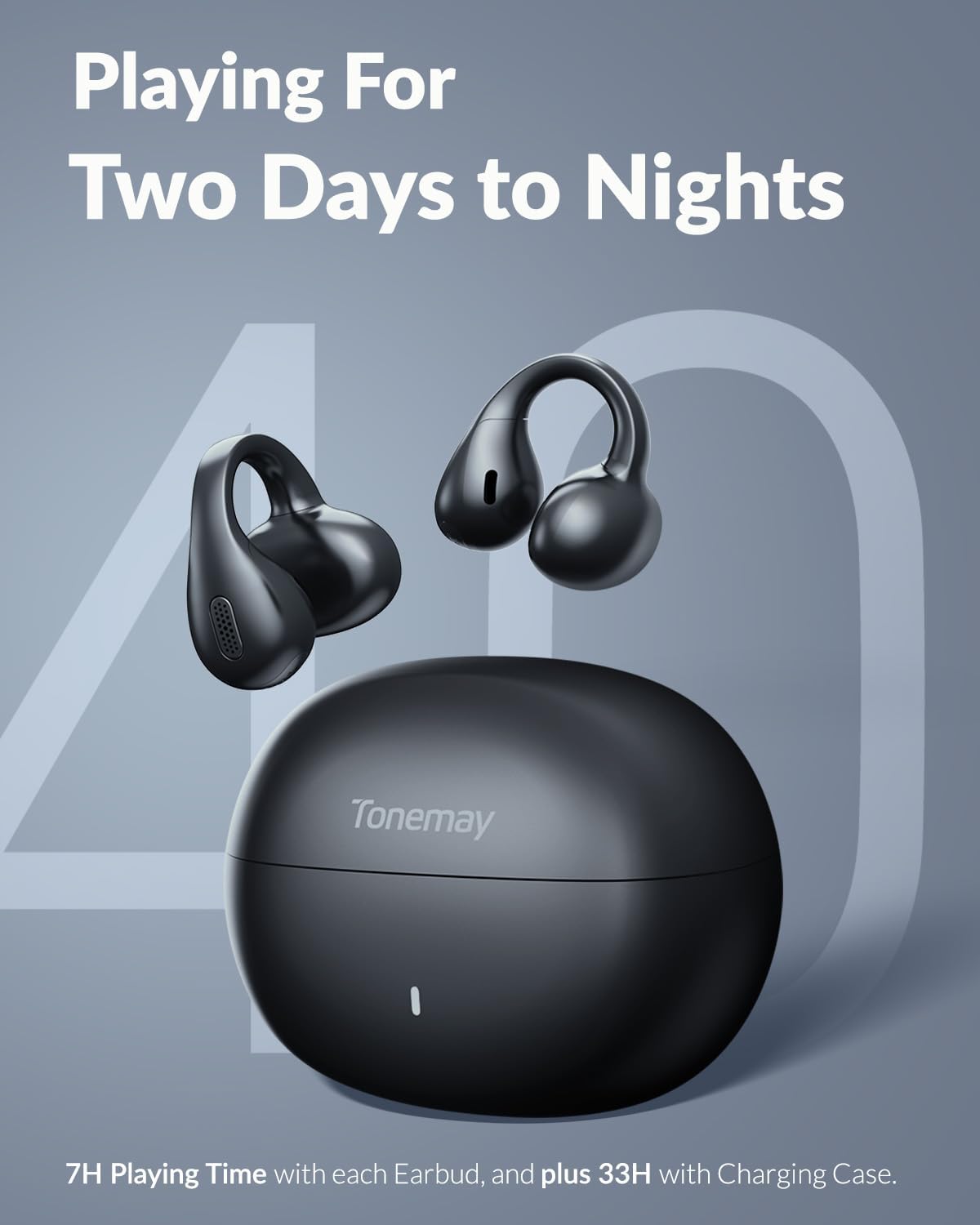
Image: The TONEMAY Q8 earbuds and their charging case, highlighting the extended battery life of up to 40 hours with the case.
3.2 How to Wear
The Q8 earbuds feature an open-ear clip-on design for comfort and secure fit. To wear them:
- Hold your ear with one hand.
- Position the earbud on the upper part of your ear, similar to an ear cuff.
- Gently lower it into a comfortable position where you can hear clearly.

Image: A diagram showing the correct method for wearing the TONEMAY Q8 open-ear earbuds, demonstrating how they clip onto the ear.

Image: A user wearing the TONEMAY Q8 earbuds, highlighting their open-ear comfort and secure clip-on fit during physical activity.
3.3 Pairing with Your Device
The Q8 earbuds use Bluetooth 6.0 for wireless connectivity.
- Open the charging case and take out the earbuds. They will automatically enter pairing mode.
- On your device (smartphone, tablet, laptop), navigate to the Bluetooth settings.
- Select "Tonemay Q8" from the list of available devices to connect.
- Once connected, you will hear an audible confirmation, and the earbuds will be ready for use.
Note: The earbuds are compatible with iOS, Android mobile phones, tablets, laptops, and other Bluetooth devices.

Image: A visual guide demonstrating the pairing process for the TONEMAY Q8 earbuds, showing the earbuds in their case and the Bluetooth pairing selection on a mobile device.

Image: An illustration of the Bluetooth 6.0 chip, emphasizing the ultra-low latency and lossless audio capabilities of the TONEMAY Q8 earbuds.
4. Operation
4.1 Touch Controls
The TONEMAY Q8 earbuds feature intuitive touch controls on the outer surface of each earbud. Familiarize yourself with the following gestures:
| Function | Gesture |
|---|---|
| Play / Pause | Tap either earbud twice |
| Previous Track | Tap and hold the left earbud for 2 seconds |
| Next Track | Tap and hold the right earbud for 2 seconds |
| Volume Up | Tap the right earbud once |
| Volume Down | Tap the left earbud once |
| Answer / End a Call | Tap either earbud twice |
| Decline a Call | Tap and hold either earbud for 2 seconds |
Note: Some devices are not compatible with the earbuds' software, which can cause the initial volume to be too low. Please increase the volume on the earbuds directly if this occurs.

Image: A visual representation of the touch control functions on the TONEMAY Q8 earbuds, detailing gestures for various commands like play/pause, track control, and call management.
4.2 Sound Modes (Music, Game, Spatial Audio)
The Q8 earbuds offer different sound modes to optimize your listening experience:
- Music Mode: Standard audio profile for general music listening.
- Game Mode: Reduces audio latency for a more synchronized gaming experience.
- Spatial Audio Mode: Utilizes built-in gyroscopes and accelerometers to track head movements, creating an immersive 3D soundstage where audio remains fixed in space around you.
To switch between modes: Tap the right earbud 3 times.

Image: A visual depicting the head-tracking spatial audio feature of the TONEMAY Q8 earbuds, showing sound waves emanating around a user's head.
4.3 LDAC Mode
For the highest fidelity audio, activate LDAC mode. This technology transmits up to 3 times more data than standard Bluetooth, providing Hi-Res audio quality.
To turn on/off LDAC Mode: Tap the right earbud 4 times.
Note: LDAC Mode and Spatial Audio Mode cannot be used simultaneously. If one is active, it must be turned off before the other can be enabled. Turning on or off LDAC Mode will automatically disconnect Bluetooth and reconnect within 5 seconds.

Image: An exploded view of an earbud driver, illustrating the Hi-Res LDAC audio technology and its capability to deliver 3x more audio detail compared to standard codecs.

Image: A diagram illustrating the specific touch gestures on the right earbud to switch between Music, Game, and Spatial Audio modes (3 taps) and to activate/deactivate LDAC mode (4 taps).
4.4 Call Functionality
The Q8 earbuds are equipped with AI-enhanced microphones for clear communication, even in noisy environments. The multi-microphone array and advanced AI algorithms actively isolate your voice and suppress background noise.

Image: A man using the TONEMAY Q8 earbuds for a phone call, demonstrating the clear call quality provided by the AI-enhanced microphones.
5. Maintenance and Care
- Cleaning: Use a soft, dry cloth to clean the earbuds and charging case. Do not use abrasive cleaners or solvents.
- Storage: When not in use, store the earbuds in their charging case to protect them and keep them charged.
- Water Resistance: The earbuds are IPX5 waterproof and sweatproof, protecting them from spills, splashes, and light rain. However, they are not designed for submersion in water.
- Temperature: Avoid exposing the earbuds to extreme temperatures (hot or cold) or high humidity.

Image: A man wearing TONEMAY Q8 earbuds in light rain, demonstrating their IPX5 waterproof and sweatproof capabilities for outdoor activities.
6. Troubleshooting
| Problem | Possible Cause | Solution |
|---|---|---|
| Earbuds not pairing | Earbuds not in pairing mode; Bluetooth off on device; previously paired device interfering. | Ensure earbuds are out of the case. Turn off and on Bluetooth on your device. Forget "Tonemay Q8" from your device's Bluetooth list and re-pair. Ensure no other devices are connected to the earbuds. |
| No sound or low volume | Volume too low on earbuds or device; earbuds not properly seated; connection issue. | Increase volume on both earbuds and your connected device. Ensure earbuds are securely worn. Reconnect Bluetooth. |
| Intermittent connection | Distance from device; interference; low battery. | Keep earbuds within 10 meters of your device. Avoid strong electromagnetic interference. Charge the earbuds and case. |
| Touch controls unresponsive | Incorrect gesture; dirty touch sensor; temporary software glitch. | Refer to the "Touch Controls" section for correct gestures. Clean the touch sensor area. Place earbuds back in the case and take them out again to reset. |
| LDAC/Spatial Audio mode not activating | Conflicting mode active. | Ensure the other mode (LDAC or Spatial Audio) is deactivated before attempting to activate the desired mode. |
If the issue persists, please contact customer support.
7. Specifications
| Feature | Detail |
|---|---|
| Model Name | TONEMAY-Q8-Black |
| Connectivity Technology | Wireless (Bluetooth 6.0) |
| Bluetooth Range | 10 Meters |
| Noise Control | Environmental Noise Cancellation (ENC) |
| Frequency Response | 40 KHz |
| Sensitivity | 115 dB |
| Control Type | Touch Control |
| Ear Placement | Open Ear |
| Water Resistance Level | IPX5 (Waterproof) |
| Item Weight | 80 Grams (2.82 ounces) |
| Battery Life (Earbuds) | Up to 7 hours per charge |
| Battery Life (with Charging Case) | Up to 40 hours total |
| Charging Case Battery Charging Time | 1.5 Hours |
| Compatible Devices | IOS / Android mobile phones, tablets, laptops, and other Bluetooth devices |
| Manufacturer | Shenzhen KaiJingDa Technology Co., Ltd. |
| Country of Origin | China |
| UPC | 721820713474 |
8. Warranty and Support
For warranty information and customer support, please refer to the official TONEMAY website or contact your retailer. Keep your purchase receipt as proof of purchase for any warranty claims.
For additional assistance, you may refer to the official User Guide (PDF) available online: TONEMAY Q8 User Guide PDF.
Related documentsQ8

Ask a question about this manual
Ask about setup, troubleshooting, compatibility, parts, safety, or missing instructions. Manuals+ will review the question and use this page’s manual context to help answer it.