Introduction
This manual provides essential information for setting up, operating, maintaining, and troubleshooting your VIVO T4 5G smartphone. Please read this manual carefully to ensure proper use and to maximize the device's performance and longevity.
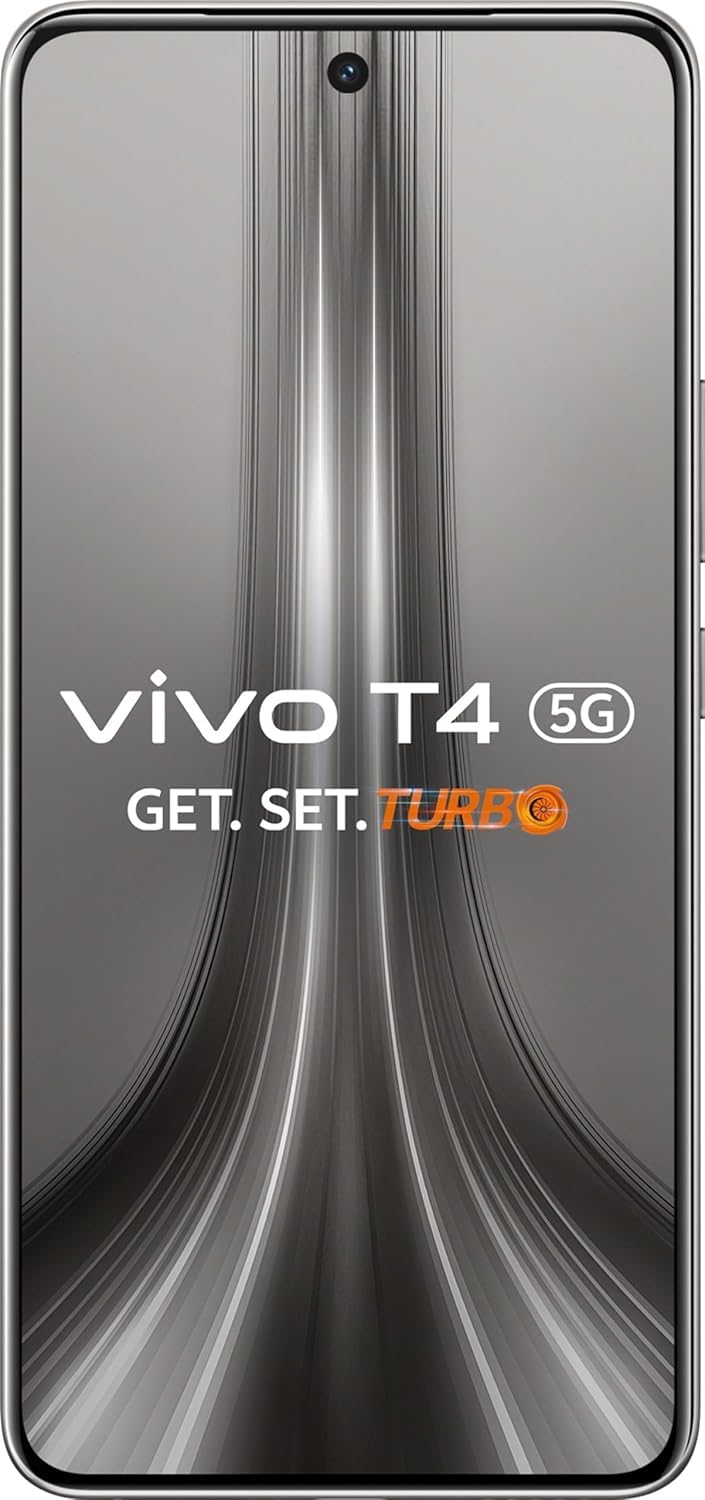
Image: VIVO T4 5G smartphone showcasing its design and key features like the 7300mAh battery, 0.789cm slimness, and fast processor.
Setup
1. Unboxing and Initial Charge
Carefully remove all components from the packaging. Before first use, it is recommended to fully charge your VIVO T4 5G using the provided 90W FlashCharge adapter and cable. The device features a 7300mAh battery for extended usage.
2. SIM Card and Memory Card Installation
- Locate the SIM card tray on the side of the device.
- Insert the SIM ejector tool into the small hole next to the tray and press gently until the tray pops out.
- Place your Nano-SIM card(s) and/or microSD card (if applicable) into the tray with the gold contacts facing down. Ensure they are correctly seated.
- Gently push the tray back into the device until it clicks into place.
3. Powering On and Initial Configuration
Press and hold the Power button until the VIVO logo appears. Follow the on-screen instructions to select your language, connect to a Wi-Fi network, sign in to your Google account, and set up security features like fingerprint or facial recognition.
Operating Your VIVO T4 5G
1. Navigating FunTouch OS 15
Your VIVO T4 5G runs on FunTouch OS 15, offering a user-friendly interface. Swipe gestures and navigation buttons allow for seamless interaction. Explore features like AI Note Assist, Super Documents, and Circle to Search for enhanced productivity and convenience.

Image: FunTouch OS 15 interface demonstrating AI-powered features.
2. Camera Usage
The VIVO T4 5G is equipped with a 50MP Sony OIS main camera, a 32MP front wide-angle camera, and a 2MP bokeh camera. Open the Camera app to access various modes including Photo, Portrait, Video, and more. Utilize the AI Photo Enhance feature to automatically improve image quality and clarity.

Image: Demonstration of AI Photo Enhance feature.
3. Gaming Experience
Enhance your mobile gaming with the VIVO T4 5G's dedicated gaming features. Activate the New Ultra Game Mode for optimized performance, use the AI Game Voice Changer for immersive communication, and experience haptic feedback with 4D Game Vibration (where supported).

Image: VIVO T4 5G showcasing its advanced gaming capabilities.
4. Connectivity
The device supports 5G connectivity for high-speed internet. It also includes Bluetooth, USB, and Wi-Fi for various connection needs. Access these settings via the Quick Settings panel or the main Settings app.
Maintenance
1. Cleaning Your Device
Use a soft, lint-free cloth to clean the screen and body of your VIVO T4 5G. Avoid using harsh chemicals or abrasive materials that could damage the finish or screen coating. The device features Military-Grade Durability, but proper care is still recommended.
2. Software Updates
Regularly check for and install software updates to ensure your device has the latest features, security patches, and performance improvements. You can find update options in the Settings menu under 'System update'.
3. Battery Care
To prolong the life of your 7300mAh battery, avoid exposing the device to extreme temperatures. Use only the official 90W FlashCharge adapter and cable. Avoid completely draining the battery frequently, and consider charging it before it drops below 20%.
Troubleshooting
Common Issues and Solutions
- Device not turning on: Ensure the battery is charged. Connect the charger and wait a few minutes before attempting to power on again.
- Apps crashing or freezing: Close background applications. Clear the cache of the problematic app in Settings > Apps. If the issue persists, consider reinstalling the app.
- Connectivity problems (Wi-Fi/Bluetooth/5G): Toggle the respective connection off and on. Restart your device. For Wi-Fi, try forgetting the network and reconnecting.
- Slow performance: Clear unnecessary files and apps. Restart your device regularly. Check for system updates.
- Battery draining quickly: Review app usage in battery settings. Reduce screen brightness. Disable unnecessary features like GPS or background app refresh.
Factory Reset
If you encounter persistent software issues, a factory reset may resolve them. Warning: A factory reset will erase all data on your device. Back up important data before proceeding. Navigate to Settings > System > Reset options > Erase all data (factory reset).
Specifications

Image: VIVO T4 5G showcasing available color options.
| Feature | Detail |
|---|---|
| Model | VIVO T4 5G |
| Operating System | FunTouch OS 10 |
| Processor | Snapdragon 7s Gen 3 (2.5 GHz CPU Speed) |
| RAM | 8 GB |
| Display | 120Hz Quad-Curved AMOLED, 2392 x 1080 Resolution |
| Battery | 7300 Milliamp Hours |
| Charging | 90W FlashCharge |
| Rear Camera | 50MP Sony OIS Camera, 2MP Bokeh Camera |
| Front Camera | 32MP Wide-Angle Camera |
| Connectivity | 5G, Bluetooth, USB, Wi-Fi |
| Special Features | Military-Grade Durability, AI Photo Enhance, AI Erase, New Ultra Game Mode |
| Dimensions (Package) | 18.4 x 9 x 5.2 cm |
| Item Weight | 500 g |
| Color | Phantom Grey |
Warranty and Support
Warranty Information
Your VIVO T4 5G smartphone comes with a standard manufacturer's warranty covering defects in materials and workmanship. The specific terms and duration of the warranty may vary by region. Please refer to the warranty card included in your product packaging or visit the official VIVO website for detailed information.
Customer Support
For technical assistance, service, or further inquiries, please contact VIVO customer support. You can find contact details, including phone numbers and online support channels, on the official VIVO website or through the support section within your device's settings.
Additional protection plans, such as screen protection or extended warranty, may be available for purchase separately. Check with your retailer or VIVO for more details.


