
1. Introduction
Welcome to the VIVO T4 5G user manual. This guide provides essential information on setting up, operating, and maintaining your new smartphone. Please read this manual thoroughly to ensure optimal performance and safe use of your device.
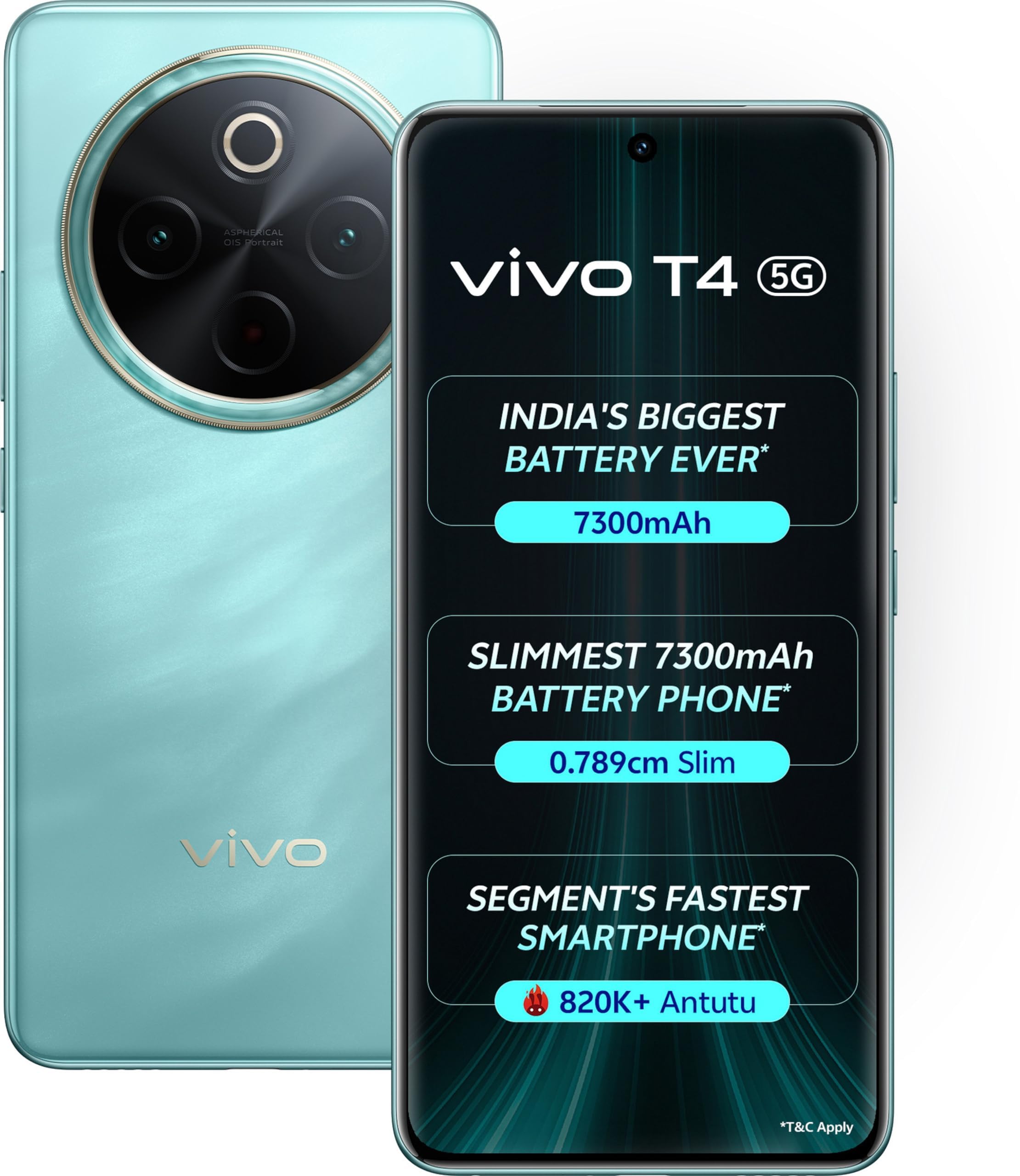
Image: The VIVO T4 5G smartphone in Emerald Blaze color, showcasing its sleek design and camera module.
2. Product Overview
2.1 Device Layout
Familiarize yourself with the physical components of your VIVO T4 5G smartphone:
- Front Camera: For selfies and video calls.
- Display: 6.44-inch AMOLED screen for vibrant visuals.
- Volume Buttons: Adjust media volume and ringtone volume.
- Power Button/Fingerprint Sensor: Power on/off, lock/unlock screen, and secure biometric authentication.
- USB Port: For charging and data transfer.
- Speaker: For audio output.
- SIM Card Tray: Insert your SIM and microSD cards.
- Rear Cameras: Main, ultra-wide, and macro lenses for photography.
2.2 Key Features
- Long-lasting Battery: Equipped with a 7300 mAh high-density battery for extended usage.
- Fast Performance: Powered by Android 14 and a 2.5 GHz CPU for smooth operation.
- Immersive Audio: Dual-stereo speakers provide a rich sound experience.
- Secure Access: Side-mounted fingerprint sensor for quick and secure unlocking.
3. Setup
3.1 Inserting SIM and MicroSD Cards
- Locate the SIM card tray on the side of your device.
- Insert the SIM ejector tool into the small hole next to the tray and push gently until the tray pops out.
- Place your Nano-SIM card(s) and/or microSD card into the designated slots on the tray. Ensure the gold contacts face downwards.
- Carefully push the tray back into the device until it clicks into place.
3.2 Initial Power On and Setup
- Press and hold the Power button until the VIVO logo appears.
- Follow the on-screen prompts to select your language, region, and connect to a Wi-Fi network.
- Sign in with your Google account or create a new one.
- Set up your fingerprint and other security features as prompted.
4. Operating Your Device
4.1 Basic Navigation
Your VIVO T4 5G runs on Android 14. Use gestures or navigation buttons (configurable in settings) to move between apps, return to the home screen, and access recent applications.
4.2 Making Calls and Sending Messages
- Calls: Open the Phone app, enter the number, and tap the call icon.
- Messages: Open the Messages app, tap 'Start chat', enter the recipient, and type your message.
4.3 Internet Connectivity
Connect to the internet via Wi-Fi or mobile data (5G supported). Manage these settings in the 'Network & internet' section of your device settings.
5. Display Features
The VIVO T4 5G features a 6.44-inch AMOLED display with Full HD+ resolution and a 90Hz refresh rate. This combination ensures smooth scrolling, vibrant colors, and sharp details for an enhanced viewing experience.
- Brightness Adjustment: Adjust screen brightness manually or enable adaptive brightness in Display settings.
- Refresh Rate: The 90Hz refresh rate provides fluid animations and a responsive touch experience.
- Eye Protection Mode: Reduce blue light emission for comfortable viewing in low light conditions.
6. Camera Features
Capture stunning photos and videos with the versatile camera system of your VIVO T4 5G:
- 50MP Main Camera: For high-resolution photos with excellent detail.
- 8MP Ultra-Wide Camera: Capture broader landscapes and group shots.
- 2MP Macro Camera: For detailed close-up photography.
6.1 Using the Camera App
- Open the Camera app from your home screen or app drawer.
- Swipe left or right to switch between different modes (Photo, Video, Portrait, Night, Macro, etc.).
- Tap the shutter button to take a photo or start/stop video recording.
- Tap the gallery icon to view your captured media.
7. Battery Management
Your VIVO T4 5G is equipped with a large 7300 mAh battery. To maximize battery life:
- Reduce screen brightness or enable adaptive brightness.
- Close unused apps running in the background.
- Turn off Wi-Fi, Bluetooth, and GPS when not in use.
- Enable Battery Saver mode from Quick Settings or Battery settings.
8. Specifications
| Feature | Specification |
|---|---|
| Model Number | V2502 |
| Operating System | Android 14 |
| RAM | 8 GB |
| Internal Storage | 128 GB |
| Battery Capacity | 7300 mAh |
| Display Size | 6.44 inches |
| Display Type | AMOLED |
| Display Resolution | Full HD+ (2392x1080) |
| Refresh Rate | 90Hz |
| Main Camera | 50 MP |
| Ultra-Wide Camera | 8 MP |
| Macro Camera | 2 MP |
| CPU Speed | 2.5 GHz |
| Dimensions (LxWxH) | 16.34 x 7.64 x 0.79 cm |
| Weight | 510 g |
9. Troubleshooting
If you encounter issues with your VIVO T4 5G, try the following common solutions:
- Device not turning on: Ensure the battery is charged. Connect to the charger for at least 15 minutes, then try powering on.
- Apps crashing: Clear the cache of the problematic app (Settings > Apps > [App Name] > Storage > Clear cache). If the issue persists, try reinstalling the app.
- Poor network signal: Check if your SIM card is properly inserted. Try restarting the device or toggling Airplane Mode on and off.
- Battery draining quickly: Review Section 7 for battery management tips. Check battery usage in Settings to identify power-hungry apps.
- Fingerprint sensor not working: Ensure your finger is clean and dry. Re-register your fingerprints in Security settings.
For more complex issues, please refer to the official VIVO support website or contact customer service.
10. Safety Information
Please observe the following safety guidelines:
- Do not expose the device to extreme temperatures or direct sunlight.
- Avoid using unauthorized chargers or accessories.
- Keep the device away from water and moisture.
- Do not attempt to disassemble or repair the device yourself.
- Dispose of the device and its battery responsibly according to local regulations.
11. Warranty and Support
Your VIVO T4 5G smartphone comes with a standard manufacturer's warranty. For details regarding warranty coverage, terms, and conditions, please refer to the warranty card included in your product packaging or visit the official VIVO website.
For technical support, service inquiries, or to find authorized service centers, please visit the VIVO Support website or contact VIVO customer service.
12. Product Overview Video
Video: An official overview of the VIVO T4 5G smartphone, highlighting its key features and design. This video provides a visual guide to the device's capabilities.


