
1. Product Overview
The etoolab L3 Lite is a versatile and ultra-bright cordless work light designed for various applications, including automotive repair, garage tasks, and outdoor lighting. It features a high-intensity COB LED panel, multiple color temperature modes, and a robust, waterproof design. Its integrated magnetic base and rotatable hooks provide flexible mounting options, ensuring hands-free illumination wherever needed.

Image: etoolab L3 Lite work light providing bright illumination in an engine bay.
2. Important Safety Instructions
Please read and understand all safety warnings and instructions before using this product. Failure to follow these instructions may result in electric shock, fire, or serious injury.
- Do not look directly into the light beam to avoid eye injury.
- Keep the device away from water and moisture. The IP54 rating protects against splashes, but not immersion.
- Do not attempt to disassemble, repair, or modify the device. Contact qualified service personnel for repairs.
- Use only the provided USB-C charging cable or a certified equivalent.
- Do not expose the device to extreme temperatures (above 45°C or below -10°C).
- Keep out of reach of children.
- Ensure the magnetic base is securely attached to a ferrous surface before relying on it for support.
3. Package Contents
Verify that all items are present upon opening the package:
- etoolab L3 Lite Cordless Work Light
- USB-C Charging Cable
- User Manual
4. Product Features
- 3000LM Ultra-Bright Illumination: Equipped with a COB panel integrating 50 high-intensity LED chips, providing up to 3000 lumens for clear visibility.
- 3 Color Temperature Modes: Easily switch between cool white, warm white, and amber light to adapt to different environments and tasks.

Image: Illustration of the three distinct light modes: White, Yellow, and Amber, suitable for various lighting needs.
- Rapid USB-C Recharge & Power Bank Function: Features a 5200mAh lithium battery with USB-C fast-charge capability (approx. 3 hours for full charge). Can also function as a power bank to charge other small devices.

Image: Diagram illustrating the 5200mAh battery, USB-C input, USB output, and battery level indicator.
- Durable & Waterproof Design: IP54-rated for protection against water splashes and dust, and IK08-rated for impact resistance (withstands drops up to 1.5 meters).

Image: The work light shown in a wet environment, highlighting its IP54 waterproof and IK08 shatterproof features.
- Versatile Mounting Options:
- 360° Rotatable Lamp: Adjust the light direction as needed.
- 180° Swivel Magnetic Base: Strong magnets on both ends allow attachment to metal surfaces.
- Integrated Hooks: Two retractable hooks for hanging the light.
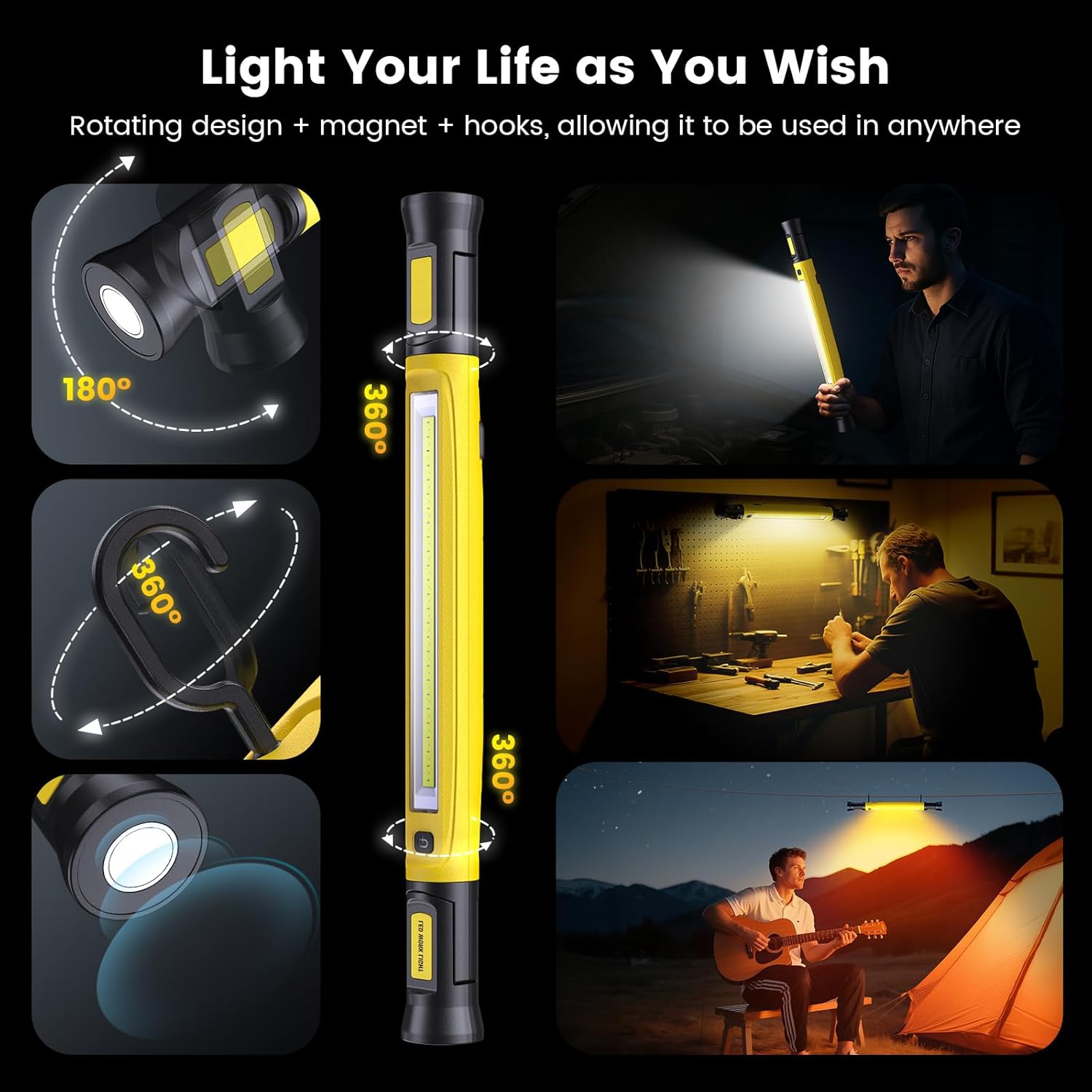
Image: Visual representation of the 360° rotatable lamp, 180° swivel magnetic base, and integrated hooks for flexible positioning.
5. Setup and Charging
5.1 Initial Charge
Before first use, fully charge the etoolab L3 Lite work light.
- Locate the USB-C charging port on the side of the light, usually protected by a rubber cover.
- Open the rubber cover and insert the provided USB-C cable into the port.
- Connect the other end of the USB cable to a compatible USB power adapter (not included) or a power source.
- The battery indicator lights will illuminate to show charging progress. A full charge typically takes approximately 3 hours.
- Once fully charged, all indicator lights will be solid. Disconnect the cable and close the rubber cover to protect the port from dust and water.
5.2 Power Bank Function
The work light can be used to charge other devices:
- Open the rubber cover to access the USB output port.
- Connect your device's charging cable to the USB output port on the work light.
- The work light will begin charging your device. Monitor your device's battery level.
6. Operating Instructions
6.1 Power On/Off and Mode Selection
- Press the power button once to turn on the light in the default mode (Cool White).
- Press the power button again to cycle through the light modes: Cool White → Warm White → Amber.
- Press the power button a fourth time to turn off the light.
6.2 Using Mounting Options
- Magnetic Base: The light features strong magnets on both ends. Attach these to any ferrous metal surface for hands-free operation. The bases can swivel 180° to adjust the angle.
- Integrated Hooks: Two retractable hooks are located on the back of the light. Pull them out to hang the light from non-magnetic surfaces, such as tent poles, pipes, or under a car hood. The hooks can rotate 360°.
- Rotatable Lamp Body: The main light bar can rotate 360° independently from its ends, allowing precise light direction.
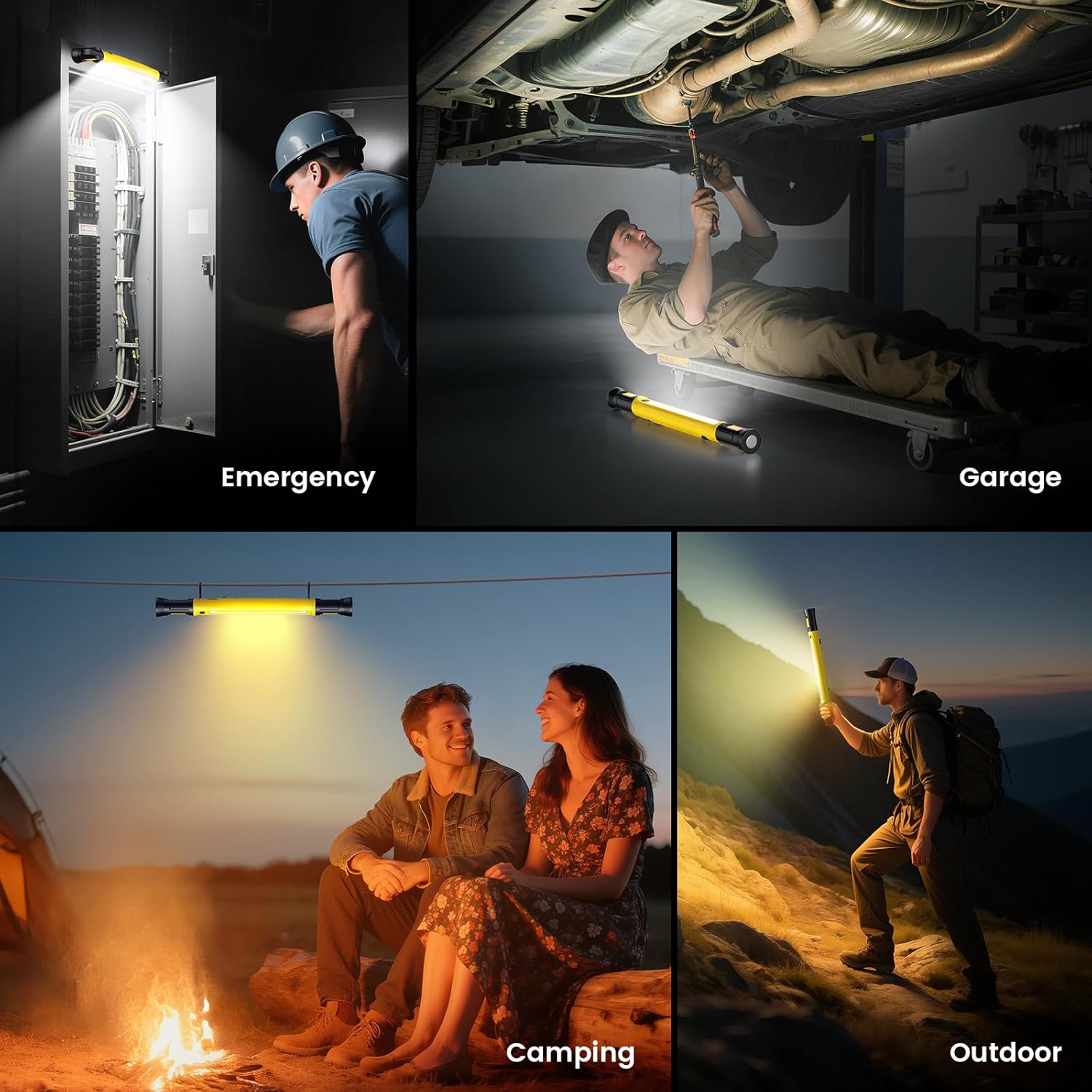
Image: The etoolab L3 Lite work light demonstrating its versatility in emergency, garage, camping, and outdoor settings.
7. Maintenance
- Cleaning: Wipe the light with a soft, damp cloth. Do not use abrasive cleaners or solvents.
- Storage: Store the device in a cool, dry place away from direct sunlight when not in use. Ensure the charging port cover is securely closed.
- Battery Care: To prolong battery life, avoid fully discharging the battery frequently. Charge the device at least once every three months if stored for extended periods.
8. Troubleshooting
| Problem | Possible Cause | Solution |
|---|---|---|
| Light does not turn on. | Low battery. | Charge the work light fully. |
| Light flickers or is dim. | Low battery. | Recharge the device. |
| Device not charging. | Charging cable or adapter issue; port not connected properly. | Ensure the USB-C cable is securely connected. Try a different USB power adapter or cable. |
| Power bank function not working. | Work light battery is too low; device cable issue. | Ensure the work light has sufficient charge. Try a different charging cable for your external device. |
9. Specifications
| Feature | Detail |
|---|---|
| Model Number | L3 Lite |
| Brand | etoolab |
| Light Source Type | Light Emitting Diode (COB LED) |
| Lumen Output | Up to 3000LM |
| Color Temperature Modes | 3 (Cool White, Warm White, Amber) |
| Power Source | Battery Powered |
| Battery Type | 5200mAh Lithium Battery |
| Charging Port | USB-C (Fast-Charge) |
| Power Bank Function | Yes (USB Output) |
| Mounting Type | Magnetic Base (180° swivel), Integrated Hooks (360° rotatable) |
| Lamp Rotation | 360° |
| Ingress Protection (Water/Dust) | IP54 |
| Impact Resistance | IK08 (up to 1.5 meters drop) |
| Material | Metal (and ABS shell) |
| Item Weight | 0.54 Kilograms |
| Color | Yellow |
10. Warranty and Support
The etoolab L3 Lite work light comes with a 90-day manufacturer's warranty. This warranty covers defects in materials and workmanship under normal use.
For warranty claims, technical support, or any questions regarding your product, please contact etoolab customer service through the retailer where the product was purchased or visit the official etoolab website for contact information.
Please retain your proof of purchase for warranty purposes.