
Introduction
This manual provides essential information for the safe and efficient operation of your Frigidaire 51 Qt. Portable Convertible Electric Refrigerator/Freezer. Please read these instructions thoroughly before first use and retain for future reference.
Key Features:
- 49L/51QT Capacity
- Quiet Cooling (45 dB) for Indoor and Outdoor Use
- Dual-zone Convertible Fridge/Freezer Design (-4°F to 68°F)
- Dual Voltage (AC 100-240V, DC 12V/24V) with Cigarette Lighter Compatibility
- Planet-Friendly & Energy Efficient Cooling with R600a Refrigerant
- Smart App Control

Setup
Follow these steps to set up your portable refrigerator/freezer:
- Unpacking: Carefully remove the unit from its packaging. Inspect for any damage.
- Placement: Place the unit on a flat, stable surface. Ensure adequate ventilation around the unit (at least 4 inches on all sides).
- Power Connection:
- AC Power (Home/Wall Outlet): Connect the AC adaptor to the unit's AC input, then plug the US plug into a standard 100-240V AC wall outlet.
- DC Power (Vehicle/Car): Connect the 2.5m DC cable to the unit's DC input, then plug the other end into your vehicle's 12V/24V cigarette lighter socket.
- Initial Cooling: Allow the unit to stand upright for at least 6 hours before plugging it in for the first time. This allows the refrigerant to settle. Once plugged in, allow it to cool for at least 30 minutes before loading items.
- App Connection: Download the dedicated mobile app from your device's app store. Follow the in-app instructions to connect your smartphone or other Bluetooth-enabled device to the refrigerator/freezer for remote control and monitoring.

Operating Instructions
Your Frigidaire portable refrigerator/freezer offers flexible temperature control and smart features.
Control Panel Operation
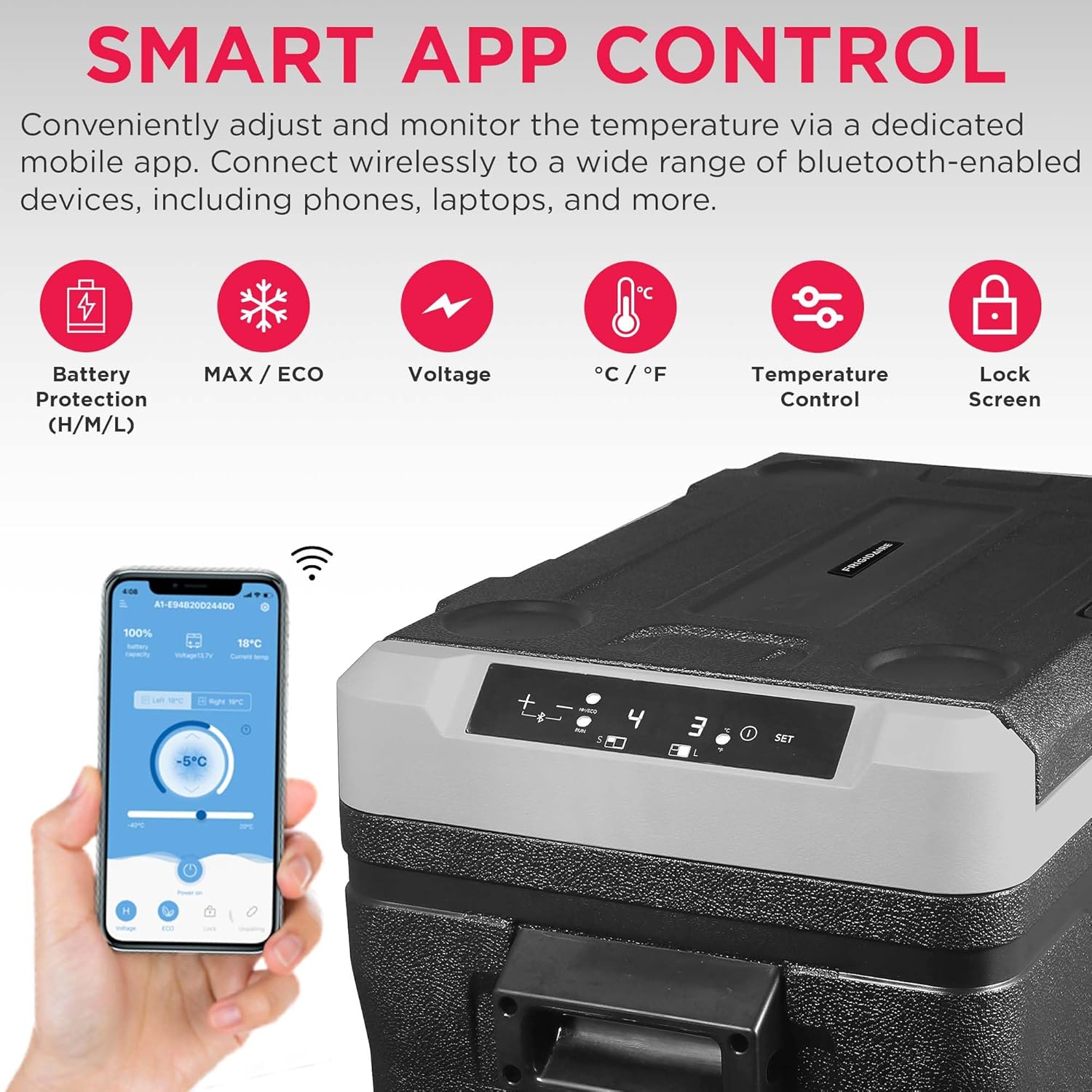
The unit features a digital display and control buttons for direct temperature adjustment and settings management.
- Power Button: Press to turn the unit ON/OFF.
- SET Button: Press to cycle through settings or confirm selections.
- +/- Buttons: Use to adjust temperature settings.
- MAX/ECO Mode: Select between maximum cooling performance (MAX) or energy-saving mode (ECO).
- Battery Protection: Adjust battery protection level (H/M/L) to prevent draining your vehicle's battery.
- Temperature Unit: Switch between Celsius (°C) and Fahrenheit (°F).
Dual-Zone Functionality
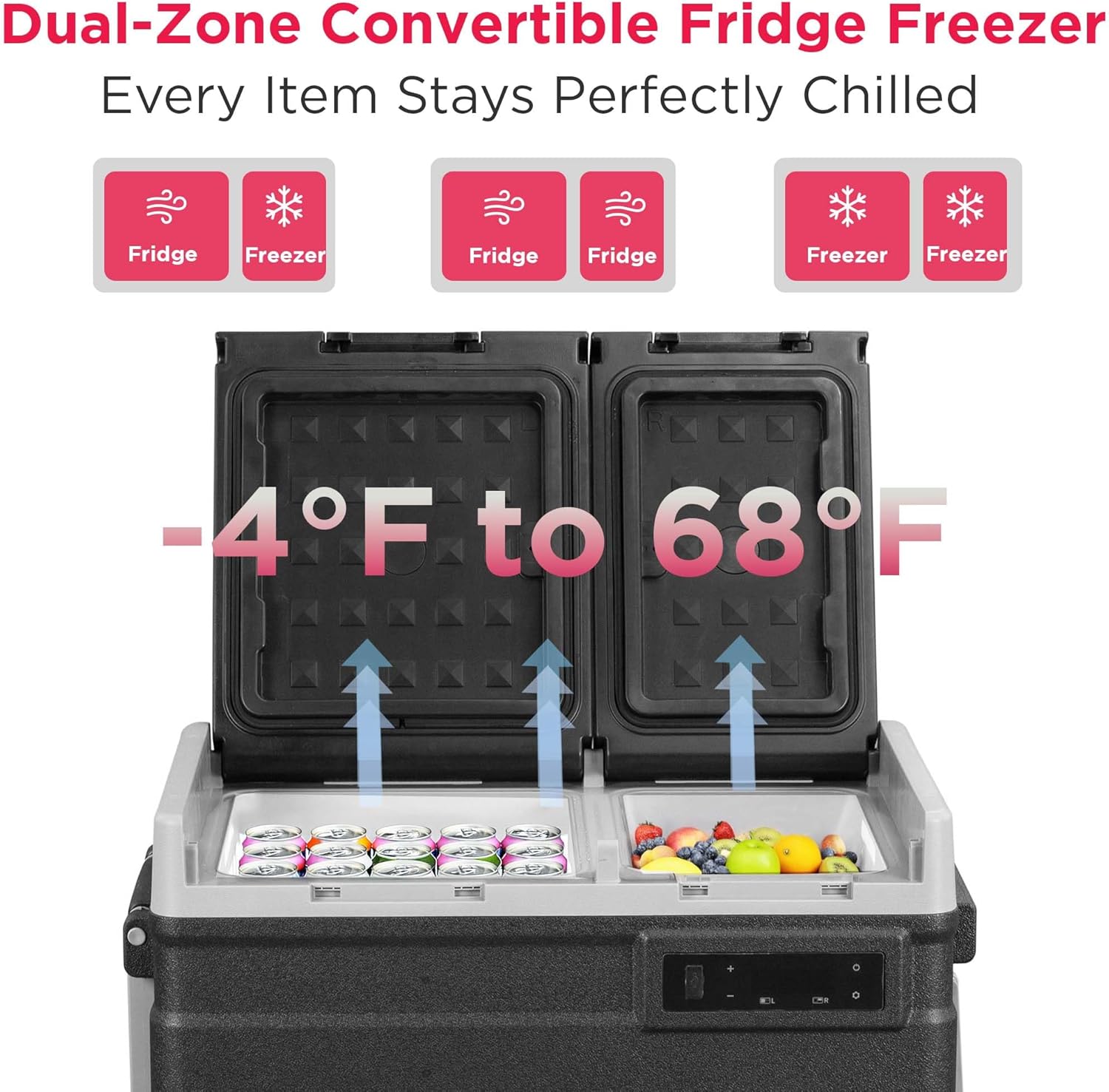
This unit features two independent compartments that can be set to different temperatures, functioning as a refrigerator or freezer as needed. The temperature range is from -4°F to 68°F (-20°C to 20°C).
- Each zone can be individually set to a desired temperature.
- You can configure both zones as refrigerators, both as freezers, or one as a refrigerator and the other as a freezer.
Smart App Control
Control and monitor your unit remotely using the dedicated mobile app. The app allows you to:
- Adjust temperatures for each zone.
- Switch between MAX/ECO modes.
- Monitor battery protection levels.
- Lock the screen to prevent accidental changes.
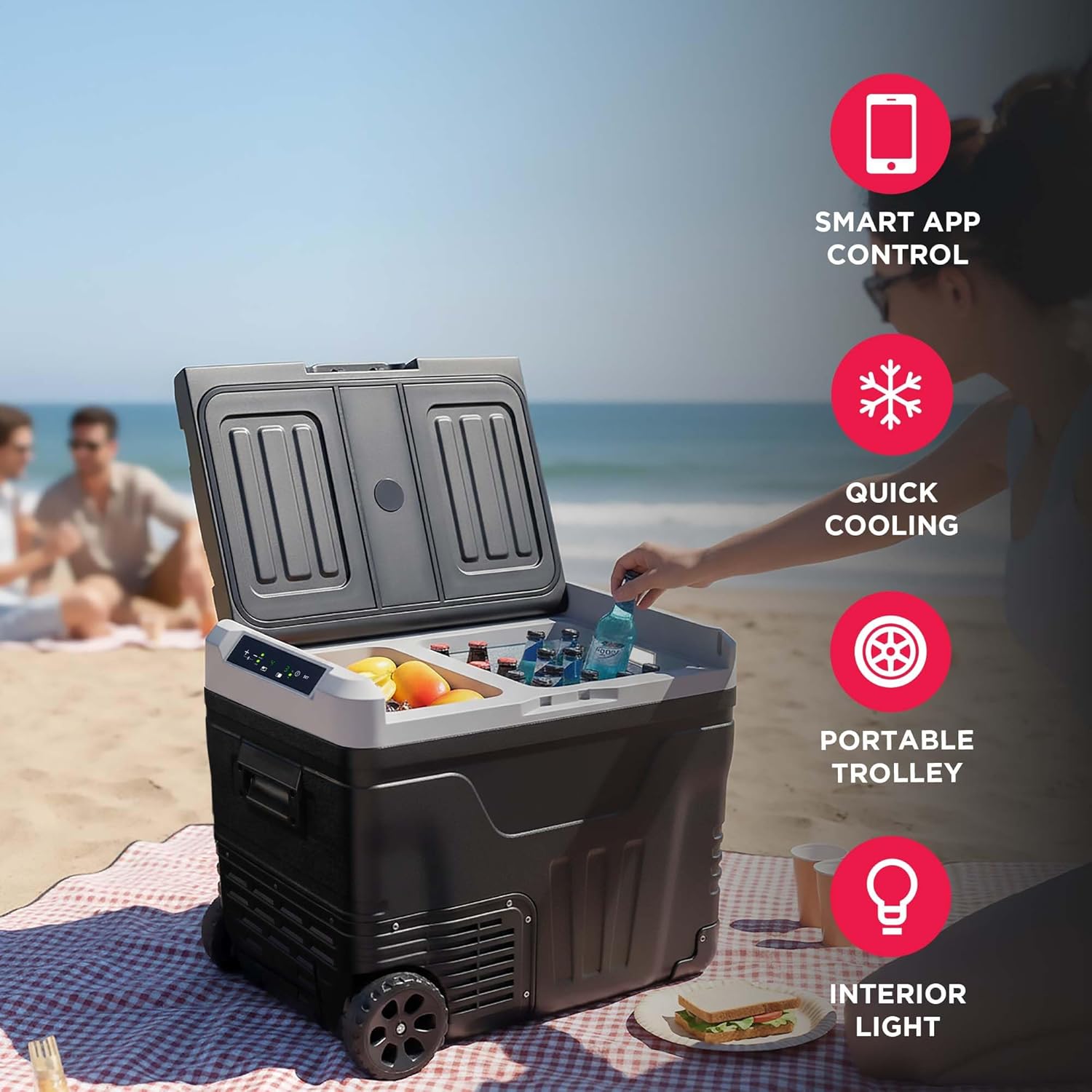
Video: An official demonstration of the Frigidaire Car Fridge/Freezer, showcasing its features and functionality in various usage scenarios.
Maintenance
Proper maintenance ensures the longevity and efficiency of your unit.
Cleaning
- Always unplug the unit before cleaning.
- Use a soft cloth dampened with mild detergent and water to clean the interior and exterior surfaces.
- Do not use abrasive cleaners, harsh chemicals, or sharp objects, as these can damage the surfaces.
- Ensure the unit is completely dry before plugging it back in.
Defrosting
This unit features a manual defrost system. Frost buildup can reduce cooling efficiency.
- When frost accumulates to about 0.2 inches (5mm) thick, unplug the unit.
- Remove all contents.
- Leave the lid open to allow the frost to melt naturally.
- Wipe away melted water with a clean cloth. Do not use sharp objects to remove ice.
Storage
If storing the unit for an extended period:
- Ensure the unit is clean and dry.
- Leave the lid slightly ajar to prevent odors and mold growth.
- Store in a dry, well-ventilated area.
Troubleshooting
Refer to this section for common issues and their solutions.
| Problem | Possible Cause | Solution |
|---|---|---|
| Unit does not turn on. | No power supply; loose connection; blown fuse. | Check power cable connection; ensure power outlet is functional; check vehicle's fuse if using DC power. |
| Cooling performance is poor. | Lid not closed properly; excessive frost; poor ventilation; ambient temperature too high. | Ensure lid is sealed; defrost the unit; clear obstructions around vents; operate in a cooler environment if possible. |
| Unit is noisy. | Unit not level; fan obstruction. | Place on a level surface; ensure fan is clear of debris. (Note: Normal operating noise is approximately 45 dB). |
| Display shows incorrect temperature. | Sensor issue; display calibration. | Restart the unit. If the problem persists, contact customer support. |
| App connection issues. | Bluetooth off; app not updated; unit not discoverable. | Ensure Bluetooth is enabled on your device; update the app; restart the unit and try connecting again. |
Specifications
| Feature | Detail |
|---|---|
| Product Dimensions (D x W x H) | 17.5"D x 26"W x 21"H |
| Brand | Frigidaire |
| Capacity | 51 quarts (49 Liters) |
| Configuration | Compact Side-by-Side |
| Special Feature | Indoor & Outdoor Fridge Freezer with Durable Design, Portable |
| Installation Type | Freestanding |
| Number of Doors | 2 |
| Defrost System | Manual |
| Voltage | 120 volts (AC), 12V/24V (DC) |
| Cooling Method | Compressor |
| Refrigerant | R-134A |
| Model Name | EFRCC520BLKGREY |
| UPC | 058465835231 |
| Included Components | AC adaptor + US plug; 2.5m DC cable |
Warranty Information
This Frigidaire product is covered by a 1 Year Parts & Labor warranty from the date of purchase. This warranty covers defects in materials and workmanship under normal use. For specific terms and conditions, please refer to the warranty card included with your product or contact Frigidaire customer support.
Customer Support
For technical assistance, warranty claims, or general inquiries, please contact Frigidaire customer support. Contact details can typically be found on the manufacturer's official website or on the product packaging.


