
1. Introduction
The hygger 55W High PAR LED Aquarium Light is designed to provide optimal lighting for aquascaped planted tanks and paludariums. Equipped with COB (Chips on Board) LEDs, this light delivers a full spectrum of wavelengths (400nm to 700nm) essential for stimulating plant growth at every stage, from seedling to bloom. It also enhances the natural colors of fish and plants and promotes the pearling effect in planted aquariums.
The pendant light design creates a stunning shimmer effect in the water, mimicking natural sunlight. Its hemispherical lens ensures deep light penetration up to 2 feet. The UFO-shaped grooved aluminum shell is engineered for efficient heat transfer and provides protection against water intrusion and humidity. A built-in quiet cooling fan further aids in heat dissipation, contributing to a low light decay rate and extended product lifespan.
This aquarium light features adjustable brightness with five distinct settings (100%, 80%, 60%, 40%, 20%), allowing users to customize light intensity. It is also compatible with external timers or smart plugs (not included) for automated daily operation.
The integrated premium aluminum alloy stand offers versatile positioning. You can adjust the light's height from 0.5 to 16.5 inches above the aquarium and move it front-to-back within a range of 10.4 to 13.6 inches. The ultra-wide clip-on base securely fits both rimmed and rimless tanks up to 1.8 inches (45mm) in thickness.
2. What's in the Box
- LED Lamp Head
- Adjustable Stand Components
- Screws
- Allen Wrench
- Power Supply
- User Manual
3. Setup and Installation
Follow these steps to assemble and install your hygger 55W High PAR LED Aquarium Light. For a visual guide, please refer to the installation video below.
Video: hygger Light Installation & Introduction. This video demonstrates the assembly and installation process of the hygger aquarium light.
- Assemble the Stand Arm: Connect the two main sections of the stand arm by carefully threading the power cable through the longer section and then joining the two parts. Ensure the cable passes through smoothly.
- Attach Light Head to Arm: Connect the light head to the assembled stand arm. Secure it using the provided screws and Allen wrench. Ensure a firm connection.
- Assemble the Tank Clamp: Attach the clamp components together using the provided screws. This clamp will secure the stand to your aquarium.
- Connect Power Supply: Plug the light's cable into the power supply, and then connect the power supply to a suitable power outlet.
- Mount to Aquarium: Position the assembled stand and light onto the edge of your aquarium. Use the clamp to secure it firmly to the tank rim. The ultra-wide base is designed to fit tank thicknesses up to 1.8 inches.
- Adjust Height and Position: Loosen the adjustment screws on the stand to set the desired height (from 0.5 to 16.5 inches above the water) and adjust the front-to-back position (10.4 to 13.6 inches) for optimal light coverage. Tighten all screws once the desired position is achieved.
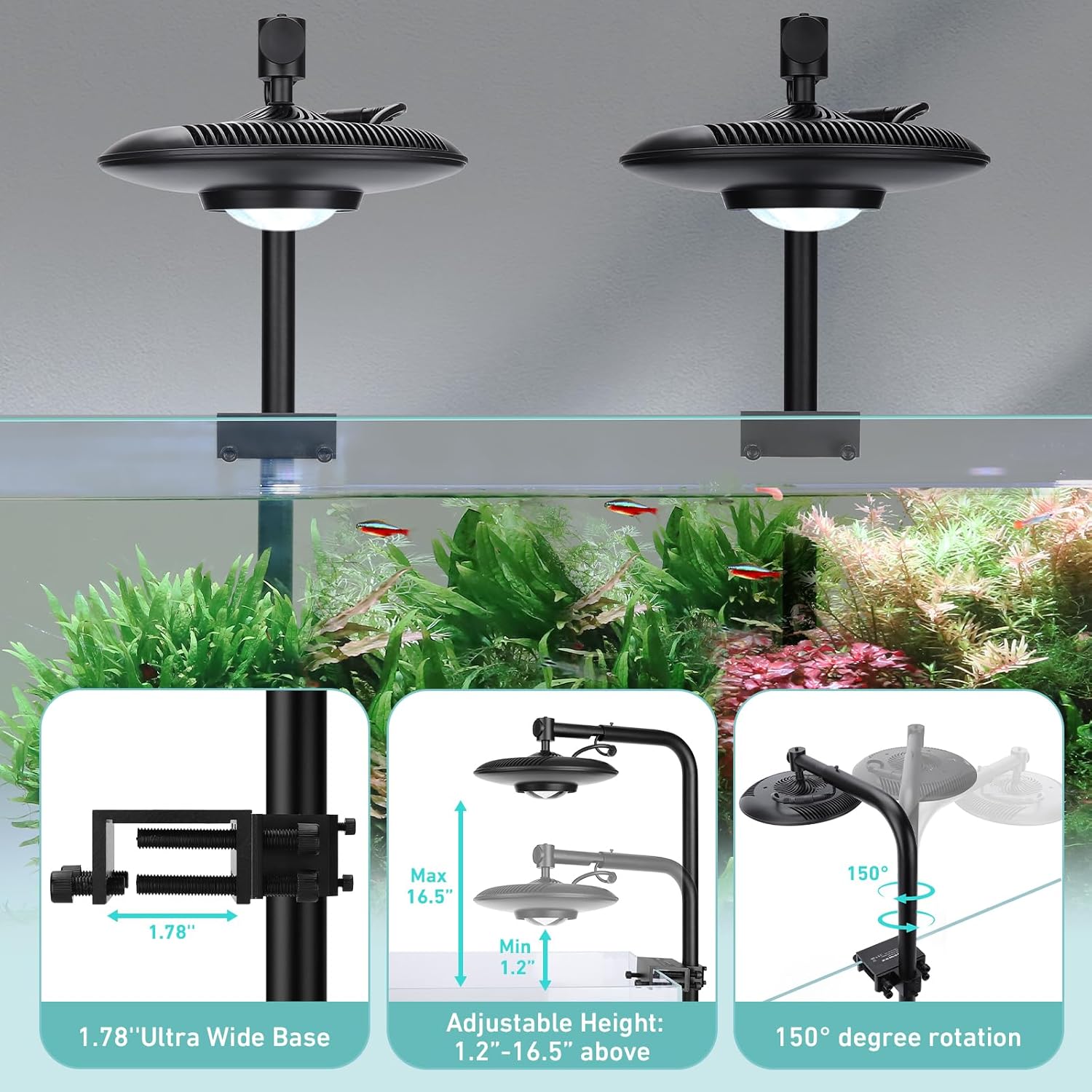
Image: The adjustable stand allows for precise height and horizontal positioning over the aquarium.
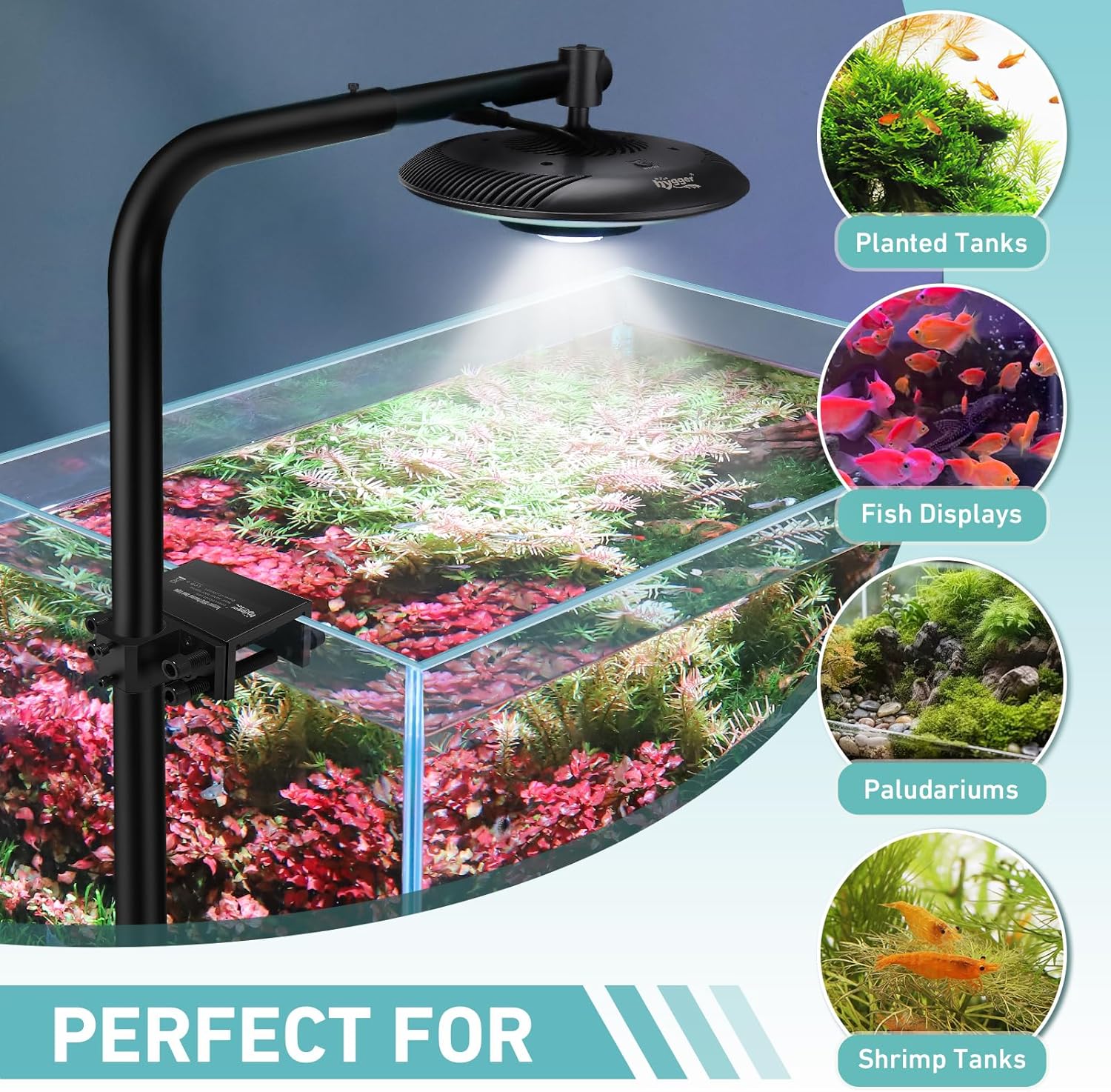
Image: The light is suitable for aquascaping, planted tanks, fish displays, shrimp tanks, terrariums, and paludariums.
4. Operating Instructions
4.1 Power On/Off and Brightness Adjustment
To turn the light on or off, press the 'On/Off' button located on the light fixture. To adjust the brightness, repeatedly press the same button to cycle through the five available brightness settings: 100%, 80%, 60%, 40%, and 20%. The light will turn off after the 20% setting.
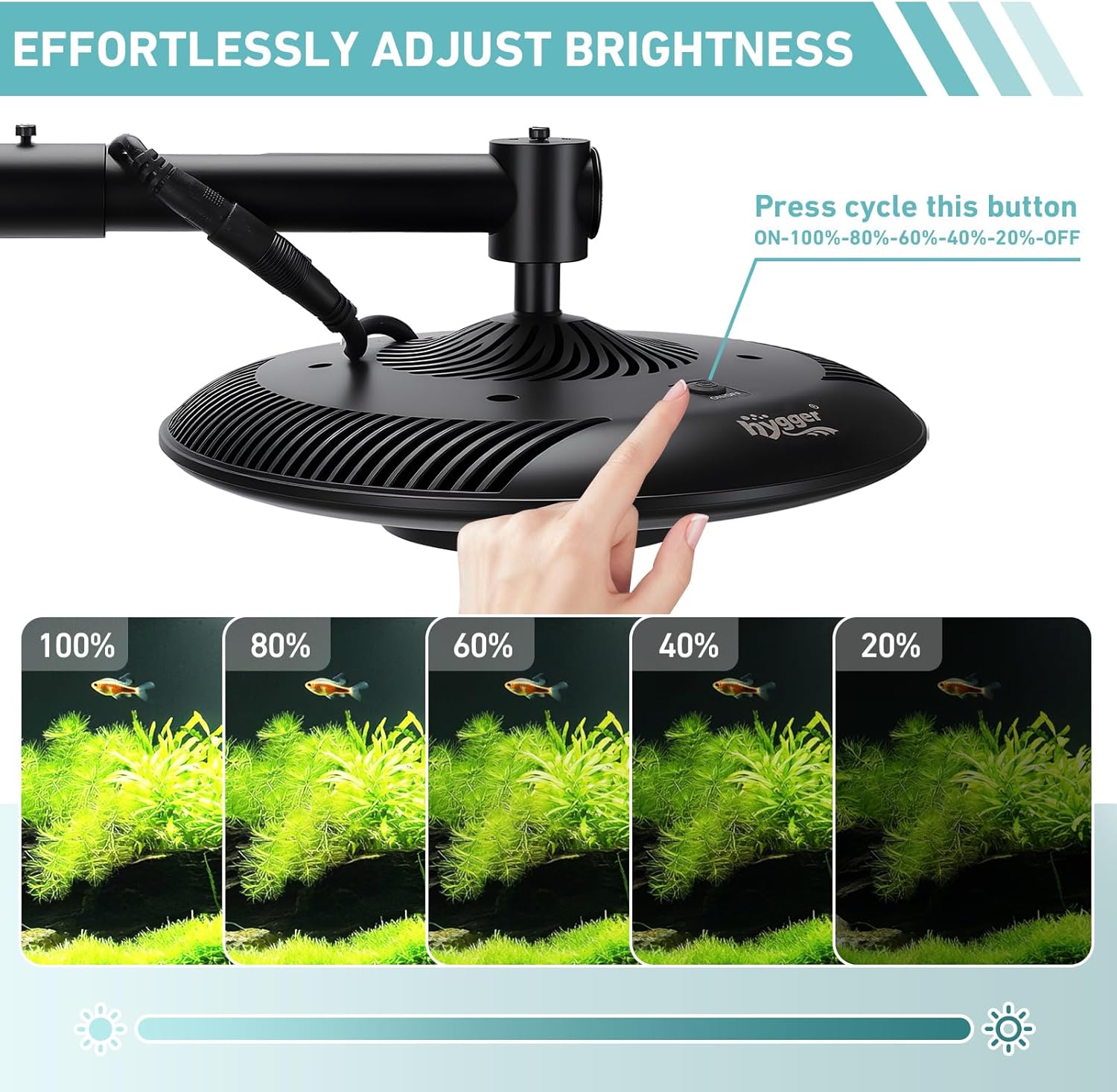
Image: The light offers five adjustable brightness levels from 100% down to 20%.
4.2 Timer/Smart Plug Compatibility
The hygger 55W High PAR LED Aquarium Light is designed to work with external timers or smart plugs (not included). This feature allows you to automate the light's on/off schedule, ensuring your plants receive consistent lighting even when you are away. Simply connect the light's power supply to your timer or smart plug and program it according to your desired lighting schedule.

Image: The light can be used with an external timer or smart plug for automated operation.
5. Maintenance
Regular maintenance ensures optimal performance and longevity of your aquarium light.
- Cleaning: Periodically wipe the light fixture and lens with a soft, damp cloth to remove dust, water spots, and algae buildup. Ensure the light is unplugged before cleaning. Do not use abrasive cleaners or solvents.
- Fan Maintenance: The built-in cooling fan helps dissipate heat. Ensure the fan vents are not obstructed by dust or debris. If necessary, gently clean the fan area with a soft brush or compressed air while the unit is unplugged.
- Cable Inspection: Regularly check the power cable and connections for any signs of damage, fraying, or loose connections. Replace any damaged components immediately.
6. Troubleshooting
If you encounter issues with your hygger aquarium light, refer to the following common troubleshooting steps:
- Light Not Turning On:
- Check if the power supply is securely plugged into both the light fixture and the wall outlet.
- Verify that the power outlet is functional by plugging in another device.
- Ensure the 'On/Off' button on the light fixture has been pressed.
- Light is Dim or Flickering:
- Cycle through the brightness settings to ensure it's not set to a lower intensity.
- Check for any loose connections in the power cable or between the light head and the stand.
- Ensure the light lens is clean and free from obstructions.
- Stand is Not Stable:
- Ensure all screws on the stand and clamp are tightened securely.
- Verify that the tank rim thickness is within the compatible range (up to 1.8 inches).
If these steps do not resolve the issue, please contact hygger customer support for further assistance.
7. Specifications
| Feature | Specification |
|---|---|
| Power | 55 Watts |
| PAR at 7” | 530 µmols |
| PAR at 12” | 214 µmols |
| Luminous Flux | 17500 Lumens |
| Color Temperature | 10968K |
| CRI (Color Rendering Index) | 68.8 |
| Beam Angle | 120 Degrees |
| Adjustable Height Range | 0.5” - 16.5” (above aquarium) |
| Front-to-Back Adjustment Range | 10.4” - 13.6” |
| Max Tank Thickness (Clip-on Base) | 1.8 inches (45mm) |
| Material | Aluminum |
| Color | Black |
| Model Number | HG192 |
8. Warranty and Support
This hygger aquarium light comes with a 2-year warranty from the date of purchase, covering manufacturing defects and malfunctions under normal use. Please retain your proof of purchase for warranty claims.
For technical support, warranty inquiries, or any questions regarding your product, please visit the official hygger store or contact their customer service directly. You can find more information and contact details on the hygger Brand Store.


