
Mewaii Dinosaur Night Light
Mewaii Giant Dinosaur Night Light User Manual
Model: Dinosaur Night Light (Yellow-2)
Brand: Mewaii
Introduction
Thank you for purchasing the Mewaii Giant Dinosaur Night Light. This versatile product combines a comforting night light with soothing white noise and interactive sounds, designed to provide a peaceful and engaging experience for children. Crafted from safe, squishy silicone, it is durable and easy to use. Please read this manual thoroughly to ensure proper operation and maintenance.
Important Safety Instructions
- Keep away from water and excessive moisture.
- Do not disassemble or attempt to repair the device yourself.
- Use only the provided charging cable.
- Keep out of reach of very young children if not supervised, especially during charging.
- Avoid extreme temperatures.
- The silicone material is non-toxic and BPA-free, safe for handling.
What's in the Box
- 1 x Mewaii Giant Dinosaur Night Light
- 1 x USB Type-C Charging Cable
- 1 x User Manual
Product Overview
The Mewaii Giant Dinosaur Night Light is designed for ease of use and durability. Its soft silicone body is squishy and safe for children. The base of the unit contains the controls for power, sound, and timer functions, along with the charging port.

Figure 1: Mewaii Giant Dinosaur Night Light in use, highlighting its soft, glowing appearance.
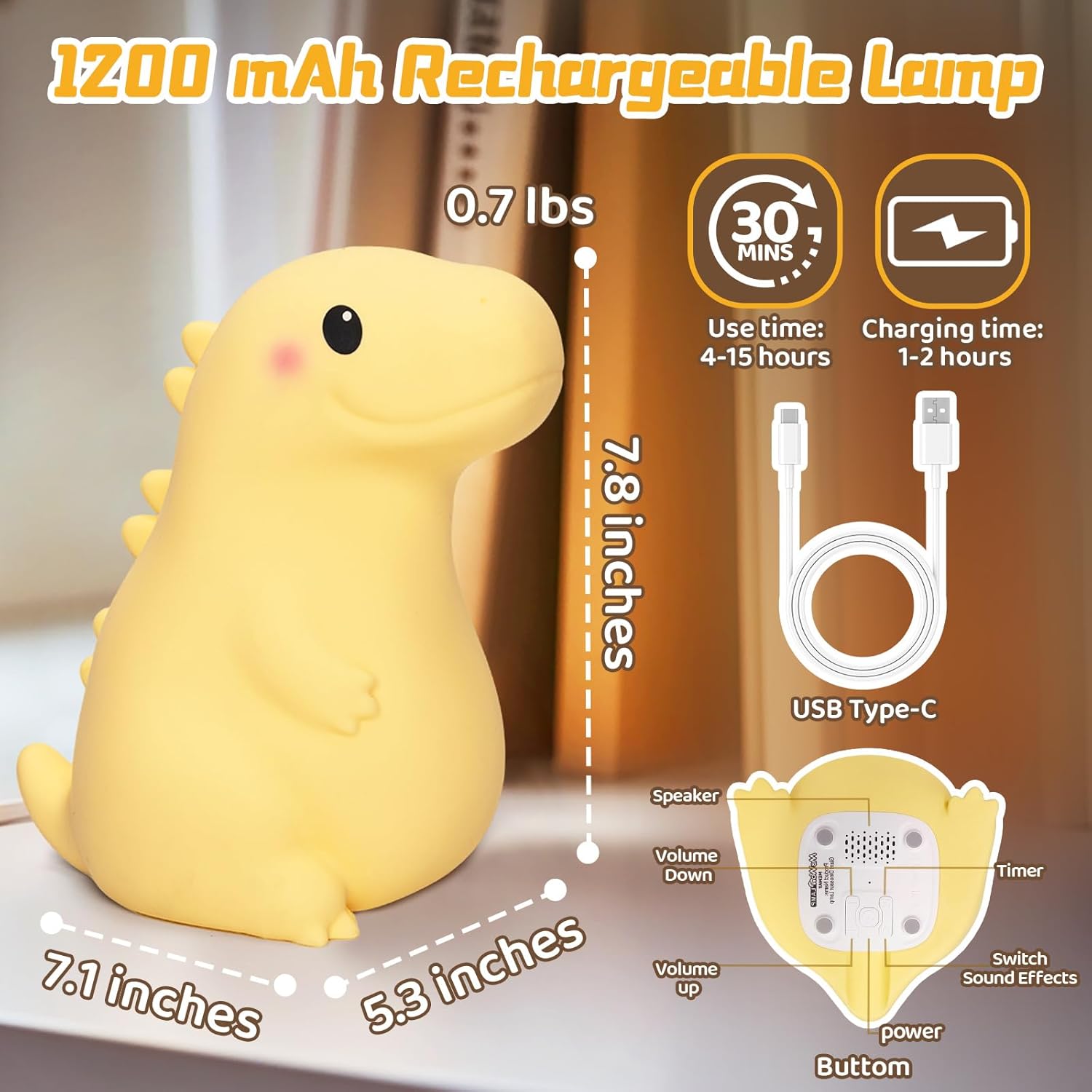
Figure 2: Detailed view of the night light's dimensions and base controls.
Setup
Initial Charging
Before first use, fully charge the dinosaur night light. Connect the provided USB Type-C cable to the charging port located on the back of the dinosaur's base (refer to Figure 2). Connect the other end to a standard USB power adapter (not included) or a computer USB port. The charging indicator light will show charging status (specific indicator behavior not detailed in provided data, assume standard charging light). A full charge takes approximately 1-2 hours and provides up to 10 hours of continuous use.
Video 1: Demonstrates the charging process of the dinosaur night light. The video shows the USB-C cable being plugged into the back of the dinosaur, indicating its rechargeable nature.
Power On/Off
Locate the power switch on the base of the night light (refer to Figure 2). Slide the switch to the "ON" position to power on the device. To power off, slide the switch to the "OFF" position.
Operating Instructions
Adjusting Brightness
The dinosaur night light features three adjustable brightness levels. To cycle through the brightness settings, gently tap the silicone body of the dinosaur. Each tap will change the brightness level:
- First tap: 25% brightness (Soft for Sleep)
- Second tap: 50% brightness (Perfect for Reading)
- Third tap: 100% brightness (Bright for Focus)
- Fourth tap: Turns the light off.
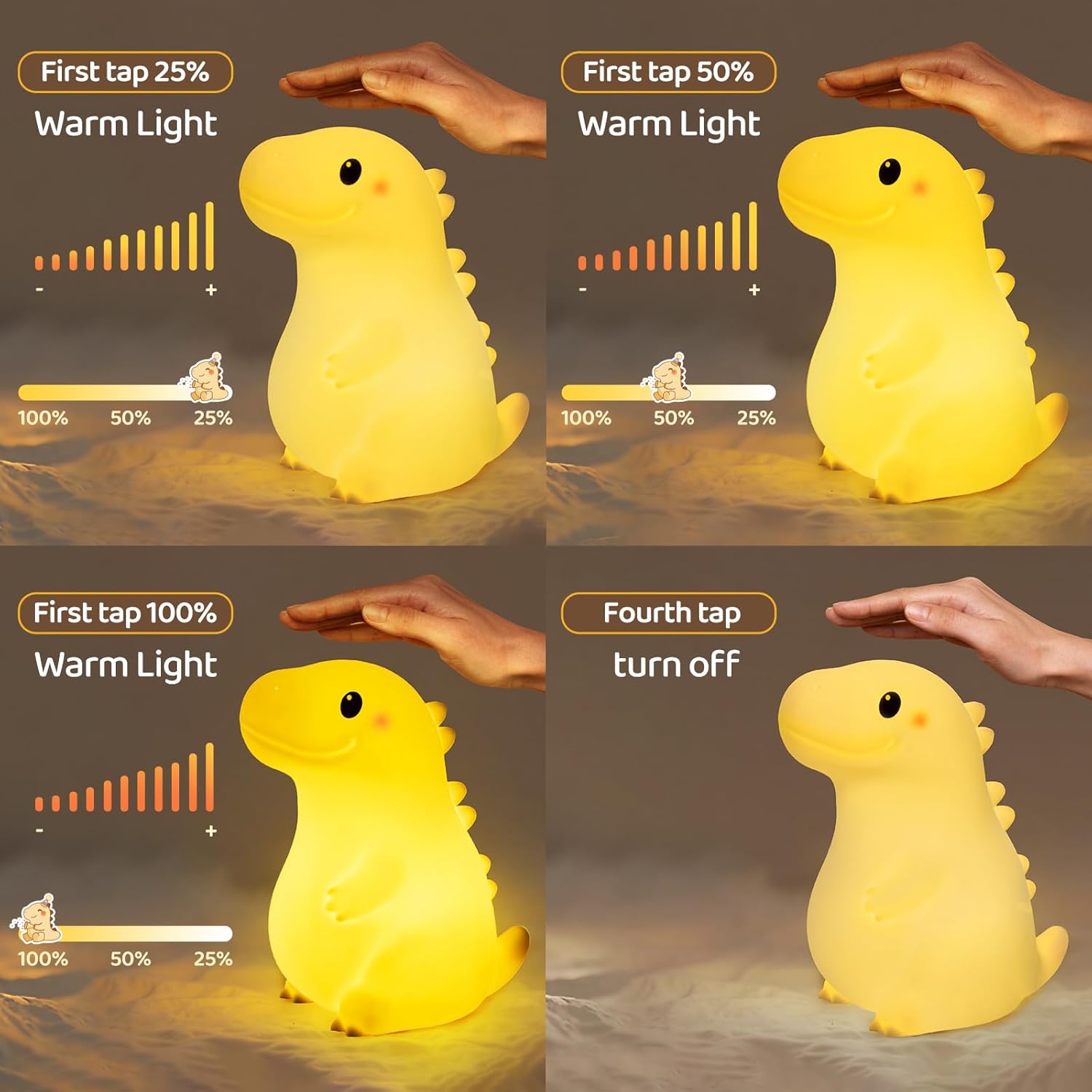
Figure 3: Demonstrates the touch control for adjusting brightness levels and turning off the light.
Interactive Sounds and White Noise
The night light includes 8 entertaining dinosaur sounds and 10 soothing white noise melodies. These sounds can be activated and cycled through using the dedicated buttons on the base (refer to Figure 2).
- Interactive Sounds: Each time the light is turned on or brightness is adjusted by tapping, it plays one of eight entertaining sounds (e.g., dinosaur roars, duck quacks).
- White Noise: Use the "Switch Sound Effects" button on the base to cycle through 10 white noise sounds, including spring rain, piano, and music box melodies.
- Volume Control: Use the "Volume Up" and "Volume Down" buttons on the base to adjust the sound volume.

Figure 4: Illustrates the interactive sound and white noise features of the night light.
Video 2: A short demonstration of the night light's sound features, showing a hand tapping the dinosaur to activate sounds and light changes.
30-Minute Auto-Off Timer
The night light includes a 30-minute auto-off timer function, ideal for bedtime. To activate the timer, press the "Timer" button on the base (refer to Figure 2). The light and sound will automatically turn off after 30 minutes, promoting a peaceful sleep environment.
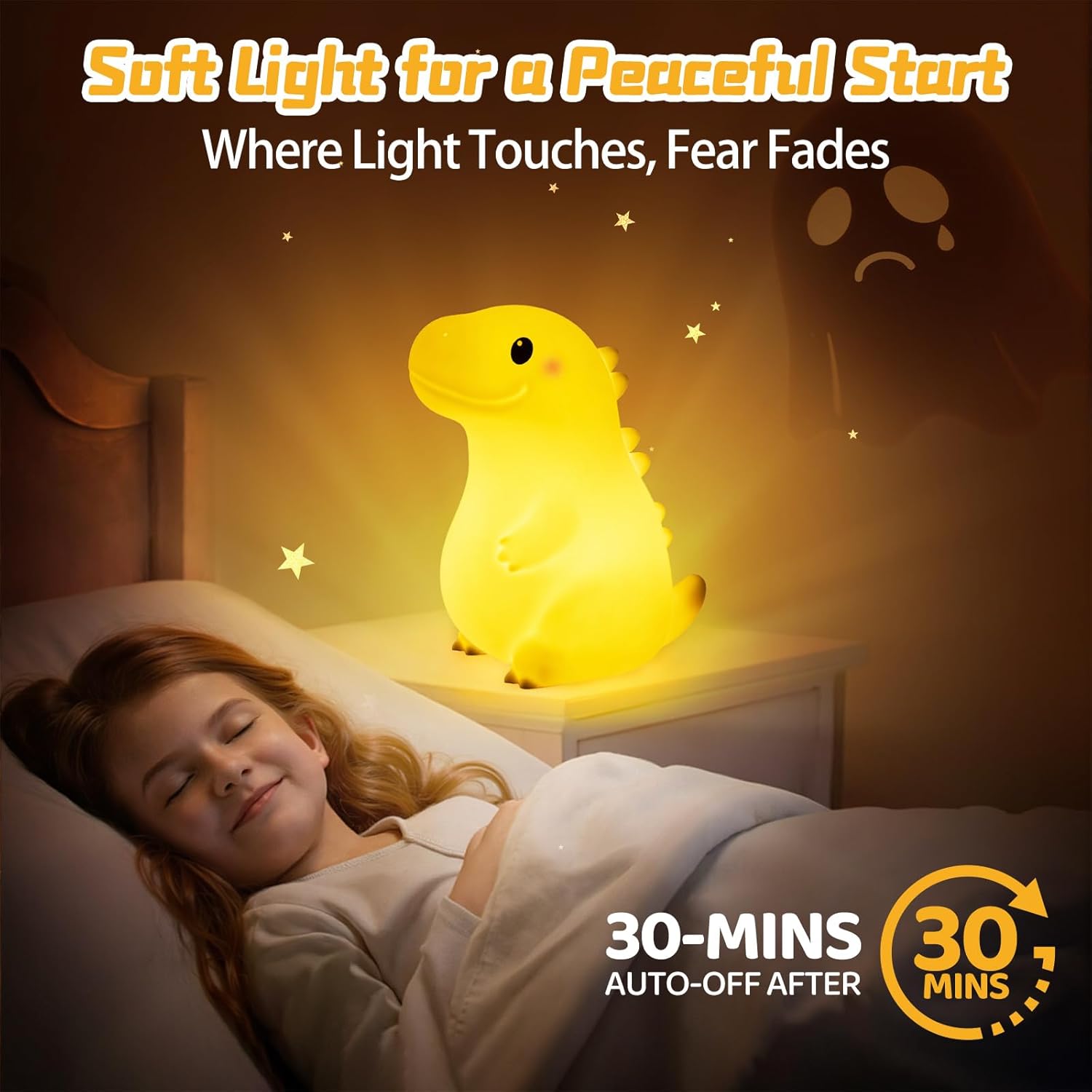
Figure 5: Shows the night light's 30-minute auto-off feature for aiding sleep.
Maintenance
Cleaning
The silicone material of the night light is easy to clean. Simply wipe the surface with a soft, damp cloth. Do not use harsh chemicals or abrasive cleaners. Ensure the charging port is dry before charging.

Figure 6: Emphasizes the safe and easy-to-clean silicone material of the night light.
Troubleshooting
| Problem | Possible Cause | Solution |
|---|---|---|
| Light does not turn on. | Battery is low or depleted. Power switch is off. | Charge the device fully. Ensure the power switch on the base is in the "ON" position. |
| Light flickers or is dim. | Low battery. | Recharge the night light. |
| Sounds are not playing. | Volume is too low. Incorrect sound mode selected. | Increase volume using the "Volume Up" button. Cycle through sound modes using the "Switch Sound Effects" button. |
| Device is unresponsive to touch. | Device may be in an unresponsive state. | Turn the power switch off and then on again to reset the device. Ensure hands are clean and dry. |
Specifications
- Brand: Mewaii
- Model: Dinosaur Night Light
- Material: Silicone Rubber
- Dimensions: 7.1"D x 5.3"W x 7.8"H (18cm D x 13.5cm W x 19.8cm H)
- Item Weight: 0.6 Pounds (approx. 272g)
- Power Source: Battery Powered (1 Lithium Ion battery included)
- Battery Capacity: 1200mAh
- Charging Time: 1-2 hours
- Usage Time: Up to 10 hours (depending on brightness and sound usage)
- Light Source Type: LED
- Brightness Levels: 3 (25%, 50%, 100%)
- Interactive Sounds: 8 funny sounds (e.g., dinosaur roars, duck quacks)
- White Noise Sounds: 10 (e.g., spring rain, piano, music box melodies)
- Special Features: Dimmable, clap to make grunt, 30 minute timer off
- Switch Type: Touch
- Country of Origin: China
Warranty and Support
Mewaii products are manufactured with high-quality materials and craftsmanship. For any issues or inquiries regarding your Giant Dinosaur Night Light, please contact Mewaii customer support through the retailer's platform or the official Mewaii website. Please retain your proof of purchase for warranty claims. Specific warranty terms and conditions may vary by region and retailer.
For more information and product updates, visit the Mewaii Store.
Ask a question about this manual
Ask about setup, troubleshooting, compatibility, parts, safety, or missing instructions. Manuals+ will review the question and use this page’s manual context to help answer it.