
Introduction
This manual provides essential information for the proper use and care of your PRT MT610 Carrying Case. Designed specifically for the iDPRT HPRT MT610 and MT610 Pro thermal printers, this case offers robust protection and convenient portability for your device and its accessories. Please note that the printer and its accessories are not included with this carrying case.

Image: A top-down view of the PRT MT610 Carrying Case, highlighting its compact form factor and the attached carrying strap, ready for transport.

Image: A person is shown using the PRT MT610 Carrying Case in a travel environment, emphasizing its practical design for use 'Anytime & Anywhere' and its ease of integration into daily routines.
Product Features
- Compatibility: Specifically designed for iDPRT/HPRT/PRT MT610 and MT610 Pro thermal printers.
- Premium Material: Constructed from high-quality, durable EVA material for excellent protection against drops, dust, and minor impacts.
- Organized Storage: Features an inner mesh pocket for small accessories like USB cables and paper rolls, keeping items well-organized.
- Secure Closure: Equipped with double strong zippers for easy access and secure closure.
- Portable Design: Includes a detachable and adjustable sturdy strap for comfortable carrying. Slim and lightweight design allows for easy transport in backpacks or other bags.
- Full Protection: Offers dust-proof, water-resistant, anti-scratch, and shockproof properties to maintain your printer's condition.
Usage Instructions
- Opening the Case: Unzip the double zippers completely to open the carrying case.

Image: The PRT MT610 Carrying Case is shown open, highlighting its double smooth zippers, an internal mesh pocket for accessories, an elastic band for securing items, and the durable material construction.
- Placing the Printer: Gently place your iDPRT HPRT MT610 or MT610 Pro thermal printer into the main compartment of the case. Ensure it fits snugly within the designated space.
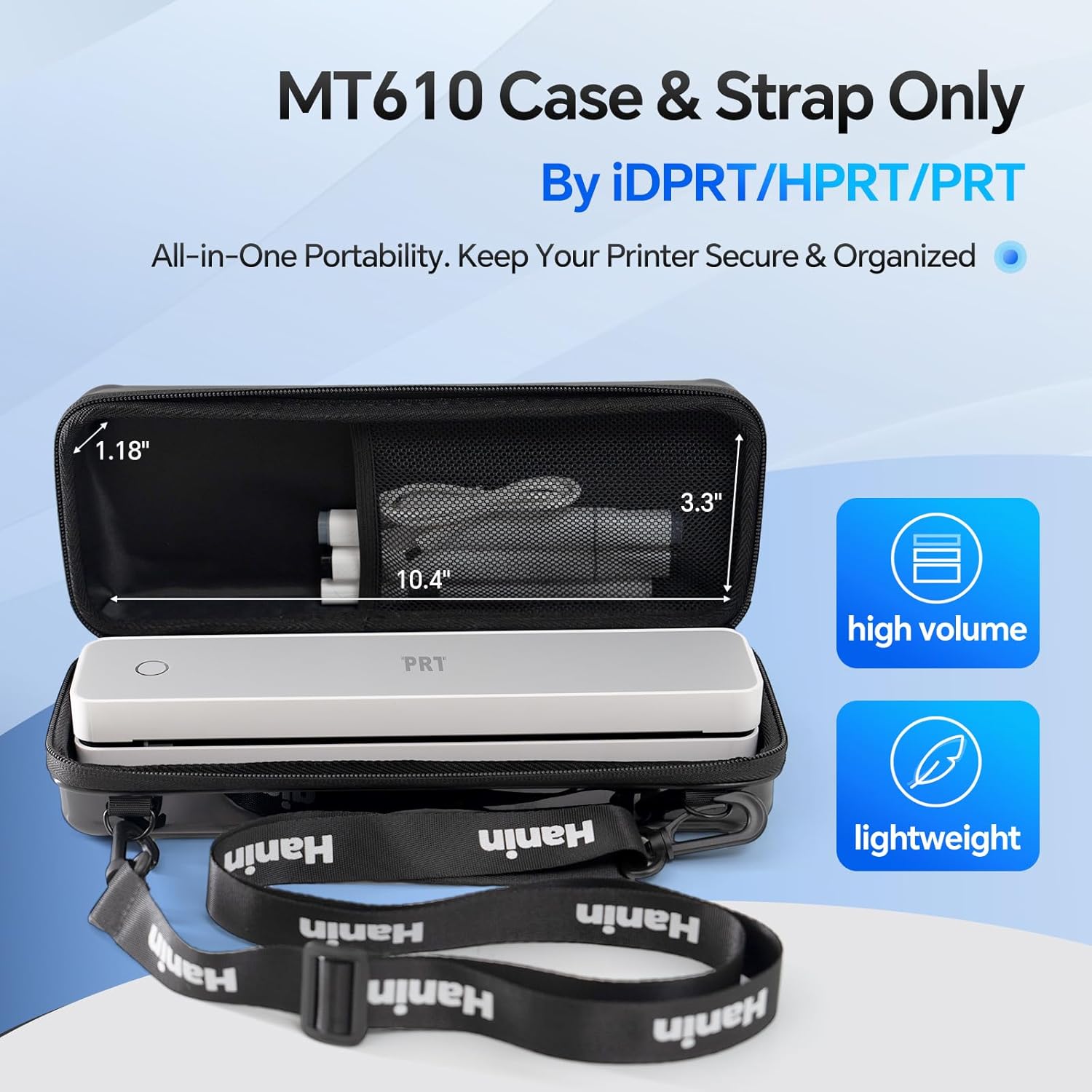
Image: The PRT MT610 Carrying Case is displayed with a thermal printer and various accessories neatly organized inside, emphasizing its all-in-one portability and secure storage.
- Organizing Accessories: Utilize the inner mesh pocket to store smaller items such as USB cables, power adapters, or extra paper rolls. The elastic band can help secure these items.

Image: The PRT MT610 Carrying Case is shown demonstrating its full protective capabilities, including resistance to dust, water, scratches, and impacts, ensuring the safety of the stored device.
- Securing the Case: Close the case by pulling the double zippers together. Ensure they are fully zipped to provide maximum protection.
- Attaching the Strap: If desired, attach the detachable and adjustable strap to the D-rings on the sides of the case for convenient shoulder or cross-body carrying.

Image: The PRT MT610 Carrying Case is shown with its detachable and adjustable sturdy strap, highlighting its ultralight carrying capability and practical anti-loss design for secure transport.
- Portability: The compact size allows the case to be easily carried by hand or slipped into a backpack or other bag for travel, outdoor camping, business, or school.

Image: The PRT MT610 Carrying Case is depicted in various scenarios, illustrating its easy and compact portability, including being carried by hand and fitting conveniently into a larger bag.
Care and Maintenance
- Cleaning: Wipe the exterior of the case with a soft, damp cloth to remove dust or dirt. For stubborn stains, use a mild soap solution and rinse thoroughly. Allow to air dry completely before use.
- Storage: Store the case in a cool, dry place away from direct sunlight and extreme temperatures to preserve its material integrity.
- Avoid Sharp Objects: Do not expose the case to sharp objects that could puncture or scratch the EVA material.
- Zipper Care: Periodically check the zippers for smooth operation. If they become stiff, apply a small amount of zipper lubricant.
Specifications
| Feature | Detail |
|---|---|
| External Dimensions (L x W x H) | 11.2" x 4" x 2.6" inches |
| Internal Dimensions (L x W x H) | 10.4" x 3.3" x 1.2" inches |
| Item Weight | 7.2 ounces |
| Material | High-quality durable EVA |
| Color | Black |
| Compatibility | iDPRT/HPRT/PRT MT610/MT610 Pro Thermal Printer |

Image: The PRT MT610 Carrying Case is displayed with its portable dimensions clearly marked: 11.2 inches in length, 4 inches in width, and 2.6 inches in depth, emphasizing its compact design for easy transport.
Troubleshooting
As a carrying case, most issues are related to physical damage or improper use. If you encounter any problems:
- Difficulty Zipping: Ensure no items are obstructing the zipper path. Avoid overfilling the case.
- Loose Strap: Verify that the detachable strap is securely fastened to the D-rings. Adjust the strap length as needed.
- Damage: For any manufacturing defects or significant damage, please refer to the warranty information or contact customer support.
Warranty and Support
For warranty information or customer support regarding your PRT MT610 Carrying Case, please refer to the documentation included with your purchase or visit the official PRT website. You may also contact the seller directly for assistance.
Seller: PRT Direct
PRT Store: Visit the PRT Store on Amazon