
1. Introduction
This manual provides essential information for the safe and effective use of your TOPELOTEK Kids Tablet ZIDS7001. Please read it thoroughly before operating the device and retain it for future reference.
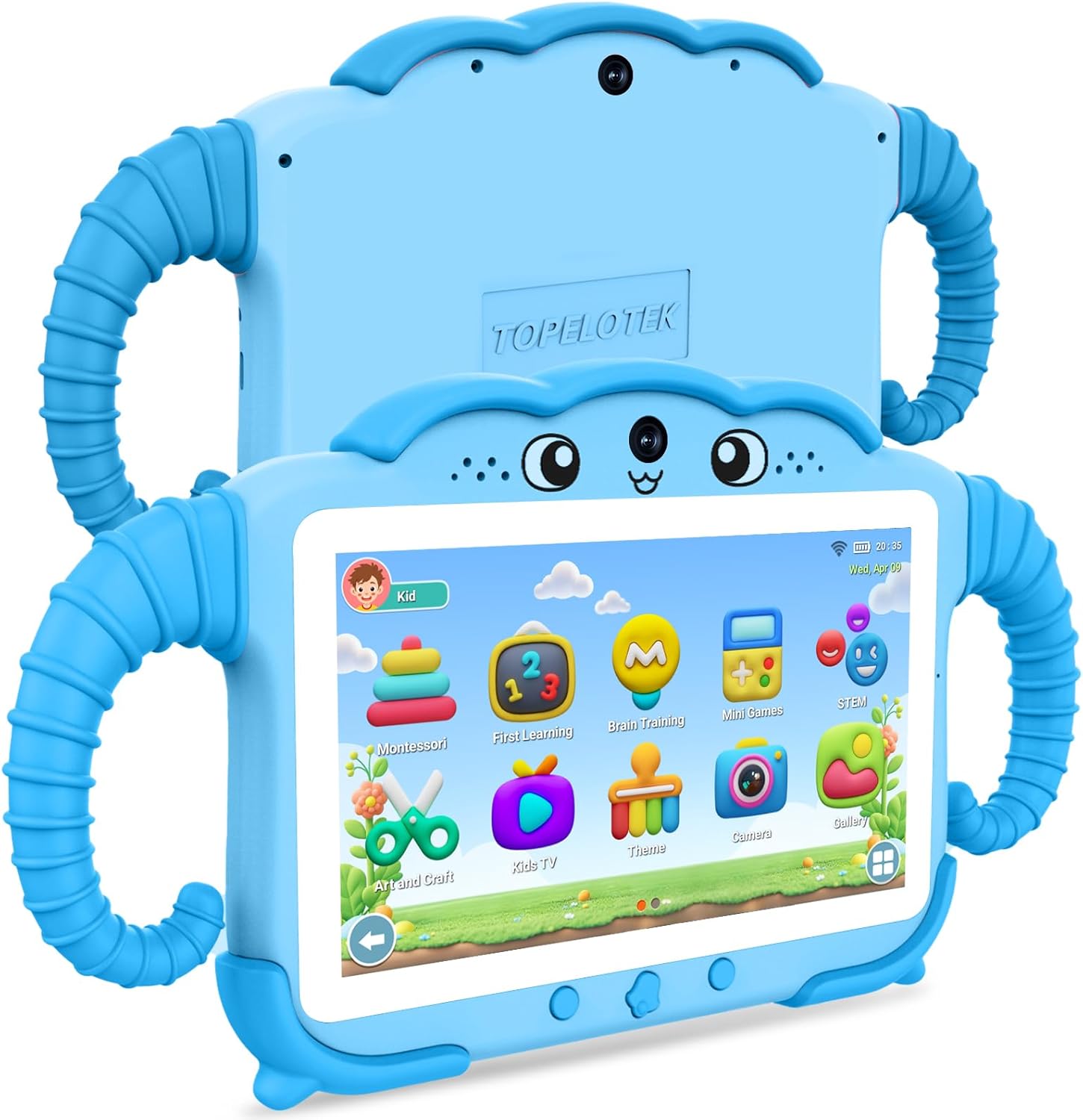
Image 1: Front and back view of the TOPELOTEK Kids Tablet ZIDS7001, showcasing its blue protective case and overall design.
2. What's in the Box
Verify that all items are present upon unboxing:
- Kids Tablet (ZIDS7001) x 1
- Type-C Cable x 1
- Instruction Manual x 1
- Charger Head x 1
3. Product Overview
Familiarize yourself with the tablet's components and controls:

Image 2: Detailed diagram of the TOPELOTEK Kids Tablet ZIDS7001, highlighting its various ports and buttons for easy identification.
- Front Camera
- Volume -
- Power Button
- Volume +
- Rear Camera
- Earphone Port
- Type-C Port
- TF Card Slot (for expandable storage)
- Resetting Key
4. Setup
4.1 Initial Charging
Before first use, fully charge the tablet using the provided Type-C cable and charger head. The battery indicator will show charging status.
4.2 Power On/Off
Press and hold the Power Button (3) for a few seconds to turn the tablet on or off. A short press will put the tablet to sleep or wake it up.
4.3 Wi-Fi Connection
Navigate to Settings > Network & Internet > Wi-Fi. Select your desired network and enter the password to connect.
4.4 Parental Controls Setup
The tablet features a dedicated parental control mode to manage content and usage. This allows for setting up individual profiles for each child, customizing access to applications, websites, and media content, and establishing time limits.

Image 3: The Parental Control interface, showing options for managing content, applications, websites, and media.
To access parental controls, locate the Parental Control icon on the home screen or within the settings. You can configure:
- Kids Store: Manage access to the curated app store.
- Applications: Select which installed applications your child can use.
- Websites: Filter or whitelist specific websites.
- Media Content: Control access to videos, music, and other media.
- Time Limit: Set daily or weekly usage limits, including start/end times, session length, and rest periods.
For a visual guide on setup and features, refer to the video below:
Video 1: An overview of the TOPELOTEK Kids Tablet ZIDS7001, demonstrating unboxing, initial setup, user interface navigation, and parental control features.
5. Operating the Tablet
5.1 Touch Screen Navigation
The tablet features a responsive touch screen. Use gestures such as tapping, swiping, and pinching to navigate menus, open applications, and interact with content.
5.2 Kids Learning Content
The tablet comes pre-loaded with various educational applications and games designed for children aged 3-12. These include Montessori, first learning, brain training, mini-games, and STEM activities, promoting learning through interactive play.

Image 4: The Kids Learning Content interface, displaying icons for various educational apps like Montessori, First Learning, Brain Training, and Mini Games.
5.3 Media Playback
Access pre-approved videos and music through the Kids TV and Music sections. Parents can manage available content via parental controls.
5.4 Hand-Free Viewing
The tablet's protective case includes adjustable handles that can be used as a stand, allowing for hands-free viewing and interaction.

Image 5: A child using the tablet with its integrated stand on an airplane tray table, demonstrating its portability and hands-free functionality for travel.
6. Maintenance
6.1 Cleaning
Use a soft, lint-free cloth to clean the screen and exterior of the tablet. Avoid abrasive cleaners or solvents. Ensure the tablet is powered off before cleaning.
6.2 Battery Care
To prolong battery life, avoid exposing the tablet to extreme temperatures. Charge the tablet regularly, but do not leave it fully charged or fully discharged for extended periods.
6.3 Storage
The tablet supports expandable storage up to 128GB via the TF Card Slot (8). This allows for ample space for pictures, e-books, and videos. The shock-proof case provides protection against bumps, dust, and drops.
7. Troubleshooting
If you encounter issues with your tablet, refer to the following common solutions:
- Tablet not powering on: Ensure the tablet is fully charged. Connect it to the charger and wait a few minutes before attempting to power it on again.
- Screen unresponsive: Try restarting the tablet by holding the Power Button (3). If unresponsive, use a small pin to press the Resetting Key (9) for a soft reset.
- Slow performance: Close unused applications and clear cache regularly. Consider reducing the number of installed apps or moving large files to an external TF card.
- Charging issues: Verify that the Type-C cable and charger head are securely connected and undamaged. Try using a different compatible charger if available.
8. Specifications
| Feature | Specification |
|---|---|
| Standing Screen Display Size | 7 Inches |
| Screen Resolution | 1024 x 600 pixels |
| Max Screen Resolution | 1024*600 |
| Card Description | Integrated |
| Wireless Type | 802.11g |
| Average Battery Life | 8 Hours |
| Brand | TOPELOTEK |
| Series | ZIDS7001 |
| Item Model Number | ZIDS7001 |
| Operating System | Android |
| Item Weight | 9.6 ounces |
| Product Dimensions | 11 x 5.9 x 0.6 inches |
| Color | Blue |
| Processor Brand | Allwinner |
| Flash Memory Size | 32 GB |
| Batteries | 1 Lithium Polymer batteries required. (included) |
| Memory Storage Capacity | 32 GB |
9. Warranty and Support
For any questions or concerns regarding your TOPELOTEK Kids Tablet, please contact our customer service team. We aim to respond to all inquiries within 24 hours.
Please refer to the product packaging or official TOPELOTEK website for specific warranty details and terms of service.
Video 2: A demonstration of the Topelotek kids tablet, highlighting its included case and various features.