
Introduction
Welcome to your Rinsmola G21 Pro Bluetooth 5.4 Wireless Earbuds. These earbuds are designed to provide a high-quality audio experience with advanced features for various activities. This manual will guide you through the setup, operation, and maintenance of your new device.
What's in the Box
- 2 x Wireless Earphones
- 1 x 350mAh Charging Box
- 1 x USB-C Cable
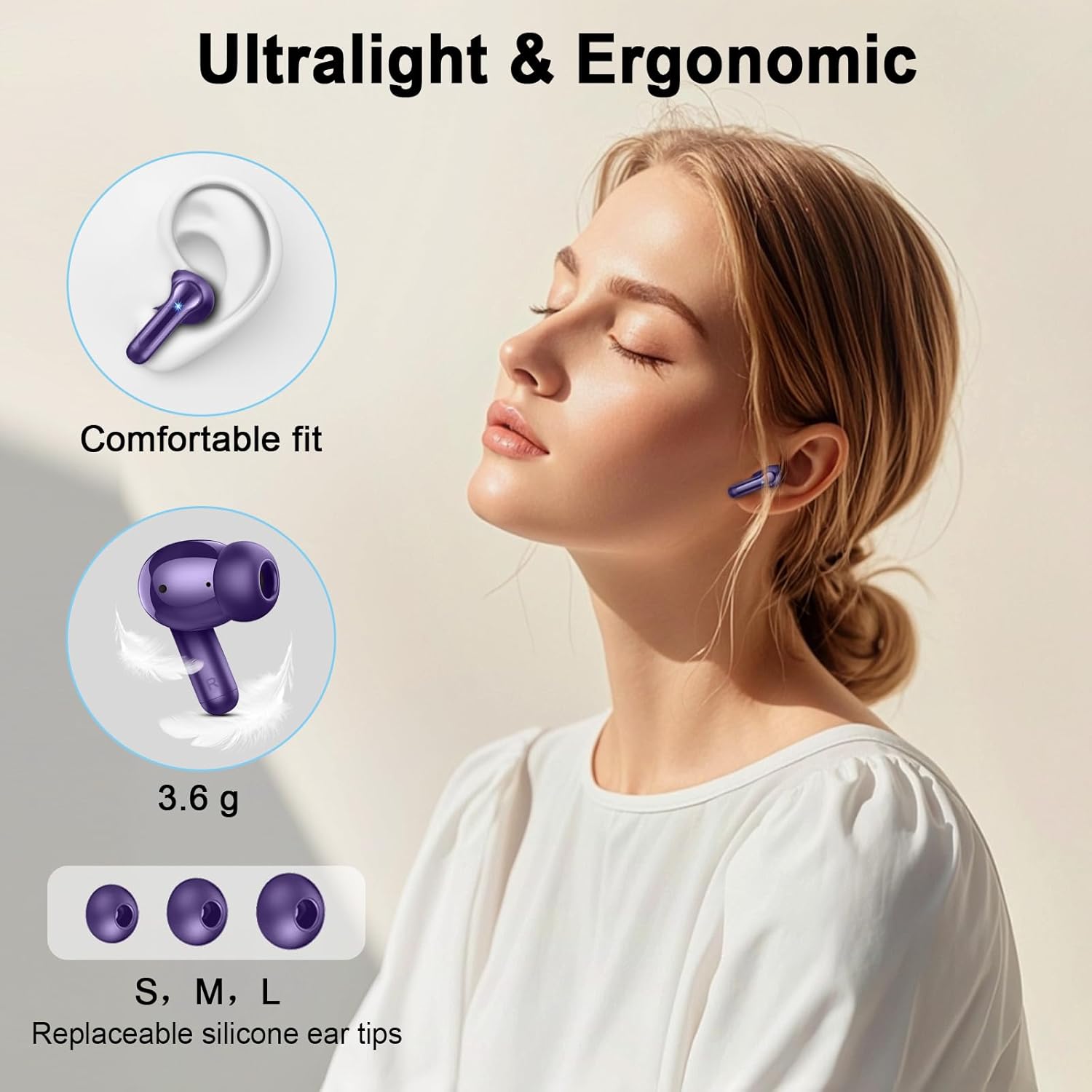
- 6 x Soft Silicone Ear Caps (L/M/S)
- 1 x User Manual (English, Spanish, French, etc)
Product Overview
Familiarize yourself with the components of your Rinsmola G21 Pro earbuds.
Earbuds

This image displays the Rinsmola G21 Pro wireless earbuds inside their charging case. The earbuds are purple with a sleek design, and the charging case features a digital display showing battery percentage.
- Earbud Tips: Replaceable silicone tips for comfortable fit.
- Touch Control Area: Located on the outer surface of each earbud for various functions.
- Microphone: Integrated for calls.
Charging Case

This image shows the Rinsmola G21 Pro charging case with its lid open, revealing the earbuds inside. The front of the case has an LED display indicating the battery level of the case and individual earbuds.
- LED Power Display: Shows real-time battery percentage of the case and individual earbuds.
- USB-C Charging Port: Located on the back or bottom of the case.
Setup
Initial Charge
Before first use, fully charge the earbuds and the charging case.
- Place both earbuds into the charging case.
- Connect the USB-C cable to the charging port on the case and to a power source.
- The LED display will show the charging status. A full charge for the case takes approximately 1.5 hours.
Bluetooth Pairing
The earbuds feature Bluetooth 5.4 for fast and stable connections.
- Ensure the earbuds are in the charging case and the case is open.
- On your device (smartphone, tablet, laptop), enable Bluetooth.
- Search for "G21 Pro" in the list of available Bluetooth devices and select it to pair.
- Once paired, the earbuds will automatically connect to your device when removed from the case.
This video provides an overview of the Rinsmola G21 Pro earbuds, highlighting features like Bluetooth 5.4, Hi-Fi Stereo, ENC Noise Reduction, IPX7 Waterproofing, and battery life, which are essential for understanding the product during initial setup.
Operating Instructions
Touch Controls
The earbuds are equipped with smart touch controls for easy management of audio and calls.
- Play/Pause: Single tap on either earbud.
- Adjust Volume: Single tap R for Volume Up, Single tap L for Volume Down.
- Next Song: Double tap R earbud.
- Previous Song: Double tap L earbud.
- Answer/End Call: Single tap on either earbud.
- Reject Call: Hold for 2 seconds on either earbud.
- Activate Voice Assistant (Siri/Google Assistant): Triple tap on either earbud.
This image illustrates the various touch control functions for the Rinsmola G21 Pro earbuds, including play/pause, volume adjustment, track skipping, call management, and voice assistant activation.
Making Calls
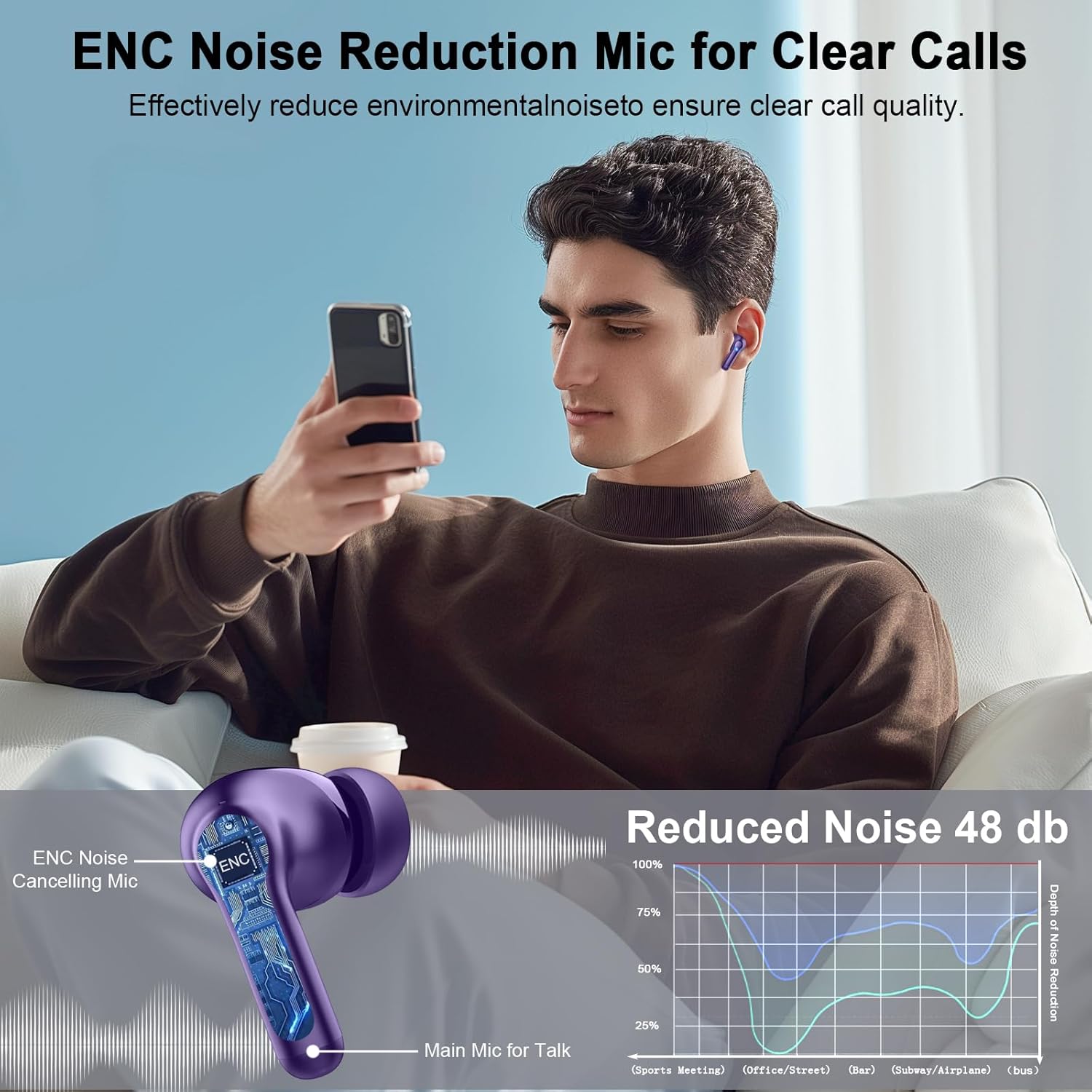
The earbuds feature 4 ENC Noise Cancelling Microphones for clear call quality, effectively reducing environmental noise.
Maintenance
Cleaning
Regularly clean your earbuds and charging case to ensure optimal performance and hygiene. Use a soft, dry, lint-free cloth. Do not use harsh chemicals or abrasive materials.
Water Resistance
The Rinsmola G21 Pro earbuds are IPX7 waterproof, making them resistant to sweat and rain. They are suitable for workouts and outdoor activities. Avoid submerging them in water for extended periods.
This image shows a person using the Rinsmola G21 Pro earbuds during a workout, highlighting their suitability for sports and their IPX7 waterproof rating.
Troubleshooting
- Earbuds not pairing: Ensure both earbuds are charged and in the case. Turn off and on your device's Bluetooth, then try pairing again.
- One earbud not working: Place both earbuds back in the case, close the lid, then open it again and try reconnecting.
- Poor sound quality: Ensure earbuds are clean and properly seated in your ears. Try different sized ear tips for a better seal.
- Charging issues: Check the USB-C cable and charging port for any damage. Ensure the power source is working.
Specifications
| Feature | Specification |
|---|---|
| Model Name | G21 PRO |
| Bluetooth Version | 5.4 |
| Battery Life (Earbuds) | 6-8 hours |
| Total Playtime (with Case) | 40+ hours |
| Charging Time | 1.5 Hours |
| Water Resistance | IPX7 |
| Noise Control | Passive Noise Cancellation, ENC Clear Call |
| Audio Driver Size | 14.2 Millimeters |
| Connectivity | Wireless (Bluetooth) |
| Control Type | Touch Control |
| Compatible Devices | iOS/Android smartphones, TVs, computers, laptops |
| Item Weight (each earbud) | 3.6 Grams |
| Bluetooth Range | 15 Meters |
Warranty and Support
Rinsmola offers a 2-year protection plan for your earbuds. For any support inquiries or warranty claims, please refer to the contact information provided in your product packaging or visit the official Rinsmola website.
You can visit the Rinsmola Store for more information.
Important Safety Information
- Do not disassemble or modify the product.
- Keep away from extreme temperatures and direct sunlight.
- Avoid exposing to corrosive liquids.
- Dispose of the product responsibly according to local regulations.
