
ANFLAG BD60
ANFLAG BD60 10-in-1 Car Jump Starter with Air Compressor Instruction Manual
Model: BD60
1. Product Overview
The ANFLAG BD60 is a versatile 10-in-1 device designed for automotive emergencies and portable power needs. It integrates an 8000A car jump starter, a 160 PSI cordless tire inflator, a digital pressure gauge, a 600LM 4-mode LED torch, a portable power bank with PD65W fast charging, and a 160W EC5 cigarette lighter socket output.

Image: ANFLAG BD60 Jump Starter with its digital display, showing full charge and various functions. This image illustrates the main unit with its integrated display and controls.
2. What's Included
The ANFLAG BD60 package contains the following items:
- 1x BD60 8000A Jump Starter with 160PSI Air Compressor unit
- 1x Heavy-Duty Jumper Cables
- 1x 400V Insulated Gloves
- 1x Detachable Extended Air Hose
- 4x Air Nozzles (for various inflatables)
- 1x USB-A to USB-C Quick Charging Cable
- 1x USB-C to USB-C Quick Charging Cable
- 1x Instruction Manual (this document)
- 1x Rugged Carrying Case

Image: Contents of the ANFLAG BD60 package, including the main unit, cables, nozzles, and carrying case.
3. Safety Information
Read all safety warnings and instructions before using this product. Failure to follow the warnings and instructions may result in electric shock, fire, and/or serious injury.
- Always wear the provided insulated gloves when handling jumper cables.
- Do not allow the red and black clamps to touch each other.
- Do not jump start a frozen battery.
- Ensure the jump starter is fully charged before use for optimal performance.
- Keep the device away from children.
- Do not expose the device to rain or wet conditions.
- Do not disassemble the unit. Refer all servicing to qualified personnel.
- The device features 12 intelligent safety protections including reverse polarity, overcurrent, overheating, overvoltage, short-circuit, low-voltage, overload, spark-proof, and extreme temperature protection.

Image: Visual representation of the ANFLAG BD60's internal safety features and protections.
4. Initial Setup and Charging
4.1 Charging the ANFLAG BD60
Before first use, fully charge the ANFLAG BD60. The device supports PD 65W USB-C bi-directional charging, allowing it to recharge from 0% to 100% in approximately 1.5 hours with a compatible 65W wall charger (not included).
- Connect one end of the provided USB-C to USB-C cable to the USB-C port on the ANFLAG BD60.
- Connect the other end of the cable to a 65W USB-C wall charger.
- The digital display will show the charging progress. The device is fully charged when the display shows 100%.
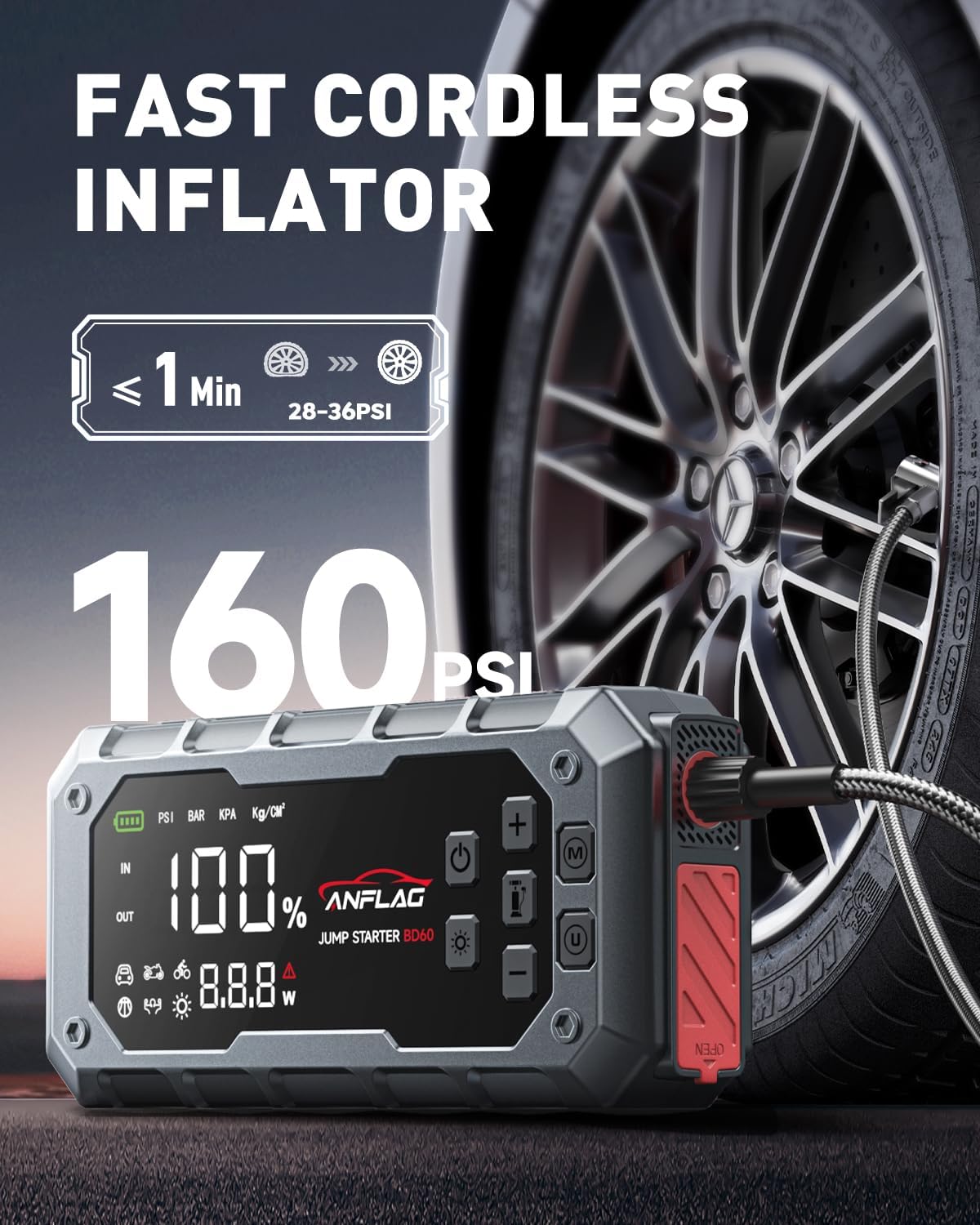
Image: Charging ports on the ANFLAG BD60, highlighting the USB-C input/output.
5. Operating Instructions
5.1 Jump Starting a Vehicle
The ANFLAG BD60 can jump start 12V vehicles, including all petrol engines and diesel engines up to 14.0L.
- Ensure the ANFLAG BD60 is sufficiently charged (preferably above 50%).
- Connect the red (+) clamp of the jumper cables to the positive (+) terminal of the vehicle's battery.
- Connect the black (-) clamp of the jumper cables to the negative (-) terminal of the vehicle's battery.
- Plug the jumper cable connector into the jump starter port on the ANFLAG BD60.
- Observe the indicator light on the jumper cable connector. If it is solid green, proceed to step 6.
- Start the vehicle engine.
- If the vehicle does not start, and the indicator light is not solid green, press and hold the "Force Start" button on the jump starter for 3 seconds until it lights up, then attempt to start the vehicle.
- Once the vehicle starts, immediately disconnect the jumper cable connector from the ANFLAG BD60, then remove the black (-) clamp, followed by the red (+) clamp from the vehicle battery.

Image: Step-by-step guide for jump starting a vehicle with the ANFLAG BD60.
5.2 Using the Air Compressor
The integrated air compressor can inflate tires up to 160 PSI with a flow rate of 45L/min. It supports 5 inflation modes (Car, Motorcycle, Bicycle, Ball, Custom) and 3 pressure units (PSI, BAR, KPA).
- Press the power button to turn on the device.
- Connect the detachable air hose to the air output port on the ANFLAG BD60 and tighten it.
- Attach the appropriate air nozzle to the item you wish to inflate (tire, ball, etc.).
- Long press the inflation mode button (often indicated by a tire icon) to enter inflation mode.
- Press the 'M/U' button to select the desired inflation mode (Car, Motorcycle, Bicycle, Ball, Custom) or to change pressure units (PSI, BAR, KPA).
- Use the '+' and '-' buttons to set the target pressure.
- Press the start button (often indicated by a play/pause icon) to begin inflation.
- The compressor will automatically shut off once the preset pressure is reached.
- Disconnect the air hose and store the nozzles.

Image: The ANFLAG BD60 in use, inflating a car tire, demonstrating its cordless inflator function.

Image: Step-by-step guide for operating the air compressor function.
5.3 Using as a Power Bank
The ANFLAG BD60 features a 26,800mAh capacity and multiple output ports for charging electronic devices.
- USB-C Output: PD 65W bi-directional charging for fast charging of laptops, tablets, and smartphones.
- USB-A Outputs: Dual USB-A ports (12W + 18W) for charging smartphones and other USB-powered devices.
- 160W EC5 Output: Powers 12V in-car appliances such as tire inflators (if not using the built-in one), mini-fridges, and car vacuums.
To charge a device, simply connect it to the appropriate output port using a compatible charging cable.
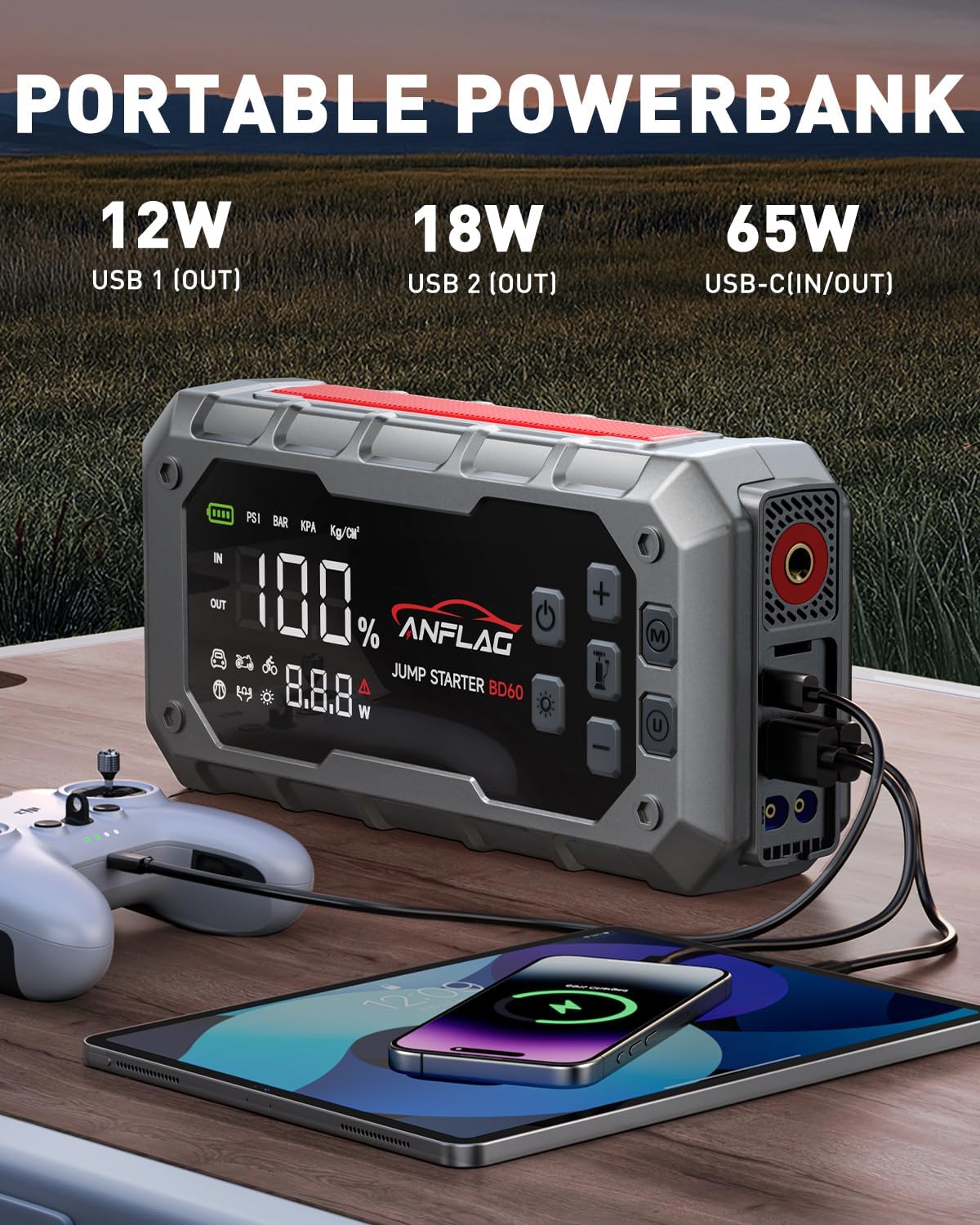
Image: The ANFLAG BD60 functioning as a portable power bank, charging multiple devices.
5.4 LED Emergency Light
The 600-lumen LED light offers four modes for various situations:
- Flashlight: Standard illumination.
- White Strobe: For signaling or attracting attention.
- Red Strobe: Emergency warning light, can double as a roadside triangle.
- SOS: Morse code signal for emergencies.
To activate and cycle through the light modes, press the dedicated light button on the device.
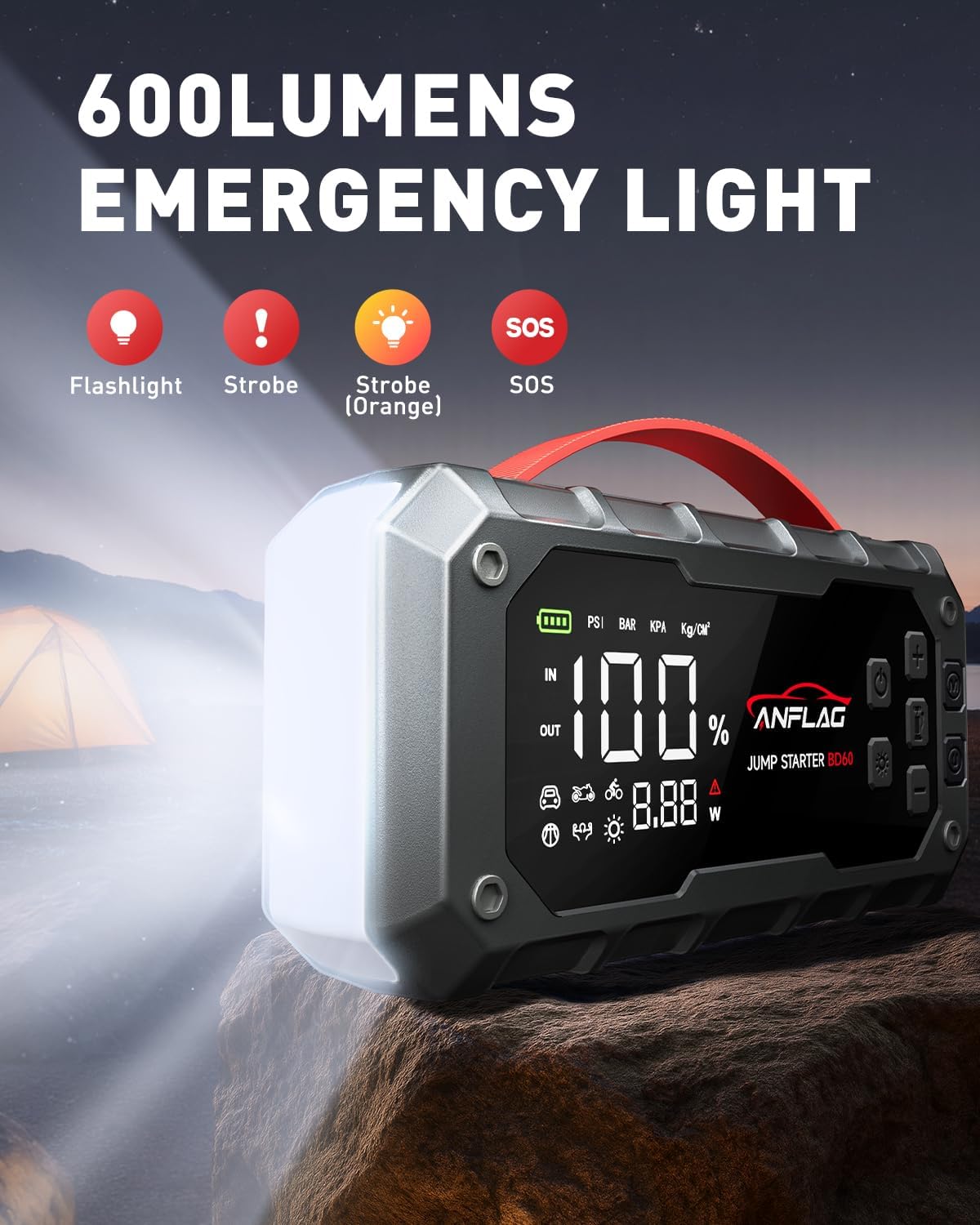
Image: The ANFLAG BD60's LED emergency light displaying its various modes.
6. Maintenance
- Storage: Store the device in its rugged carrying case in a cool, dry place away from direct sunlight.
- Charging: For optimal battery life, recharge the unit every 3-6 months, even if not used.
- Cleaning: Wipe the device with a dry, soft cloth. Do not use harsh chemicals or abrasive cleaners.
- Battery Life: The device is designed for long standby times, up to 48 months.
7. Troubleshooting
| Problem | Possible Cause | Solution |
|---|---|---|
| Vehicle does not start after jump attempt. | Low charge on jump starter, incorrect connection, severely depleted vehicle battery. | Ensure jump starter is fully charged. Check clamp connections for proper polarity. Use "Force Start" function if vehicle battery is very low. If issues persist, vehicle battery may be faulty. |
| Air compressor not inflating or inflating slowly. | Air hose not securely connected, incorrect pressure setting, low charge on jump starter. | Ensure air hose is tightly screwed onto the device and valve. Verify correct pressure unit and target pressure. Recharge the jump starter. |
| Device not charging. | Faulty charging cable, incompatible wall adapter, damaged charging port. | Try a different USB-C cable and a 65W compatible wall adapter. Ensure connections are secure. Contact customer support if the issue persists. |
| Digital display not working. | Device is off, battery is completely drained, internal malfunction. | Press the power button to turn on. Attempt to charge the device. If unresponsive, contact customer support. |
8. Specifications
| Feature | Detail |
|---|---|
| Brand | ANFLAG |
| Model | BD60 |
| Peak Output Current | 8000 Amps |
| Amperage | 7000 Amps |
| Air Compressor Pressure | 160 PSI (Max) |
| Air Flow Rate | 45 L/min |
| Battery Capacity | 26,800mAh |
| USB-C Charging | PD 65W (Input/Output) |
| USB-A Outputs | 12W + 18W |
| EC5 Output | 160W (12V) |
| LED Light Brightness | 600 Lumens |
| Product Dimensions | 11"D x 5"W x 6.2"H |
| Item Weight | 2.56 pounds (approx. 1160 Grams) |
| Compatible Engine Types | All Gas, up to 14.0L Diesel |
9. Warranty and Support
ANFLAG provides comprehensive support and warranty for the BD60 Jump Starter.
- Warranty: 2-year hassle-free return policy and 24-month warranty.
- Technical Support: Lifetime technical support is available.
- Customer Service: For any issues or inquiries, please contact ANFLAG customer support.
For further assistance, please visit the official ANFLAG store or contact their customer service team.

Image: ANFLAG customer support representative.
Related documentsBD60

Ask a question about this manual
Ask about setup, troubleshooting, compatibility, parts, safety, or missing instructions. Manuals+ will review the question and use this page’s manual context to help answer it.