
Introduction
Thank you for choosing the OHOVIV 50000mAh Portable Power Bank. This device is designed to provide reliable and fast charging for your electronic devices on the go. Please read this manual carefully before use to ensure proper operation and to maximize the lifespan of your power bank.
Safety Information
- Airline Travel Restriction: Due to its high capacity (50000mAh), this portable charger is NOT ALLOWED on airplanes. Please check airline regulations before travel.
- Do not disassemble, modify, or repair the device.
- Do not expose the power bank to fire, water, or extreme temperatures.
- Avoid dropping or subjecting the device to strong impacts.
- Keep out of reach of children.
- Use only certified charging cables and adapters.
- Stop using the power bank immediately if it emits smoke, unusual odors, or changes in appearance.
- This power bank features smart chips to prevent overcharge, overvoltage, overcurrent, and short circuits, ensuring safe operation.
Package Contents
Please check the package for the following items:
- 1 x OHOVIV 50000mAh Portable Power Bank
- 1 x Type-C Charging Cable
- 1 x User Manual
Product Overview
The OHOVIV 50000mAh Portable Power Bank features multiple ports and an LED digital display for convenient use.

Image: Close-up view of the OHOVIV 50000mAh Portable Power Bank, highlighting its two USB-A output ports, one USB-C input/output port, and the LED digital display showing battery percentage.
- Ports:
- 2 x USB-A Output Ports (22.5W Max)
- 1 x USB-C Input/Output Port (18W Input / 22W Output)
- LED Digital Display: Shows the remaining battery percentage.
Setup
Initial Charging of the Power Bank
Before first use, fully charge your OHOVIV Portable Power Bank.
- Connect the provided Type-C charging cable to the USB-C input port on the power bank.
- Connect the other end of the cable to a compatible USB wall charger (not included).
- The LED digital display will show the charging progress. The power bank is fully charged when the display shows 100%.
Note: A full charge may take several hours due to the large 50000mAh capacity.
Operating Instructions
Charging Your Devices
The power bank can charge up to three devices simultaneously.
- Connect your device's charging cable to one of the available output ports (USB-A or USB-C) on the power bank.
- Connect the other end of the cable to your device.
- The power bank will automatically begin charging your device. The LED display will show the remaining battery percentage.
- Disconnect your device once it is fully charged or when you wish to stop charging.
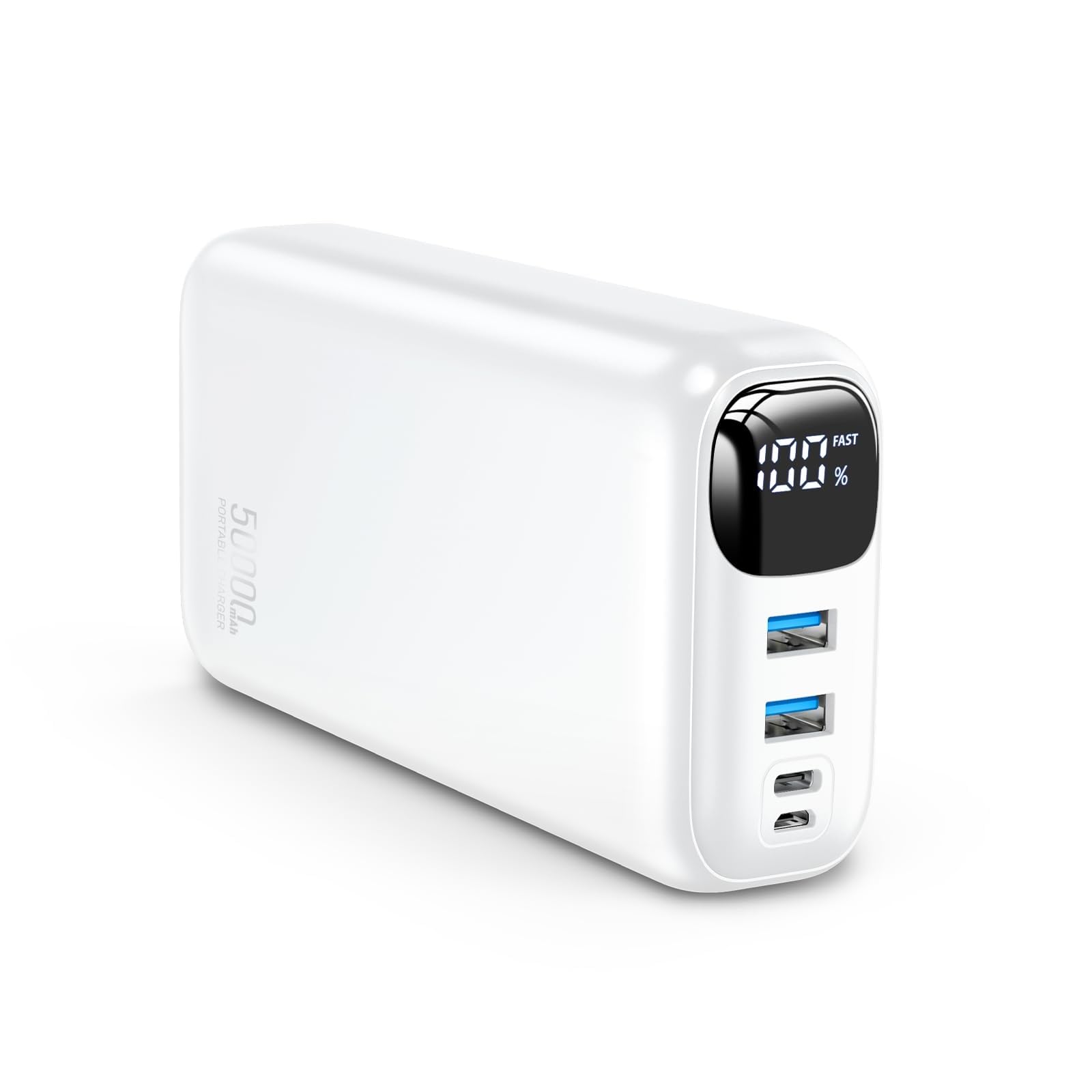
Image: A person using the OHOVIV 50000mAh Portable Power Bank to fast charge a smartphone, demonstrating its 22.5W output.
Understanding the LED Digital Display
The LED display provides real-time information about the power bank's battery status:
- Percentage (0-100%): Indicates the current battery level of the power bank.
- Charging Indicator: When charging the power bank, the percentage will increase. When charging a device, the percentage will decrease.
Maintenance
- Clean the power bank with a dry, soft cloth. Do not use harsh chemicals or abrasive materials.
- Store the power bank in a cool, dry place away from direct sunlight and extreme temperatures.
- If not used for extended periods, charge the power bank at least once every three months to maintain battery health.
- Avoid fully discharging the power bank frequently, as this can reduce its overall lifespan.
Troubleshooting
| Problem | Possible Cause | Solution |
|---|---|---|
| Power bank not charging |
|
|
| Device not charging from power bank |
|
|
| Slow charging |
|
|
Specifications
| Feature | Detail |
|---|---|
| Model Number | P5 |
| Battery Capacity | 50000 Milliamp Hours (mAh) |
| Input (USB-C) | 18W Max |
| Output (USB-C) | 22W Max |
| Output (USB-A) | 22.5W Max (each port) |
| Product Dimensions | 5.38 x 2.75 x 1.6 inches (13.4 x 7 x 3.4 cm) |
| Item Weight | 1.43 pounds (613g) |
| Special Features | Fast Charging, LED Indicator Lights, Over Charging Protection |
| Battery Type | Lithium Ion |
Warranty and Support
The product includes a standard manufacturer's warranty. For detailed warranty information, please refer to the documentation included with your purchase or contact OHOVIV customer support.
For any questions, technical assistance, or support, please utilize the 24/7 friendly online service mentioned in your package contents. You may also visit the official OHOVIV store on Amazon for more information: OHOVIV Store.