
1. Introduction
Welcome to the user manual for your AHENOD G16 MP3 Player. This guide provides detailed instructions on how to set up, operate, and maintain your device. Please read this manual thoroughly to ensure optimal performance and longevity of your player.
The AHENOD G16 is a versatile portable media player featuring a 4.02-inch IPS HD touchscreen, Android 9 OS, Wi-Fi, Bluetooth 4.1, and 144GB of storage. It is designed for music and video playback, app usage, and more.
2. Package Contents
Please verify that all items listed below are included in your package:
- 1 x AHENOD G16 MP3 Player
- 1 x 128GB SD card (pre-installed or separate)
- 1 x User Manual (this document)
- 1 x Type-C USB Cable
- 1 x Earphone
- 1 x Silicone Case
- 1 x Protective Film
3. Device Overview
Familiarize yourself with the physical components of your AHENOD G16 MP3 Player.

Figure 3.1: Front view of the AHENOD G16 MP3 Player, displaying the touchscreen interface with pre-installed applications.
The device features a 4.02-inch IPS HD touchscreen for navigation. On the sides, you will find power buttons, volume controls, and a Type-C USB port for charging and data transfer. A 3.5mm audio jack is also present for wired earphones. The device includes an internal speaker for audio playback without headphones.
4. Setup
4.1 Charging the Device
Before first use, fully charge your MP3 player.
- Connect the provided Type-C USB cable to the charging port on the player.
- Connect the other end of the USB cable to a compatible USB power adapter (not included) or a computer's USB port.
- The battery indicator on the screen will show charging status. A full charge typically takes a few hours.
4.2 Inserting the SD Card
Your player comes with a 128GB SD card for expanded storage.
- Locate the SD card slot on the side of the device.
- Gently insert the 128GB SD card into the slot until it clicks into place. Ensure the card is oriented correctly.
- The device supports up to 512GB memory cards.

Figure 4.2: Illustration of inserting an SD card into the AHENOD G16 MP3 Player for expandable storage.
4.3 Initial Power On and Wi-Fi Connection
To power on the device for the first time and connect to a wireless network:
- Press and hold the power button until the screen lights up.
- Follow the on-screen prompts to select your language and region.
- To connect to Wi-Fi, navigate to Settings > Network & Internet > Wi-Fi.
- Select your desired Wi-Fi network from the list and enter the password if prompted.
4.4 Connecting Bluetooth Devices
The G16 player supports Bluetooth 4.1 for connecting to wireless headphones, speakers, or car stereos.
- Ensure the Bluetooth device (e.g., headphones) is in pairing mode.
- On your G16 player, go to Settings > Connected devices > Bluetooth.
- Turn on Bluetooth and tap Pair new device.
- Select your Bluetooth device from the list of available devices to pair.

Figure 4.4: The AHENOD G16 MP3 Player demonstrating its Duplex Bluetooth 4.1 capability by connecting to wireless earbuds.
5. Operating Instructions
5.1 Navigation and Interface
The G16 player operates using a touch-sensitive screen.
- Tap: Select an item or open an application.
- Swipe: Scroll through lists or switch between screens.
- Press and Hold: Access contextual menus or move app icons.
5.2 Music Playback
The player supports various audio formats including MP3, WAV, APE, FLAC, AAC, OGG, and WMA.
- Open the Music application or a streaming app like Spotify, Deezer, or Amazon Music.
- Browse music by folder, artist, or album.
- Select a song to begin playback.
- Playback modes can be selected: sequential play, single song loop, list loop, or random playback.

Figure 5.2: The AHENOD G16 MP3 Player's music interface, highlighting supported audio formats and playback options.
5.3 Video Playback
The device supports 1080P video playback and formats such as AVI, MKV, RMVB, MP4, MPG, MOV, and RM FLY.
- Open the Video application or a streaming video app.
- Select a video file to play.
- Adjust volume and playback controls as needed.

Figure 5.3: The AHENOD G16 MP3 Player showcasing its 1080P HD full touch screen for video content.
5.4 App Management (Google Play Store)
The G16 player comes with the Google Play Store pre-installed, allowing you to download and install additional applications.
- Open the Play Store app.
- Search for desired applications.
- Tap Install to download and install an app.
- To uninstall an app, press and hold its icon on the home screen, then drag it to the Uninstall option.

Figure 5.4: Uninstalling an application on the AHENOD G16 MP3 Player.
5.5 Parental Controls
Parents can manage app usage and browser access using Google's Family Link.
- Navigate to Settings.
- Look for Family Link or Digital Wellbeing & parental controls.
- Follow the on-screen instructions to set up parental controls, including passwords, browser access restrictions, and app approvals.

Figure 5.5: Setting up parental controls via Google Family Link on the AHENOD G16 MP3 Player.
6. Maintenance
6.1 Battery Management
The G16 player is equipped with a 2000mAh Li-ion battery. Proper battery care can extend its lifespan.
- Avoid fully discharging the battery frequently.
- Charge the device using the provided Type-C USB cable and a compatible charger.
- Do not expose the device to extreme temperatures, as this can degrade battery performance.
- A full charge provides approximately 25 hours of continuous music playback or 5 hours of video playback.
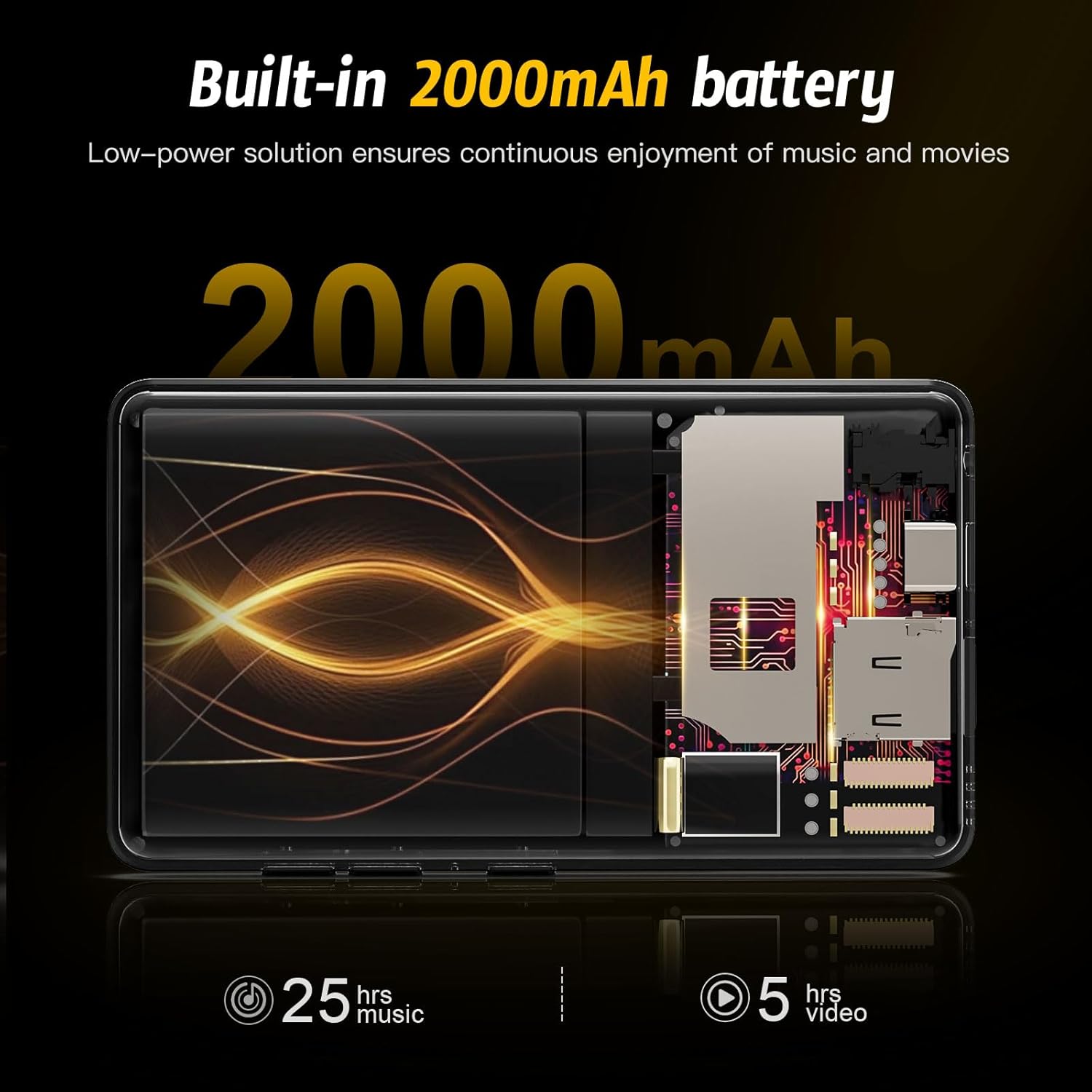
Figure 6.1: Internal view highlighting the 2000mAh battery and its performance metrics.
6.2 Cleaning and Storage
- Use a soft, lint-free cloth to clean the screen and body of the device.
- Avoid using harsh chemicals or abrasive materials.
- Store the player in a cool, dry place away from direct sunlight and extreme temperatures.
- When not in use for extended periods, charge the device to about 50% before storing.
7. Troubleshooting
If you encounter issues with your AHENOD G16 MP3 Player, refer to the solutions below.
| Problem | Possible Cause | Solution |
|---|---|---|
| Device does not turn on. | Low battery; software issue. | Charge the device for at least 30 minutes. If it still doesn't turn on, perform a force restart by holding the power button for 10-15 seconds. |
| Screen is unresponsive or glitching. | Temporary software glitch; excessive background apps. | Restart the device. Close unnecessary background applications. If the issue persists, consider a factory reset (back up your data first). |
| Cannot connect to Wi-Fi. | Incorrect password; router issue; device Wi-Fi disabled. | Ensure Wi-Fi is enabled in settings. Verify the Wi-Fi password. Restart your Wi-Fi router. Try connecting to a different network if available. |
| Bluetooth device not pairing. | Device not in pairing mode; too far from player; interference. | Ensure the Bluetooth accessory is in pairing mode. Move the devices closer. Turn off and on Bluetooth on both devices. |
| Music/video files not playing. | Unsupported file format; corrupted file. | Verify the file format is supported (MP3, WAV, APE, FLAC, AAC for audio; AVI, MKV, RMVB, MP4, MPG, MOV for video). Try playing a different file. |
8. Specifications
| Feature | Detail |
|---|---|
| Model Name | G16 |
| Operating System | Android 9 OS |
| Processor | 8-core MTK chip |
| RAM | 2GB |
| Internal Storage (ROM) | 16GB |
| Included SD Card | 128GB |
| Max. Expandable Storage | 512GB (Micro SD) |
| Screen Size | 4.02 Inches IPS HD Touch Screen |
| Video Resolution Support | Up to 1080P |
| Connectivity | Wi-Fi (2.4G & 5G), Bluetooth 4.1 (Duplex) |
| Battery Capacity | 2000mAh Li-ion |
| Music Playback Time | Up to 25 hours |
| Video Playback Time | Up to 5 hours |
| Dimensions | 10.3 x 5.8 x 1.1 cm (4.06 x 2.28 x 0.43 inches) |
| Weight | 95 grams (3.35 ounces) |
| Special Features | FM Radio, Pre-installed Google Play Store, Parental Controls |
9. Warranty and Support
Your AHENOD G16 MP3 Player is covered by a standard manufacturer's warranty. For specific warranty terms and conditions, please refer to the documentation provided with your purchase or contact AHENOD customer support.
For technical assistance, troubleshooting beyond this manual, or warranty claims, please visit the official AHENOD website or contact their customer service department.
