
Introduction
This manual provides detailed instructions for the operation and maintenance of your WISCENT WTB-732 Portable Boombox. Please read this manual thoroughly before use to ensure proper function and longevity of the device. Keep this manual for future reference.

Image: The WISCENT WTB-732 Portable Boombox, showcasing its classic design with a cassette deck, radio tuner, and dual speakers.
Product Overview
The WISCENT WTB-732 is a versatile portable boombox designed to combine classic audio experiences with modern connectivity. Key features include:
- Retro 80s Style Design: Features analog buttons and a vintage aesthetic.
- Cassette Player & Recorder: Play your old tapes and record audio directly to cassette.
- AM/FM/SW1/SW2 4-Band Radio: Access a wide range of radio frequencies.
- Bluetooth Wireless Connectivity: Stream music wirelessly from compatible devices (reception only).
- USB/Micro SD Playback: Play MP3/WMA files from USB drives (up to 64GB FAT32) or Micro SD cards.
- Recording Functions: Record radio, voice (via built-in microphone), or Bluetooth audio to blank cassettes or USB drives.
- Headphone Jack: For private listening.
- Customizable Tone: Separate Bass and Treble controls for audio adjustment.
- Dual Full-Range High Bass Speakers: Delivers enhanced stereo sound.
- Portable & Convenient Design: Operates on AC power, DC power, or batteries.

Image: An illustration highlighting the key features of the boombox, including stereo speakers, Bluetooth, cassette, AC/DC supply, AM/FM/SW1/SW2 radio, USB/SD, record function, and earphone jack.
Controls and Connections
Familiarize yourself with the various controls and connection points on your boombox for optimal use.

Image: A detailed diagram illustrating the top, rear, and side panels of the boombox, labeling controls such as Volume, Bass, Treble, Tape controls (Pause, Stop/Eject, F.F., Rew, Play, Rec), Tuning knob, Band selector, Function selector, Antenna, AC IN, Battery Compartment, USB port, TF card slot, Power indicator, and DC 9V IN/PHONE jack.
Front Panel Controls:
- VOLUME Knob: Adjusts the overall sound output level.
- BASS Knob: Adjusts the low-frequency audio output.
- TREBLE Knob: Adjusts the high-frequency audio output.
- Tape Control Buttons: PAUSE, STOP/EJECT, F.F. (Fast Forward), REW (Rewind), PLAY, REC (Record) for cassette operation.
- TUNING Knob: Selects radio frequencies.
- BAND Selector: Switches between FM, AM, SW1, SW2 radio bands.
- FUNCTION Selector: Selects operating mode (RADIO, TAPE, MP3, BT).
Rear and Side Connections:
- AC IN: Connects the included AC power cord.
- Battery Compartment: Houses batteries for portable use.
- USB Port: For USB drive playback and recording.
- TF (Micro SD) Slot: For Micro SD card playback.
- DC 9V IN: For optional DC power adapter (not included).
- PHONE Jack: 3.5mm headphone output.
- Antenna: Telescopic antenna for radio reception.
Setup
Power Supply
The boombox can be powered by AC, DC, or batteries.
- AC Power: Connect the included AC power cord to the AC IN port on the rear of the unit and plug it into a standard 120 VAC, 60 Hz wall outlet.
- DC Power: An optional 9V DC adapter (not included) can be used by connecting it to the DC 9V IN port.
- Battery Power: For portable use, open the battery compartment on the rear. Insert 6 UM-1 type batteries (not included) or 2 x 18650 rechargeable batteries (not included), ensuring correct polarity.

Image: A diagram illustrating the various power options for the boombox, including AC power (US cable included), 6 x UM-1 D-cell batteries (not included), 2 x 18650 rechargeable batteries (not included), and DC 9V adapter (not included).
Antenna
Extend the telescopic antenna fully for optimal FM and SW radio reception. For AM reception, rotate the unit for the best signal.
Operating Instructions
Radio Operation
- Set the FUNCTION selector to 'RADIO'.
- Use the BAND selector to choose your desired frequency band (AM, FM, SW1, or SW2).
- Rotate the TUNING knob to find a station.
- Adjust the antenna position for the clearest reception.
- Adjust VOLUME, BASS, and TREBLE knobs to your preference.

Image: The boombox with radio frequency ranges displayed: AM (530-1600KHz), FM (87-108MHz), SW1 (2.8-10.1MHz), SW2 (9.9-22.1MHz).
Cassette Player & Recorder
- Set the FUNCTION selector to 'TAPE'.
- Press the STOP/EJECT button to open the cassette door.
- Insert a cassette tape with the open edge facing upwards. Close the door.
- Press PLAY to begin playback.
- Use F.F. or REW for fast winding.
- Press PAUSE to temporarily stop playback/recording. Press again to resume.
- To record, insert a blank cassette. Select the audio source (RADIO, BT, or use the built-in microphone). Press the REC button. The PLAY button will also engage. Press STOP/EJECT to end recording.
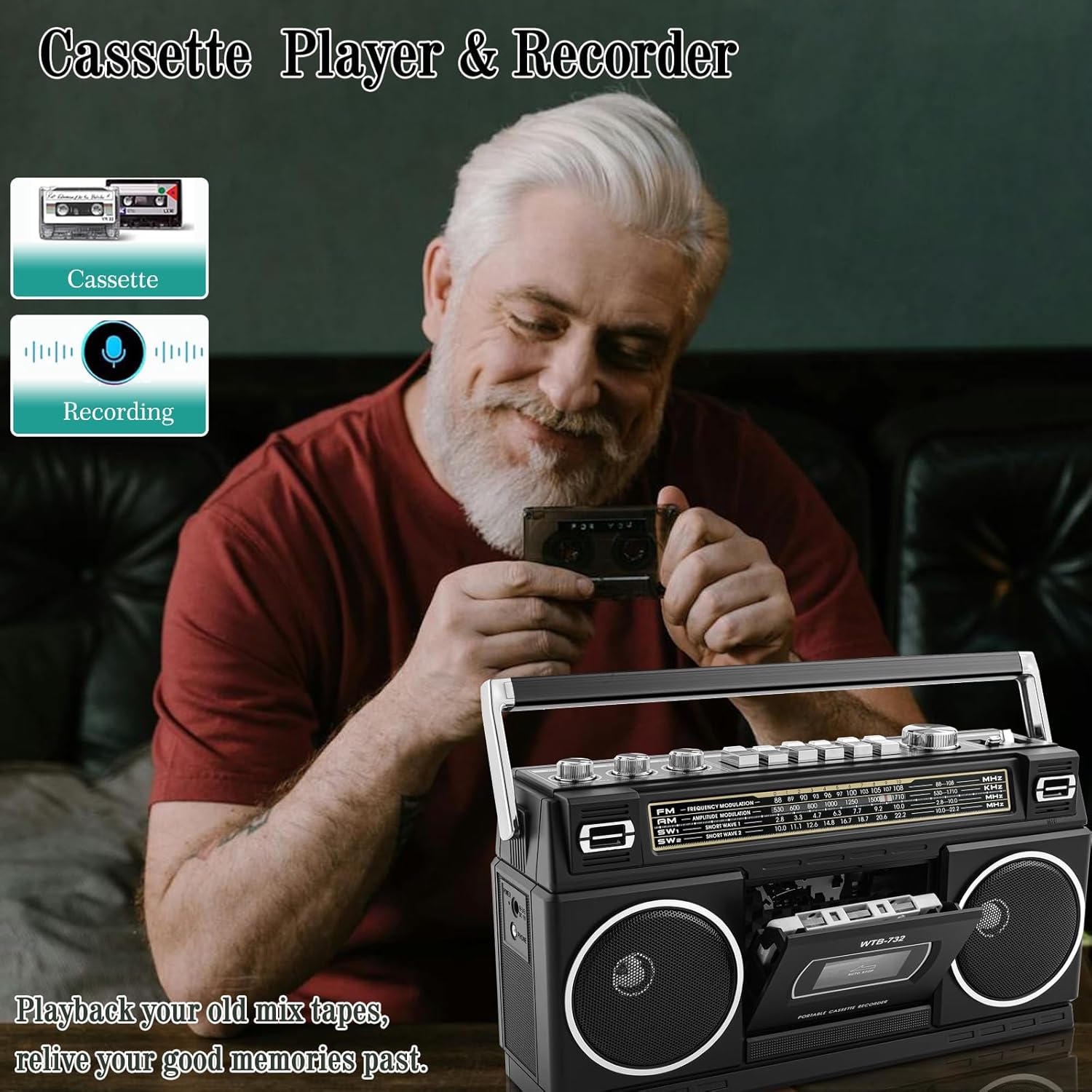
Image: The boombox with a cassette tape inserted, illustrating its cassette playback and recording capabilities.
Bluetooth Playback
- Set the FUNCTION selector to 'BT' (Bluetooth). The unit will enter pairing mode, indicated by a flashing LED.
- On your mobile device, enable Bluetooth and search for available devices. Select 'WTB-732' to pair.
- Once paired, you can stream audio from your device to the boombox.
- Note: This boombox supports Bluetooth reception only and cannot transmit audio to Bluetooth headphones or speakers.

Image: The boombox connected wirelessly to a smartphone via Bluetooth, demonstrating its audio streaming capability.
USB/Micro SD Playback
- Set the FUNCTION selector to 'MP3'.
- Insert a USB flash drive into the USB port or a Micro SD (TF) card into the TF slot. The unit will automatically begin playing compatible MP3/WMA files.
- Use the playback controls (e.g., Play/Pause, Next/Previous track) if available on the unit or connected device.
Recording to USB
The boombox can convert audio from various sources to MP3 files on a USB drive.
- Insert a USB drive (formatted to FAT32, up to 64GB) into the USB port.
- Select the desired audio source (RADIO, TAPE, or BT).
- Press the REC button. The unit will begin recording the audio source to the USB drive as an MP3 file.
- Press STOP/EJECT to end the recording.

Image: A diagram illustrating the conversion process from cassette tape to USB-MP3 music, and from radio/voice/Bluetooth music to tape or USB.
Tone Control
Use the BASS and TREBLE knobs on the front panel to adjust the audio output to your listening preference.
Headphone Use
Connect standard 3.5mm headphones (not included) to the PHONE jack on the side of the unit for private listening.

Image: The boombox with headphones connected, indicating the private listening option.
Maintenance
- Cleaning: Wipe the unit with a soft, dry cloth. Do not use abrasive cleaners or solvents.
- Cassette Deck Care: Regularly clean the cassette head, pinch roller, and capstan with a cotton swab lightly dampened with isopropyl alcohol to ensure optimal sound quality and prevent tape damage.
- Battery Replacement: If using disposable batteries, replace all batteries at the same time. Do not mix old and new batteries or different types of batteries. Remove batteries if the unit will not be used for an extended period.
- Storage: Store the unit in a cool, dry place away from direct sunlight and extreme temperatures.
Troubleshooting
| Problem | Possible Cause | Solution |
|---|---|---|
| No power | Power cord not connected; Batteries depleted or incorrectly inserted. | Ensure AC cord is securely plugged in. Check battery polarity and replace if necessary. |
| No sound | Volume too low; Headphones connected; Incorrect function mode selected. | Increase volume. Disconnect headphones. Select the correct FUNCTION mode. |
| Poor radio reception | Antenna not extended; Weak signal; Interference. | Fully extend the telescopic antenna. Rotate the unit for better AM reception. Move away from sources of interference. |
| Cassette not playing/recording | Tape incorrectly inserted; Tape damaged; Cassette deck dirty. | Ensure tape is inserted correctly. Try a different tape. Clean the cassette head and pinch roller. |
| Bluetooth not connecting | Boombox not in BT mode; Device not in pairing mode; Already connected to another device. | Set FUNCTION to 'BT'. Ensure your device's Bluetooth is on and searching. Disconnect from other Bluetooth devices. |
Specifications
- Model Number: WTB-732
- Brand: WISCENT
- Product Dimensions (L x W x H): 10 x 3.94 x 3.15 inches (25.4 x 10 x 8 cm)
- Item Weight: 4 pounds (1.81 kg)
- Connectivity Technology: Bluetooth, USB
- Speaker Type: Stereo
- Power Source: AC 120V 60Hz (cord included), DC 9V (adapter not included), 6 x UM-1 batteries (not included) or 2 x 18650 rechargeable batteries (not included)
- Radio Frequencies: AM: 530-1600KHz, FM: 87-108MHz, SW1: 2.8-10.1MHz, SW2: 9.9-22.1MHz
- USB/Micro SD Support: Up to 64GB, FAT32 format, MP3/WMA files

Image: The boombox with its dimensions (12.9in x 4.1in x 7.1in) and a depiction of the included AC cable and user manual.
Warranty and Support
For warranty information or technical support, please refer to the contact details provided with your purchase documentation or visit the official WISCENT website. Keep your proof of purchase for any warranty claims.