
1. Introduction
This manual provides essential information for the proper use and maintenance of your Logic B10L 4G Bar Phone. Please read it carefully to ensure optimal performance and longevity of your device. The Logic B10L is designed for reliable communication with modern 4G connectivity, a user-friendly interface, and essential features.
2. Package Contents
Verify that all items are present in your product package:
- Logic B10L 4G Bar Phone
- 1800mAh Li-ion Battery
- Power Adapter
- User Manual (this document)
3. Phone Layout and Components
Familiarize yourself with the physical components of your Logic B10L phone.

Image 3.1: Front and back view of the Logic B10L 4G Bar Phone. The front displays the 2.4-inch LCD screen and alphanumeric keypad. The back shows the VGA camera with flash and the Logic B10L branding.
- 2.4-inch Curved LCD Display: Main screen for viewing information.
- Alphanumeric Keypad: For dialing numbers and text input.
- Navigation Key (D-pad): For menu navigation.
- Call/End Keys: To initiate and end calls.
- VGA Camera with Flash: Located on the rear for capturing photos.
- Micro USB Port: For charging and data transfer.
- 3.5mm Audio Jack: For headphones.
- Torchlight: Integrated flashlight, accessible via a dedicated key.
4. Setup
4.1. Battery Installation
- Remove the back cover of the phone by gently prying it from the designated notch.
- Align the 1800mAh Li-ion battery with the contacts inside the battery compartment.
- Press the battery down until it is securely in place.
- Replace the back cover, ensuring it clicks into position.
4.2. SIM Card Installation
The Logic B10L supports Dual Nano SIM cards.
- With the back cover and battery removed, locate the SIM card slots.
- Insert your Nano SIM card(s) into the designated slot(s) with the gold contacts facing down, following the orientation indicated on the phone.
- Ensure the SIM card(s) are fully seated.
4.3. MicroSD Card Installation (Optional)
You can expand the phone's storage up to 32GB using a MicroSD card.
- With the back cover and battery removed, locate the MicroSD card slot.
- Insert the MicroSD card into the slot with the gold contacts facing down, following the indicated orientation.
- Gently push until it clicks into place.
4.4. Charging the Battery
- Connect the Micro USB end of the power adapter to the Micro USB port on your phone.
- Plug the other end of the power adapter into a wall outlet.
- The battery indicator on the screen will show charging status.
- Once fully charged, disconnect the charger.
5. Operating Instructions
5.1. Power On/Off
- To Power On: Press and hold the End Call/Power key until the screen lights up.
- To Power Off: Press and hold the End Call/Power key until the power-off options appear, then select 'Power Off'.
5.2. Basic Navigation
Use the navigation key (D-pad) to move through menus and options. The center key typically acts as a selection button.
5.3. Making Calls
- From the home screen, use the keypad to dial the desired phone number.
- Press the Call key to initiate the call.
- To end a call, press the End Call key.
5.4. Sending Messages
- Navigate to the 'Messages' menu.
- Select 'New Message' or 'Create Message'.
- Enter the recipient's number or select from contacts.
- Type your message using the alphanumeric keypad.
- Press 'Send'.
5.5. Camera Usage
The Logic B10L features a VGA camera with flash for capturing photos.
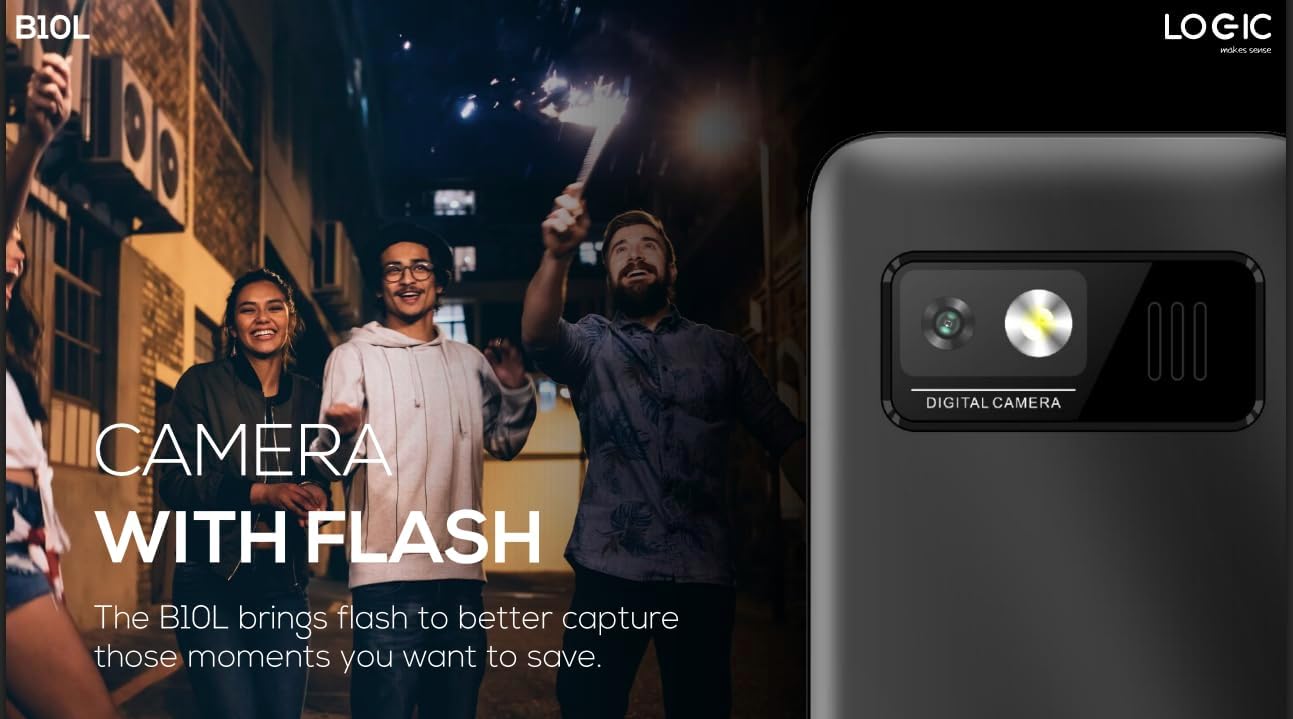
Image 5.1: Rear view of the Logic B10L phone, highlighting the VGA camera and flash module. This feature allows for capturing images even in low-light conditions.
- Navigate to the 'Camera' application from the main menu.
- Frame your shot using the screen as a viewfinder.
- Press the designated 'Capture' or 'OK' key to take a photo.
- Photos are saved to the phone's memory or MicroSD card.
5.6. Wireless FM Radio
Enjoy your favorite radio stations without needing headphones.
- Go to the 'FM Radio' application in the menu.
- Use the navigation keys to scan for available stations.
- Select a station to listen.
5.7. Torchlight
The phone includes a direct access key for the torchlight function.

Image 5.2: Side profile of the Logic B10L phone, illustrating the dedicated direct access key for activating the built-in torchlight. This provides quick illumination.
- Press the dedicated torchlight key on the side of the phone to turn the flashlight on or off.
5.8. Bluetooth Connectivity
Connect your phone to other Bluetooth-enabled devices.
- Go to 'Settings' and then 'Bluetooth'.
- Turn Bluetooth 'On'.
- Search for available devices and select the one you wish to pair with.
- Enter the passkey if prompted.
5.9. 4G LTE and VoLTE
The Logic B10L supports 4G LTE for faster data speeds and VoLTE for clearer voice calls.

Image 5.3: The Logic B10L phone screen showing the 'VoLTE' logo, indicating support for Voice over LTE for enhanced call quality and simultaneous voice and data usage.
- Ensure your SIM card and network provider support 4G LTE and VoLTE services.
- These features are typically enabled by default when available.
5.10. Curved LCD Display
The phone features a 2.4-inch curved LCD screen for clear visuals.
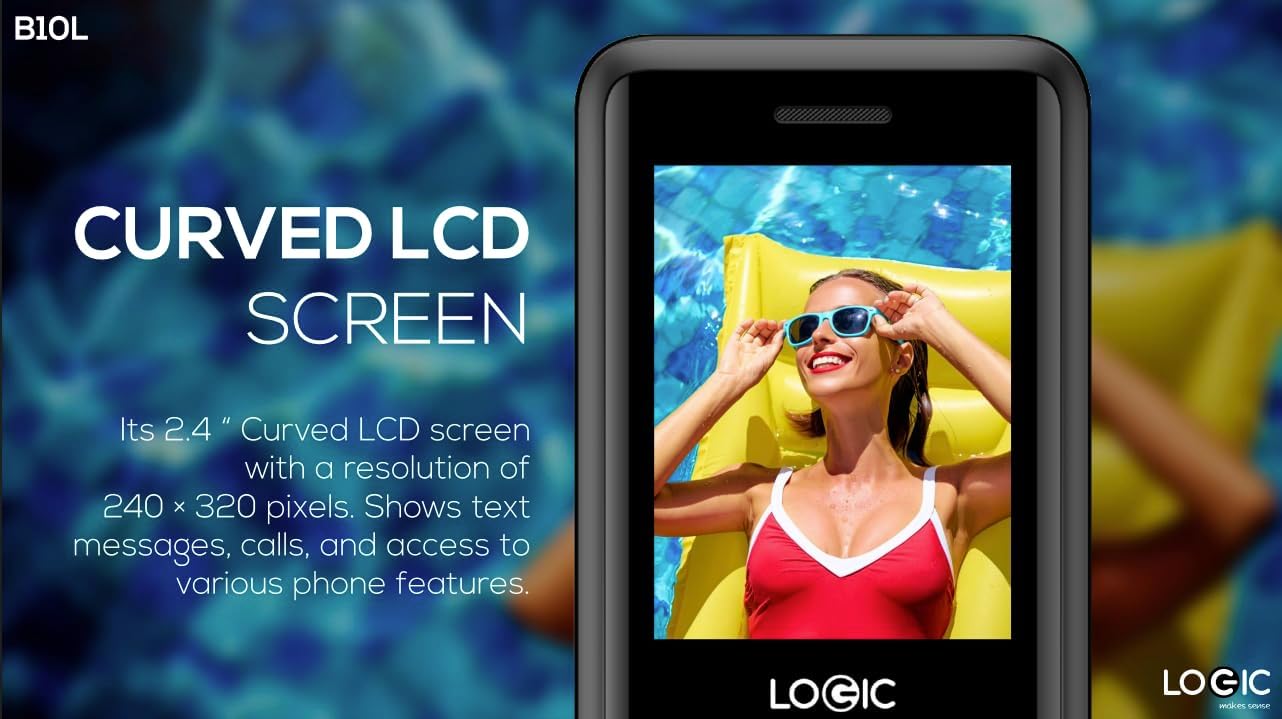
Image 5.4: Close-up of the Logic B10L's 2.4-inch curved LCD screen, displaying a colorful image. The curved design enhances viewing comfort and aesthetics.
6. Maintenance
6.1. Cleaning Your Phone
- Use a soft, dry, lint-free cloth to clean the phone's screen and body.
- Avoid using harsh chemicals, cleaning solvents, or abrasive materials.
6.2. Battery Care
- Do not expose the battery to extreme temperatures.
- Avoid fully discharging the battery frequently.
- If the phone will not be used for an extended period, charge the battery to about 50% before storing it.
6.3. Storage
- Store the phone in a cool, dry place away from direct sunlight and moisture.
- Keep out of reach of children and pets.
7. Troubleshooting
This section addresses common issues you might encounter with your Logic B10L phone.
| Problem | Possible Solution |
|---|---|
| Phone does not turn on | Ensure the battery is correctly installed and charged. Connect the charger and try again. |
| Cannot make or receive calls | Check if the SIM card is properly inserted. Verify network signal strength. Contact your service provider. |
| Battery not charging | Ensure the charger is correctly connected to the phone and a working power outlet. Try a different charger or cable if available. |
| Poor call quality | Move to an area with better network coverage. Check for obstructions around the phone's antenna. |
| MicroSD card not detected | Ensure the MicroSD card is correctly inserted. Try reinserting it or using a different card to check for card malfunction. |
8. Specifications
Detailed technical specifications for the Logic B10L 4G Bar Phone.
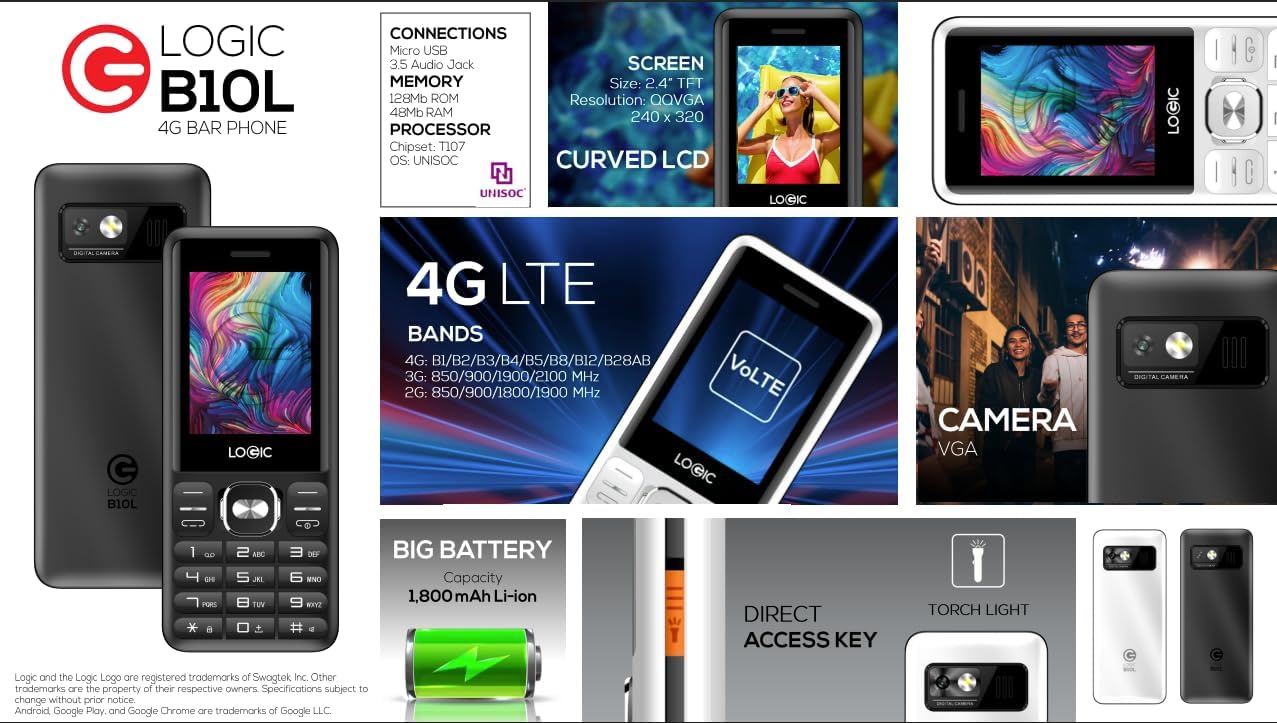
Image 8.1: A visual summary of the Logic B10L's key features and specifications, including screen size, memory, processor, 4G LTE bands, battery capacity, and direct access torchlight.
- Model Name: B10L
- Item Model Number: LO-27B10L90-C
- Operating System: Nucleus OS
- Cellular Technology: 4G LTE, VoLTE
- Wireless Carrier: Unlocked
- Display: 2.4-inch Curved LCD (240x320 resolution)
- Camera: VGA Rear Camera with Flash
- Battery: 1800mAh Li-ion (3.7 Volts)
- RAM Memory: 48 MB
- Internal Storage: 0.13 GB (expandable up to 32GB via MicroSD)
- SIM Support: Dual Nano SIM
- Connectivity: Bluetooth, Micro USB, 3.5mm Audio Jack
- Special Features: Wireless FM Radio, Direct Access Torchlight
- Form Factor: Bar Phone
- Item Weight: 7 ounces
- Package Dimensions: 5.67 x 2.8 x 2.44 inches
9. Warranty and Support
For warranty information and technical support, please refer to the warranty card included in your package or visit the official Logic website. Keep your purchase receipt as proof of purchase.
If you encounter issues not covered in this manual, please contact Logic customer support for assistance.


