
Introduction
This manual provides comprehensive instructions for the Wildgame Innovations Terra XT 2.0 Cellular Trail Camera. It covers essential information for setup, operation, maintenance, and troubleshooting to ensure optimal performance of your device. The Terra XT 2.0 is designed to capture high-resolution images and videos, offering reliable monitoring for various outdoor applications.
What's in the Box
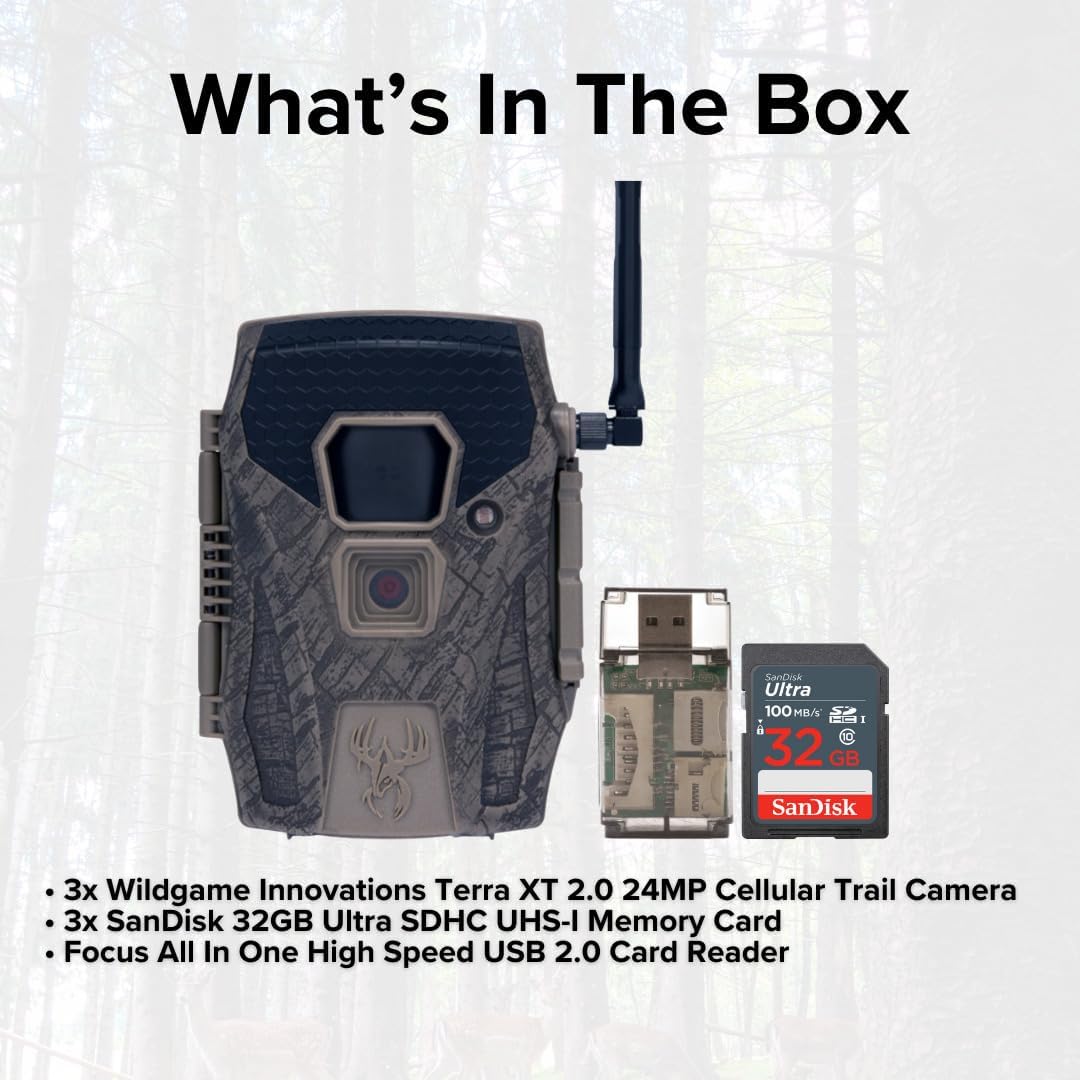
Image: Contents of the Wildgame Innovations Terra XT 2.0 bundle, showing three trail cameras, three SanDisk 32GB SD cards, and an all-in-one card reader.
- 3x Wildgame Innovations Terra XT 2.0 24MP Cellular Trail Camera
- 3x SanDisk 32GB Ultra SDHC UHS-I Memory Card (100MBps)
- 1x All-in-One High-Speed Card Reader
Setup
1. Battery Installation
The Terra XT 2.0 camera requires 8 AA batteries (not included). Ensure batteries are inserted with correct polarity as indicated inside the battery compartment. For optimal performance, use high-quality alkaline or lithium batteries.
2. SD Card Insertion
Insert the provided 32GB Ultra SDHC UHS-I Memory Card into the SD card slot. Ensure the card is fully seated. It is recommended to format the SD card using the camera's menu before first use to prevent potential issues.
3. Initial Power On and Settings
Power on the camera. Use the navigation buttons to set the current date, time, and preferred operating mode (photo, video, or photo+video). Refer to the on-screen menu for detailed options such as trigger speed, photo burst, and time-out delays.
4. App Compatibility (Huntsmart App)
The Terra XT 2.0 is compatible with the Huntsmart App. Download the app from your device's app store. Follow the in-app instructions to connect your camera and manage settings, view photos, and monitor camera status remotely. The camera utilizes cellular network coverage (Verizon & AT&T) for data transmission.

Image: A Wildgame Innovations Terra XT 2.0 Cellular Trail Camera securely mounted to a tree in a wooded environment.
Operating Instructions
Capture Modes
- Photo Mode: Captures still images at 24MP resolution.
- Video Mode: Records 720P video.
- Photo + Video Mode: Captures a still image followed by a video clip.
Key Features
- Fast Trigger Speed: 0.5-second trigger ensures quick capture of moving subjects.
- Customizable Time-Out Delay: Adjust the delay between triggers from 2-59 seconds or 1-59 minutes.
- Photo Burst: Capture 1-3 photos per trigger event.
- Long-Range Detection: 80-foot detection and flash range for comprehensive coverage.
- Night Vision: Equipped with infrared illumination for clear night footage.

Image: Graphic detailing key features of the Terra XT 2.0, such as 24MP resolution, 0.45s trigger speed, 80ft flash range, 720p video recording, and compatibility with the Huntstand App.
Maintenance
- Cleaning: Use a soft, dry cloth to clean the camera lens and housing. Avoid abrasive cleaners or solvents.
- Battery Replacement: Replace batteries when the low battery indicator appears or when performance degrades.
- SD Card Management: Regularly check and format or replace SD cards to ensure sufficient storage and prevent data corruption.
- Firmware Updates: Check the Wildgame Innovations website for any available firmware updates to improve camera performance and features.
Troubleshooting
- Camera Not Powering On: Check battery installation and ensure batteries are fresh.
- No Images/Videos Captured: Verify SD card is inserted correctly and has sufficient space. Check motion sensor settings and range.
- Poor Image Quality: Ensure the lens is clean. Check camera placement for obstructions.
- Cellular Transmission Issues: Verify cellular signal strength in the camera's location. Check your Huntsmart App subscription status and settings.
Specifications
| Feature | Specification |
|---|---|
| Photo Resolution | 24MP |
| Video Resolution | 720P |
| Trigger Speed | 0.5 seconds |
| Detection & Flash Range | 80 feet |
| Burst Mode | 1-3 photos per trigger |
| Power Source | 8 AA batteries (not included), 12V DC auxiliary jack |
| App Compatibility | Huntsmart App |
| Product Dimensions | 14.4 x 12.5 x 4.9 inches |
| Item Weight | 3.94 pounds |
| Model Number | FC-CR1_K2255 |
Warranty and Support
For warranty information and technical support, please refer to the official Wildgame Innovations website or contact their customer service directly. Keep your purchase receipt as proof of purchase for any warranty claims.
Manufacturer: GSM Outdoors


