
Important Safety Information
Always assemble the chair according to the instructions provided. Do not exceed the maximum weight capacity of 275 lbs. Regularly inspect the chair for any signs of wear or damage. Tighten any loose parts immediately to prevent accidents.
Product Overview
The WorkPro 12000 V2 Series Ergonomic Mesh/Fabric High-Back Office Chair is designed to provide comfort and adaptive support. It features intuitive controls for personalized comfort and a design that supports various postures. Crafted with high-tech materials, it offers durability, style, and breathable mesh for cool comfort.
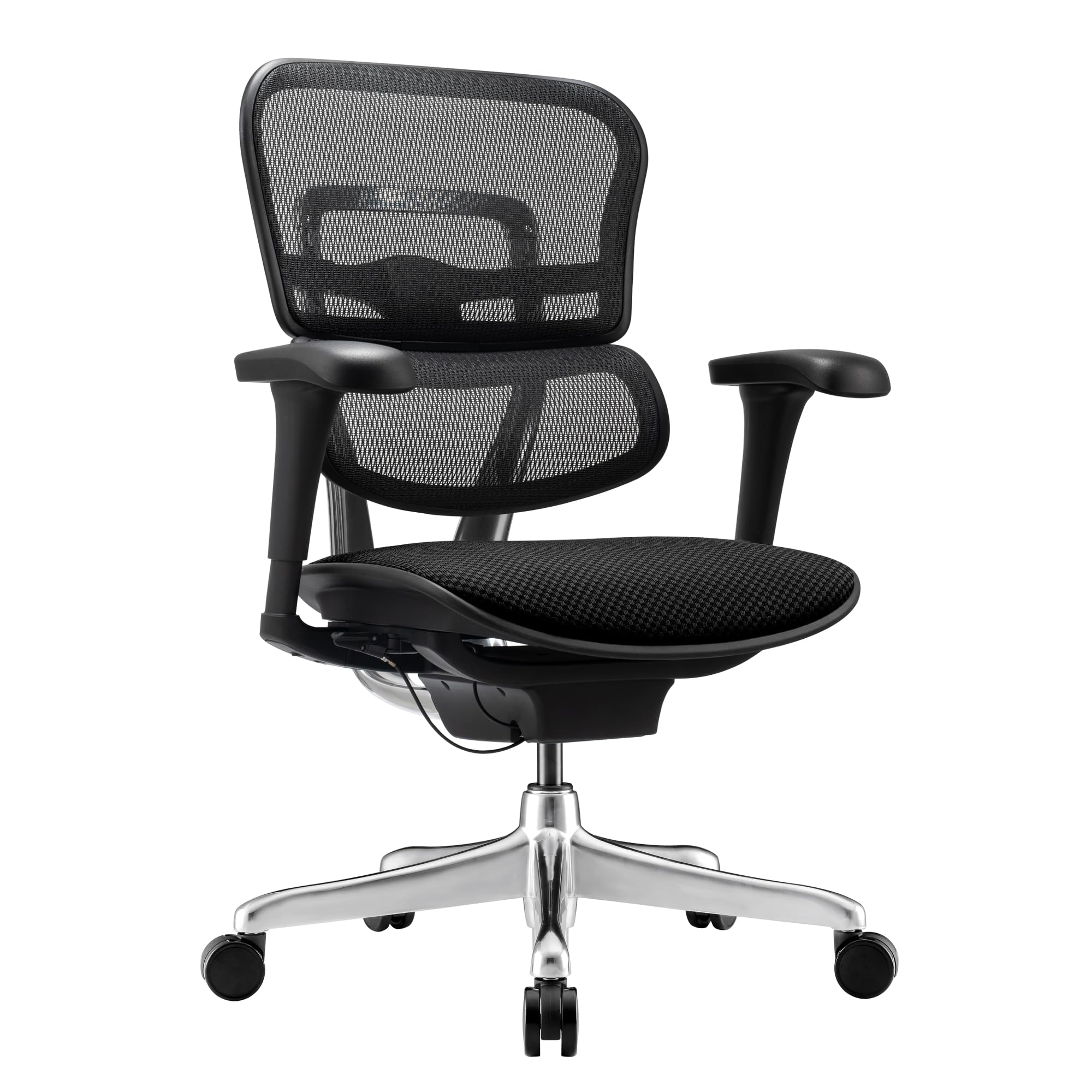
Image: The WorkPro 12000 V2 Series Ergonomic Mesh/Fabric High-Back Office Chair positioned at a desk in an office environment.
Key Features:
- Single lever control for adjusting seat height, seat depth, and tilt lock.
- Pneumatic 1-touch seat height adjustments.
- Advanced weight balance: synchro-tilt mechanism that auto-adjusts to different weights.
- Plush, large, 3D armrests with height, front/back, and 68° pivoting adjustments.
- Backrest with 138° recline angle with 5 tilt locking positions, plus 6 height locking positions and tilt-tension control.
- Dynamic lumbar panel provides continuous lower back support featuring auto-adjust for forward-and-back, side-to-side that follows your movements, and an adjustable back height feature.
- Support zones on the back and seat engineered through advanced robotic manufacturing to offer tailored tension and varying firmness.
- High-tech FPC (Functional Polymeric Composite) non-petroleum material frame for durability.
- Polished aluminum back frame & base.
- 65mm multi-surface mute casters with silencer gasket.
Product Dimensions
Understanding the dimensions of your chair is crucial for proper placement and comfort. The overall dimensions are 28"D x 25"W x 45.6"H. The seat width is 20.4", seat depth is 16.5", and the overall height range is 39.39" to 44.29". The base measures 26.1" in width.
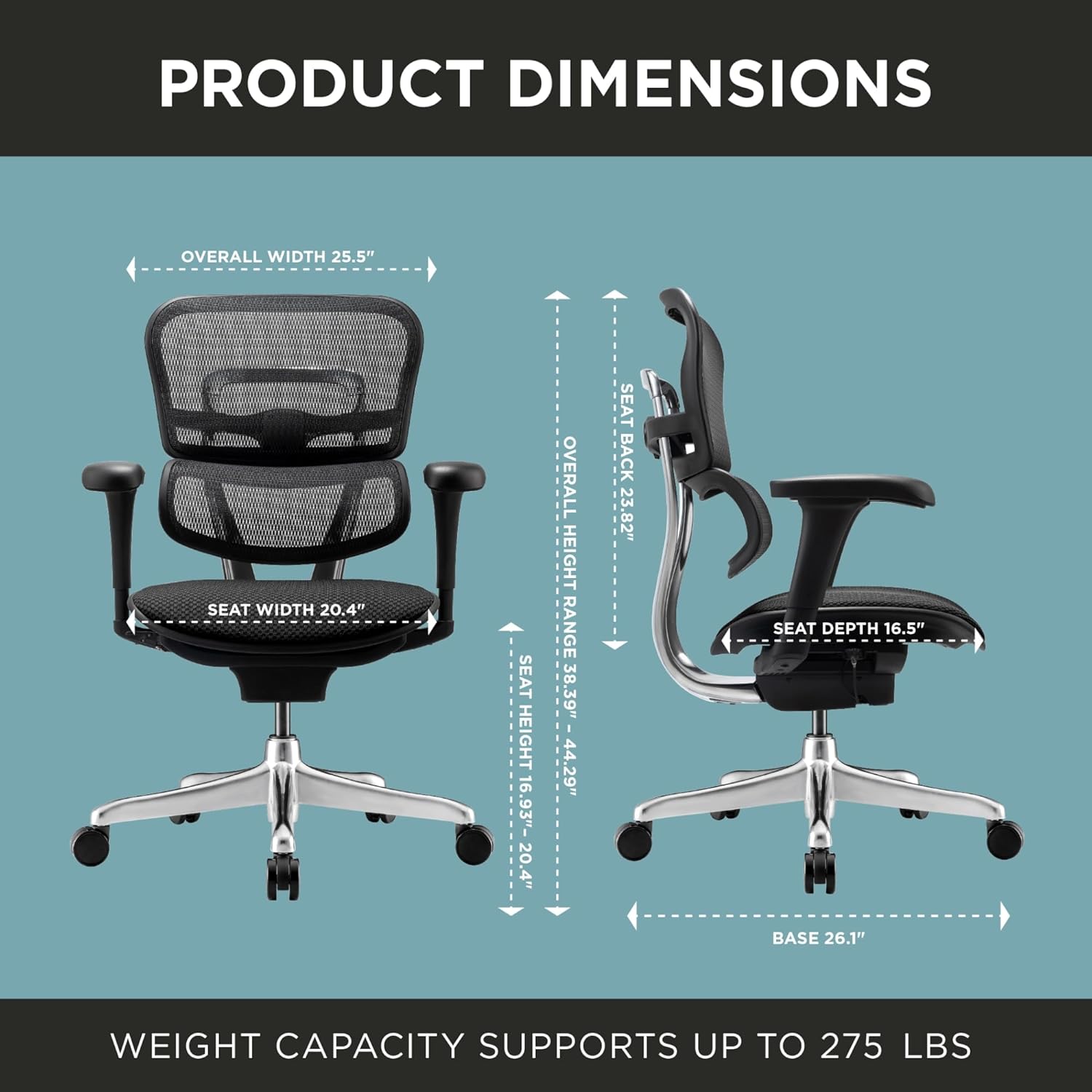
Image: A detailed diagram illustrating the various dimensions of the WorkPro 12000 V2 Series chair, including overall width, seat width, seat back height, overall height range, seat height range, seat depth, and base width. The diagram also indicates a weight capacity of up to 275 lbs.
Setup Instructions
Assembly is required for this chair. Please follow the detailed instructions provided in the packaging to ensure correct and safe setup. The general steps involve attaching the arm pads, cushion, and casters to the chair base and frame. Ensure all connections are secure before use.
Operating Instructions
The WorkPro 12000 V2 Series chair offers multiple adjustment points to customize your seating experience for optimal comfort and support.
Seat Height, Depth, and Tilt Lock:
Utilize the single lever control located beneath the seat to adjust the seat height, seat depth, and to lock or unlock the tilt mechanism. For pneumatic 1-touch seat height adjustments, simply lift the lever while seated to lower, or lift the lever while standing to raise the seat. To adjust seat depth, pull the lever and slide the seat forward or backward. To engage or disengage the tilt lock, operate the same lever.

Image: A close-up view of the single lever control mechanism located underneath the chair's seat, used for various adjustments.
Armrest Adjustments:
The 3D armrests can be adjusted for height, front/back position, and pivot up to 68 degrees. Look for buttons or levers on the armrest supports to unlock and make these adjustments. Press the button to raise or lower the armrest, slide the armrest pad forward or backward, or rotate it to your desired angle.

Image: A detailed view of the chair's 3D adjustable armrests, highlighting their design and potential for multi-directional movement.
Backrest and Lumbar Support:
The backrest offers a 138° recline angle with 5 tilt locking positions and 6 height locking positions. Adjust the tilt-tension control to suit your preference. The dynamic lumbar panel provides continuous lower back support, automatically adjusting to your movements (forward/back, side-to-side) and featuring an adjustable back height.
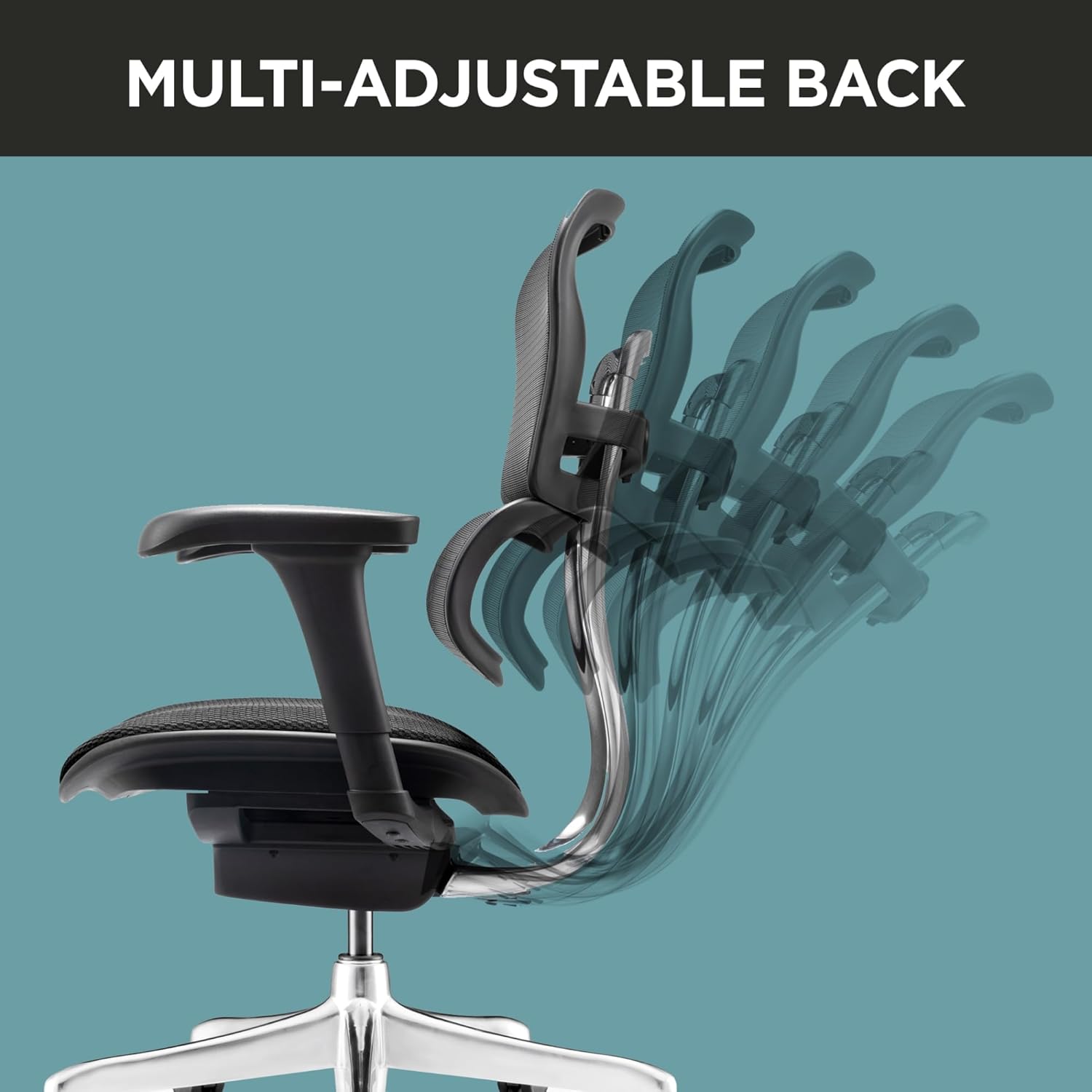
Image: A visual representation of the chair's multi-adjustable back, showing its range of motion and various positions it can be set to.

Image: A close-up of the dynamic lumbar panel integrated into the mesh backrest, designed to provide flexible lower back support.
Casters:
The chair is equipped with 65mm multi-surface mute casters that include a silencer gasket for quiet and smooth mobility across various floor types.

Image: A detailed shot of one of the chair's quiet casters, highlighting its design for smooth and silent movement.
Maintenance
To ensure the longevity and optimal performance of your WorkPro chair, regular maintenance is recommended:
- Cleaning: For mesh and fabric surfaces, use a soft brush or vacuum cleaner to remove dust and debris. For spills, gently blot with a clean, damp cloth and mild soap, then wipe with a clean, dry cloth. Avoid harsh chemicals.
- Frame and Base: Wipe the polished aluminum frame and base with a soft, dry cloth. For stubborn marks, a slightly damp cloth can be used.
- Casters: Periodically check casters for hair or debris accumulation and clean as needed to maintain smooth rolling.
- Fasteners: Every six months, check all screws and bolts to ensure they are tight. Re-tighten if necessary to prevent wobbling or instability.
Troubleshooting
If you encounter any issues with your chair, please refer to the following common troubleshooting tips:
- Backrest Does Not Stay in Place: If the adjustable backrest does not maintain its position, ensure the tilt lock mechanism is fully engaged. Check the tilt-tension control to ensure it is set appropriately for your weight and desired recline. If the issue persists, inspect the locking levers for any obstructions or damage.
- Difficulty Adjusting Height: Ensure no weight is on the seat when attempting to raise it. If lowering, ensure you are seated and apply gentle pressure. Check the pneumatic cylinder for any signs of damage or leakage.
- Chair Wobbles: Verify that all assembly screws and bolts are securely tightened. Ensure the chair is on a flat, even surface.
- Casters Not Rolling Smoothly: Inspect casters for any trapped debris, hair, or lint. Clean them thoroughly. If a caster is damaged, it may need replacement.
For issues not covered here, please contact customer support.
Specifications
| Feature | Detail |
|---|---|
| Brand | WorkPro |
| Model Number | 12000 V2 Series |
| Color | Black |
| Product Dimensions | 28"D x 25"W x 45.6"H |
| Maximum Weight Recommendation | 275 Pounds |
| Back Style | Mesh Back |
| Material | Mesh, Foam |
| Arm Style | Rounded, 3D Adjustable |
| Reclining Position Count | 5 |
| Item Weight | 58.8 pounds |
| UPC | 735854694258 |
Warranty and Support
Warranty Information:
The WorkPro 12000 V2 Series Ergonomic Mesh/Fabric High-Back Office Chair is backed by the manufacturer's limited lifetime warranty. For specific details regarding coverage and terms, please refer to the warranty documentation included with your product or contact WorkPro customer service.
Customer Support:
For assistance with assembly, operation, troubleshooting, or warranty claims, please contact WorkPro customer support. You may find contact information on the product packaging or the official WorkPro website.
