
1. Introduction
Thank you for choosing the JAUYXIAN 80W-55 Portable Bluetooth Karaoke Speaker. This device is designed to provide high-quality audio and an enjoyable karaoke experience with its advanced features, including a 6.5" woofer, 2" tweeter, wireless microphones, and versatile connectivity options. This manual will guide you through the setup, operation, and maintenance of your new karaoke machine.
2. Package Contents
Please ensure all items are present in the package:
- 1 x Karaoke Machine with 6.5" Stage Subwoofers & 2" Crystal Tweeter
- 2 x Studio-grade Wireless Microphones
- 1 x Type-C Cable
- 1 x AUX Cable
- 1 x Shoulder Strap
- 1 x Remote Control
- 1 x User Manual

Figure 2.1: All components included in the JAUYXIAN 80W-55 package.
3. Product Features
- Ultra-high-definition Stereo Sound: Equipped with a 6.5" subwoofer and 2" tweeter for clear, powerful, and balanced audio.
- Multi-function Connectivity: Features Bluetooth 5.3 for stable wireless transmission, Micro TF card, USB flash drive, AUX input, and 6.35mm microphone input.
- Portable Design: Durable construction with a shoulder strap and a 6000mAh rechargeable battery offering up to 24 hours of music playback.
- Dynamic Lighting: Integrated LED disco lights with 7 distinct modes to enhance the atmosphere.
- TWS Mode: Allows pairing two identical speakers for synchronized stereo sound.
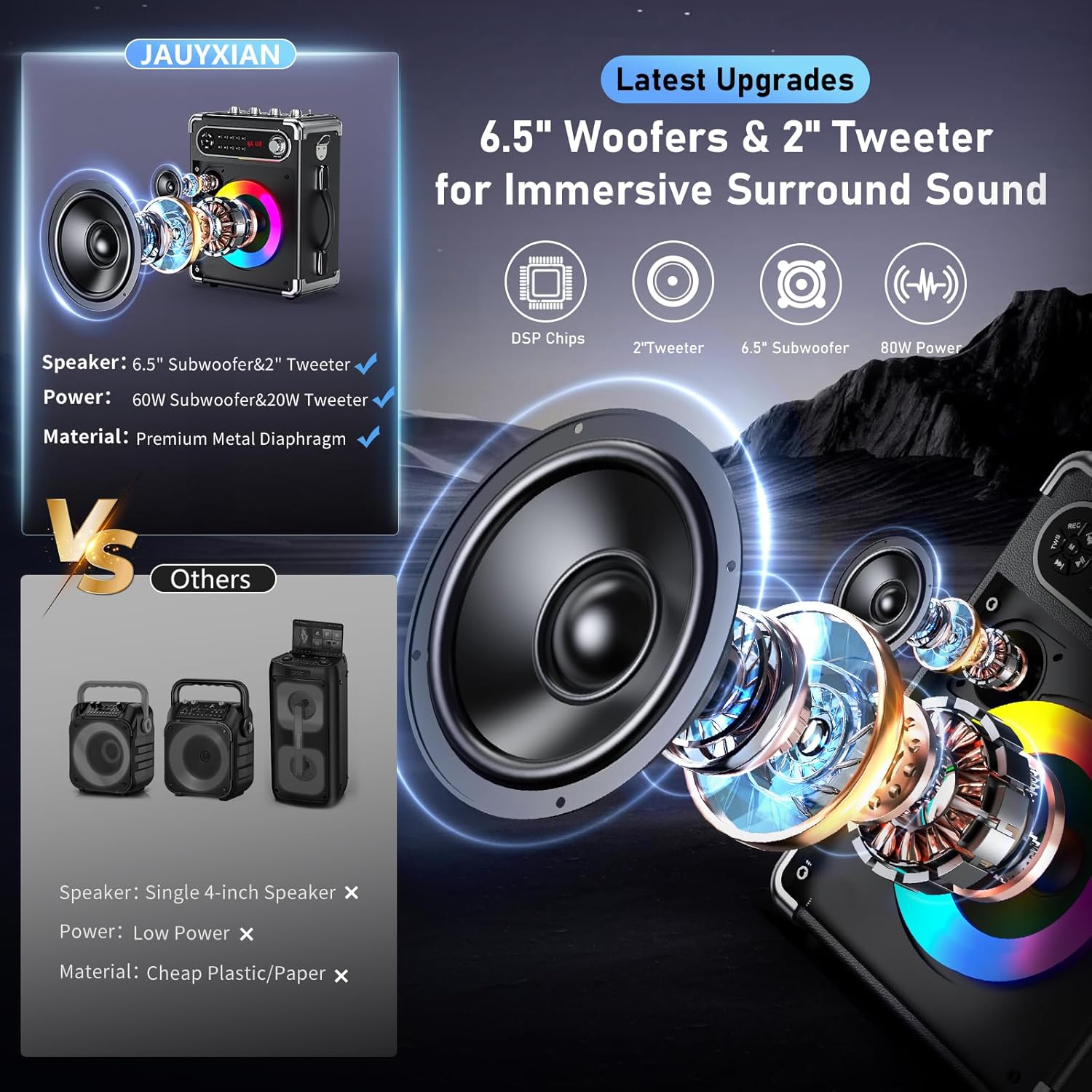
Figure 3.1: Internal speaker components for enhanced sound quality.
4. Setup
4.1 Initial Charging
Before first use, fully charge the karaoke machine using the provided Type-C cable. The power indicator light will show charging status.
4.2 Microphone Battery Installation
The wireless microphones require AA batteries (not included). Unscrew the bottom part of each microphone to insert the batteries, ensuring correct polarity.
4.3 Attaching the Shoulder Strap
Attach the provided shoulder strap to the designated hooks on the sides of the karaoke machine for easy portability.

Figure 4.1: The karaoke machine with its shoulder strap and tablet holder.
5. Operating Instructions
5.1 Power On/Off
Locate the power button on the control panel. Press and hold to turn the unit on or off.
5.2 Bluetooth Pairing
- Turn on the karaoke machine. It will automatically enter Bluetooth pairing mode, indicated by a 'BLUE' display.
- Activate Bluetooth on your smartphone, tablet, or other device.
- Search for 'JAUYXIAN 80W-55' (or similar model name) in your device's Bluetooth list and select it to pair.
- A confirmation sound will indicate successful pairing.

Figure 5.1: Bluetooth pairing for stable audio streaming.
5.3 Microphone Usage
Turn on each wireless microphone by pressing and holding its power button. The microphones will automatically connect to the karaoke machine. Adjust microphone volume using the 'MIC VOL' knob on the machine or the +/- buttons on the microphone itself.
5.4 Sound Adjustments
Use the dedicated knobs on the control panel to fine-tune your audio:
- MIC VOL: Adjusts the volume of the microphones.
- ECHO: Controls the echo effect for vocals.
- BASS: Adjusts the low-frequency sound output.
- TREBLE: Adjusts the high-frequency sound output.

Figure 5.2: Quick adjustment controls for personalized sound.
5.5 Light Modes
The karaoke machine features colorful LED disco lights. Use the dedicated LED button/switch on the control panel to cycle through 7 different light modes or turn them off.

Figure 5.3: Seven dynamic party light modes.
5.6 TWS (True Wireless Stereo) Mode
To achieve immersive stereo sound, you can pair two identical JAUYXIAN karaoke machines:
- Ensure both speakers are powered on and not connected to any Bluetooth device.
- Press the 'TWS' button on one of the speakers. It will indicate TWS pairing mode.
- The two speakers will automatically connect to each other. A confirmation sound will be heard.
- Now, connect your Bluetooth device to the primary speaker (the one you pressed TWS on). Audio will play through both speakers in stereo.

Figure 5.4: TWS function for true wireless stereo sound.
5.7 Other Input Modes
The machine supports various input sources:
- USB/TF Card: Insert a USB flash drive or TF card into the respective slots. The machine will automatically detect and play audio files.
- AUX Input: Connect an external audio device (e.g., MP3 player, computer) using the provided AUX cable to the 'AUX IN' port.
- 6.35mm Microphone Input: An additional 6.35mm input is available for connecting wired microphones or instruments like guitars.
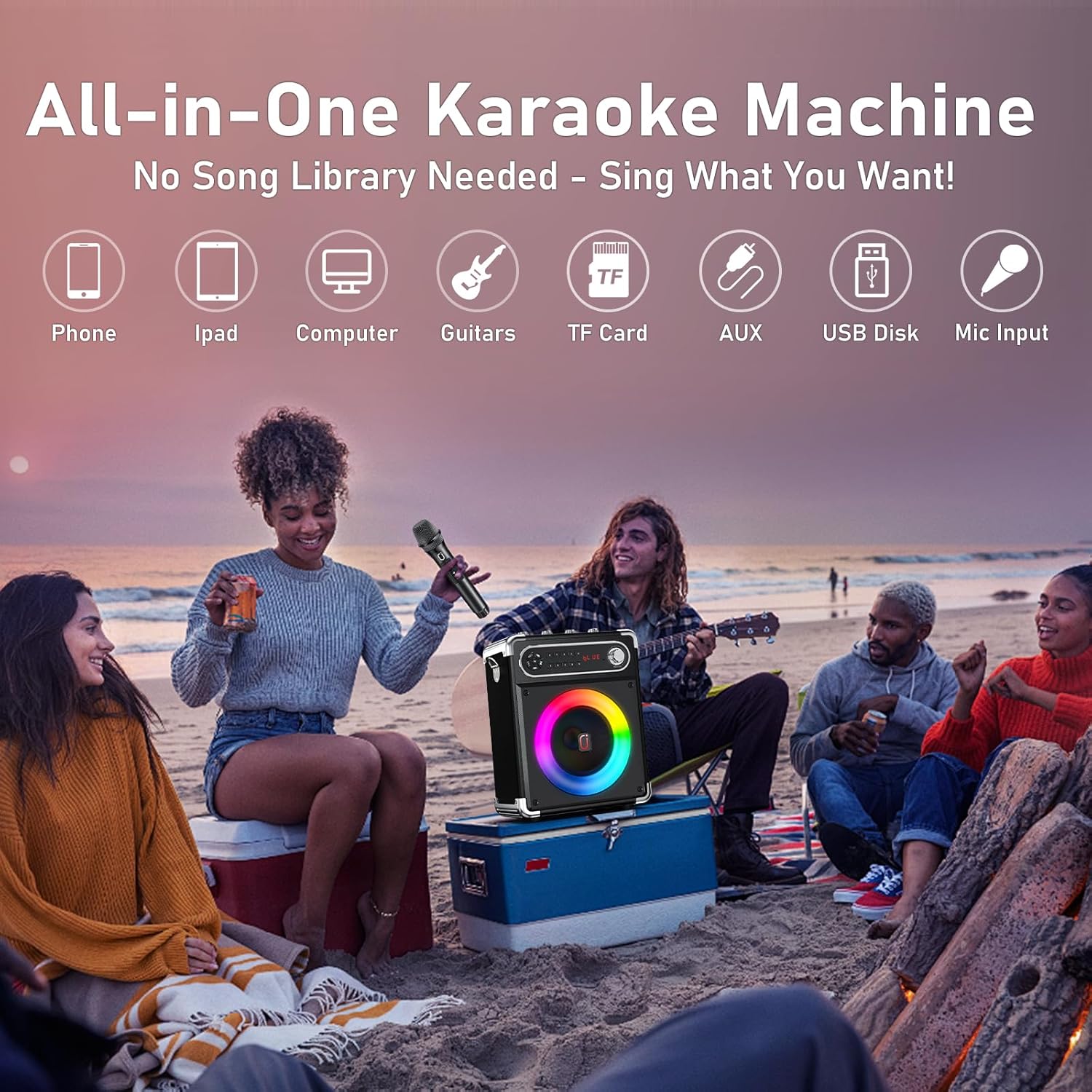
Figure 5.5: Versatile input options for various audio sources.
6. Maintenance
- Keep the device dry and clean. Avoid exposure to water or excessive moisture.
- Clean the surface with a soft, dry cloth. Do not use harsh chemicals or abrasive cleaners.
- Store the device in a cool, dry place when not in use.
- For optimal battery life, charge the device regularly, even if not used frequently.
7. Troubleshooting
| Problem | Possible Cause | Solution |
|---|---|---|
| No power | Battery drained | Charge the karaoke machine fully. |
| No sound from speaker | Volume too low; Incorrect input mode; Device not paired | Increase master volume; Select correct input mode (Bluetooth, AUX, USB/TF); Re-pair Bluetooth device. |
| No sound from microphone | Microphone off; Low microphone battery; MIC VOL too low | Turn on microphone; Replace batteries; Increase MIC VOL. |
| Bluetooth connection unstable | Device too far; Interference | Move device closer to speaker; Avoid obstacles or other wireless devices. |
7.1 Official Product Videos
For visual guidance on product features and usage, please refer to the following official product videos:
Video 7.1: This video provides a general overview of the JAUYXIAN Karaoke Machine with 2 Wireless Microphones, demonstrating its features and accessories.
Video 7.2: This video showcases the JAUYXIAN Karaoke Machine, highlighting its suitability for parties and gatherings with its sound quality and features.
