
1. Introduction
The COMISO C17A is a compact and powerful waterproof Bluetooth speaker designed for both indoor and outdoor use. It delivers HD surround sound with robust bass, features hands-free calling, and boasts an IP67 waterproof rating for durability in various environments. Its minimalist design and user-friendly interface make it suitable for all ages, providing a great audio experience wherever you go.

This image shows the COMISO C17A speaker held in a hand, highlighting its compact and portable design. The speaker is green with a subtle marbled pattern and appears to have water droplets on its surface, emphasizing its waterproof feature.
2. Package Contents
- COMISO C17A Mini Portable Bluetooth Speaker
- USB Type-C Charging Cable
- Lanyard
- Welcome Guide (User Manual)
3. Setup
3.1 Charging the Speaker
Before first use, fully charge your COMISO C17A speaker. Use the provided USB Type-C charging cable to connect the speaker to a compatible USB power source (e.g., wall adapter, computer USB port). A full charge typically takes approximately 2 hours.
3.2 Power On/Off
- To Power On: Press and hold the power button until you hear an audible prompt and the indicator light illuminates.
- To Power Off: Press and hold the power button again until you hear an audible prompt and the indicator light turns off.
3.3 Bluetooth Pairing
- Ensure the speaker is powered on and in pairing mode (indicator light will typically flash).
- On your Bluetooth-enabled device (smartphone, tablet, laptop), go to the Bluetooth settings.
- Search for available devices and select "COMISO C17A" from the list.
- Once connected, the speaker will provide an audible confirmation, and the indicator light will become solid.

This image illustrates the COMISO C17A speaker's wide compatibility, showing it wirelessly connected to a laptop, smartphone, and tablet, demonstrating its versatility across various devices.

The speaker is shown on a nightstand, emitting a soft blue light, suggesting its use as an ambient light source or for quiet listening before sleep.
4. Operating Instructions
4.1 Basic Controls
- Volume Up/Down: Use the volume buttons on the speaker or your connected device.
- Play/Pause: Press the power button once to play or pause music.
- Next Track: Double-press the power button to skip to the next track.
- Previous Track: Triple-press the power button to go to the previous track.
4.2 Hands-Free Calling
- Answer Call: Press the power button once when a call comes in.
- End Call: Press the power button once during a call to end it.
- Reject Call: Press and hold the power button to reject an incoming call.
4.3 True Wireless Stereo (TWS) Pairing
To achieve an immersive 360° stereo sound experience, you can pair two COMISO C17A speakers together.
- Ensure both C17A speakers are powered on and not connected to any Bluetooth device.
- On one speaker (this will be your primary speaker), double-press the power button. You will hear an audible prompt indicating it's searching for another speaker.
- The two speakers will automatically connect to each other. Once connected, you will hear a confirmation sound.
- Now, connect your Bluetooth device to the primary speaker as described in Section 3.3. Both speakers will play audio in sync.

This image shows two COMISO C17A speakers positioned on a desk, wirelessly connected to a laptop, illustrating the True Wireless Stereo (TWS) pairing feature for an enhanced audio experience.
5. Maintenance
5.1 Cleaning
Wipe the speaker with a soft, damp cloth. Do not use harsh chemicals or abrasive cleaners. Ensure the charging port is dry before charging after water exposure.
5.2 Water Resistance (IP67)
The COMISO C17A is IP67 waterproof, meaning it can withstand submersion in water up to 1 meter for 30 minutes. While durable, it is recommended to dry the speaker thoroughly after exposure to water to maintain optimal performance and longevity.
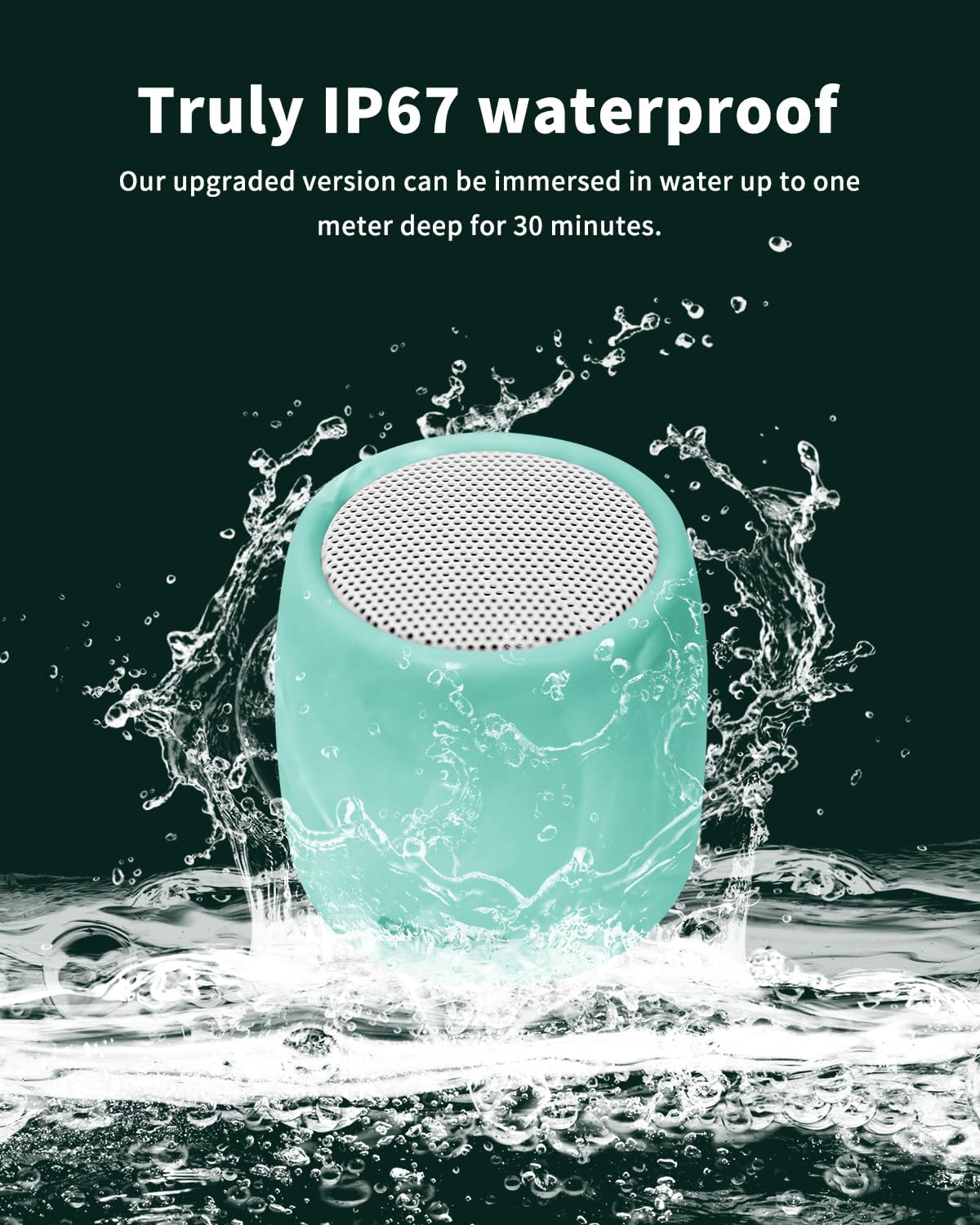
This image vividly displays the COMISO C17A speaker's IP67 waterproof capability, with water splashing around it, indicating its suitability for wet environments.
5.3 Storage
Store the speaker in a cool, dry place away from extreme temperatures and direct sunlight when not in use for extended periods.
6. Troubleshooting
- Speaker not turning on: Ensure the speaker is fully charged. Connect it to a power source using the USB Type-C cable and allow it to charge for at least 10 minutes before attempting to power on again.
- Cannot pair via Bluetooth:
- Make sure the speaker is in pairing mode (indicator light flashing).
- Ensure Bluetooth is enabled on your device.
- Move the speaker closer to your device.
- Forget/delete "COMISO C17A" from your device's Bluetooth list and try pairing again.
- Restart both the speaker and your device.
- No sound or low sound:
- Increase the volume on both the speaker and your connected device.
- Ensure the speaker is properly connected via Bluetooth.
- If using TWS, ensure both speakers are correctly paired to each other and then to your device.
- Sound distortion:
- Reduce the volume on either the speaker or your connected device.
- Move the speaker closer to your device to avoid interference.
- Ensure there are no physical obstructions between the speaker and your device.
7. Specifications
| Model Name | C17A |
| Brand | comiso |
| Mounting Type | Speaker |
| Material | Acrylonitrile Butadiene Styrene (ABS) |
| Speaker Type | Single Speaker |
| Special Feature | Built In Microphone, Shockproof, Waterproof |
| Recommended Uses | Indoor/Outdoor |
| Unit Count | 3.0 Ounce |
| Color | Green |
| Battery Life | 10 Hours |
| Product Dimensions | 1.6"D x 1.6"W x 1.8"H |
| Battery Capacity | 700 Milliamp Hours |
| Charging Time | 2 Hours |
| Control Method | Touch |
| Water Resistance Level | Waterproof (IP67) |
| Manufacturer | Shenzhen Comiso Digital Technolog Limited |
| Item Weight | 4.2 ounces |
| Speaker Maximum Output Power | 5 Watts |
| Frequency Response | 2000 Hz |
| Connectivity Technology | Wireless (Bluetooth 5.3) |
| Audio Output Mode | Stereo |
8. Warranty and Support
The COMISO C17A speaker comes with a worry-free 365-day limited warranty. For any product inquiries, technical support, or warranty claims, please refer to the contact information provided in your welcome guide or visit the official COMISO store on Amazon: COMISO Amazon Store.


