
Introduction
Thank you for choosing the Kiwi KAP 6730 Air Purifier. This manual provides essential information for the safe and efficient use of your device. Please read it thoroughly before operation and retain it for future reference.
The Kiwi KAP 6730 is designed to improve indoor air quality using advanced filtration technology, including a medical-grade H13 HEPA filter, to capture various airborne particles and odors.
Important Safety Instructions
Always follow basic safety precautions when using electrical appliances to reduce the risk of fire, electric shock, and injury.
- Read all instructions before using the appliance.
- Ensure the power supply matches the voltage specified on the appliance label.
- Do not operate the appliance with a damaged cord or plug.
- Keep the power cord away from heated surfaces.
- Do not immerse the appliance, cord, or plug in water or other liquids.
- Unplug the air purifier before cleaning or performing any maintenance.
- Do not block air inlets or outlets.
- This appliance is for indoor use only.
- Keep out of reach of children.
Product Overview
The Kiwi KAP 6730 Air Purifier features a compact design with an intuitive control panel and multi-stage filtration system.

Image: Top view of the Kiwi KAP 6730 Air Purifier, highlighting the circular control panel with various function icons including power, fan speed, timer, and Wi-Fi connectivity. The top grille for air output is also visible.

Image: An exploded diagram of the Kiwi KAP 6730 Air Purifier, illustrating its internal components. The image shows the outer casing, the fan assembly, and the cylindrical multi-layer filter system, with arrows indicating airflow and the capture of dust and pet hair by different filter stages.
Key Features:
- Medical-grade H13 HEPA filter for effective air purification.
- Multi-stage filtration system.
- Intuitive control panel.
- Compact and lightweight design.
- Smart connectivity (Wi-Fi enabled).
Setup
Unpacking
- Carefully remove the air purifier from its packaging.
- Remove all packaging materials, including any protective films or bags.
- Check for any damage during transit. If damaged, do not operate and contact customer support.
Filter Installation (if not pre-installed)
The air purifier comes with a multi-layer filter. Ensure it is properly installed before first use.
- Turn the air purifier upside down.
- Twist the base cover counter-clockwise to unlock and remove it.
- Remove the plastic packaging from the filter.
- Insert the filter into the air purifier, ensuring it sits securely.
- Replace the base cover and twist clockwise to lock it into place.
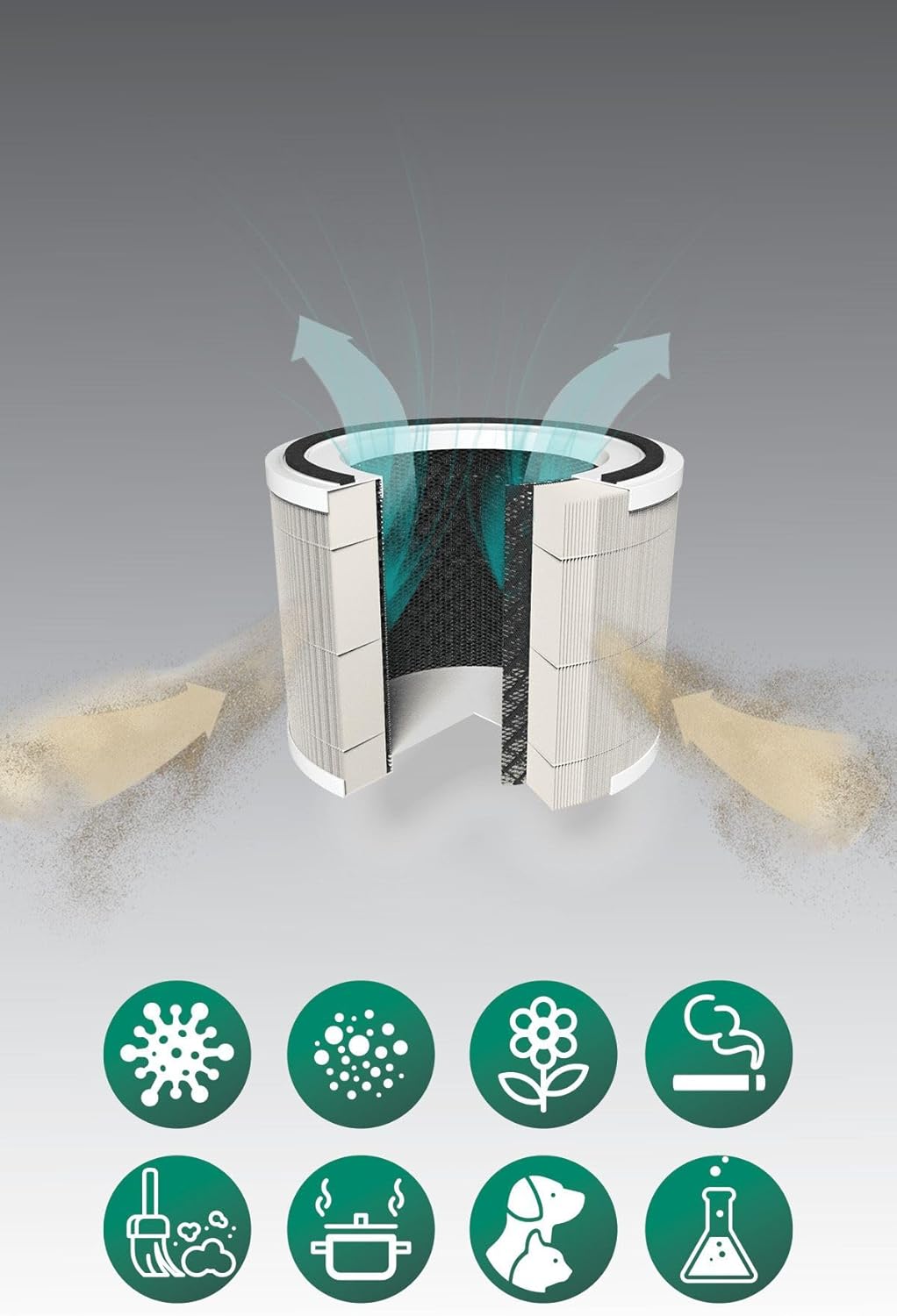
Image: A cutaway diagram illustrating the multi-layer filter system of the Kiwi KAP 6730 Air Purifier. Arrows show air entering and exiting the filter. Below the filter, icons represent various airborne pollutants that the system is designed to filter, including bacteria, dust, pollen, smoke, pet dander, cooking odors, and chemical fumes.
Placement
- Place the air purifier on a firm, level surface.
- Ensure there is at least 15-30 cm (6-12 inches) of space around all sides for optimal airflow.
- Avoid placing near heat sources, direct sunlight, or in damp environments.
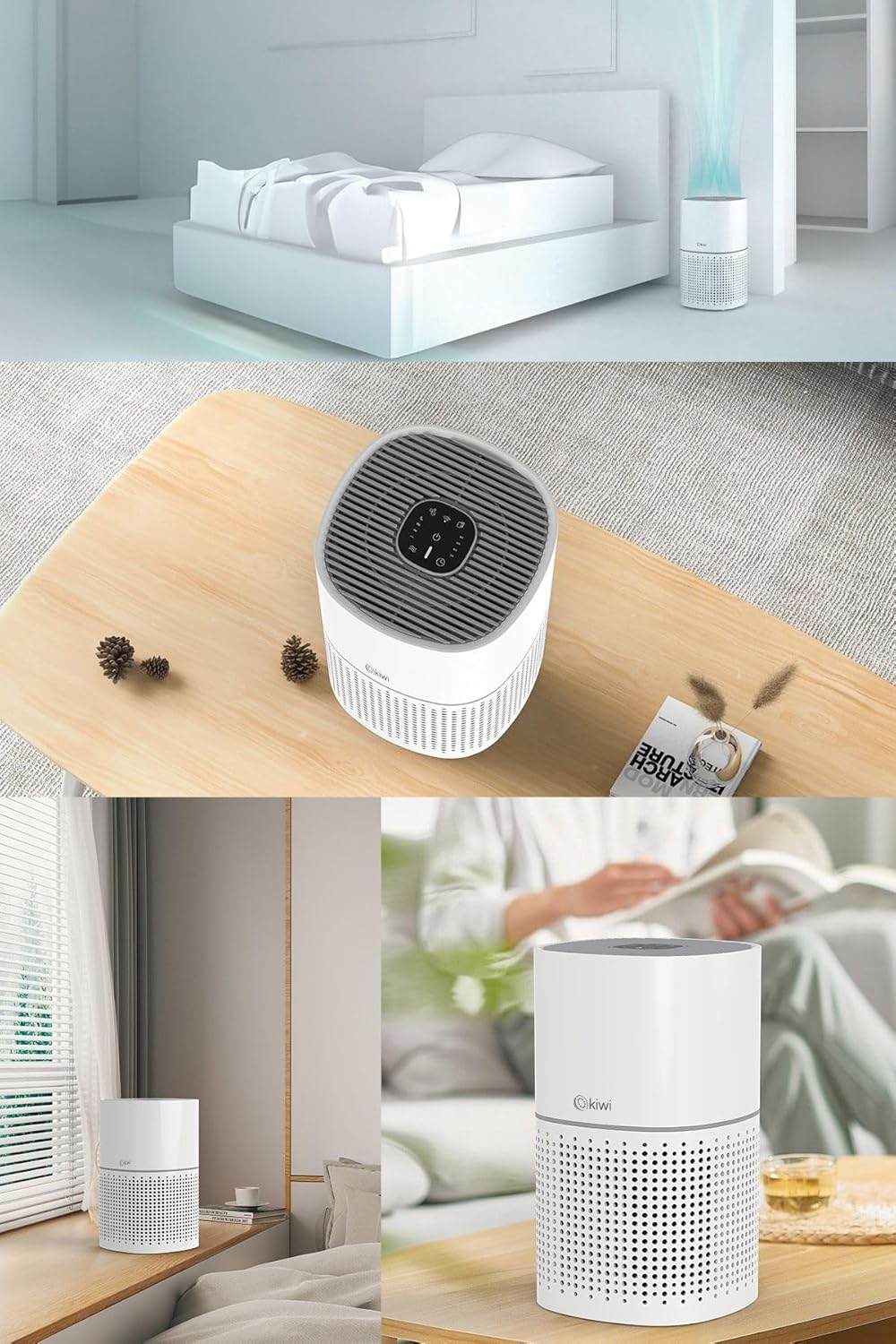
Image: A collage of images showing the Kiwi KAP 6730 Air Purifier in different home environments. It is depicted on a bedside table in a bedroom, on a wooden table in a living area, and on a windowsill, demonstrating its compact size and versatility for placement.
Power Connection
Plug the power cord into a suitable electrical outlet.
Operation
Control Panel Functions
The control panel is located on the top of the air purifier.
Image: A detailed view of the circular control panel on the top of the Kiwi KAP 6730 Air Purifier. Icons for power, fan speed, timer settings (1H, 2H, 4H, 8H), sleep mode, and Wi-Fi connectivity are clearly visible, along with an indicator light.
- Power Button (⏻): Press to turn the air purifier ON or OFF.
- Fan Speed Button (💨): Press to cycle through different fan speeds (e.g., Low, Medium, High, Auto).
- Timer Button (⏱): Set the operating time (e.g., 1 hour, 2 hours, 4 hours, 8 hours). The unit will automatically turn off after the set time.
- Sleep Mode Button (🌙): Activates sleep mode, reducing fan speed and dimming indicator lights for quiet operation.
- Wi-Fi Button (📶): Press and hold to activate Wi-Fi pairing mode for smart control via a mobile application.
- Filter Reset Indicator: Illuminates when the filter needs replacement. Press and hold after filter replacement to reset.
Smart Control (App)
The Kiwi KAP 6730 can be controlled via a dedicated mobile application. Follow the app's instructions for pairing and remote control.

Image: The Kiwi KAP 6730 Air Purifier positioned in a room, with a hand holding a smartphone in the foreground. The smartphone screen displays a mobile application interface, indicating that the air purifier can be controlled remotely via a smart app, showing air quality readings and control options.
Maintenance
Regular maintenance ensures optimal performance and extends the lifespan of your air purifier.
Cleaning the Exterior
- Always unplug the air purifier before cleaning.
- Wipe the exterior surfaces with a soft, damp cloth.
- Do not use abrasive cleaners, waxes, or solvents.
- Ensure no water enters the interior of the appliance.
Filter Replacement
The filter life depends on air quality and usage. The filter replacement indicator will illuminate when a new filter is needed (typically every 6-12 months).
- Unplug the air purifier.
- Turn the air purifier upside down.
- Twist the base cover counter-clockwise to unlock and remove it.
- Remove the old filter and dispose of it properly.
- Unpack the new filter and insert it into the air purifier.
- Replace the base cover and twist clockwise to lock it into place.
- Plug in the air purifier. Press and hold the Filter Reset button (often the Wi-Fi or a dedicated filter icon) for 3-5 seconds until the indicator light turns off.
Note: Only use genuine Kiwi replacement filters to ensure proper performance and maintain warranty validity.
Troubleshooting
| Problem | Possible Cause | Solution |
|---|---|---|
| Air purifier does not turn on. | Not plugged in; Power outlet malfunction; Power button not pressed. | Ensure the power cord is securely plugged in. Try a different outlet. Press the power button firmly. |
| Reduced airflow or purification efficiency. | Blocked air inlets/outlets; Dirty filter; Filter packaging not removed. | Check for obstructions and clear them. Replace the filter if the indicator is on or if it appears dirty. Ensure all filter packaging is removed. |
| Unusual noise. | Filter not installed correctly; Foreign object inside; Unit not on a level surface. | Check filter installation. Unplug and inspect for foreign objects. Place on a stable, level surface. |
| Filter replacement indicator remains on after changing filter. | Filter reset not performed. | Press and hold the Filter Reset button for 3-5 seconds until the light turns off. |
| Cannot connect to Wi-Fi/App. | Incorrect Wi-Fi password; Router too far; App not updated; Wi-Fi pairing mode not activated. | Ensure correct password. Move unit closer to router. Update app. Press and hold Wi-Fi button to activate pairing mode. Consult app instructions. |
Specifications
| Feature | Detail |
|---|---|
| Model | KAP-6730 |
| Brand | KIWI |
| Color | White |
| Filtration Type | H13 HEPA Filter (Medical Grade) |
| Power Source | Wired Electric |
| Product Weight | 2 Kilogram |
| Connectivity | Wi-Fi (Smart App Control) |
| Dimensions (Approx.) | Compact design |
Warranty and Support
For warranty information and customer support, please refer to the warranty card included with your product or visit the official KIWI website.
You can also contact customer service for assistance with troubleshooting or replacement parts.
KIWI Official Website: www.kiwi.com.tr (Note: This is a placeholder URL, please refer to your product documentation for the correct support website.)