
Introduction
This manual provides instructions for the proper setup, operation, and maintenance of your Kiwi Kpld-10970 Smart Tracker. Please read this manual thoroughly before using the device to ensure optimal performance and safety.
Product Overview
The Kiwi Kpld-10970 is a smart tracking device designed for personal security and item location, compatible with Apple Maps. It helps you keep track of your valuables and loved ones.
Package Contents
- Kiwi Kpld-10970 Smart Tracker
- SIM Card
- USB Cable
Compatible Devices
- Smartphones
- Personal Computers
- Tablets
Setup
Charging the Device
Before initial use, fully charge the Kiwi Kpld-10970 Smart Tracker using the provided USB cable. Connect the USB cable to the device and a compatible power source (e.g., computer USB port or USB wall adapter). The charging indicator will show the charging status.
SIM Card Installation
Locate the SIM card slot on the device. Carefully insert the provided SIM card into the slot, ensuring correct orientation. The device requires an active SIM card for network connectivity and tracking functionalities.
Pairing with Apple Maps
- Ensure your compatible device (smartphone, tablet, or personal computer) has Apple Maps installed and is connected to the internet.
- Power on the Kiwi Kpld-10970 Smart Tracker.
- Follow the instructions provided within the Apple Maps application to add a new tracking device. You may need to scan a QR code on the device or enter a unique device ID.
- Once paired, the tracker's location will be visible within Apple Maps.
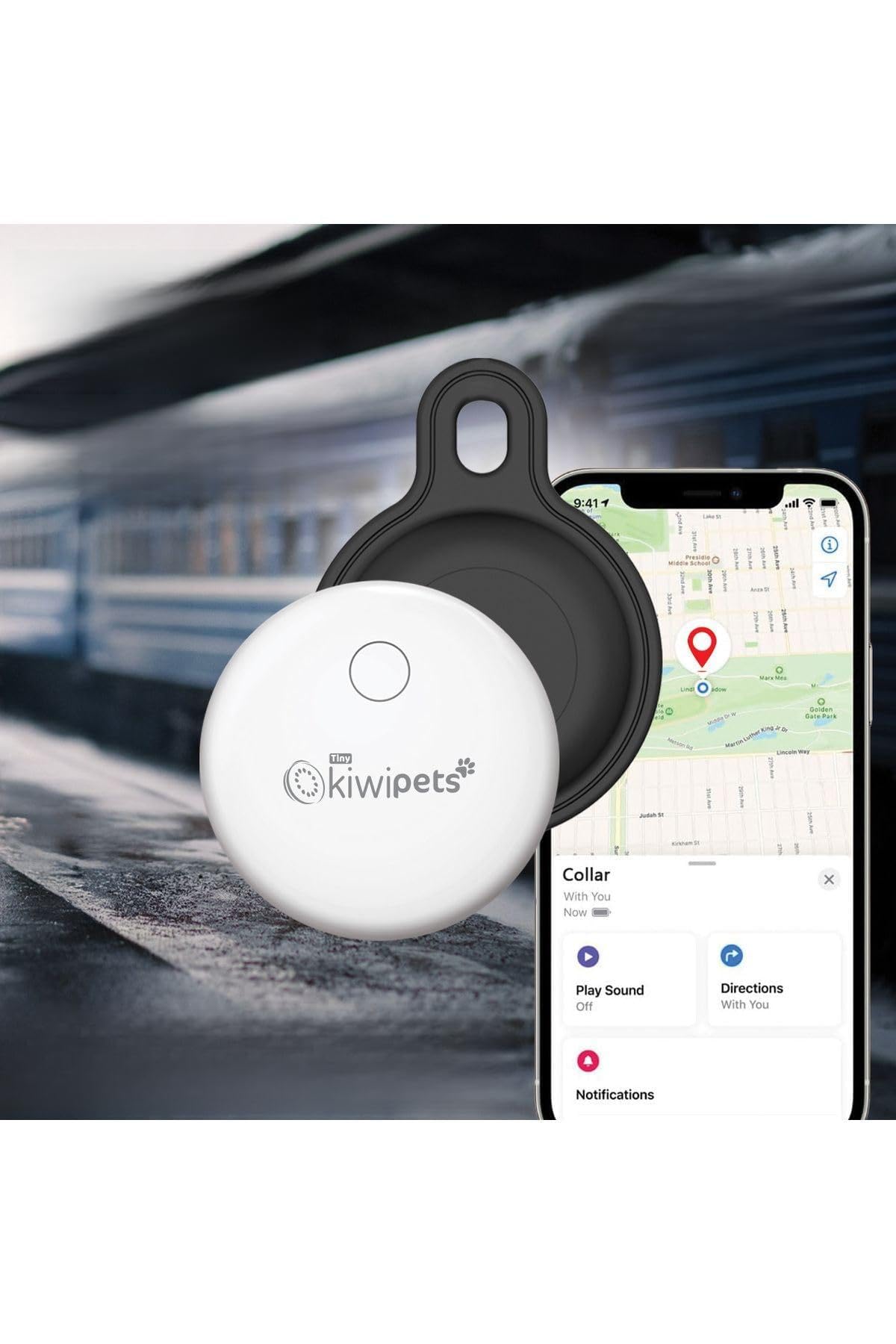
Image: The Kiwi Kpld-10970 Smart Tracker shown in different scenarios, demonstrating its versatility for tracking personal items like bags, luggage, keys, and even a baby stroller.
Operating Instructions
Real-time Tracking
Once the device is set up and paired, open the Apple Maps application on your compatible device. The location of your Kiwi Kpld-10970 Smart Tracker will be displayed in real-time on the map.
Location History
Apple Maps may offer features to view the historical locations of your tracker. Refer to the Apple Maps application's help section for details on accessing location history.
Geofencing
Some tracking devices allow you to set up virtual boundaries (geofences). If supported by Apple Maps and your device, you can receive alerts when the tracker enters or exits a predefined area. Consult Apple Maps documentation for geofencing setup.
Power On/Off
To power on the device, press and hold the power button until the indicator light illuminates. To power off, press and hold the power button until the indicator light turns off.
Maintenance
Cleaning
Clean the device with a soft, dry cloth. Do not use abrasive cleaners or solvents, as these may damage the device's surface or internal components.
Storage
Store the device in a cool, dry place away from direct sunlight and extreme temperatures.
Battery Care
To prolong battery life, avoid fully discharging the device frequently. Charge the device regularly, even if not in active use.
Troubleshooting
Device Not Powering On
- Check Battery: Ensure the device is fully charged. Connect it to a power source using the USB cable.
- Power Button: Press and hold the power button for several seconds to ensure it's not a short press.
No Location Data in Apple Maps
- SIM Card: Verify the SIM card is correctly inserted and active. Ensure it has a data plan.
- Network Coverage: Confirm the device is in an area with adequate cellular network coverage.
- Pairing: Re-check the pairing process with Apple Maps.
- Device Power: Ensure the tracker is powered on.
Inaccurate Location
- GPS Signal: The device may be in an area with poor GPS signal (e.g., indoors, dense urban areas). Move to an open area.
- Network Interference: Environmental factors can affect accuracy.
Device Not Charging
- USB Cable: Try a different USB cable.
- Power Source: Use a different USB power adapter or computer port.
- Charging Port: Inspect the charging port for any debris or damage.
Specifications
| Model | Kpld-10970 |
| Brand | KIWI |
| Supported Application | Apple Maps |
| Special Use Cases | Personal Security |
| Included Components | Smart Tracker, SIM Card, USB Cable |
| Compatible Devices | Smartphone, Personal Computer, Tablet |
| Manufacturer | Kiwi |
| ASIN | B0F6NGN7V |
Warranty Information
Warranty information for the Kiwi Kpld-10970 Smart Tracker is not specified in the product details. Please refer to your purchase documentation or contact Kiwi customer support for details regarding warranty coverage.
Support
For further assistance, technical support, or inquiries regarding your Kiwi Kpld-10970 Smart Tracker, please visit the official Kiwi website or contact their customer service department.
Note: Always refer to the latest information provided by the manufacturer for the most up-to-date support resources.