
ElecMoga ElecMoga
ElecMoga 2-in-1 Bluetooth 5.4 Adapter User Manual
Model: ElecMoga
Introduction
The ElecMoga 2-in-1 Bluetooth 5.4 Adapter is a versatile device designed to enhance your audio experience by providing both Bluetooth transmission (TX) and reception (RX) capabilities. This adapter allows you to easily convert non-Bluetooth audio sources into Bluetooth-enabled ones, or add Bluetooth functionality to traditional wired audio systems.
With advanced Bluetooth 5.4 technology, it ensures stable, fast connections and low latency, making it ideal for various applications including airplane travel, home entertainment, gym workouts, and car audio systems. Its compact and portable design makes it a perfect travel companion.

Image: The ElecMoga 2-in-1 Bluetooth 5.4 Adapter shown with its included dual 3.5mm airplane audio adapter, highlighting its compact size and primary components.
Product Overview and Components
Familiarize yourself with the various parts and controls of your ElecMoga Bluetooth adapter.
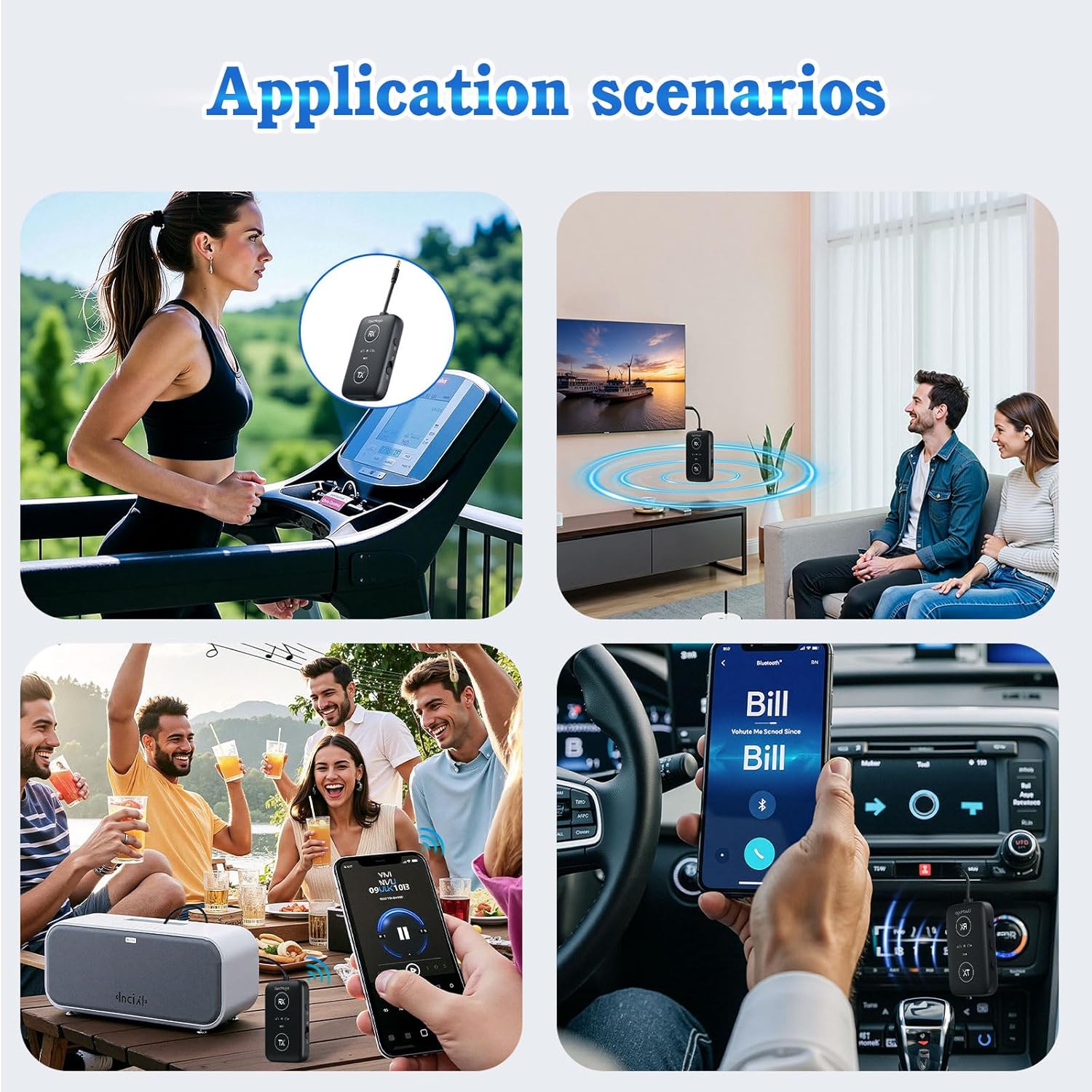
Image: A detailed diagram illustrating the various buttons and ports on the ElecMoga Bluetooth adapter, including the 3.5mm audio input/output, RX and TX pairing buttons, volume controls, microphone, P/R pairing button, power switch, and charging port.
- 3.5mm Audio Input/Output: For connecting to audio sources or output devices.
- RX Pairing Button: Used for pairing in Receiver mode.
- TX Button: Used for pairing in Transmitter mode.
- Volume + / Previous Song: Adjust volume up or skip to previous track.
- Play/Pause/Talk: Control media playback and answer/end calls.
- MIC: Built-in microphone for calls in RX mode.
- Volume - / Next Song: Adjust volume down or skip to next track.
- P/R Pairing Button: Power and Pairing button.
- Power Switch: ON/OFF slider.
- Charging Port: USB-C port for charging the device.
Setup and Charging
Charging the Device
Before first use, ensure the adapter is fully charged. The device comes with a built-in rechargeable battery.
- Connect the provided USB-C charging cable to the charging port on the adapter.
- Connect the other end of the USB-C cable to a USB power source (e.g., computer USB port, wall adapter).
- The charging indicator light will illuminate during charging and turn off when fully charged. A full charge takes approximately 2 hours.

Image: The ElecMoga Bluetooth adapter being charged via a USB-C cable, illustrating the charging process and port location.
A full charge provides over 16 hours of use in RX mode and over 12 hours in TX mode.
Operating Modes
1. Transmitter (TX) Mode
In TX mode, the ElecMoga adapter converts non-Bluetooth audio sources (like TVs, computers, or airplane entertainment systems) into Bluetooth signals, allowing you to wirelessly stream audio to Bluetooth headphones or speakers.

Image: A visual representation of the adapter in Transmitter (TX) mode, demonstrating its connection to a game console, computer, airplane audio jack, and TV, and wirelessly transmitting audio to Bluetooth headphones or headsets.
- Switch to TX Mode: Slide the power switch to the "ON" position. The adapter will automatically enter the last used mode. If it's not in TX mode, press the "TX" button to switch to Transmitter mode. The TX indicator light will illuminate.
- Connect to Audio Source: Plug the 3.5mm audio cable from the adapter into the audio output jack of your non-Bluetooth device (e.g., TV, computer, airplane seat audio jack). For airplane use, utilize the included dual 3.5mm airplane adapter if needed.
- Pair with Bluetooth Device:
- Put your Bluetooth headphones or speaker into pairing mode.
- The adapter will automatically search for nearby Bluetooth devices. The TX indicator light will flash rapidly during pairing.
- Once connected, the TX indicator light will remain solid.
- Enjoy Audio: You can now listen to audio from your non-Bluetooth source wirelessly through your Bluetooth headphones or speakers.

Image: A hand plugging the ElecMoga Bluetooth adapter into an airplane seat's audio jack, demonstrating its use for in-flight entertainment.
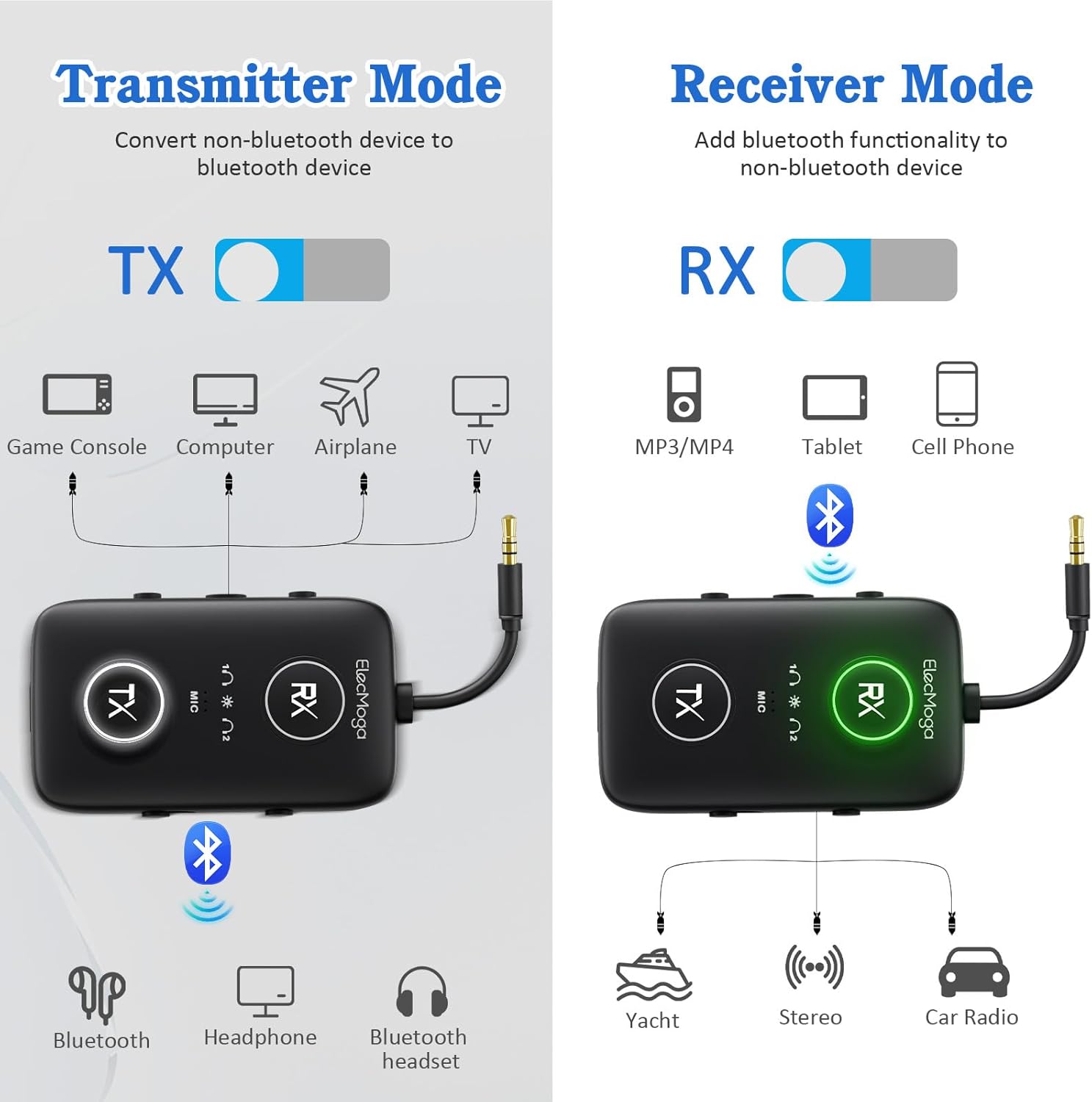
Image: A woman wearing earbuds and smiling, with the ElecMoga adapter in the foreground, illustrating the high-quality audio encoding capabilities (aptX Adaptive, aptX HD, aptX LL, aptX, SBC) in both TX and RX modes.
2. Receiver (RX) Mode
In RX mode, the ElecMoga adapter receives Bluetooth audio signals from your smartphone, tablet, or other Bluetooth-enabled devices and outputs them to non-Bluetooth audio systems like wired speakers, car stereos, or home theater systems.
Image: A visual representation of the adapter in Receiver (RX) mode, demonstrating its connection to a yacht's audio system, stereo, and car radio, and wirelessly receiving audio from a cell phone, tablet, or MP3/MP4 player.
- Switch to RX Mode: Slide the power switch to the "ON" position. If it's not in RX mode, press the "RX" button to switch to Receiver mode. The RX indicator light will illuminate.
- Connect to Audio Output Device: Plug the 3.5mm audio cable from the adapter into the audio input jack of your non-Bluetooth audio system (e.g., car stereo AUX input, home speaker system).
- Pair with Bluetooth Device:
- On your smartphone, tablet, or other Bluetooth-enabled device, go to Bluetooth settings and search for "ElecMoga" (or similar device name).
- Select the adapter to pair. The RX indicator light will flash rapidly during pairing and remain solid once connected.
- Enjoy Audio: You can now stream audio from your Bluetooth device to your wired audio system.
- Hands-Free Calling (RX Mode): In RX mode, the built-in microphone allows you to answer calls. Press the Play/Pause/Talk button to answer or end a call.
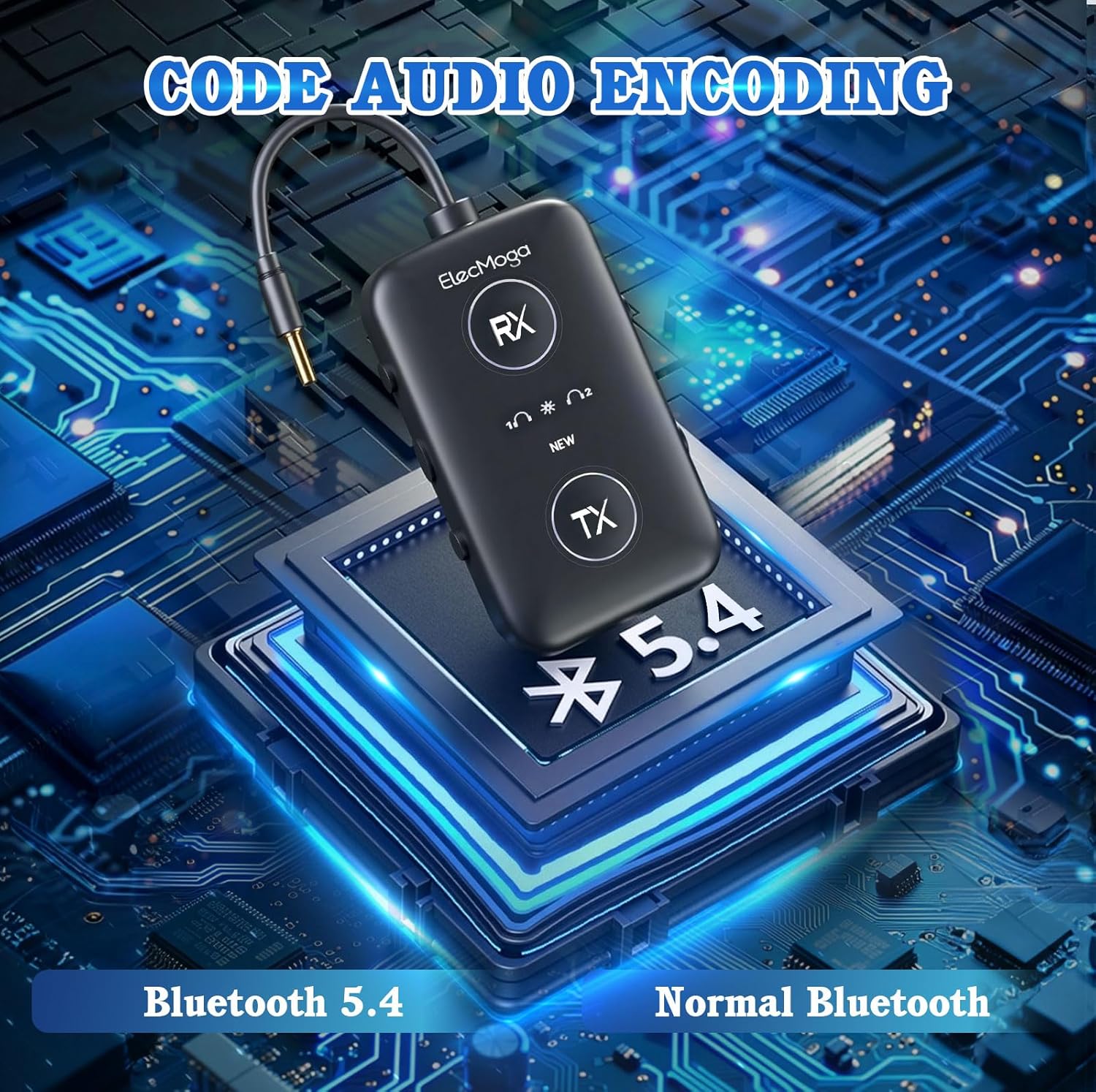
Image: Four application scenarios demonstrating the versatility of the ElecMoga adapter: a person using it at the gym, a couple watching TV with it, people enjoying music at a party, and a person using it for car audio.
Maintenance
Proper care and maintenance will ensure the longevity of your ElecMoga Bluetooth adapter.
- Cleaning: Use a soft, dry cloth to clean the surface of the device. Do not use liquid cleaners or aerosols.
- Storage: Store the adapter in a cool, dry place away from direct sunlight and extreme temperatures.
- Avoid Moisture: Do not expose the device to water or excessive humidity.
- Handle with Care: Avoid dropping or subjecting the device to strong impacts.
Troubleshooting
If you encounter issues with your ElecMoga Bluetooth adapter, please refer to the following common solutions:
| Problem | Possible Solution |
|---|---|
| Device does not power on. | Ensure the power switch is in the "ON" position. Charge the device fully. |
| Cannot pair with a Bluetooth device. |
|
| No sound or poor audio quality. |
|
| Short battery life. | Ensure the device is fully charged before use. Battery life may vary based on usage and volume levels. |
Specifications
| Feature | Detail |
|---|---|
| Product Dimensions | 2.36 x 1.42 x 0.54 inches |
| Item Weight | 4.9 ounces (0.14 Kilograms) |
| Model Number | ElecMoga |
| Batteries | 1 AAA batteries required (included) |
| Special Features | Bluetooth 5.4, Fast Charging, Low Latency, Noise Cancellation, aptX adaptive, aptX HD |
| Connectivity Technology | AUX, Bluetooth, RCA, USB |
| Power Source | Battery Powered |
| Battery Life (TX mode) | Over 12 hours |
| Battery Life (RX mode) | Over 16 hours |
| Charging Time | Approx. 2 hours |
Warranty and Support
Warranty Information: Please refer to the manufacturer's official website or the product packaging for detailed warranty terms and conditions. Keep your purchase receipt as proof of purchase.
Customer Support: For technical assistance, troubleshooting, or any inquiries regarding your ElecMoga Bluetooth adapter, please contact ElecMoga customer service through their official channels. Contact information can typically be found on the product packaging or the manufacturer's website.
Ask a question about this manual
Ask about setup, troubleshooting, compatibility, parts, safety, or missing instructions. Manuals+ will review the question and use this page’s manual context to help answer it.