
1. Introduction
This manual provides detailed instructions for the NUPLEA YYK-Q16Pro AI Language Translator Earbuds. These earbuds are designed to facilitate real-time language translation, offer versatile audio functions, and integrate smart AI features through a dedicated application. Please read this manual thoroughly before using the device to ensure proper operation and to maximize your user experience.
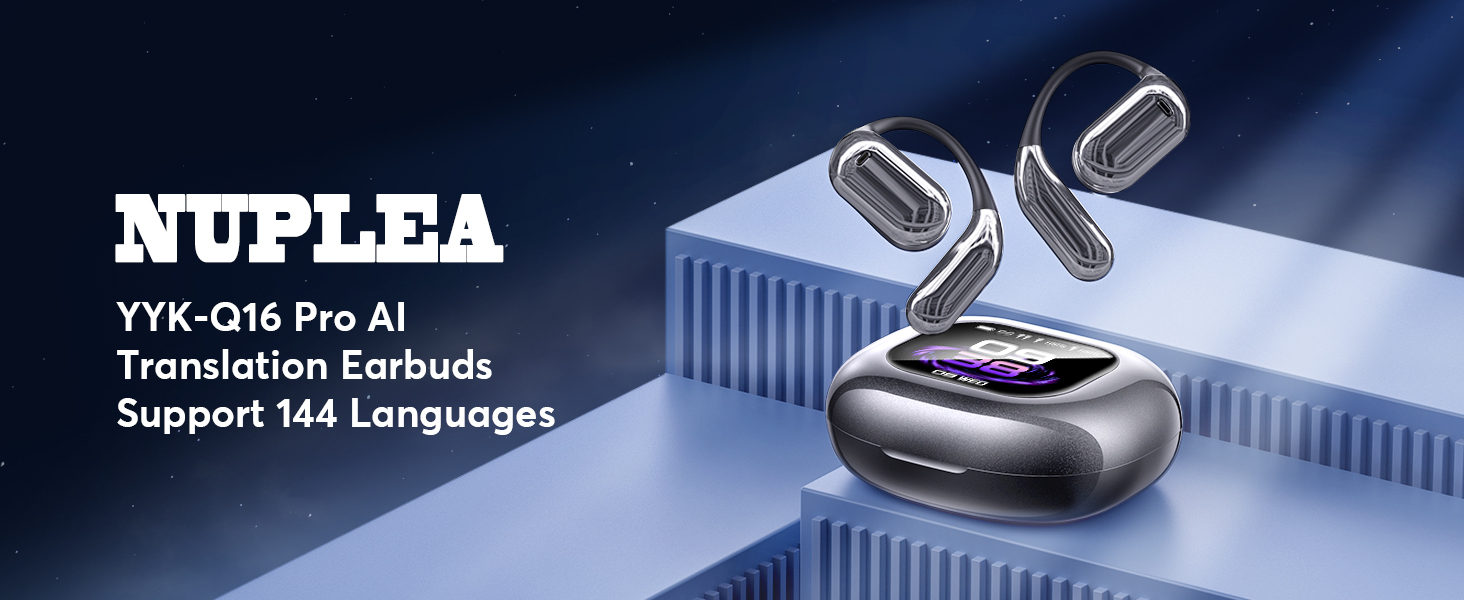
Image: NUPLEA YYK-Q16Pro AI Translation Earbuds and charging case, highlighting the product's design and functionality.
2. Product Overview
2.1 What's in the Box
- 2 x AI Translator Earbuds
- 1 x Charging Case with LCD Touchscreen
- 1 x USB Type-C Charging Cable
- 1 x User Manual
2.2 Key Features
- Real-time translation for 144 languages and accents.
- Integrated LCD touchscreen on the charging case for control and settings.
- Multiple translation modes: Touch, Free-speech, Speaker, Dual-ear, Simultaneous Interpretation, Face-to-Face.
- Advanced AI features including voice dialogue, chat, assistant, live recording, and image generation.
- 5 Equalization Modes for audio playback.
- Upgraded Bluetooth 5.4 technology for stable connectivity.
- 14.2mm bio-carbon fiber dynamic coils for enhanced audio.
- Up to 60 hours total playtime with the charging case.
- IP68 waterproof protection.

Image: Visual representation of key features such as crystal-clear AAC sound, advanced air conduction, 60 hours total playtime, open-ear comfort design, and IP68 waterproof protection.
3. Setup Guide
3.1 Charging the Device
Before initial use, fully charge the earbuds and the charging case. Connect the provided USB Type-C cable to the charging port on the case and to a compatible power source. The LCD touchscreen on the case will display the charging status and battery levels for both the case and the earbuds.

Image: The charging case and earbuds illustrating 1.5 hours fast charging via Type-C, providing 60 hours total playtime and 8 hours single playtime, with power displays for both the case and earbuds.
3.2 App Download and Installation
- Locate the QR code in this manual or on the charging case.
- Scan the QR code with your smartphone to download the 'NebulaBuds' AI application.
- Install the application on your device.
3.3 Bluetooth Pairing
- Ensure the earbuds are in the charging case and the case is open, or the earbuds are powered on.
- Turn on Bluetooth on your smartphone.
- Open the 'NebulaBuds' app. The app will automatically prompt for necessary permissions; allow them.
- Within the app, select 'YYK-Q16 Pro AI' from the list of available devices and confirm to connect.
- A 'Connected' status will appear in the app and on the charging case's screen upon successful pairing.

Image: A visual guide demonstrating the four steps to connect the AI Earbuds to the 'NebulaBuds' application, including app download, Bluetooth activation, permission granting, and device selection.
4. Operating Instructions
4.1 Touchscreen Functions
The charging case features an LCD touchscreen that allows direct control over various functions without needing your phone. These functions include:
- Music playback control (play/pause, skip tracks).
- Call management (answer/end calls).
- Noise-canceling mode activation.
- Volume adjustment.
- Camera control.
- Language switching for the device interface.
- Wallpaper customization.
- Screen brightness adjustment.
- Headphone search function.
- Timer.

Image: The LCD full-color touchscreen of the charging case, showcasing a variety of multi-functional icons such as call history, dial settings, sound effects, mode selection, stopwatch, music playback, AI translation, timer, calendar, camera, and various settings.
4.2 Translation Modes
The earbuds support several translation modes to suit different communication scenarios. Ensure the earbuds are connected to the 'NebulaBuds' app via Bluetooth before initiating translation.
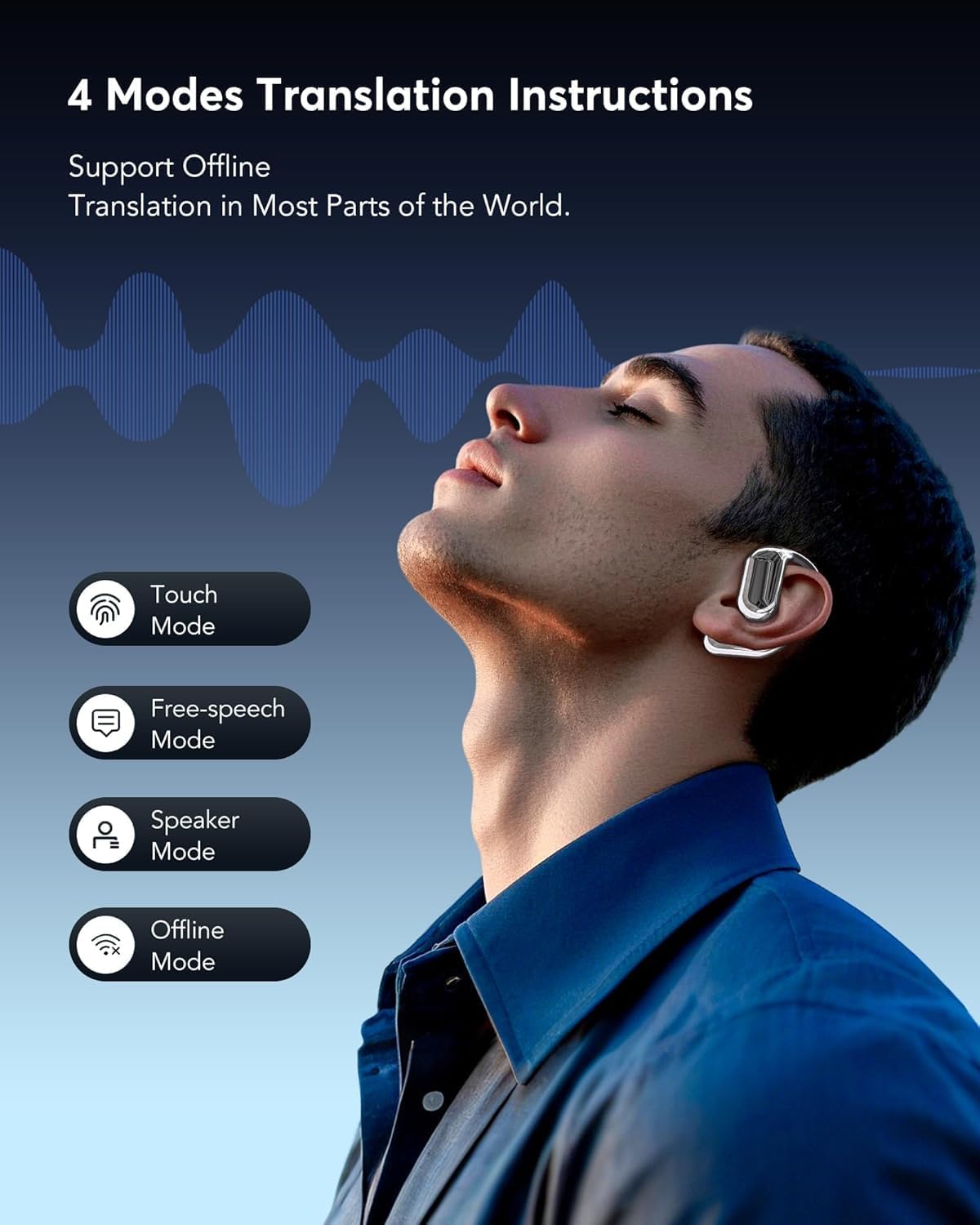
Image: A user wearing the earbuds, illustrating the four primary translation modes: Touch Mode, Free-speech Mode, Speaker Mode, and Offline Mode, with a visual representation of sound waves.
- Touch Mode: Tap the earbud to initiate translation.
- Free-speech Mode: Continuous translation for natural conversations.
- Speaker Mode: Use the phone's speaker for output, ideal for group conversations.
- Dual-Ear Mode: Share one earbud with another person for two-way communication.
- Simultaneous Interpretation: Real-time voice translation for conferences or presentations.
- Face-to-Face Translation: Two-way translation using earphones and mobile phone for direct interactions.

Image: Demonstrations of Live Recording (converting speech to text), Simultaneous Interpretation (real-time translation during a meeting), and Face-to-Face Translation (two individuals communicating with translation).
4.3 Audio Features
The earbuds are equipped with 14.2mm bio-carbon fiber dynamic coils for clear audio reproduction. They offer five adjustable equalizer modes:
- Standard
- Classic
- Jazz
- Rock
- Pop
These modes can be selected via the touchscreen or the app to optimize your listening experience for different music genres.

Image: An exploded view of an earbud, pointing out the powerful 15mm dynamic driver and precision directional sound design, contributing to an immersive audio experience with advanced directional sound transmission for rich, leak-free sound.
4.4 AI Features via 'NebulaBuds' App
The 'NebulaBuds' app provides access to a suite of AI-powered features:
- AI Voice Smart Dialogue: Engage in real-time voice interactions with the AI.
- AI Chat: Text-based interaction with the AI for various queries.
- AI Assistant: Access over 200 AI small applications for tasks like content generation.
- Live Recording: Convert spoken recordings into text for meeting notes or documentation.
- Summary & Playback: Review historical recordings with AI-generated summaries and speaker identification.
- Text-to-Image: Generate images based on provided text descriptions.
- Image-to-Image: Generate new images based on a reference image and text description.
- Audio and Video Call: Conduct online calls with real-time translation. No app is required for the other party.
- Audio and Video History: Easily view call records and redial previous contacts.
5. Maintenance
5.1 Cleaning
- Gently wipe the earbuds and charging case with a soft, dry, lint-free cloth.
- Avoid using abrasive materials, alcohol, or chemical cleaners.
- Do not submerge the device in water, despite its IP68 rating, to prevent damage to internal components.
5.2 Storage
- Store the earbuds in their charging case when not in use to protect them and keep them charged.
- Keep the device in a cool, dry place, away from extreme temperatures and direct sunlight.
6. Troubleshooting
If you encounter issues with your NUPLEA YYK-Q16Pro earbuds, please refer to the following common solutions:
| Problem | Possible Cause | Solution |
|---|---|---|
| Earbuds not pairing | Bluetooth off, low battery, app not open, incorrect device selected. | Ensure Bluetooth is on, charge earbuds, open 'NebulaBuds' app, select 'YYK-Q16 Pro AI'. |
| Translation not working | No internet connection (for online modes), incorrect language settings, app not running. | Verify internet connection, check language settings in the app, ensure app is active. |
| Poor sound quality | Earbuds dirty, improper fit, low battery, interference. | Clean earbuds, adjust fit, charge device, move away from sources of interference. |
| Touchscreen unresponsive | Software glitch, low battery. | Restart the charging case (if possible), ensure sufficient charge. |
| App not responding | App crash, outdated app version, phone issues. | Close and reopen the app, update the app, restart your phone. |
If the problem persists after trying these solutions, please contact customer support.
7. Specifications
- Model Number: YYK-Q16Pro
- Brand: NUPLEA
- Translation Languages: 144 languages and accents
- Bluetooth Version: 5.4
- Driver Size: 14.2mm bio-carbon fiber dynamic coils
- Total Playtime: Up to 60 hours (with charging case)
- Single Playtime: Up to 8 hours
- Charging Time: Approximately 1.5 hours (Type-C)
- Waterproof Rating: IP68
- Item Weight: 7 ounces
- Package Dimensions: 5.91 x 4.21 x 1.46 inches
8. Warranty and Support
NUPLEA products are designed for reliability and performance. For information regarding product warranty, please refer to the warranty card included in your product packaging or visit the official NUPLEA website.
For technical support, troubleshooting assistance, or any other inquiries, please contact NUPLEA customer service through the contact information provided on the official website or within the 'NebulaBuds' application.
Please retain your proof of purchase for warranty claims.