
1. Introduction
1.1 Product Overview
This manual provides instructions for the JAMARA CADA Mercedes-AMG ONE, an officially licensed 1:8 scale remote-controlled building block car. This set consists of 3295 precision-engineered clamping blocks designed to replicate the iconic Mercedes-AMG ONE supercar. The model features advanced functionalities including remote-controlled movement, LED lighting, and movable components.
1.2 Safety Information
Warning: This product is not a toy. It contains a lithium battery. Please read and understand all instructions in this manual before assembly and operation. Recommended for ages 14 years and up.
2. Package Contents
Ensure all components listed below are present in the package:
- JAMARA CADA Mercedes-AMG ONE Building Block Model (3295 pieces)
- 2.4GHz Remote Control Unit
- Instruction Manual (English language)
- Required 9V batteries (included)
- USB charging cable for model battery

Image: The product packaging, the fully assembled Mercedes-AMG ONE model, the remote control, and a USB charging cable, illustrating the complete set.
3. Assembly Instructions
The JAMARA CADA Mercedes-AMG ONE is a complex building block set. Detailed, color-illustrated assembly instructions are included in your package. Follow these instructions carefully, step-by-step, to ensure correct construction.
- Sorting Components: Before starting, sort the 3295 building blocks by type and color to facilitate the assembly process.
- Step-by-Step Assembly: Adhere strictly to the sequence provided in the included manual. Each step builds upon the previous one.
- Component Connection: Ensure all clamping blocks are firmly connected. Proper fit is crucial for structural integrity and functionality.
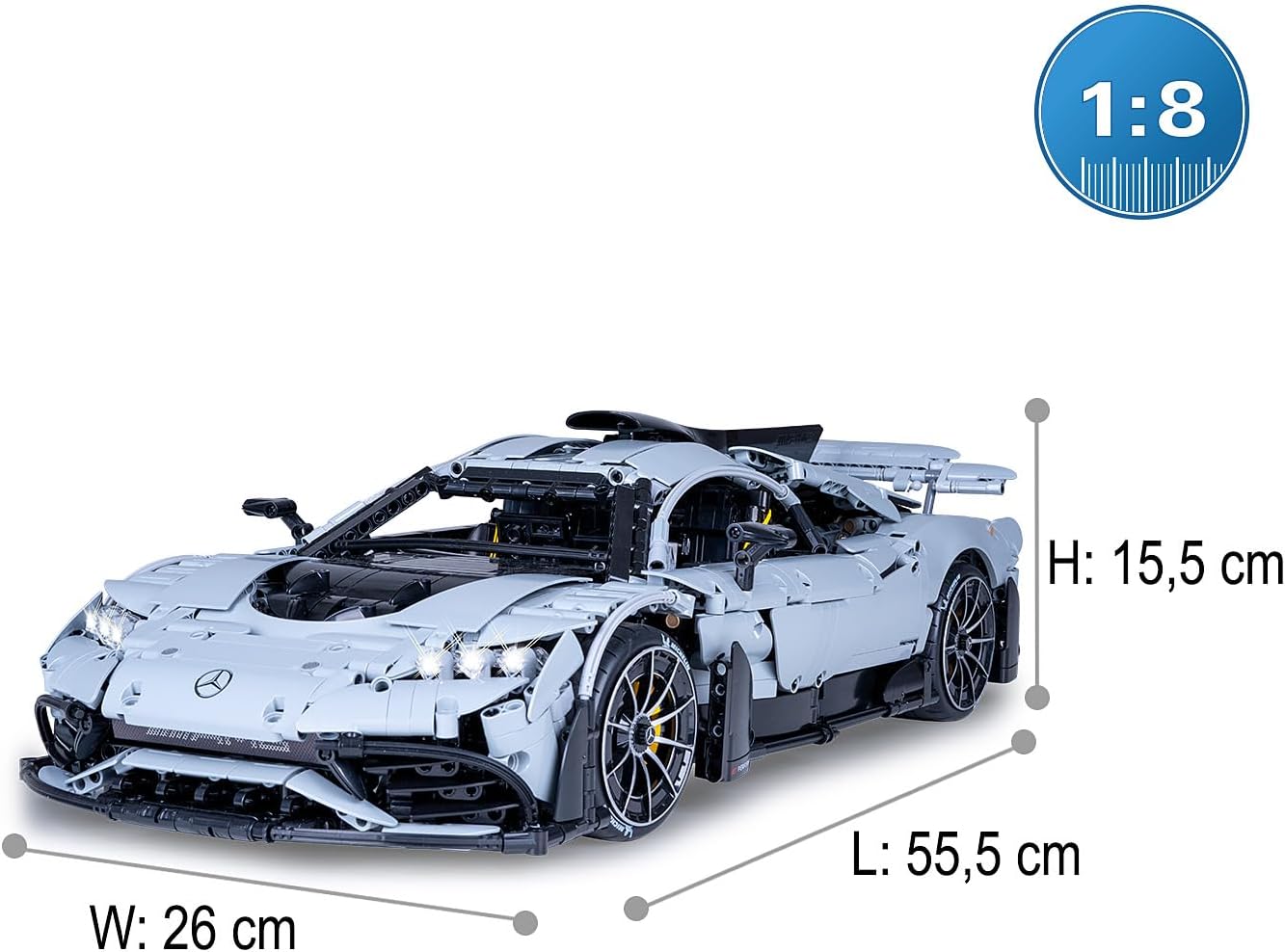
Image: A diagram illustrating how individual building block components connect, emphasizing the simple plug-together mechanism.

Image: The fully assembled Mercedes-AMG ONE model, showcasing its detailed construction from 3295 pieces, positioned on a miniature race track.
4. Setup
4.1 Battery Installation and Charging
- Model Battery: The model is powered by a powerful battery system. Connect the included USB charging cable to the model's charging port and a suitable USB power source (e.g., computer, USB wall adapter). The charging indicator will show the charging status.
- Remote Control Battery: Install the included 9V battery into the remote control unit. Ensure correct polarity.
4.2 Remote Control Pairing
The 2.4GHz remote control automatically pairs with the model upon power-on. Ensure both the model and the remote control are switched on. If pairing issues occur, turn both devices off and then on again, ensuring they are in close proximity.
5. Operating Instructions
5.1 Driving the Model
Use the remote control to maneuver the Mercedes-AMG ONE. The model supports two design variants for drive: Rear-Wheel Drive (2WD) or 4-Wheel Drive (4WD). The differential system ensures optimal power distribution for smooth handling. The push-rod independent suspension with profiled rubber tires provides excellent grip and stability.

Image: A person operating the remote-controlled Mercedes-AMG ONE model, with an overlay indicating a 2.4GHz signal for control.
5.2 Special Features
- LED Lighting: The model features functional LED lights at the front and rear, enhancing realism and visibility.
- Movable Doors and Spoiler: The double doors and rear spoiler can be moved up and down via dedicated buttons on the remote control.
- Detailed Interior: The open cabin includes adjustable seats, wing mirrors, and a motor block with movable pistons.
- Energy Recovery Motor: The model incorporates a switchable energy recovery motor for enhanced efficiency.

Image: A side view of the Mercedes-AMG ONE model, annotated to show features such as front/rear LED lights, remote-controlled wing doors/spoiler, two drive variants (2WD/4WD), and push-rod suspension.

Image: A composite image showing detailed views of the Mercedes-AMG ONE model's interior (dashboard, adjustable seats), engine bay, and the intricate push-rod suspension system.
6. Maintenance
- Cleaning: Use a soft, dry cloth to clean the model. Avoid water or harsh chemicals, as they may damage the electronic components or the plastic blocks.
- Storage: Store the model in a cool, dry place away from direct sunlight to prevent material degradation.
- Battery Care: For prolonged storage, remove batteries from the remote control. Ensure the model's battery is charged periodically if not in use to maintain its lifespan.
- Component Check: Periodically check for any loose or damaged building blocks and reattach or replace them as necessary to maintain structural integrity.
7. Troubleshooting
- Model Not Responding:
- Ensure both the model and remote control are switched on.
- Check if the model's battery is charged and correctly connected.
- Verify the 9V battery in the remote control is installed correctly and has sufficient power.
- Re-pair the remote control by turning both devices off and on again.
- Lights Not Working:
- Check all electrical connections within the model, especially those related to the LED lights.
- Ensure the model's main power is on.
- Movable Parts Not Functioning:
- Ensure the model's battery has sufficient charge.
- Check for any physical obstructions preventing movement of doors or spoiler.
- Verify the connections to the motors controlling these parts.
For further assistance, refer to the detailed troubleshooting section in the included printed instruction manual or contact JAMARA customer support.
8. Specifications
| Feature | Detail |
|---|---|
| Model Number | 402862 |
| Brand | JAMARA / CADA |
| Scale | 1:8 |
| Number of Pieces | 3295 |
| Product Dimensions (L x W x H) | 21.85 x 10.24 x 6.1 inches (approx. 55.5 x 26 x 15.5 cm) |
| Item Weight | 12.41 pounds |
| Recommended Age | 14 years and up |
| Remote Control Frequency | 2.4GHz |
| Drive Options | 2WD (Rear-Wheel Drive) / 4WD (4-Wheel Drive) |
| Batteries Required | 1 x 9V battery for remote (included), Model uses powerful battery system (rechargeable via USB) |
9. Warranty and Support
For information regarding warranty coverage, technical support, or replacement parts, please refer to the official JAMARA documentation included with your product or visit the JAMARA official website. Keep your proof of purchase for warranty claims.

