
1. Introduction
Thank you for choosing the MDCGPower 29V 5A AC Adapter Charger. This manual provides essential information for the safe and efficient use of your new power supply. Please read these instructions carefully before use and retain them for future reference.
2. Important Safety Information
WARNING: To reduce the risk of fire, electric shock, or injury, always follow basic safety precautions when using this product.
- Indoor Use Only: This charger is designed for indoor use. Do not expose it to rain, moisture, or extreme temperatures.
- Proper Voltage: Ensure the input voltage matches the specifications (100-240VAC, 50/60Hz) before connecting.
- Compatibility: Verify that the output voltage (29V) and current (5A) match the requirements of your device (e.g., Jazzy 600 ES, Elite 14, Elite HD, J6 mobility scooters). Using an incompatible charger may damage your device.
- Avoid Damage: Do not use the charger if the cord or plug is damaged. Do not attempt to open or modify the charger.
- Ventilation: Ensure adequate ventilation around the charger during use. Do not cover it.
- Disconnect: Always disconnect the charger from the power outlet when not in use or before cleaning.
- Children: Keep out of reach of children.
- Proposition 65 Warning: This product may contain chemicals known to the State of California to cause cancer and birth defects or other reproductive harm.
3. Package Contents
Please check the package for the following items:
- 1 x MDCGPower 29V 5A AC Adapter Charger (Model MDKQ0713)
- 1 x AC Power Cord
4. Product Overview
The MDCGPower 29V 5A AC Adapter Charger is designed to provide reliable power to compatible mobility scooters. It features built-in protection mechanisms to ensure device safety.
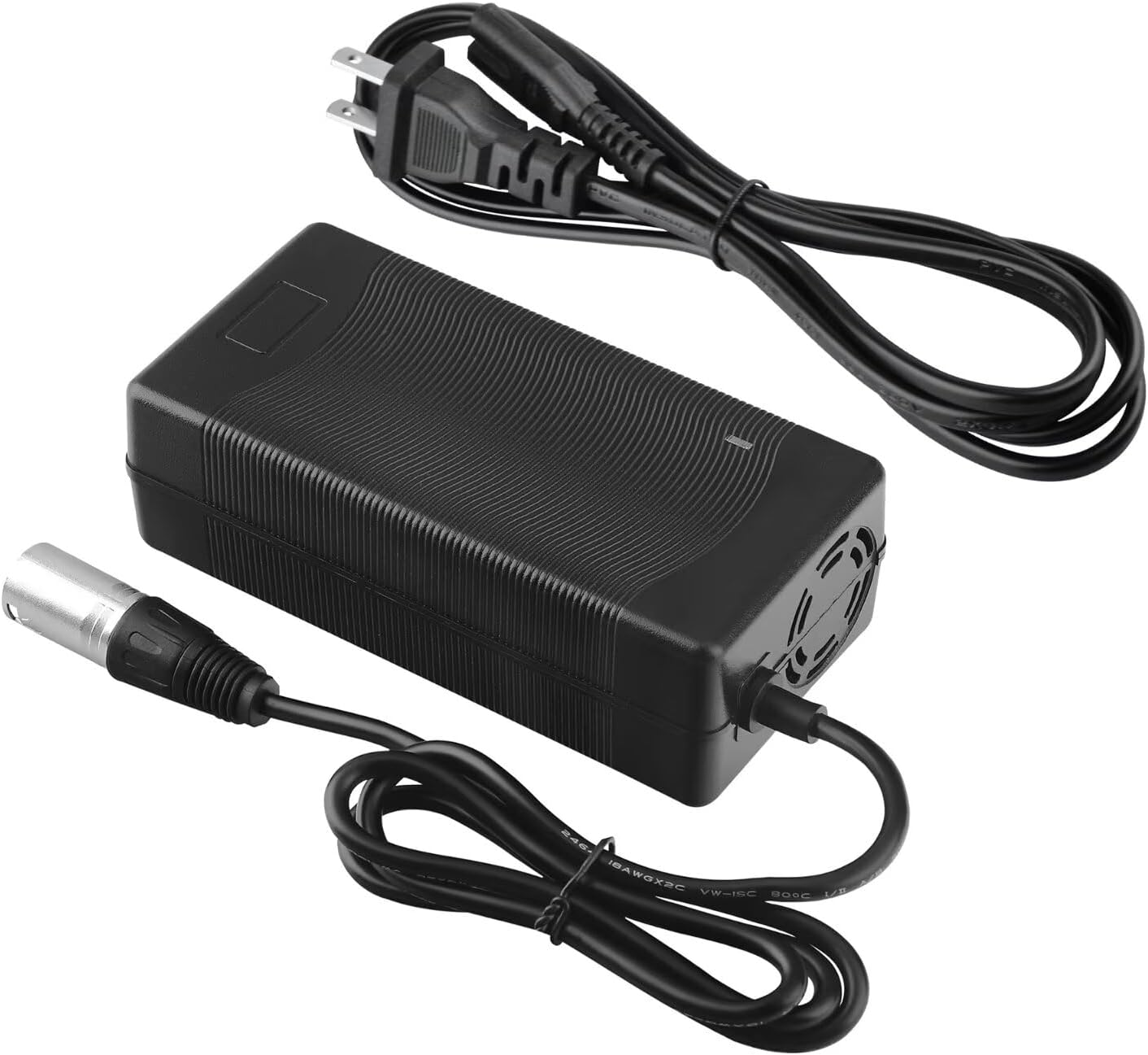
Figure 1: MDCGPower 29V 5A AC Adapter Charger and AC power cord.

Figure 2: Rear view of the charger, illustrating the AC power input port.

Figure 3: Close-up of the 3-pin barrel connector, which connects to the mobility scooter.
5. Setup Instructions
Follow these steps to set up your AC adapter charger:
- Verify Compatibility: Before connecting, ensure your device (e.g., mobility scooter) requires a 29V 5A power supply with a compatible 3-pin barrel connector. Refer to your device's manual for power specifications.
- Connect AC Power Cord: Insert the AC power cord into the charger's AC input port (refer to Figure 2).
- Connect to Wall Outlet: Plug the other end of the AC power cord into a standard wall outlet (100-240VAC).
- Connect to Device: Carefully insert the 3-pin barrel connector (refer to Figure 3) into the charging port of your mobility scooter or compatible device. Ensure a secure connection.
Note: The charger may have an indicator light (not specified) to show charging status. Consult your device's manual for specific charging indicators.
6. Operating Instructions
Once connected, the charger will begin supplying power to your device. The charging process is typically automatic.
- Charging: Allow your device to charge fully as recommended by its manufacturer.
- Monitoring: Periodically check the charger and device for any signs of overheating or unusual operation.
- Disconnection: Once charging is complete, first disconnect the 3-pin barrel connector from your device, then unplug the AC power cord from the wall outlet.
7. Maintenance
Proper maintenance ensures the longevity and safe operation of your charger.
- Cleaning: Disconnect the charger from all power sources before cleaning. Use a soft, dry cloth to wipe the exterior. Do not use liquid cleaners or solvents.
- Storage: Store the charger in a cool, dry place away from direct sunlight and moisture when not in use. Coil the cables loosely to prevent damage.
- Inspection: Regularly inspect the power cord and connectors for any signs of wear, cuts, or damage. If damage is found, discontinue use immediately and replace the charger.
8. Troubleshooting
If you encounter issues with your charger, refer to the following common problems and solutions:
| Problem | Possible Cause | Solution |
|---|---|---|
| Charger not supplying power | No power from wall outlet Loose connections Damaged charger/cable | Test wall outlet with another device. Ensure all connections are secure. Inspect charger and cables for damage. If damaged, discontinue use. |
| Device not charging | Incompatible charger Device charging port issue Charger fault | Verify charger specifications match device requirements. Consult your device's manual or support. If other solutions fail, the charger may be faulty. |
| Charger feels hot | Normal operation (slight warmth) Poor ventilation Overload/Fault | A slight warmth is normal. If excessively hot, disconnect immediately. Ensure charger is in a well-ventilated area. Disconnect and allow to cool. If overheating persists, discontinue use. |
If the problem persists after trying these solutions, contact the seller or manufacturer for assistance.
9. Specifications
| Feature | Specification |
|---|---|
| Model Number | MDKQ0713 |
| Input Voltage | 100-240VAC, 50/60Hz |
| Output Voltage | 29V DC |
| Output Current | 5 Amps |
| Wattage | 145 Watts |
| Connector Type | Barrel Connector (3-pin) |
| Compatible Devices | Mobility Scooters (e.g., Jazzy 600 ES, Elite 14, Elite HD, J6) |
| Safety Protection | Over current, over voltage, short circuit protection |
| Weight | Approximately 4 Ounces |
10. Warranty and Support
For warranty information and customer support, please refer to the documentation provided at the time of purchase or contact the seller directly. MDCGPower is committed to providing quality products and assistance.
Manufacturer: Shenzhen Waweis Technology Co., Ltd