
Introduction
This manual provides instructions for the safe and effective use of your EMART 16x16 Inch Softbox Photography Lighting Kit. This kit is designed to provide adjustable and soft illumination for various photography and videography applications, including portrait photography, product shooting, video recording, and live streaming.
Package Contents
Please verify that all items listed below are included in your package:
- 1 x Light Stand
- 1 x 16"x16" Soft Box
- 1 x 50W LED Light Bulb (with Remote Control)
- 1 x Soft Cloth (Diffuser)
- 1 x Honeycomb Grid
- 2 x Velcro Cable Ties
- 1 x Carry Bag

Setup Instructions
Follow these steps to assemble your EMART Softbox Photography Lighting Kit:
- Set up the Light Stand: Push down the legs of the light stand and lock the knob to secure it. Adjust the height as needed using the quick-release levers.
- Assemble the Softbox: The 16"x16" softbox features a pull-out design for quick assembly. Press the button on the softbox mechanism and pull out the rod until it locks into place. To close, press the button and push the rod in.
- Install the LED Bulb: Carefully screw the 50W LED bulb into the lamp holder inside the softbox.
- Attach the Softbox to the Light Stand: Securely mount the softbox onto the top of the light stand.
- Attach the Diffuser Cloth: Fasten the soft cloth (diffuser) to the front inner Velcro ring of the softbox. This softens the light output.
- Attach the Honeycomb Grid (Optional): If desired, press the honeycomb grid onto the rear inner Velcro ring of the softbox. This helps control light spill and direction.
- Connect Power: Plug the power cord into a suitable electrical outlet.


Operating Instructions
LED Bulb Control (Remote/APP)
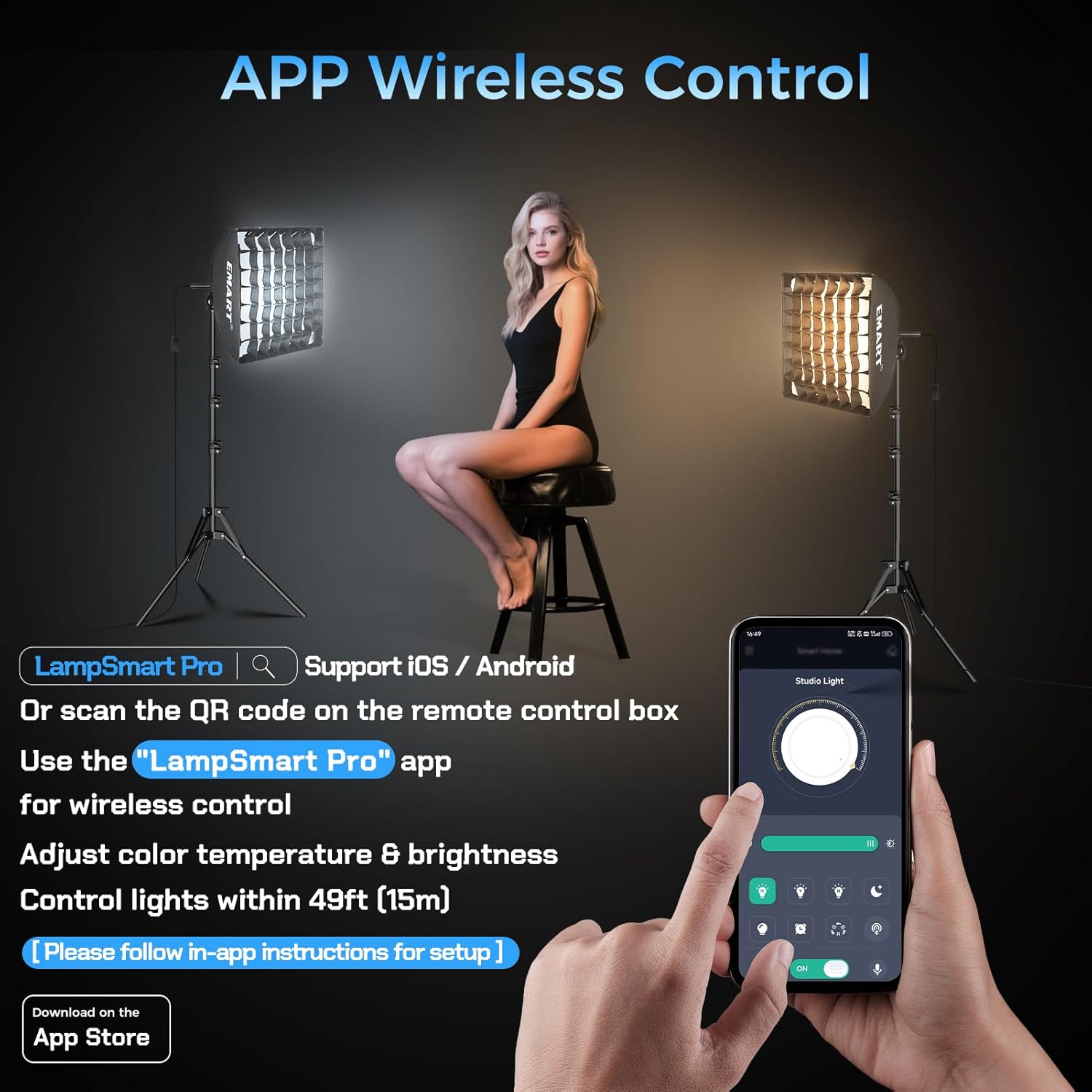
The 50W LED bulb can be controlled wirelessly via the included remote control or a smartphone application. The remote has a range of up to 15 meters (49 feet).
- Power On/Off: Use the ON/OFF buttons on the remote or within the app.
- Adjust Brightness: Use the brightness plus (+) and minus (-) keys on the remote or the dimming slider in the app to adjust brightness from 0-100%.
- Adjust Color Temperature: Use the color temperature plus (+) and minus (-) keys on the remote or the color temperature slider in the app to change the color temperature between 3000K (warm) and 6000K (cold).
- APP Control: Download the "LampSmart Pro" app (supports iOS/Android). Scan the QR code on the remote control box for easy setup. Follow in-app instructions for pairing and control.
- Remote Pairing: For successful pairing, long-press the Code Key on the remote for 5 seconds until the light flashes. (Note: Remote requires 2 AAA batteries, not included).


Honeycomb Grid Usage
The included honeycomb grid provides more controlled and directional light. It reduces light spill and helps to accentuate facial contours, making it ideal for portrait and beauty photography.

Adjusting Height and Angle
The light stand is adjustable in height from 17 inches (43cm) to 63 inches (160cm). The softbox head can also be adjusted up to 120 degrees to direct light as needed.

Maintenance
Proper maintenance ensures the longevity and optimal performance of your lighting kit:
- Cleaning: Use a soft, dry cloth to wipe down the exterior of the softbox, light stand, and bulb. Do not use abrasive cleaners or solvents.
- Storage: When not in use, disassemble the kit and store all components in the provided carry bag. Store in a cool, dry place away from direct sunlight and excessive moisture.
- Bulb Handling: Handle the LED bulb carefully. Avoid touching the glass surface directly to prevent oil residue, which can affect light quality.
- Cable Management: Use the Velcro cable ties to keep power cords neatly organized and prevent tangling or damage.
Troubleshooting
If you encounter issues with your EMART Softbox Photography Lighting Kit, refer to the following table for common problems and solutions:
| Problem | Possible Cause | Solution |
|---|---|---|
| Light does not turn on | No power, loose bulb, remote/app issue | Check power connection. Ensure bulb is screwed in tightly. Verify remote batteries or app connection. |
| Remote control not working | Dead batteries, not paired, out of range | Replace AAA batteries. Re-pair remote by long-pressing the Code Key for 5 seconds. Ensure remote is within 15m range. |
| Inconsistent brightness or color | Interference, faulty bulb | Ensure no strong wireless interference. Try adjusting settings via both remote and app. If issue persists, contact support for bulb replacement. |
| Light stand is unstable | Legs not fully extended, knobs not tightened | Ensure all stand legs are fully extended and the locking knobs are securely tightened. Avoid extending to maximum height in windy conditions. |
Specifications
| Feature | Detail |
|---|---|
| Brand | EMART |
| Model Number | EM-SBK1616P-WJ-GS |
| Softbox Dimensions | 16" x 16" |
| Light Source | LED |
| Wattage | 50 Watts |
| Color Temperature | 3000K-6000K (Tunable) |
| Brightness | 4500 Lumens (per bulb) |
| Color Rendering Index (CRI) | 85 |
| Light Stand Height | 17" to 63" (43cm-160cm) |
| Softbox Head Adjustment | 120° |
| Control Method | Remote Control (15m/49ft range) / APP Control (LampSmart Pro) |
| Material | Iron |
| Product Dimensions (Packed) | 17.5"D x 7.4"W x 11.6"H |
| Compatible Devices | Cameras, Smartphones, Video Recording Devices |

Warranty and Support
This EMART Softbox Photography Lighting Kit comes with a 1-year manufacturer's warranty from the date of purchase. This warranty covers defects in materials and workmanship under normal use.
For warranty claims, technical support, or any questions regarding your product, please contact EMART customer service through the retailer's platform or visit the official EMART website for contact information. Please have your purchase receipt and product model number (EM-SBK1616P-WJ-GS) available when contacting support.

