
1. Introduction
This manual provides essential instructions for the safe and efficient operation, installation, and maintenance of your Mirfee 8 Gallon Commercial Slushy Machine, Model 801. This machine is designed for commercial use to prepare a variety of frozen beverages, including slushies, margaritas, frappes, milkshakes, and frozen juices. Please read this manual thoroughly before using the appliance and retain it for future reference.

Image: Overview of the Mirfee 8 Gallon Commercial Slushy Machine, highlighting its 8-gallon capacity, rapid cooling, 5 preset modes, low-noise operation, 360-degree mixing, automatic cleaning, LED light, and temperature display.
2. Safety Instructions
Always adhere to the following safety precautions to prevent injury or damage to the appliance:
- Ensure the machine is placed on a stable, level surface.
- Connect the machine to a grounded power outlet with the correct voltage (110V).
- Do not immerse the main unit in water or other liquids.
- Keep hands and foreign objects away from moving parts during operation.
- Unplug the machine before cleaning or performing any maintenance.
- Do not operate the machine with a damaged power cord or plug.
- Only use food-grade ingredients in the tanks.
- Keep children away from the appliance.
- Do not block ventilation openings.
3. Setup and Initial Use
Follow these steps to set up your slushy machine for the first time:
- Unpacking: Carefully remove the machine from its packaging. Inspect for any damage during transit.
- Placement: Place the machine on a sturdy, level counter or table, ensuring adequate ventilation around all sides. The adjustable feet can be used to stabilize the unit.
- Initial Cleaning: Before first use, clean all removable parts that will come into contact with beverages. This includes the tanks, lids, mixing augers, and dispensing handles. Refer to the "Maintenance" section for detailed cleaning instructions.
- Assembly: Reassemble the cleaned components. Ensure the mixing augers are correctly seated in the tanks and the lids are securely placed.
- Power Connection: Plug the power cord into a grounded 110V electrical outlet.
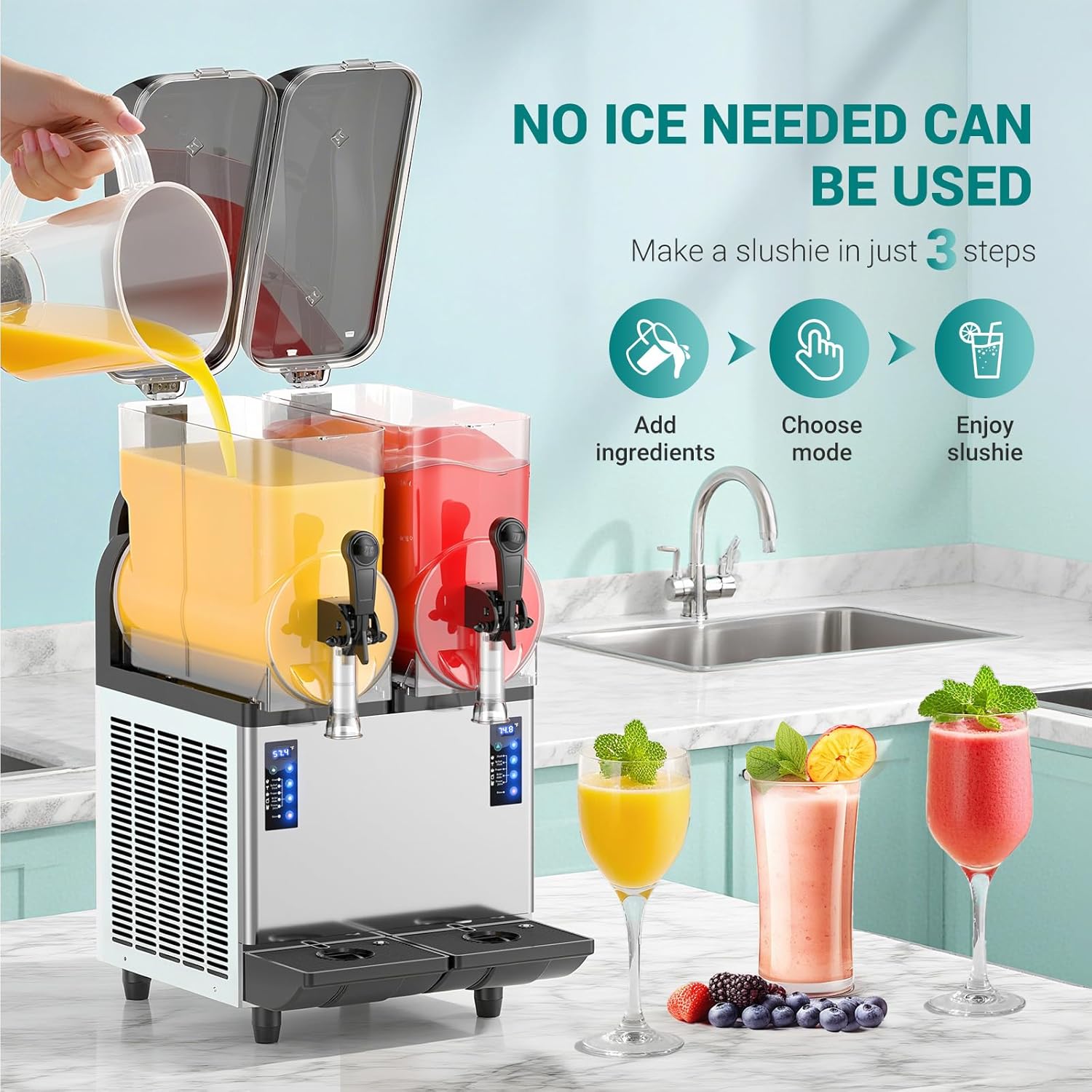
Image: A Mirfee slushy machine on a kitchen counter, illustrating the process of adding liquid ingredients into the transparent tanks. This image emphasizes the "No Ice Needed" feature, as the machine processes liquid directly.

Image: A graphic illustrating the three simple steps to make a slushie: 1. Add fresh ingredients, 2. Select a mode, and 3. Enjoy in minutes. This highlights the ease of use.
4. Operation
4.1 Filling the Tanks
Open the lids and pour your prepared beverage mix into the transparent tanks. Ensure the liquid level is between the minimum and maximum fill lines. Each tank has an 8-gallon capacity.
4.2 Selecting a Program
The machine features 5 preset programs, and each tank can be controlled independently. Use the control panel to select the desired mode:
- Slush: For standard slushy consistency.
- Spiked Slush: Optimized for alcoholic slushies.
- Frappe: For thicker, coffee-based frozen drinks.
- Milkshake: For creamy, frozen milk-based beverages.
- Frozen Juice: For fruit juice-based frozen drinks.
Production typically completes within 15-45 minutes, depending on the selected program and initial liquid temperature.
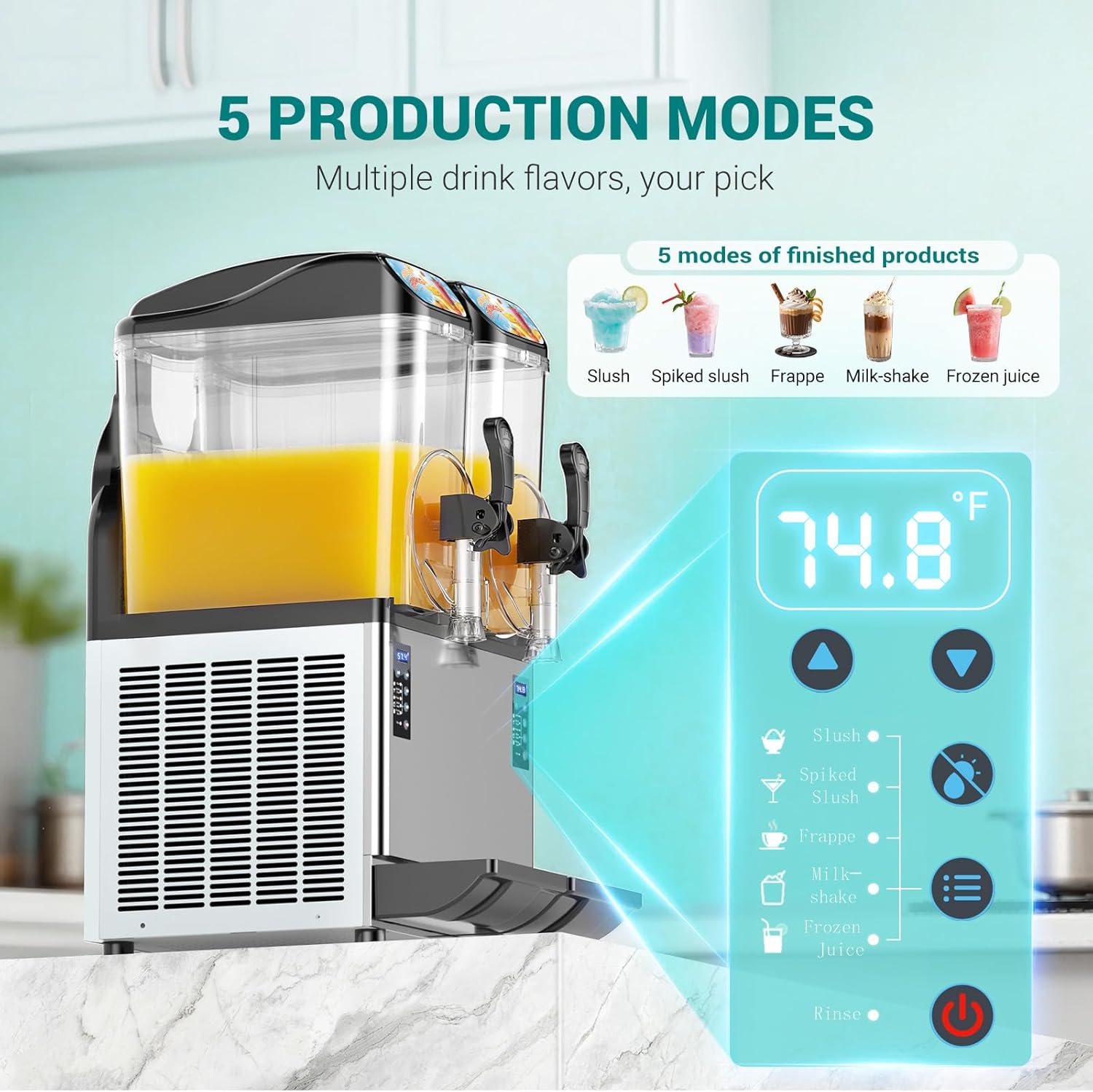
Image: Close-up of the control panel, displaying the current temperature (e.g., 74.8°F) and icons for the five production modes: Slush, Spiked Slush, Frappe, Milk-shake, and Frozen Juice. A rinse option and power button are also visible.

Image: A detailed chart providing guidelines for sugar and alcohol content based on temperature settings for various preset functions (Slush, Spiked Slush, Frappe, Milkshake, Frozen Juice). It shows default temperatures and adjustable ranges, along with visual examples of sugar and alcohol content limits for different beverages.
4.3 Dispensing
Once the desired consistency is reached, place a cup under the dispensing spout and pull the handle down to serve. Release the handle to stop dispensing.
4.4 LED Lighting
The machine is equipped with built-in LED lights to enhance the visual appeal of your frozen drinks. Use the dedicated button on the control panel to turn the lights on or off as desired.

Image: Two views of the Mirfee slushy machine side-by-side, demonstrating the effect of the LED lights. One shows the tanks illuminated with blue slush, and the other shows the tanks without illumination, highlighting the "One-Tap Illuminating Slushie" feature.
4.5 Continuous Operation
The Mirfee slushy machine is designed for up to 12 hours of uninterrupted production, maintaining freshness and efficiency for extended periods.

Image: Two women enjoying slushies next to the Mirfee machine, with a graphic indicating "12 Hours of Uninterrupted Production" and showing a day/night cycle, emphasizing its capability for long-lasting freshness.
5. Maintenance and Cleaning
Regular cleaning and maintenance are crucial for the longevity and hygienic operation of your slushy machine.
5.1 Daily Cleaning (Automatic)
- Empty any remaining beverage mix from the tanks.
- Fill the tanks with clean water.
- Select the "Rinse" program on the control panel. The machine will agitate the water to clean the internal components.
- Drain the water through the dispensing spouts.
- Repeat if necessary until the water runs clear.
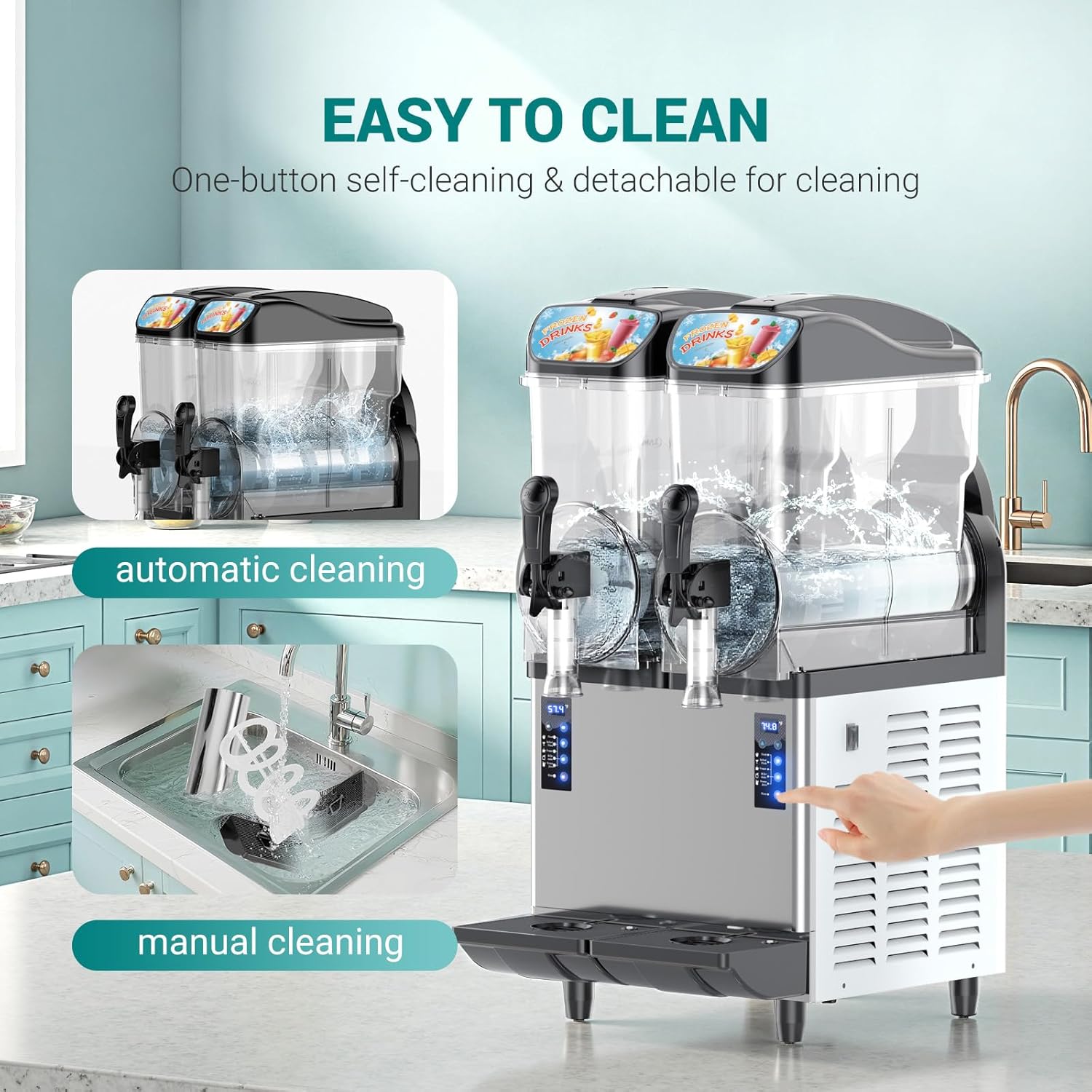
Image: A Mirfee slushy machine demonstrating both automatic cleaning (water swirling in the tanks) and manual cleaning (detachable parts being washed in a sink). This illustrates the ease of cleaning.
5.2 Deep Cleaning (Manual)
For thorough cleaning, especially after prolonged use or before storage:
- Unplug the machine from the power outlet.
- Disassemble: Remove the lids, tanks, mixing augers, and dispensing handles.
- Wash Components: Wash all removable parts with warm, soapy water. Use a soft brush for hard-to-reach areas. Rinse thoroughly with clean water.
- Clean Main Unit: Wipe down the exterior of the main unit with a damp cloth. Do not use abrasive cleaners or immerse the unit in water.
- Drip Trays: Remove and clean the removable drip trays.
- Dry and Reassemble: Ensure all parts are completely dry before reassembling.
Note: The tanks and other components are not dishwasher safe.

Image: A collage of detailed views of the Mirfee slushy machine's components, including the removable drip tray, adjustable feet, sealed ABS top cover, spring handle, and food-grade PC cylinder, emphasizing the quality and ease of maintenance of these parts.
6. Specifications
| Feature | Detail |
|---|---|
| Brand | Mirfee |
| Model Number | commercial slushy machine 801 |
| Capacity | 8 Gallons (approx. 30 Liters) |
| Material | Polycarbonate (PC), Stainless Steel |
| Color | Stainless Steel |
| Voltage | 110V (implied from product title) |
| Production Time | 15-45 minutes |
| Preset Programs | 5 (Slush, Spiked Slush, Frappe, Milkshake, Frozen Juice) |
| Noise Level | Less than 45 decibels |
| Dishwasher Safe | No |

Image: The Mirfee slushy machine with its dimensions labeled (e.g., 35.04in height, 21.85in depth, 19.49in width) and indicating a 30L (8GAL) large capacity, capable of producing 90-120 cups of frozen drinks at a time.
7. Troubleshooting
This section addresses common issues you might encounter with your slushy machine. For problems not listed here, please contact customer support.
| Problem | Possible Cause | Solution |
|---|---|---|
| Machine does not turn on. | Not plugged in; power switch off; circuit breaker tripped. | Ensure power cord is securely plugged in. Check power switch. Reset circuit breaker if necessary. |
| Beverage not freezing. | Incorrect program selected; ambient temperature too high; mix sugar content too low or alcohol content too high. | Verify the correct program is selected for the beverage type. Ensure adequate ventilation. Adjust sugar/alcohol content according to guidelines (refer to Section 4.2). |
| Machine is noisy. | Machine not level; internal component issue. | Adjust feet to ensure the machine is level. If noise persists, contact customer support. |
| Leaking from dispensing spout. | Dispensing handle not fully closed; seal worn or improperly installed. | Ensure handle is fully closed. Inspect and re-seat or replace seals if necessary. |
8. Warranty and Customer Support
For warranty information, technical assistance, or to order replacement parts, please contact Mirfee customer support. Refer to your purchase documentation for specific warranty terms and contact details.
You can typically find support contact information on the manufacturer's website or through the retailer where the product was purchased. When contacting support, please have your model number (801) and purchase date available.