
1. Introduction
Thank you for choosing the Furmax Ergonomic Mesh Office Chair. This manual provides essential information for the safe assembly, operation, and maintenance of your new chair. Please read these instructions carefully before use and retain them for future reference.
Safety Information
- Ensure all parts are present and undamaged before assembly. Do not use if any parts are missing or broken.
- Follow assembly instructions precisely. Incorrect assembly can lead to instability and injury.
- Do not stand on the chair.
- Do not use the chair as a step stool.
- Maximum weight capacity: 240 pounds. Do not exceed this limit.
- Keep children away from moving parts during assembly and operation.
- Regularly check all bolts and screws to ensure they are tight.
2. Package Contents
Please verify that all components are included in your package:
- Backrest (1)
- Seat Cushion (1)
- Armrests (2)
- Gas Lift Cylinder (1)
- Star Base (1)
- Casters (5)
- Mechanism Plate (1)
- Hardware Pack (screws, washers, Allen wrench)
3. Assembly Instructions
Follow these steps to assemble your Furmax office chair:
- Attach Casters to Star Base: Insert each of the five casters into the holes at the end of the star base until they click securely into place.
- Insert Gas Lift: Place the gas lift cylinder into the center hole of the star base.
- Attach Mechanism Plate to Seat Cushion: Align the mechanism plate with the screw holes on the underside of the seat cushion. Ensure the adjustment lever is on the right side when facing the front of the seat. Secure with screws, but do not fully tighten yet.
- Attach Armrests and Backrest: Install the armrests to the seat cushion and the backrest. Do not tighten the screws completely at this stage. This allows for minor adjustments.
- Connect Seat Cushion and Backrest: Ensure the armrests connect the seat cushion and backrest properly.
- Tighten All Screws: Once all components are aligned, tighten all screws securely using the provided Allen wrench.
- Attach Assembled Seat to Gas Lift: Carefully place the assembled seat onto the top of the gas lift cylinder. Press down firmly to secure.

Figure 1: Product Dimensions for Assembly Reference
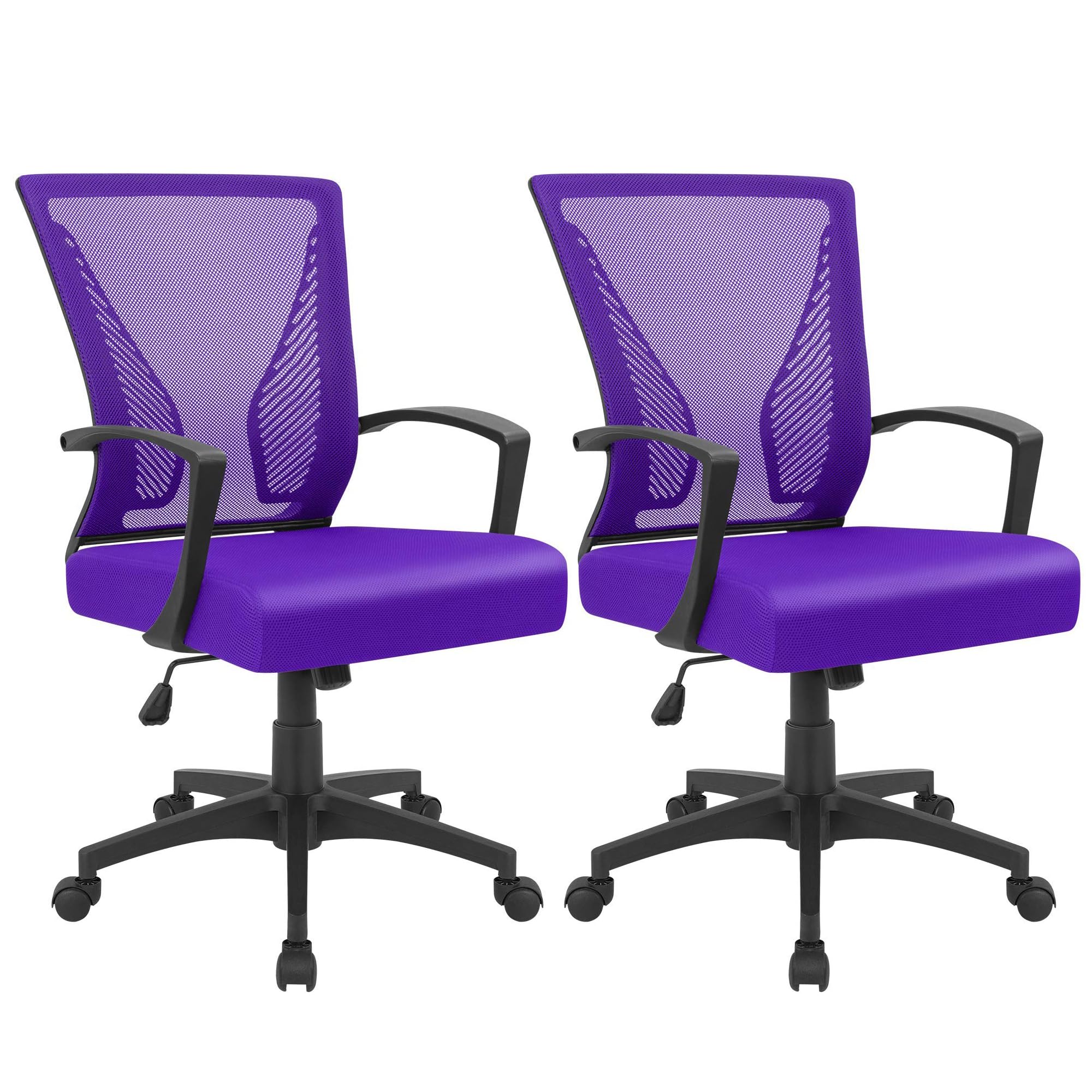
Figure 2: Assembled Furmax Ergonomic Mesh Office Chair
4. Operating Instructions
Your Furmax office chair is designed with several adjustable features for optimal comfort:
Height Adjustment
To adjust the seat height, locate the lever on the right side, beneath the seat. While seated, pull the lever up to lower the seat. To raise the seat, lift the lever while standing or with minimal weight on the seat.
Tilt/Rocking Function
The chair features a tilt function for reclining. Pull the same lever outwards to enable the rocking motion. Push the lever inwards to lock the chair in an upright position. The tension of the rocking motion can be adjusted by twisting the round knob located under the seat.

Figure 3: Rocking Function and Adjustment Lever
360-Degree Swivel
The chair is equipped with smooth casters and a 360-degree horizontal rotation, allowing for effortless movement and flexibility in your workspace.
Ergonomic Lumbar Support
The chair's backrest is designed with two lumbar supports that conform to your lower back, providing comfortable support and promoting good posture during long sitting periods.

Figure 4: Ergonomic Lumbar Support Detail
Breathable Mesh and Thick Cushion
The backrest features a high-quality, breathable mesh for enhanced airflow, while the seat cushion uses high-density elastic sponge for comfort and durability.
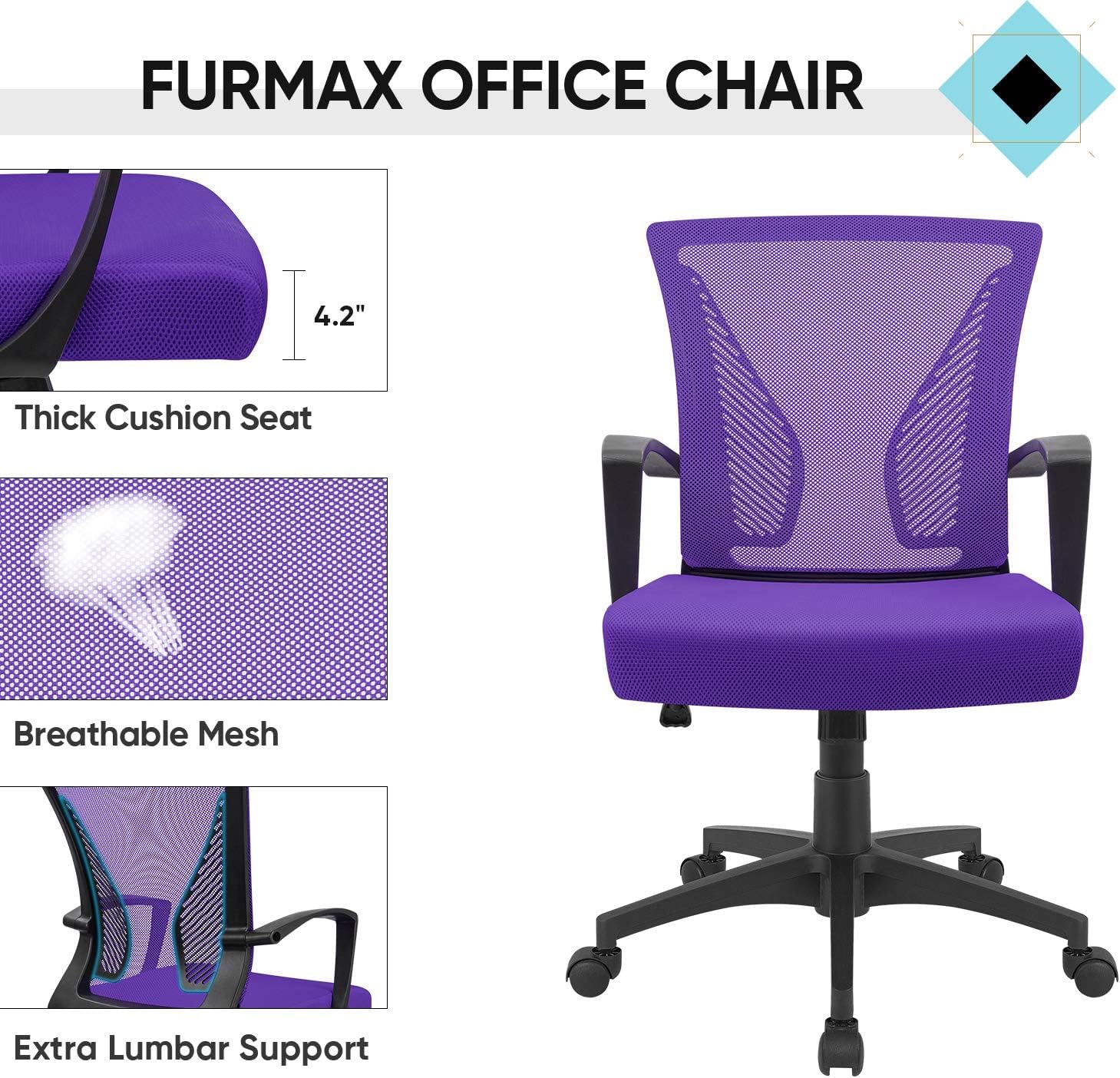
Figure 5: Seat Cushion and Mesh Detail
5. Maintenance
To ensure the longevity and optimal performance of your Furmax office chair, follow these maintenance guidelines:
- Cleaning: Wipe down plastic and metal parts with a soft, damp cloth. For mesh and fabric areas, use a mild upholstery cleaner or a vacuum with a brush attachment to remove dust and debris. Avoid harsh chemicals.
- Inspection: Periodically check all screws, bolts, and connections to ensure they are tight. Re-tighten if necessary.
- Caster Care: Keep casters free of hair and debris to ensure smooth rolling.
- Avoid Overloading: Do not exceed the maximum weight capacity of 240 pounds.
6. Troubleshooting
If you encounter any issues with your chair, refer to the following common problems and solutions:
- Chair does not stay at desired height: Ensure the gas lift cylinder is correctly installed and not damaged. If the issue persists, the gas lift may need replacement.
- Chair is unstable or wobbly: Check all assembly screws and bolts. Tighten any loose connections. Ensure the star base is fully engaged with the gas lift.
- Casters do not roll smoothly: Inspect casters for trapped debris (hair, lint, etc.) and clean them thoroughly. Ensure they are securely inserted into the star base.
- Backrest does not recline or lock: Verify that the tilt mechanism lever is correctly engaged or disengaged. Adjust the tilt tension knob if the rocking motion is too stiff or too loose.
7. Specifications
| Feature | Detail |
|---|---|
| Brand | Furmax |
| Model Name | OCNC7510 |
| Color | Violet |
| Product Dimensions | 19.7"D x 19.7"W x 35.4"H |
| Seat Dimensions | 19.7 (L) X 19.7 (W) X 16.5-20.5 (H) inches |
| Chair Backrest Width | 18.9 Inches |
| Maximum Weight Recommendation | 240 Pounds |
| Material | Metal, Plastic, Foam |
| Fill Material | Foam |
| Back Style | Wing Back |
| Arm Style | Rounded |
| Leg Style | Wheels |
| Reclining Position Count | 1 |
| Item Weight | 20.5 pounds |
8. Warranty and Support
For warranty information, product support, or to purchase replacement parts, please contact Furmax customer service through the retailer where the product was purchased. Please have your model name (OCNC7510) and purchase date available.


