
Important Safety Information
Warning: It is illegal to ride electric scooters on public roads, pavements, or cycle paths in many regions. This product is intended only for use on private land with the owner's permission. Always check local regulations before use.
This controller kit is designed for electric scooters. Improper installation or use can lead to malfunction, injury, or damage to the scooter. Always ensure all connections are secure and correct before operating the scooter.
Package Contents
Please verify that all components listed below are included in your package. The specific contents may vary slightly depending on the package option (A, B, or C) purchased.

Image: Overview of the electric scooter controller kit components, including the controller, dashboard, accelerator, headlight, tail light, connecting wire, dashboard cover, and brake handle.
- 1 x 36V 350W Controller
- 1 x Dashboard (LED Display)
- 1 x Accelerator
- 1 x Headlight
- 1 x Tail light
- 1 x Connecting Wire Set
- 1 x Dashboard Cover
- 1 x Brake Handle
Setup and Installation
This controller kit is designed for replacement in compatible electric scooters, such as the Xiaomi M365. Professional installation is recommended if you are unfamiliar with scooter electronics.
General Installation Steps:
- Power Disconnection: Ensure the scooter's battery is completely disconnected before beginning any installation.
- Remove Old Components: Carefully remove the existing controller, dashboard, accelerator, brake handle, and any associated wiring. Note the original connections for reference.
- Install New Controller: Mount the new 36V 350W controller securely in its designated compartment.
- Connect Wiring: Connect the new wiring harness, dashboard, accelerator, brake handle, headlight, and tail light to the controller. Ensure each connection is firm and correctly seated. Refer to your scooter's specific wiring diagram if available.
- Secure Components: Once all connections are made, secure the dashboard and brake handle to the handlebars. Install the dashboard cover.
- Reconnect Battery: Reconnect the scooter's battery.
- Initial Test: Power on the scooter and perform a low-speed test in a safe, open area to ensure all functions (acceleration, braking, lights, display) are working correctly.

Image: Detailed view of the 36V 350W electric scooter controller board with various wire connections.

Image: Close-up of the scooter's accelerator component, typically mounted on the handlebar.
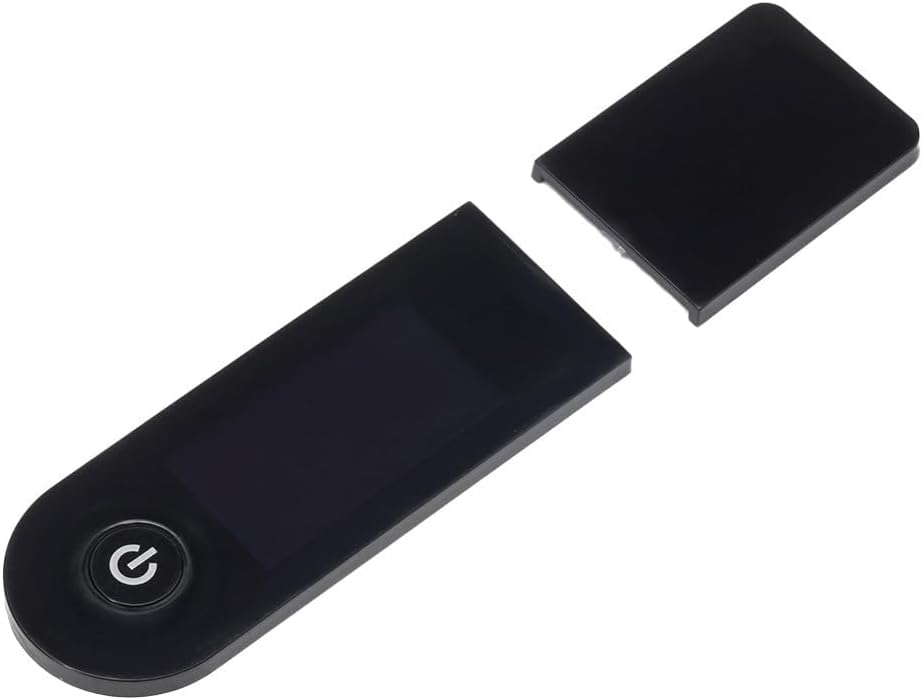
Image: Detailed view of the scooter's LED display and dashboard, showing the power button and screen area.

Image: Close-up of the scooter's brake handle, which includes a sensor for regenerative braking.
Operating Instructions
Power On/Off:
- Press and hold the power button on the LED display to turn the scooter on or off.
- The controller features an automatic shutdown function to conserve battery life. If there is no operation for 10 minutes, the scooter will automatically power off.
Battery Display:
The LED display indicates the battery voltage level:
- 33V - 36V: First light illuminated.
- 36V - 37V: Two lights illuminated.
- 37V - 38.5V: Three lights illuminated.
- 38.5V or more: Four lights illuminated.
Low Voltage Alarm:
- When the battery voltage drops below 33V, the first battery indicator light will flash, and an audible buzzer will sound to alert you.
- In low voltage alarm mode, the scooter's speed will be limited to approximately 15 km/h.
- To exit low voltage mode and return to normal operation, the battery voltage must recover to 37V or higher, and the throttle must be returned to its initial (off) position.
Speed Settings:
- Low Speed: Approximately 15 ± 2 km/h.
- High Speed: Up to 25 km/h (maximum).
Constant Speed Cruise Control:
- To activate cruise control, maintain a stable speed for approximately 6 seconds. The system will automatically engage cruise control.
- Once cruise control is active, you can release the throttle.
- To disengage cruise control, either press the brake lever or push the throttle again. This will return the scooter to manual control.
Brake Energy Recovery:
The controller supports brake energy recovery, which helps to recharge the battery during braking, optimizing energy efficiency.
LED Display with App Connectivity:
The LED display can connect to a mobile application, providing real-time information and control options for your scooter. Refer to the app's instructions for pairing and usage.
Maintenance
To ensure the longevity and optimal performance of your controller kit and scooter, regular maintenance is recommended:
- Keep Clean: Regularly wipe down the controller, dashboard, and other components with a dry, soft cloth to remove dust and dirt. Avoid using water or harsh chemicals.
- Check Connections: Periodically inspect all electrical connections to ensure they are secure and free from corrosion. Loose connections can lead to intermittent operation or damage.
- Avoid Moisture: Protect the controller and other electronic components from water exposure. While some components may have basic splash resistance, they are not waterproof.
- Storage: When not in use for extended periods, store the scooter and its components in a dry, cool environment.
Troubleshooting
Error Code 9E (Handbrake/Controller Mismatch):
If you encounter a 9E error after completing the assembly of your controller kit (especially with Package A or B), it indicates a mismatch between your handbrake and the controller's connection line.
- Solution 1: Seek assistance from a professional at a nearby repair shop for adjustment.
- Solution 2: Purchase a compatible handbrake that matches the controller's specifications.
General Issues:
- No Power: Check battery charge level and all power connections. Ensure the power button is pressed correctly.
- Intermittent Operation: Inspect all wiring connections for looseness or damage.
- Unusual Noises/Smells: Immediately power off the scooter and disconnect the battery. Contact a professional for inspection.
Specifications
| Feature | Specification |
|---|---|
| Brand | Generic |
| Model Number | F2F74OF9Q693QX814B1ED |
| Voltage | 36V |
| Power | 350W |
| Current Limit | 15A |
| MCU | High-performance 32-bit |
| Protection Functions | Overvoltage, Overcurrent, Overheating, Undervoltage |
| Special Features | Cruise Control, LED Display with APP, Automatic Shutdown, Constant Speed Cruise, Brake Energy Recovery |
| Dimensions (Controller) | Approx. 15 x 11 x 9 cm (5.9 x 4.3 x 3.5 inches) |
| Item Weight | 503 Grams (approx. 1.1 lbs) |