
1. Introduction
The YoLink Smart Wireless Temperature and Humidity Sensor provides reliable, long-range monitoring of environmental conditions. Utilizing LoRa technology, this sensor offers extended wireless range and exceptional battery life, making it ideal for various applications including fridge/freezer monitoring, pet habitats, and general indoor/outdoor environmental control. Receive instant alerts on your smartphone for temperature and humidity changes, and integrate with smart home platforms like Alexa and IFTTT.
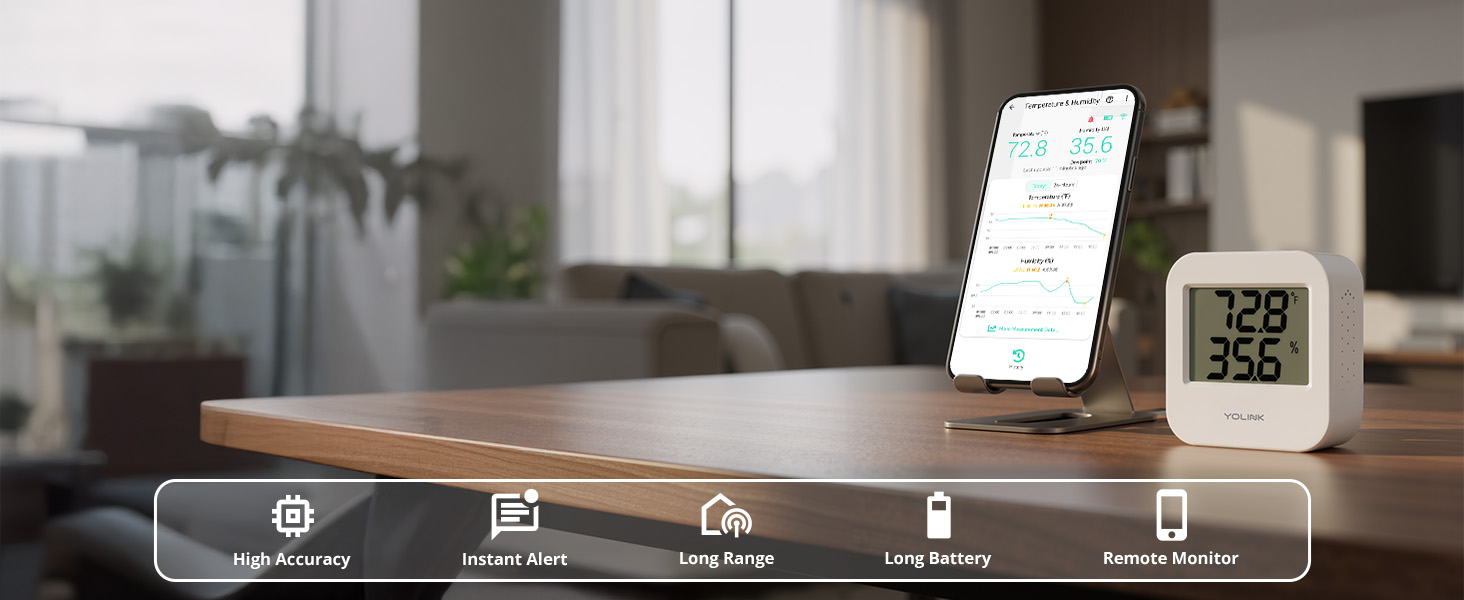
Figure 1: YoLink Temperature & Humidity Sensor (Model YS8003) highlighting its features like wide range, LoRa technology, 2+ year battery life, and various alert options.
2. Package Contents
Your YoLink Smart Wireless Temperature and Humidity Sensor package includes the following items:
- YoLink Hub
- YoLink Temperature and Humidity Sensor (Model YS8003)
- Power Adapter for Hub
- Ethernet Cable for Hub
- USB Cable for Hub
- Two AAA batteries (included for the sensor)

Figure 2: Contents of the YoLink Smart Wireless Temperature and Humidity Sensor kit, including the hub, sensors, and necessary cables.
3. Setup
Follow these steps to set up your YoLink Smart Wireless Temperature and Humidity Sensor:
- Connect the YoLink Hub: Plug the YoLink Hub into your router or network switch using the provided Ethernet cable. Connect the power adapter to the Hub and a power outlet. The Hub will come online almost instantly.
- Install Batteries in Sensor: Open the battery compartment on the back of the YoLink Temperature and Humidity Sensor and insert the two AAA batteries provided.
- Download YoLink App: Download the YoLink app from your smartphone's app store (available for iOS and Android).
- Pair Sensor with App: Open the YoLink app and log in or create an account. Use the 'Scan & Play' QR code scanner within the app to scan the QR code on your sensor. Follow the on-screen prompts to add the device to your account and assign it to a room.
- Placement: Place the sensor in the desired location for temperature and humidity monitoring. The sensor is designed for indoor use, but weatherproof sensors are available for outdoor applications.
Video 1: Demonstrates the long-range capabilities of YoLink sensors, showing how they can cover an entire home and property, from attic to basement and beyond.
4. Operating Instructions
Once set up, your YoLink sensor will continuously monitor temperature and humidity. You can access and manage the data through the YoLink app:
- Real-time Monitoring: View current temperature and humidity readings directly in the app.
- Historical Data: Access in-app historical graphs and export data (CSV file) for detailed analysis.
- Alerts and Notifications: Configure notification preferences to receive text messages, emails, or phone push notifications (including critical alerts) when predefined high or low temperature/humidity set points are reached.
- Smart Home Integration: Integrate your sensor with Alexa to query the temperature via voice command (humidity not supported by Alexa at this time). Use IFTTT to trigger applets based on sensor alerts.
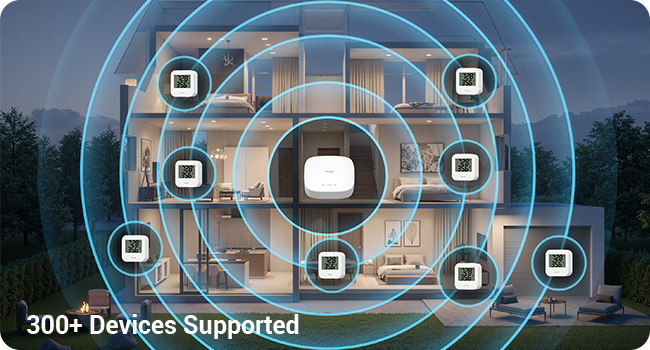
Figure 3: YoLink App interface showing historical temperature and humidity data graphs.
Video 2: Highlights how YoLink smart sensors can help prevent the loss of perishables by making any fridge smart and providing timely alerts.
5. Maintenance
To ensure optimal performance and longevity of your YoLink sensor:
- Battery Replacement: The sensor uses two AAA batteries with an expected battery life of 2+ years. Replace batteries when the app indicates low battery status.
- Cleaning: The sensor is freezer safe and can be wiped clean with a soft, dry cloth. Avoid using harsh chemicals or abrasive materials.
6. Troubleshooting
If you encounter issues with your YoLink sensor, consider the following:
- No Readings/Offline: Ensure the sensor batteries are fresh and correctly installed. Check the YoLink Hub's status in the app to confirm it's online and connected to your network.
- Inaccurate Readings: While the sensor is highly accurate, ensure it's not placed in direct sunlight or near heat sources that could affect readings. Sensors are calibratable via the app if minor adjustments are needed.
- Alerts Not Received: Verify your notification settings in the YoLink app (text, email, push notifications). Check your phone's notification settings for the YoLink app.
- Connectivity Issues: LoRa technology offers long range and penetration through obstacles like metal and concrete. If connectivity is an issue, try repositioning the sensor or the YoLink Hub.
7. Specifications
| Feature | Detail |
|---|---|
| Brand | YoLink |
| Model Name | YS1603+2YS8003 |
| Connectivity Technology | LoRa |
| Power Source | Battery Powered (2 AAA batteries) |
| Upper Temperature Rating | 158 Degrees Fahrenheit |
| Lower Temperature Rating | -22 Degrees Fahrenheit |
| Response Time | 1 minute |
| Display Type | Digital |
| Indoor/Outdoor Usage | Indoor, Outdoor (with weatherproof sensors) |
| Product Dimensions | 6.93 x 6.93 x 11.06 inches |
| Item Weight | 10.5 ounces |
8. Warranty & Support
For warranty information, technical support, or further assistance with your YoLink Smart Wireless Temperature and Humidity Sensor, please visit the official YoLink website or contact their customer service directly. Details can typically be found in the product packaging or on the YoLink brand store.


