
PHILODECO BP10000BTU
PhiloDeco Energy Star Window Air Conditioner User Manual
Model: BP10000BTU
Introduction
Thank you for choosing the PhiloDeco Energy Star Window Air Conditioner. This manual provides important information for the proper installation, operation, and maintenance of your new air conditioner. Please read this manual thoroughly before using the appliance and keep it for future reference.
This 10000 BTU window air conditioner with Wi-Fi capability is designed to provide efficient cooling for areas up to 440 square feet, featuring an inverter compressor for ultra-quiet and energy-efficient operation. It includes multiple modes such as Cooling, Dehumidification, Fan, ECO, and Sleep, along with remote control and smart app functionality for convenient use.
Safety Information
To prevent injury to the user or other people and property damage, the following instructions must be followed. Incorrect operation due to ignoring instructions may cause harm or damage.
- Always use a grounded outlet.
- Do not operate the air conditioner with a damaged power cord or plug.
- Do not insert fingers or foreign objects into the air inlet/outlet.
- Ensure the unit is installed securely to prevent falling.
- Do not block the air intake or exhaust vents.
- Unplug the unit before cleaning or servicing.
- This appliance is not intended for use by persons (including children) with reduced physical, sensory or mental capabilities, or lack of experience and knowledge, unless they have been given supervision or instruction concerning use of the appliance by a person responsible for their safety.
Package Contents
Please check that all items are included in your package:
- PhiloDeco Window Air Conditioner Unit
- Remote Control
- Installation Kit (Side Panels, Screws, Foam Seals)
- User Manual (This Document)
Product Overview
Familiarize yourself with the main components and controls of your PhiloDeco window air conditioner.

Image: The PhiloDeco window air conditioner unit, showing its front panel display, a remote control, and a smartphone displaying the control app interface. The unit is white with a modern design.
Main Components:
- Control Panel: Located on the front of the unit, with LED display and touch buttons.
- Air Filter: Removable for cleaning, located behind the front grille.
- Air Outlet Louvers: Adjustable for directing airflow.
- Power Cord: 5.9 ft long, with a 3-prong grounded plug.
Remote Control Functions:
- Power Button: Turns the unit on/off.
- Mode Button: Cycles through Cooling, Dehumidification, Fan, ECO, Sleep.
- Temperature Up/Down: Adjusts the set temperature.
- Fan Speed: Adjusts fan speed (Low, Medium, High, Auto).
- Timer: Sets auto on/off time.
- Swing: Activates/deactivates automatic louver swing.
- Display: Turns the unit's LED display on/off.
- Mute: Silences button beeps.
Setup and Installation
The PhiloDeco window air conditioner is designed for easy installation in standard double-hung windows. No professional personnel are required for installation.
Window Requirements:
- Window Width: 24 inches to 36 inches.
- Minimum Window Height: 14.5 inches (for the lower sash to allow).

Image: A diagram illustrating the product dimensions (19.25" width, 20.67" depth, 13.39" height) and the required window opening dimensions (25" to 36" wide, minimum 16" high).
Installation Steps:
- Prepare the Window: Open the window and ensure the window sill is clean and clear.
- Place the Unit: Carefully lift the air conditioner and place it inside the open window, ensuring it is centered and resting securely on the window sill.
- Secure Side Brackets: Attach the provided side panels (accordion panels) to the unit. Extend these panels to fill the gap between the unit and the window frame.
- Secure the Unit: Use the included screws to secure the unit to the window frame and the side panels to the window sash, ensuring a tight and stable fit. Refer to the detailed installation page in the manual for specific screw locations.
- Seal Gaps: Apply foam seals (if provided) to any remaining gaps around the unit to prevent air leakage and improve efficiency.
- Plug In: Once securely installed, plug the power cord into a grounded 110V outlet.

Image: A three-panel image demonstrating the installation process. Panel 1: "Placing inside an open window" shows the unit being lowered into the window. Panel 2: "Securing the side brackets" shows the side panels being extended and secured. Panel 3: "Extend side panels into wall" shows the final step of extending the accordion panels to fill the window gap.
Operating Instructions
Your PhiloDeco air conditioner offers various modes and control options for optimal comfort.
Basic Operation:
- Power On/Off: Press the Power button on the control panel or remote control.
- Select Mode: Press the Mode button to cycle through:
- Cooling Mode: For maximum cooling. Adjust temperature using Up/Down buttons.
- Dehumidification Mode: Reduces humidity in the room.
- Fan Mode: Circulates air without cooling. Adjust fan speed.
- ECO Mode: Energy-saving mode. The unit will cycle on/off to maintain the set temperature, saving energy.
- Sleep Mode: Gradually increases the set temperature over time for comfortable sleep and reduced noise.
- Adjust Temperature: Use the Up/Down arrows on the remote or control panel to set your desired temperature (61°F to 88°F / 16°C to 31°C).
- Adjust Fan Speed: Press the Fan button to select Low, Medium, High, or Auto fan speed.
- Swing Function: Press the Swing button to activate automatic vertical louver movement for wider air distribution.
Smart APP Control (Wi-Fi):
Control your air conditioner remotely using the Smartlife Smart Home app on your smartphone.

Image: A smartphone screen showing the "Smart APP Control" interface for the PhiloDeco air conditioner, with options for 10000 BTU, 440 sq ft coverage, Up and Down Wind Direction, Low Noise, 4 Wind Speed, ECO Mode, and Sleep Mode. The AC unit is visible in the background.
- Download App: Search for "Smartlife Smart Home" in your app store (iOS/Android) and download it.
- Register/Login: Create an account or log in.
- Add Device: Follow the in-app instructions to add your PhiloDeco air conditioner. Ensure your phone and the AC unit are connected to the same Wi-Fi network during setup.
- Control: Once connected, you can control all functions of the AC unit from your smartphone, including power, mode, temperature, fan speed, and timer settings.
Sleep Mode:
The Sleep Mode is designed for quiet and comfortable operation during nighttime hours. It gradually adjusts the temperature and operates at a lower fan speed to minimize noise.
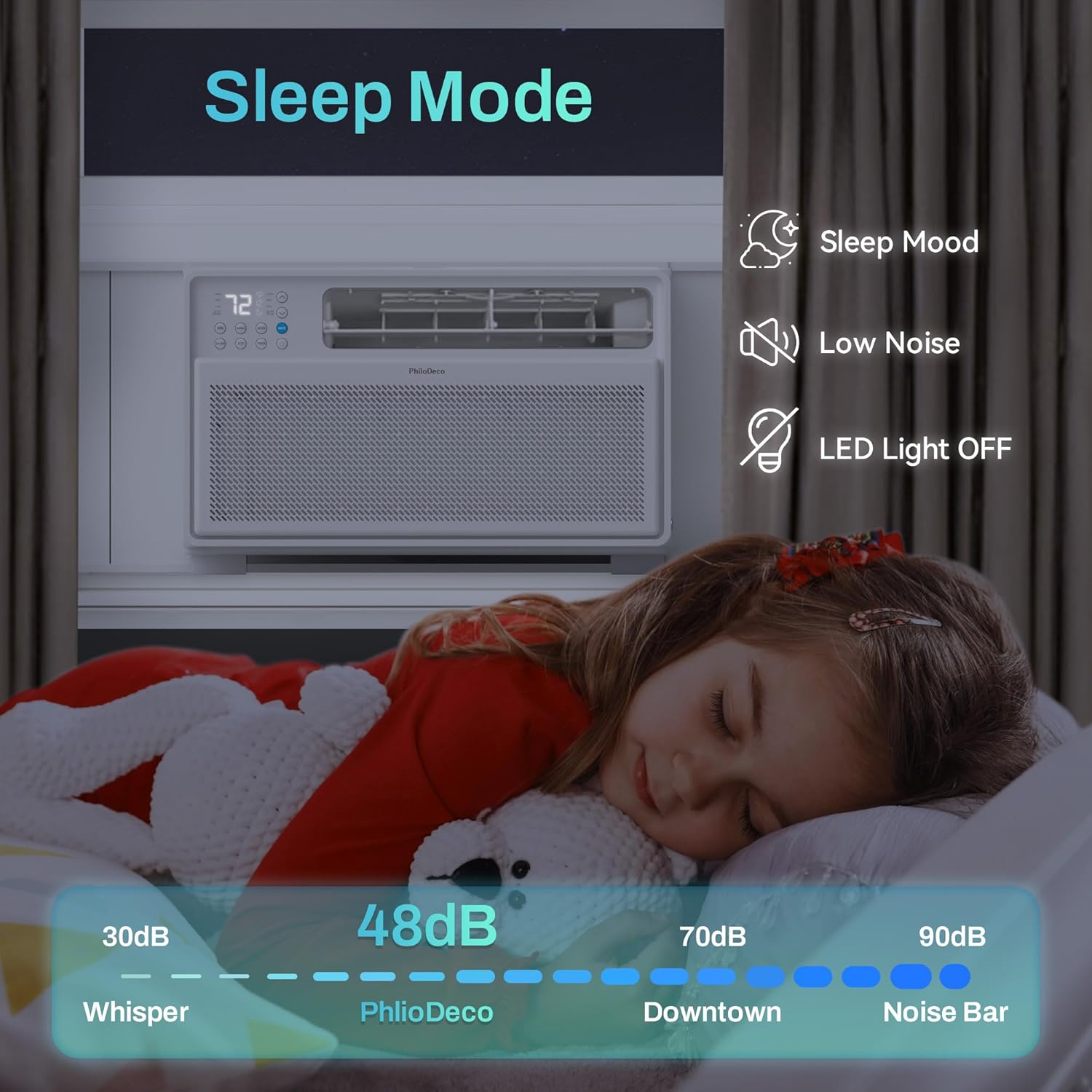
Image: An illustration depicting "Sleep Mode" with a child sleeping peacefully. It highlights features like "Sleep Mood," "Low Noise," and "LED Light OFF." A decibel scale indicates the unit operates at approximately 48dB, comparing it to "Whisper" (30dB), "Downtown" (70dB), and "Noise Bar" (90dB).
- Activates a quiet operation profile.
- The set temperature will automatically increase by 1°F (or 1°C) after 30 minutes, and then by another 1°F (or 1°C) after another 30 minutes. This new temperature will be maintained for 7 hours before returning to the original setting.
- The LED display can be turned off for minimal light disturbance.
Maintenance
Regular maintenance ensures optimal performance and longevity of your air conditioner.
Cleaning the Air Filter:
The air filter should be cleaned every two weeks or more frequently depending on usage and air quality. A dirty filter can reduce cooling efficiency and airflow.

Image: A multi-panel image demonstrating the "Washable Filter" feature. It shows icons for "Remind to clean the dust filter," "Removable filter," and "Easy to Clean." Below, three steps are illustrated: 1. "Open the lid" (front panel), 2. "Remove the filter," and 3. "Rinse the filter" under running water.
- Unplug the Unit: Always disconnect the power supply before cleaning.
- Open the Lid: Gently open the front grille/lid of the air conditioner.
- Remove the Filter: Carefully slide out the air filter from its slot.
- Clean the Filter: Rinse the filter under cool, running water. For heavy dust, use a mild detergent and then rinse thoroughly.
- Dry the Filter: Allow the filter to air dry completely before reinserting it. Do not expose it to direct sunlight or heat.
- Reinstall: Slide the dry filter back into its position and close the front grille.
Unit Exterior Cleaning:
- Wipe the exterior with a soft, damp cloth.
- Do not use harsh chemicals, abrasives, or solvents.
Seasonal Storage:
- If storing the unit for an extended period, clean the filter and ensure the unit is completely dry.
- Store in a dry, cool place, preferably in its original packaging.
Troubleshooting
Before contacting customer support, please refer to the following common issues and solutions:
| Problem | Possible Cause | Solution |
|---|---|---|
| Unit does not turn on. | No power; circuit breaker tripped; power cord not fully plugged in. | Check power outlet; reset circuit breaker; ensure plug is firmly inserted. |
| Unit not cooling effectively. | Dirty air filter; blocked air intake/outlet; room too large; windows/doors open. | Clean air filter; ensure vents are clear; close windows/doors; check room size against unit capacity. |
| Unit is noisy. | Loose installation; foreign object inside; normal operating sounds. | Ensure unit is securely installed; check for obstructions; some fan/compressor sounds are normal. |
| Water dripping from unit. | Unit not level; drain plug blocked (if applicable). | Ensure unit is slightly tilted outwards for proper drainage; check drain for blockages. |
| Remote control not working. | Dead batteries; obstruction between remote and unit. | Replace batteries; remove obstructions; ensure remote is pointed at the unit. |
| Wi-Fi connection issues. | Incorrect Wi-Fi password; unit too far from router; router issues. | Re-enter Wi-Fi password; move unit closer to router or use a Wi-Fi extender; restart router. |
Specifications
| Feature | Detail |
|---|---|
| Brand | PHILODECO |
| Model Info | CJ10000BTU |
| Cooling Capacity | 10000 BTU |
| Coverage Area | Up to 440 sq ft |
| Item Weight | 46 pounds |
| Product Dimensions (LxWxH) | 18.11 x 14.76 x 14.76 inches (or 19.25"D x 20.67"W x 13.39"H as per image) |
| Noise Level | 45 dB (as low as 42 dB) |
| Installation Type | Window Mounted |
| Voltage | 110 Volts (DC) |
| Wattage | 110 watts |
| Refrigerant | R32 |
| Energy Efficiency | Energy Star Certified, CEER of 15.0 |
| Included Components | Remote Control |
Warranty and Support
PhiloDeco provides lifelong technical support for your intelligent variable frequency window air conditioner. Additionally, a 30-day no-reason return policy is offered.
If you encounter any issues or require assistance, please contact our after-sales service team. The contact email can be found in the user manual provided with your product. Our team is dedicated to providing prompt and helpful assistance.
For further information or to register your product, please visit the official PHILODECO website or refer to the contact details provided in your product packaging.
Ask a question about this manual
Ask about setup, troubleshooting, compatibility, parts, safety, or missing instructions. Manuals+ will review the question and use this page’s manual context to help answer it.