
1. Introduction
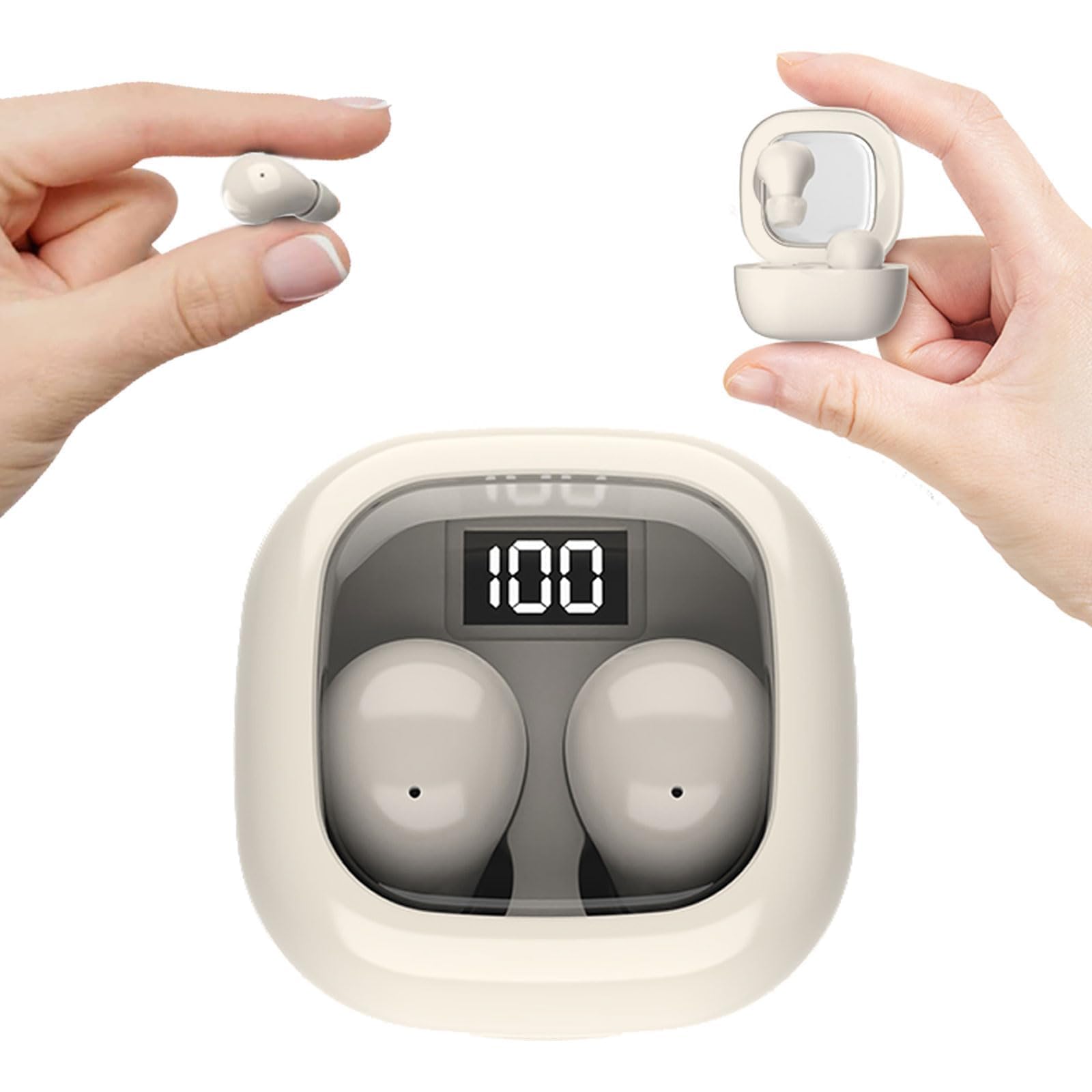
Thank you for choosing the CNBRO SK19 Invisible Mini Sleep Earbuds. These earbuds are designed for discreet listening and comfortable wear, especially for side sleepers and individuals with small ear canals. Featuring Bluetooth 5.3 connectivity and a compact design, they offer a seamless audio experience for various activities.
2. Safety Information
- Do not expose the earbuds or charging case to extreme temperatures or direct sunlight.
- Avoid using the earbuds at high volume levels for extended periods to prevent hearing damage.
- Keep the device away from water and moisture, unless specified for water resistance.
- Do not attempt to disassemble or modify the earbuds or charging case.
- Keep out of reach of children and pets to prevent accidental ingestion of small parts.
3. Package Contents
Please check the package for the following items:
- CNBRO SK19 Invisible Mini Sleep Earbuds (L/R)
- Charging Case
- Ear Cushions (various sizes)
- USB Charging Cable
- User Manual
4. Product Overview
The CNBRO SK19 earbuds are engineered for minimal visibility and maximum comfort. Their ultra-compact design makes them ideal for extended wear, including during sleep or in professional environments where discretion is valued.

Key Features:
- Ultra-Discreet Design: Seamlessly blends into your ears.
- Ergonomic Mini Size: Lightweight and comfortable for all-day wear.
- Sleep-Optimized Comfort: Soft, small design for side sleepers.
- Crystal-Clear Audio & Connectivity: High-fidelity sound with stable Bluetooth 5.3.
- Extended Battery Life: Up to 4 hours on earbuds, 20 hours with charging case.
5. Setup
5.1. Charging the Earbuds and Case
Before first use, fully charge the earbuds and the charging case.
- Place the earbuds into the charging case. Ensure they are correctly seated.
- Connect the USB charging cable to the charging port on the case and to a power source.
- The LED display on the charging case will show the battery percentage. A full charge typically takes about 1 hour for the case.

5.2. Bluetooth Pairing
The earbuds support one-step pairing for convenience.
- Open the charging case. The earbuds will automatically power on and enter pairing mode.
- On your device (smartphone, tablet, etc.), enable Bluetooth.
- Search for available Bluetooth devices and select "SK19" from the list.
- Once connected, you will hear a confirmation tone, and the earbuds will be ready for use.

5.3. Wearing the Earbuds
For optimal sound quality and comfort, ensure a proper fit.
- Identify the left (L) and right (R) earbuds.
- Gently insert each earbud into your ear canal.
- Rotate the earbud slightly until it feels secure and comfortable. Choose the appropriate ear cushion size for the best fit.


6. Operating the Earbuds
6.1. Power On/Off
- Power On: Open the charging case, and the earbuds will automatically power on.
- Power Off: Place the earbuds back into the charging case and close the lid. They will automatically power off and begin charging.
6.2. Touch Controls
The SK19 earbuds feature touch-sensitive controls for easy management of audio and calls.
| Function | Action |
|---|---|
| Play/Pause | Single tap on either earbud |
| Next Track | Double tap on the right earbud |
| Previous Track | Double tap on the left earbud |
| Answer/End Call | Single tap on either earbud |
| Reject Call | Press and hold either earbud for 2 seconds |
| Volume Up | Triple tap on the right earbud |
| Volume Down | Triple tap on the left earbud |
| Activate Voice Assistant | Press and hold either earbud for 3 seconds |
6.3. Water Resistance (IPX5)
The SK19 earbuds are rated IPX5 water-resistant, meaning they can withstand sweat and light splashes of water. They are not designed for submersion in water or use during swimming.

7. Maintenance
7.1. Cleaning
- Regularly clean the earbuds and charging case with a soft, dry, lint-free cloth.
- Remove ear cushions and clean them separately with mild soap and water if necessary, ensuring they are completely dry before reattaching.
- Do not use harsh chemicals or abrasive materials for cleaning.
7.2. Storage
When not in use, store the earbuds in their charging case to protect them from dust and damage.
8. Troubleshooting
| Problem | Solution |
|---|---|
| Earbuds not pairing | Ensure earbuds are charged. Turn off and on Bluetooth on your device. Forget "SK19" from your device's Bluetooth list and re-pair. |
| No sound from one earbud | Place both earbuds back in the case, close the lid, then reopen to reset. Check device's audio balance settings. |
| Charging case not charging | Ensure the charging cable is securely connected to both the case and the power source. Try a different cable or power adapter. |
| Touch controls unresponsive | Ensure your fingers are clean and dry. Try resetting the earbuds by placing them in the case and closing the lid. |
| Poor audio quality | Ensure earbuds are clean and properly seated in your ears. Move closer to your connected device to avoid interference. |
9. Specifications
| Feature | Detail |
|---|---|
| Brand | CNBRO |
| Model Number | SK19 |
| Connectivity Technology | Wireless (Bluetooth) |
| Bluetooth Version | 5.3 |
| Ear Placement | In Ear |
| Control Type | Volume Control, Touch |
| Battery Life (Earbuds) | Up to 4 Hours |
| Battery Life (with Case) | Up to 24 Hours |
| Battery Charge Time | Approx. 1 Hour (Case) |
| Water Resistance Level | IPX5 |
| Impedance | 10 Ohms |
| Frequency Range | 20 Hz - 20,000 Hz |
| Material | Plastic |
| Additional Features | Microphone Included, Sports & Exercise, Universal Phone Control |
10. Video Guide
Watch this video for a visual demonstration of the CNBRO SK19 Invisible Mini Sleep Earbuds' features and usage.
Video demonstrating the features and usage of CNBRO SK19 Invisible Mini Sleep Earbuds. This video provides a visual guide to the CNBRO SK19 earbuds, showcasing their ultra-stealth design, comfortable fit, and wireless freedom. It includes demonstrations of pairing and general use.
11. Warranty and Support
For warranty information and customer support, please refer to the documentation included with your purchase or contact CNBRO customer service through the retailer where the product was purchased. Keep your proof of purchase for warranty claims.