
1. Introduction
Thank you for choosing the TIGERKING FPSD40 Fireproof Safe. This safe is designed to protect your valuables from fire and theft, featuring a robust alloy steel construction and a digital lock system. It is laboratory certified to withstand high temperatures of 1200°F (650°C) for 30 minutes, providing crucial rescue time for your property in the event of a fire. Please read this manual thoroughly before setup and operation to ensure proper use and maximum security.
2. Safety Information
- Do Not Store Emergency Keys Inside: Always keep the emergency keys in a secure location outside the safe.
- Keep Away from Children: Ensure the safe is placed in a location inaccessible to children to prevent accidental lock-ins or tampering.
- Heavy Item: The safe weighs approximately 51.4 pounds (23.38 kg). Exercise caution when moving or lifting to prevent injury.
- Proper Ventilation: While the safe is fireproof, ensure adequate ventilation around it to prevent moisture buildup, especially in humid environments. Consider using a dehumidifier or silica gel packs inside the safe to protect contents from moisture damage.
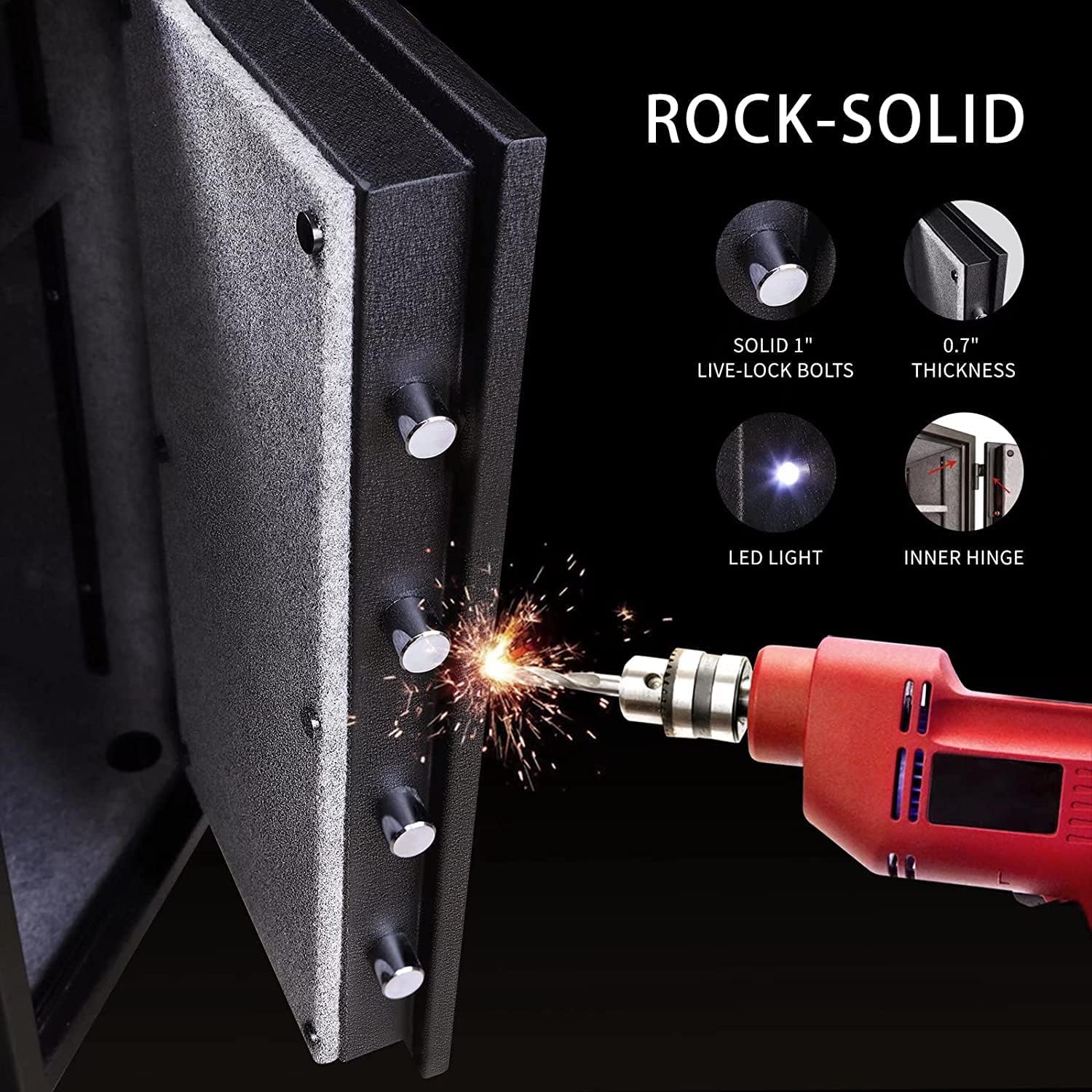
- Fire Protection: The safe features double fire protection with external hinges to prevent heat transfer and fireproof plaster as a flame insulating layer.
3. Package Contents
Verify that all items are present in your package:
- TIGERKING FPSD40 Fireproof Safe
- Emergency Keys (2)
- Mounting Bolts (for anchoring)
- User Manual (this document)
- Removable Shelf
4. Setup
4.1. Unpacking
Carefully remove the safe from its packaging. Inspect the safe for any signs of damage. Keep all packaging materials until you are satisfied with the product.
4.2. Battery Installation
The digital keypad requires 4 AA batteries (not included). The battery compartment is located on the inside of the safe door. Ensure the door is open to access it.
- Locate the battery compartment cover on the inside of the safe door.
- Slide the cover downwards to open the compartment.
- Insert 4 new AA batteries, ensuring correct polarity (+/-).
- Slide the cover back into place until it clicks securely.

Emergency Power Connector: In case the internal batteries die while the safe is locked, an emergency 9V battery connector is available on the keypad. Simply connect a 9V battery to this port to temporarily power the keypad and open the safe.
4.3. Setting the Digital Lock Code
To set or change your personal code:
- With the safe door open, locate the red 'RESET' button on the inside edge of the door (near the hinges).
- Press the 'RESET' button. The keypad will beep, and the blue lights will illuminate.
- Enter your desired personal code (3-8 digits) on the keypad.
- Press the '#' key to confirm. The green light will flash, indicating successful code setting.
Mute Feature: To mute the keypad beeping sound, enter '4 zeros' followed by the '*' key. To unmute, repeat the process.
4.4. Anchoring the Safe
For enhanced security, the safe can be anchored to a floor or wall using the provided mounting bolts. The safe features pre-drilled holes at the bottom.
- Choose a suitable location for the safe.
- Mark the drilling points through the holes at the bottom of the safe onto the floor or wall.
- Drill pilot holes at the marked points.
- Align the safe over the drilled holes.
- Insert the provided anchoring bolts and tighten them securely.
5. Operating
5.1. Opening the Safe
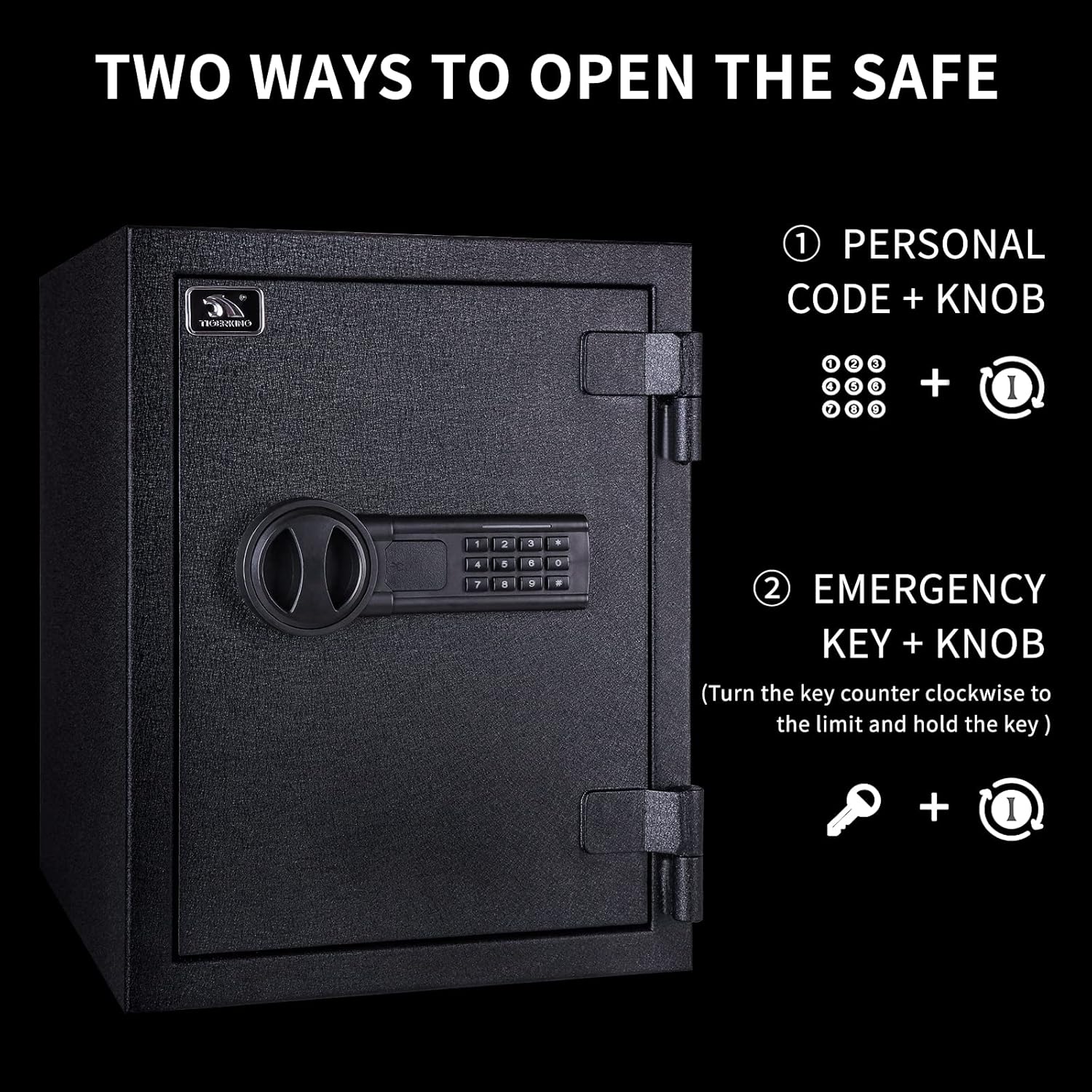
There are two primary methods to open your TIGERKING safe:
- Using Personal Code:
- Enter your personal code (3-8 digits) on the digital keypad.
- Press the '#' key to confirm.
- If the code is correct, the green light will illuminate. Within 5 seconds, turn the knob clockwise to open the safe door.
- Using Emergency Key:
- Locate the emergency keyhole, usually hidden behind a small cover on the keypad.
- Insert the emergency key and turn it counter-clockwise.
- Simultaneously turn the knob clockwise to open the safe door.

5.2. Closing and Locking
To close and lock the safe, simply push the door firmly shut. The safe will automatically lock once the door is closed and the bolts engage. No need to re-enter the code to lock it.
6. Maintenance
6.1. Battery Replacement
Replace the AA batteries approximately once a year, or when the keypad lights dim or the safe fails to respond. Always use good quality batteries for optimal performance.
6.2. Cleaning
Clean the exterior of the safe with a soft, damp cloth. Avoid using abrasive cleaners or solvents that could damage the finish. Do not spray water directly onto the keypad or lock mechanism.
6.3. Humidity Control
Because safes are airtight, moisture can build up inside over time, potentially leading to mold, mildew, or rust on contents. To prevent this, it is recommended to use a dehumidifier or silica gel packs inside the safe, especially in humid climates. Replace or recharge these as needed.
7. Troubleshooting
- Forgotten Code: Use one of the emergency keys to open the safe. Once open, you can reset the code by pressing the 'RESET' button and following the code setting instructions.
- Dead Batteries: If the keypad does not respond, connect a 9V battery to the emergency power connector on the keypad to temporarily power it and open the safe. Replace the internal AA batteries immediately.
- Keypad Not Responding: Ensure batteries are correctly installed and have sufficient charge. If the issue persists, try resetting the code.
- Door Not Opening After Code Entry: Ensure you turn the knob clockwise within 5 seconds of the green light illuminating. If the bolts are stuck, gently push on the door while turning the knob.
8. Specifications
| Feature | Specification |
|---|---|
| Brand | TIGERKING |
| Model | FPSD40 |
| Exterior Dimensions (D x W x H) | 14.2" x 12.2" x 15.7" (36.07cm x 30.99cm x 39.88cm) |
| Interior Dimensions (D x W x H) | 10.12" x 9.84" x 14.2" (25.7cm x 24.99cm x 36.07cm) |
| Capacity | 1.24 Cubic Feet |
| Item Weight | 51.4 pounds (23.38 kg) |
| Material | Alloy Steel |
| Lock Type | Electronic Combination Lock |
| Fireproof Rating | 1200°F (650°C) for 30 minutes |
| Mounting Type | Freestanding, Tabletop (Anchorable) |
| Color | Black |


9. Warranty and Support
TIGERKING has been producing safes since 2000. We are committed to business integrity and quality after-sale assurance.
Warranty: This product comes with a 1-year warranty.
Customer Support: If you have any questions or require assistance with your TIGERKING safe, please feel free to contact us. Your satisfaction is our aim.
Note: No seller-provided product videos were available for embedding in this manual.


