
Introduction
This manual provides essential instructions for the safe and effective use of your MDCGPower AC Adapter Charger, Model MDKQ0347. This power supply is designed to be compatible with VRETTI V330M, D465B, and 4B-2054N Thermal Barcode Shipping Label Printers. Please read this manual thoroughly before use and retain it for future reference.
Safety Information
- Ensure the adapter is used with compatible devices only. Refer to the specifications section for details.
- Do not expose the adapter to water, moisture, or extreme temperatures.
- Avoid dropping or subjecting the adapter to severe impacts.
- Do not attempt to open or modify the adapter. This may void the warranty and pose safety risks.
- Always disconnect the adapter from the power outlet before cleaning or if it will be unused for an extended period.
- Keep out of reach of children.
- If the adapter shows signs of damage (e.g., frayed cables, cracked casing), discontinue use immediately and replace it.
Setup
1. Unpacking
Carefully remove the AC adapter and power cord from its packaging. Inspect all components for any visible damage. If any damage is found, do not use the product and contact your seller.
2. Connecting the Power Cord
Connect the detachable AC input power cord to the AC adapter's input port. Ensure it is firmly seated.

This view of the MDCGPower AC Adapter Charger provides a closer look at the power brick's input port, where the AC power cord connects, alongside the output cable and its barrel connector.
3. Connecting to the Printer
Locate the power input port on your VRETTI V330M, D465B, or 4B-2054N Thermal Barcode Shipping Label Printer. Insert the barrel connector from the AC adapter's output cable into this port. Ensure a secure connection.
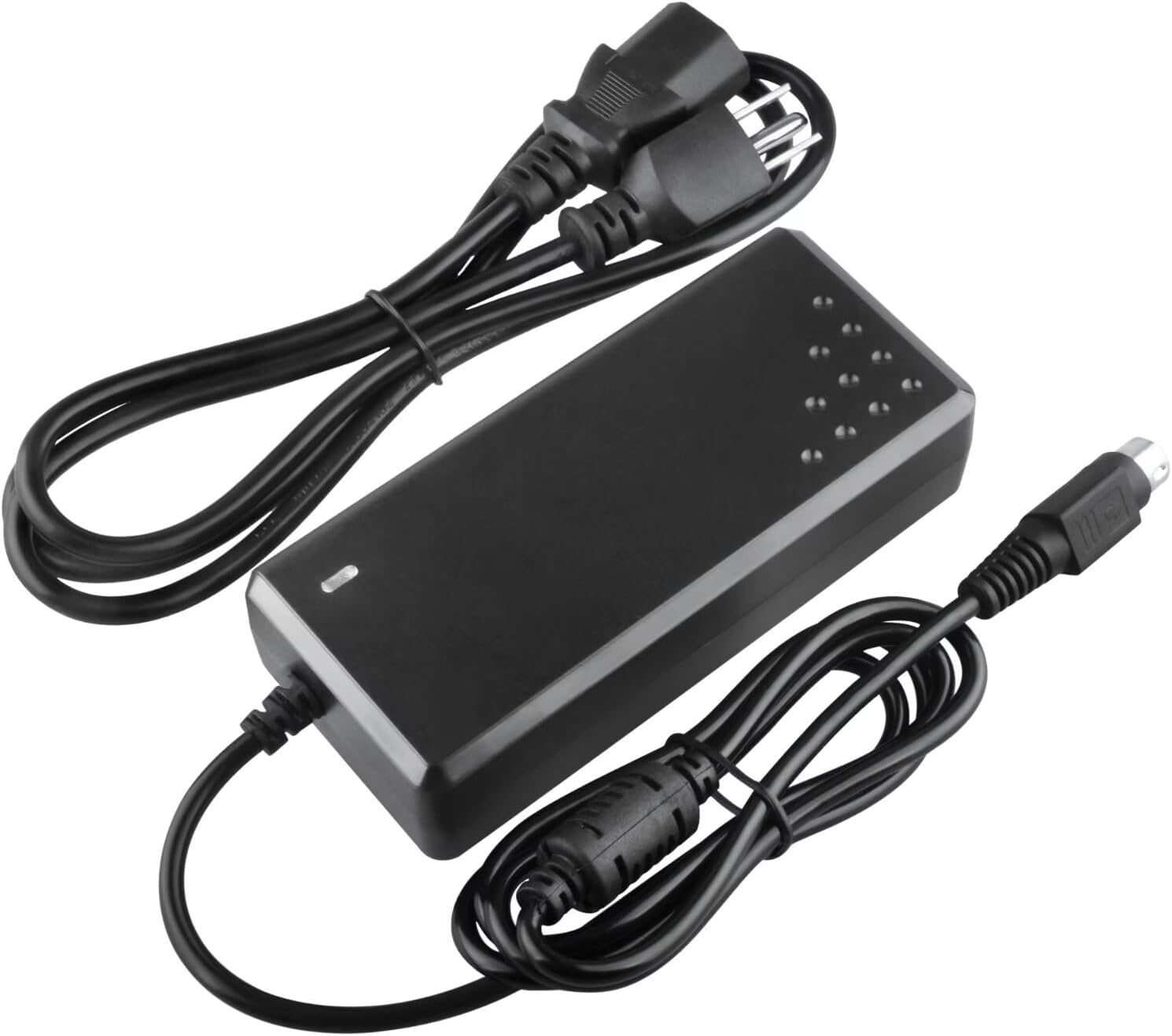
An angled perspective of the MDCGPower AC Adapter Charger, highlighting the power brick, the detachable AC power cord, and the DC output cable with its barrel connector, ready for connection.
4. Connecting to a Power Outlet
Plug the AC input power cord into a standard electrical wall outlet (100-240VAC, 50/60Hz). The adapter is now ready for use.

This image displays the complete MDCGPower AC Adapter Charger unit, including the main power brick, the detachable AC input power cord with a standard North American plug, and the integrated DC output cable terminating in a barrel connector.
Operating
Once properly connected, the AC adapter will supply power to your compatible VRETTI thermal barcode printer. The adapter typically features an indicator light (often an LED) that illuminates when power is being supplied. Refer to your printer's manual for specific power-on procedures.
Maintenance
Cleaning
To clean the adapter, disconnect it from both the power outlet and the printer. Use a soft, dry cloth to wipe the surface. Do not use liquid cleaners or abrasive materials.
Storage
When not in use, store the adapter in a cool, dry place, away from direct sunlight and moisture. Avoid tightly coiling the cables to prevent damage.
Troubleshooting
- No Power to Printer:
- Ensure the AC adapter is securely plugged into a working wall outlet.
- Verify that the power cord is firmly connected to the adapter.
- Check that the barrel connector is fully inserted into the printer's power port.
- Test the wall outlet with another device to confirm it is functional.
- Adapter Overheating:
- It is normal for the adapter to feel warm during operation. However, if it becomes excessively hot, disconnect it immediately.
- Ensure the adapter is in a well-ventilated area and not covered.
- Confirm that the adapter is compatible with your printer's power requirements.
- Printer Malfunction:
- If the printer is not functioning correctly after confirming power, consult your printer's user manual for troubleshooting steps specific to the printer.
- If possible, test the printer with another compatible power adapter to rule out the adapter as the cause.
Specifications
| Model Number | MDKQ0347 |
| Input Voltage | 100-240VAC, 50/60Hz |
| Output Current | 2 Amps |
| Connector Type | Barrel Connector |
| Compatible Devices | VRETTI V330M, D465B, 4B-2054N Thermal Barcode Shipping Label Printers |
| Safety Protection | Over Current, Over Voltage, Short Circuit Protection |
| Power Plug Type | Type A - 2 pin (North American), Type B - 3 pin (North American) |
Warranty
For information regarding the warranty period and terms for your MDCGPower AC Adapter Charger, please refer to the product listing or contact the seller directly. Keep your proof of purchase for warranty claims.
Support
If you encounter issues not covered in this manual or require further assistance, please contact the seller or manufacturer through the platform where the product was purchased. Provide your model number (MDKQ0347) and a detailed description of the issue for efficient support.